Laptops for Electrical Engineering Students
Find laptops for electrical engineering students with the processing power, memory, and portability to balance coursework and campus life. Compare options against the system requirements for your circuit simulation, CAD, and programming software, paying attention to operating system compatibility, RAM, and storage. Battery life, screen size, and weight also matter when moving between lectures, labs, and study sessions.





FAQ
A recent multi-core processor, at least 16 GB of RAM, and a solid-state drive are useful starting points for coursework involving programming, circuit simulation, and computer-aided design. For larger projects or frequent multitasking, 32 GB of RAM may be worth considering. Check your program’s software requirements before choosing a laptop.
Windows is a common choice because many engineering applications support it, and some require it. macOS and Linux support a range of programming and analysis tools, but compatibility varies for circuit design applications and hardware drivers. Confirm which operating system your department requires, including any restrictions on ARM-based laptops.
Integrated graphics are often sufficient for coding, circuit schematics, and introductory simulation work. Dedicated graphics may be relevant for 3D CAD, visualisation, or applications that explicitly support GPU acceleration. Check the requirements of your course software, as many circuit simulation tasks rely primarily on the processor and RAM.
USB-A and USB-C ports are useful for connecting development boards, microcontrollers, and lab peripherals. HDMI or a USB-C port with video output can connect an external monitor, while Ethernet may be useful for network-based lab work. If you plan to use adapters or a dock, confirm support for your peripherals and their drivers.
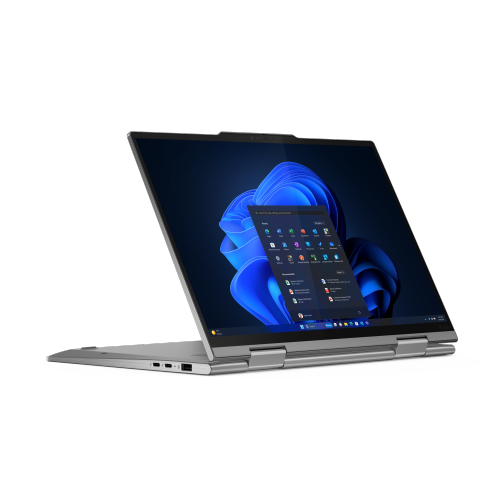
A 2-in-1 laptop with active pen support offers a convenient way to annotate lecture slides, write equations, and sketch circuit diagrams. Pen compatibility and whether a pen is included vary by model. A convertible design does not determine software compatibility, so check the operating system and hardware requirements for your courses.
Top selling and popular products
Discover more categories related to Laptops for Electrical Engineering Students


Some products may be subject to Environmental Handling Fees (EHF) depending on your province. Learn more about EHFs.