Best Gaming PS5 Headsets
Find the best gaming headsets for PS5 to hear more detail, chat clearly with teammates, and stay comfortable through longer play sessions. Ranked by user review ratings, this list highlights highly rated options to help you compare features and choose a headset that suits your setup, play style, and budget.
What to look for in gaming headsets for PS5
1. PS5 Compatibility and Connectivity
2. Sound Quality
3. Comfort and Battery Life
4. Microphone and Controls
-
1
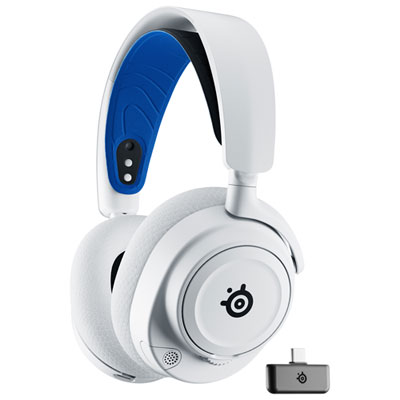
Steelseries Arctis Nova 7P Wireless Gaming Headset for PC / PS4 / PS5 / Nintendo Switch - White
About this product
A wireless white headset delivering immersive 360° spatial audio and dual audio streams for enhanced gaming experiences.
What customers like
(934)$249.99 Your price for this item is $249.99 -
2
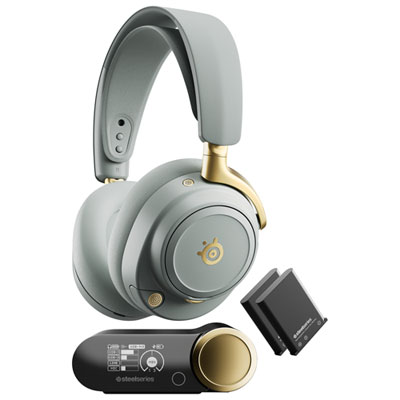
SteelSeries Arctis Nova Elite Wireless Gaming Headset for Xbox Series X|S / Xbox One / PC / PS4 / PS5 / Nintendo Switch - Sage/Gold
About this product
A wireless gaming headset in sage and gold featuring hi-res audio, active noise cancellation, and Bluetooth connectivity.
(2)$829.99 Your price for this item is $829.99 -
3
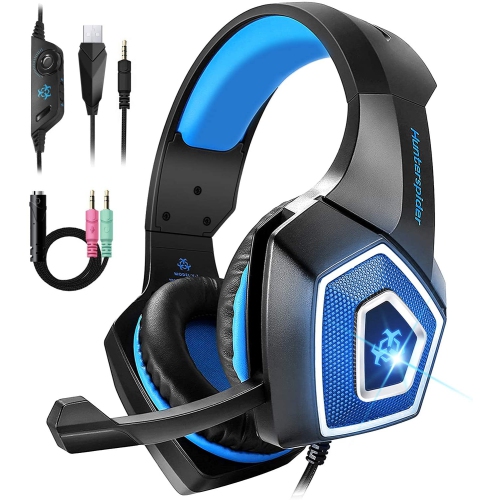
WINGOACCESSORIES Gaming Headset W/mic for Xbox One, Ps5, Ps4, PC, Nintendo Switch Playstation 5 - Stereo Bass Headphones - 3.5MM - Lightweight Over
About this product
A lightweight over-ear headset with stereo bass, LED light, noise isolation, and adjustable mic for gaming.
(1)$15.99Your price for this item is $15.99SAVE $64 -
4
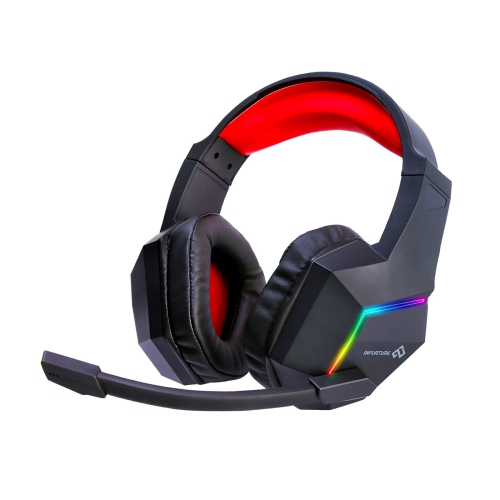
HLD Gaming Headset for Ps5 Ps4 PC Xbox One Noise Cancelling Over Ear Headphones With Mic RGB Light, Bass Surroundfor Xbox Series X/s, for Mac for Phone
About this product
A noise-cancelling over-ear gaming headset with 7.1 surround sound, RGB lighting, and flexible mic.
$49.99 Your price for this item is $49.99 -
5
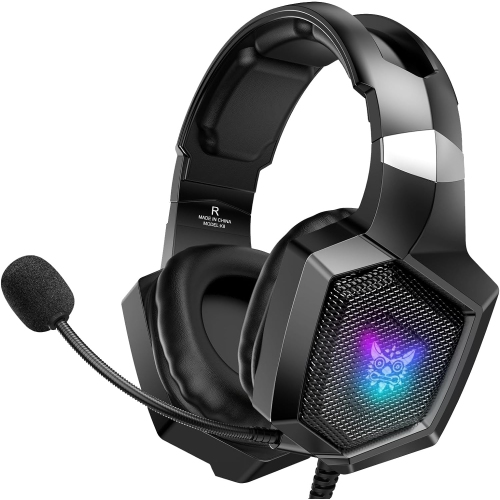
NANDDI Gaming With Rophone, Gaming Headphones for Ps4 Ps5 PC With RGB Lights, Playstation With Noise
About this product
A black over-ear wired gaming headset featuring RGB lights, noise reduction, and 7.1 surround sound.
$32.99 Your price for this item is $32.99 -
6
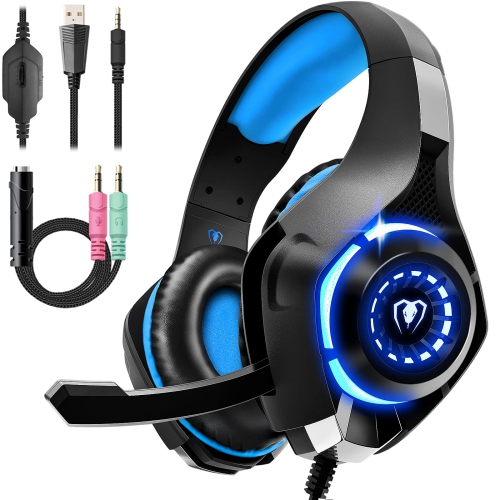
HLD Gaming Headset for Ps4 Ps5 Xbox One, Over-Ear Gaming Headphones With Noise Reduction Mic Volume Control Led Light for Ps5 Ps
About this product
An over-ear gaming headset featuring a noise reduction microphone, volume control, and LED lighting for consoles.
$61.96Your price for this item is $61.96SAVE $15 -
7
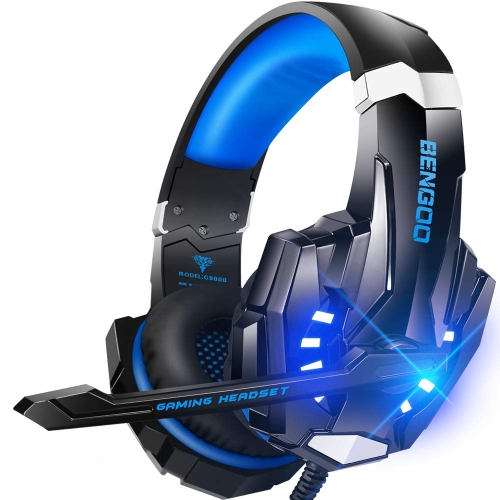
HLD G9000 Stereo Gaming Headset for Ps4 PC Xbox One Ps5 Controller, Noise Cancelling Over Ear Headphones With Mic
About this product
A noise-cancelling over-ear headset with microphone, compatible with PS4, PS5, Xbox One, and PC.
$57.96Your price for this item is $57.96SAVE $14 -
8

TURTLE BEACH Recon 50P Gaming Headset for Playstation 5, Ps4 Pro & Ps4
About this product
A wired gaming headset with a comfortable design and clear audio, compatible with PlayStation 5 and PS4.
$26.98Your price for this item is $26.98SAVE $5 -
9
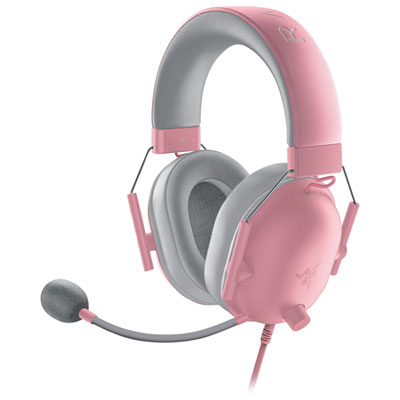
Razer BlackShark V2 X Gaming Headset for PC / PS4 / PS5 - Quartz
About this product
A quartz-coloured gaming headset with TriForce 50mm drivers, HyperClear mic, and memory foam ear cushions.
$54.99Your price for this item is $54.99SAVE $15 -
10
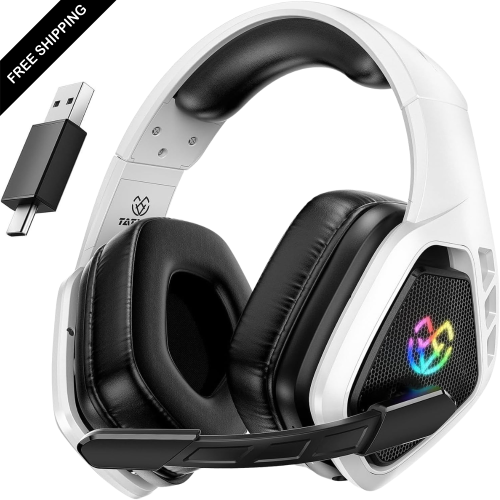
LDAS ELECTRONICS Wireless Gaming Headset for Ps5, Ps4, Switch, 2.4 Ghz USB & Type-C Bluetooth 5.3 Gaming Headphones w Microphone, 40H+ Battery
About this product
A wireless gaming headset with 3D surround sound, Bluetooth 5.3, microphone, and over 40 hours of battery life.
$69.99Your price for this item is $69.99SAVE $80
FAQ
PS5 gaming headsets typically connect through the DualSense controller’s 3.5 mm headset jack or a compatible USB connection. Wireless models commonly use a USB transmitter. Check for explicit PS5 compatibility, as a USB connection alone does not guarantee console support.
The PS5 does not support standard Bluetooth headsets for direct audio connections. Wireless gaming headsets generally need a PS5-compatible USB transmitter. Some Bluetooth headsets also offer a wired connection, though microphone support depends on the headset and cable.
Stereo audio uses left and right channels, while PS5 3D Audio processes sound to represent positions around the listener in supported content. Many compatible stereo headsets can use the console’s 3D Audio for Headphones setting without dedicated surround-sound hardware.
Common microphone designs include fixed, retractable and detachable boom microphones, along with built-in microphones. Depending on the headset, controls may include a mute button, flip-to-mute function or microphone monitoring, which lets you hear your own voice through the headset.
Open Settings > Sound > Audio Output to select your connected headset as the output device. The Output to Headphones setting lets you choose all audio or voice chat audio. You can also access the Sound controls from the control centre to adjust headset volume.
Top selling and popular products
Discover more categories related to Best Gaming PS5 Headsets
Some products may be subject to Environmental Handling Fees (EHF) depending on your province. Learn more about EHFs.