Best Gaming Headsets Under $30

Find the best gaming headsets under $30 for your setup without stretching your budget. Ranked by user review ratings, this selection makes it easy to compare affordable options for your next gaming session. Look for the features that matter most to you, from a comfortable fit and a clear microphone to compatibility with your PC or console.

Read More

What to look for in gaming headsets under $30

1. Platform Compatibility

Check that the headset supports your PC, console or mobile device and has the right connection for it. A 3.5 mm plug is common at this price, but some devices require an adapter, and some PCs need a splitter for separate audio and microphone ports.

2. Fit and Comfort

Look for an adjustable headband, cushioned earcups and a lightweight design for longer gaming sessions. Check the earcup size and padding to find a fit that suits you.

3. Audio and Microphone Performance

Prioritize clear game audio and understandable voice chat over surround sound claims. An adjustable microphone, accessible mute switch and volume controls can make it easier to communicate and adjust sound while playing.

4. Build Quality

Check for sturdy headband adjustments and reinforced cable connections that can handle everyday use. Compare warranty coverage and reviews for recurring issues with the cable, microphone or earcups.
Citrus catapult arrow
  1. 1

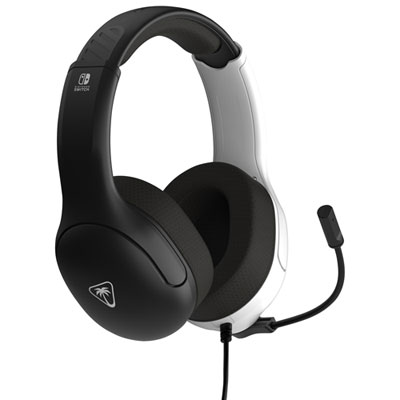
    Turtle Beach Airlite Fit Gaming Headset for Xbox Series X|S / Xbox One / PC / PS4 / PS5 / Nintendo Switch - Black/White

    About this product

    A black and white headset with 40mm speakers, noise-cancelling mic, and comfortable over-ear jersey knit cushions.

    What customers like

    • Affordable price and great value
    • Durable build and reliable performance
    • Clear and immersive sound quality
    • Lightweight and easy to wear for long sessions
    • Comfortable fit and soft ear cushions
    (34)
    $19.99
    SAVE $20
    Your price for this item is $19.99
  2. 2

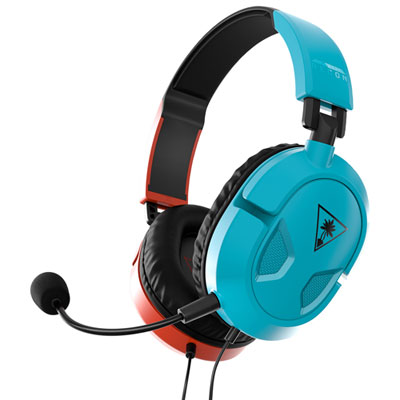
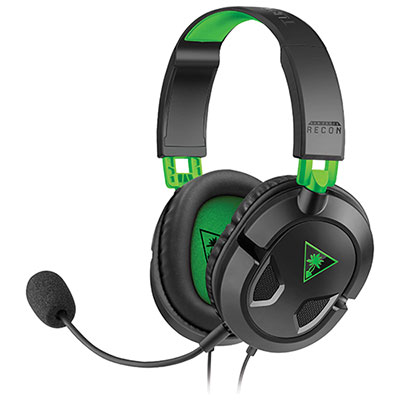
    Turtle Beach Recon 50 Gaming Headset for Xbox Series X|S / Xbox One / PC / PS4 / PS5 / Nintendo Switch - Red/Blue

    About this product

    A wired headset with 40mm speakers and removable mic, designed for Switch in vibrant red and blue.

    What customers like

    • Attractive color design
    • Great sound quality
    • Easy to use with Switch
    • Comfortable fit
    • Lightweight and portable
    (171)
    $15.99
    SAVE $4
    Your price for this item is $15.99
  3. 3

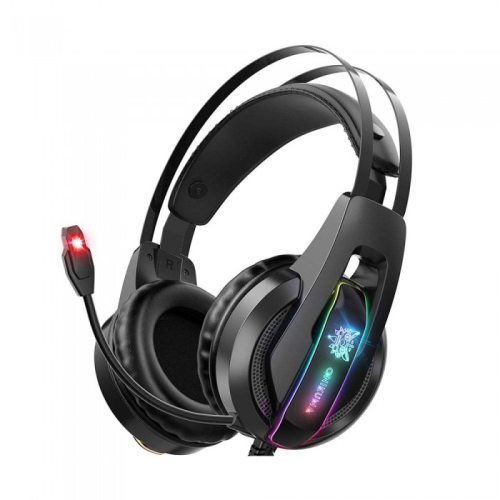
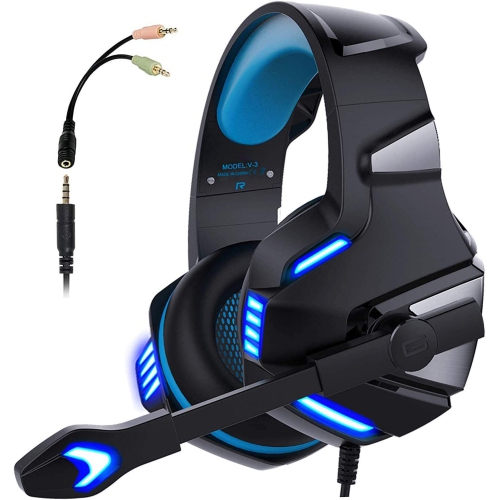
    WINGOMART K16 Gaming Headset Over-Ear 3.5MM Led Light Stereo Bass Game Headphones w Mic for PC Laptop Gamer Xbox One, Ps5, Ps4, PC, Nintendo Switch

    About this product

    A comfortable over-ear gaming headset with LED lights, stereo bass, noise reduction mic, and wide device compatibility.

    (1)
    $16.99
    SAVE $73
    Your price for this item is $16.99
  4. 4

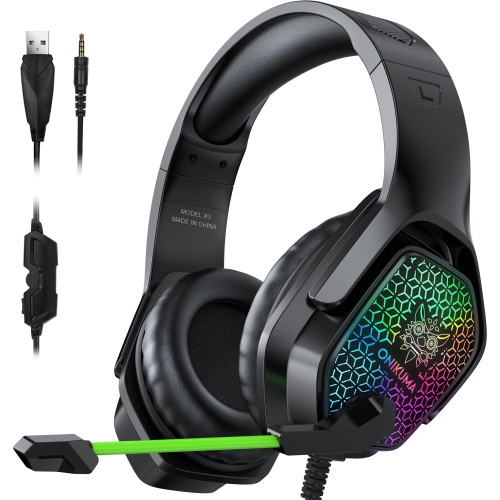
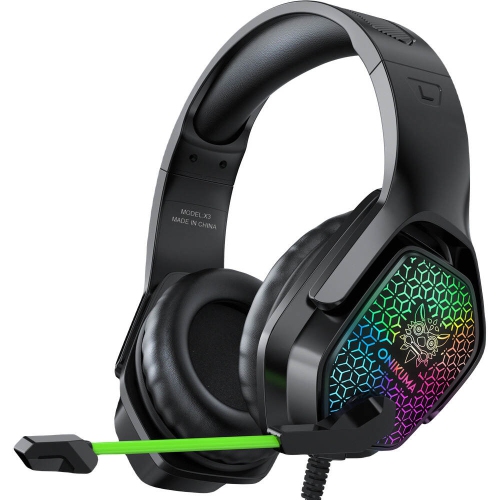
    WINGOMART X3 Gaming Headset Over-Ear 3.5MM Led Light Stereo Bass Game Headphones w Mic for PC Laptop Gamer Xbox One, Ps5, Ps4, PC, Nintendo Switch

    About this product

    A black over-ear gaming headset with LED lights, stereo bass, noise reduction mic, and wide device compatibility.

    (6)
    $17.99
    SAVE $72
    Your price for this item is $17.99
  5. 5

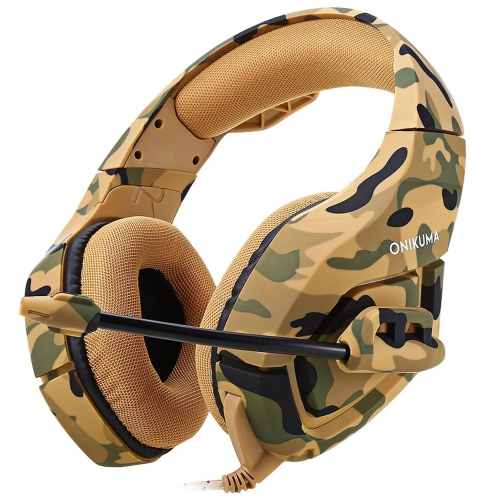
    WINGOMART K1B Camouflage Gaming Headset Over-Ear 3.5MM Stereo Bass Game Headphones w Mic for PC Laptop Gamer Xbox One, Ps5, Ps4, PC, Nintendo

    About this product

    A camouflage over-ear gaming headset with stereo bass, LED lights, noise reduction mic, and broad compatibility.

    (2)
    $15.99
    SAVE $64
    Your price for this item is $15.99
  6. 6

    WINGOMART X3 Gaming Headset Over-Ear 3.5MM Led Light Stereo Bass Game Headphones w Mic for PC Laptop Gamer Xbox One, Ps5, Ps4, PC, Nintendo Switch

    About this product

    A comfortable over-ear gaming headset with LED lights, stereo bass, noise reduction mic, and wide compatibility.

    (10)
    $16.99
    SAVE $73
    Your price for this item is $16.99
  7. 7

    WINGOMART Gaming Headset W/mic for Xbox, Playstation, Ps5, Ps4, PC, Nintendo Switch - Stereo Bass Headphones 3.5MM - Over Ear Headphones w Led

    About this product

    A lightweight over-ear gaming headset with stereo bass, LED lighting, noise isolation, and adjustable microphone.

    (3)
    $19.99
    SAVE $70
    Your price for this item is $19.99
  8. 8

    WINGOMART Gaming Headset W/mic for Xbox One, Ps5, Ps4, PC, Nintendo Switch Playstation 5 - Stereo Bass Headphones - 3.5MM - Lightweight Over Ear

    About this product

    A lightweight over-ear headset with stereo bass, noise isolation, LED light, and adjustable mic for gaming.

    (2)
    $15.99
    SAVE $64
    Your price for this item is $15.99

Clear game audio starts with more than speaker size

Gaming headsets bring game audio and voice chat together in one wearable setup, making them useful for everything from a quiet solo adventure to a lively evening of team matches. For straightforward everyday play, the most useful features are often clear stereo sound, an understandable microphone, a comfortable fit, and a connection that works with the intended device. A wired gaming headset can keep things simple: there is no battery to charge, and a compatible analogue connection does not require wireless pairing. That simplicity suits a first gaming setup, a shared family computer, or a spare headset kept near the console for visiting friends. Sound quality is about more than heavy bass. The rumble of an engine can add atmosphere, but dialogue, footsteps, and teammate callouts should remain distinct rather than getting buried beneath explosions. Larger speaker drivers do not automatically mean clearer audio, and surround-sound features may depend on software or device support. Stereo headsets can still convey useful directional cues when a game’s audio mix supports them. Closed-back earcups help contain sound and reduce some nearby distractions, although the seal and level of isolation vary with fit. They should not be confused with active noise cancellation. For online play, microphone placement matters just as much as the earcups: a boom positioned beside the mouth, rather than directly in front of it, can help limit breath sounds while keeping speech audible. An accessible mute switch is handy when someone walks into the room, while an inline volume control can make quick adjustments easier without leaving a match. Simple controls are especially welcome when a headset moves between gaming, voice calls, and listening to videos. The best fit for everyday gaming is not necessarily the design with the most lighting or the longest feature list; it is the one that handles the sounds, conversations, and devices that are part of a player’s usual routine.

Comfort becomes more noticeable once a short session stretches into several rounds, so the shape and materials of a gaming headset deserve attention alongside its audio features. Lightweight plastic frames can reduce pressure on the head, while a padded, adjustable headband helps distribute the weight instead of concentrating it in one spot. Metal reinforcement may strengthen particular stress points, but overall durability also depends on the hinges, sliders, and how the headset is handled. Over-ear cushions should sit around the ears without pressing them against the inner speaker covering; on-ear designs rest directly on the ears and feel different even when their overall weight is similar. Cushion depth, headband range, and clamping pressure all influence the fit. A headset that feels secure on an adult may slide around on a younger player, and an overly tight fit can become distracting for someone wearing glasses. Fabric-covered cushions often feel more breathable, while leatherette surfaces are generally easier to wipe clean but can feel warmer during longer sessions. Neither material guarantees comfort, since padding density and earcup shape also play a part. For a player leaning forward over a keyboard or turning towards a nearby screen, earcups with some swivel can help maintain an even fit. Cable placement matters here, too: a lead that catches on an armrest or pulls across the desk can interrupt an otherwise comfortable setup. Enough slack allows natural movement without leaving a long loop where it can snag. Headsets intended for younger users still need appropriate listening habits; an adjustable fit alone does not mean a headset includes volume limiting. Moderate listening levels and regular breaks are sensible for players of any age. Gaming headsets can also make practical gifts for someone setting up a desk, joining friends for multiplayer games, or wanting a microphone separate from a laptop’s built-in option. Knowing the recipient’s device, preferred fit, and usual playing space is more useful than choosing by colour alone, particularly when the headset will be worn alongside glasses or used in a shared room.

Connection details help determine whether a gaming headset will work as expected. A single 3.5 mm plug may carry both audio and microphone signals when it uses a compatible four-pole connection, but some desktop computers have separate headphone and microphone sockets and need a suitable splitter. A USB headset relies on device support, and a USB plug on a headset with multiple leads may power lighting rather than carry sound. Wireless connectivity should not be assumed to work with every console or controller, either. Checking the supported devices and the purpose of each connector can prevent a setup where game audio plays correctly but teammates cannot hear the microphone. Cable length also needs to suit the playing distance: sitting at a computer desk is different from reaching a console across a living room, although a compatible controller audio jack may keep the connection close at hand. A detachable microphone can be convenient for solo games or general listening, while a fixed boom keeps the microphone attached and ready for chat. Flip-to-mute operation is useful when supported, but moving a boom upwards does not silence every headset. For a broader comparison of designs and features, Best Gaming Headsets Under $100 offers another gaming headset collection to explore. Whichever style suits the setup, everyday care helps protect the parts that receive the most handling. Lift the headset off with both hands rather than stretching one earcup outwards, unplug it by holding the connector rather than pulling the cable, and avoid winding the lead tightly around the headband. A loose cable loop puts less strain on the points where the wire enters the plug and earcup. Follow the manufacturer’s cleaning directions, using a soft cloth and avoiding excess moisture near the drivers, controls, and microphone openings. Let cushions dry fully before wearing the headset again, and store it somewhere dry where the headband is not stretched. These small habits help keep a frequently used gaming headset comfortable, tidy, and ready for the next session.
Read More

FAQ

Some products may be subject to Environmental Handling Fees (EHF) depending on your province. Learn more about EHFs.