Best AMD Laptops

Find your next laptop with our top-rated picks, ranked by customer review ratings. Whether you’re working, studying, gaming, or streaming, this selection makes it easy to explore popular options and compare the features that matter most to you. Discover the best fit for your needs and budget, with feedback from shoppers to help guide your choice.

Read More

What to look for in the best AMD laptops

1. Processor and Memory

Choose an AMD Ryzen processor that matches your everyday tasks, from browsing and streaming to demanding creative work. Compare the processor’s generation and specifications alongside its series, and consider 16GB of RAM or more for multitasking.

2. Graphics Performance

Integrated AMD Radeon graphics can handle everyday use and some lighter games, depending on the processor. For demanding games, video editing, or 3D work, look for a dedicated GPU that meets your software’s requirements.

3. Display Quality

Compare screen size, resolution, and brightness to find a display that fits your workspace and viewing needs. Higher refresh rates can make gaming feel smoother, while colour accuracy is important for photo and video editing.

4. Portability and Battery Life

Check the laptop’s weight and dimensions if you plan to carry it regularly. Compare battery estimates based on similar activities, keeping in mind that gaming and other demanding tasks typically shorten time between charges.
Citrus catapult arrow
  1. 1

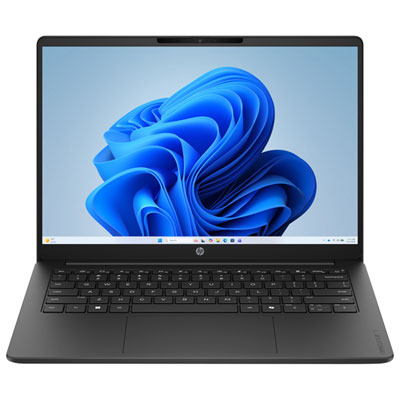
    HP OmniBook 3 14" 2K WUXGA Laptop - AMD Athlon Silver 10 - 8GB LPDDR5 - 256GB SSD - AMD Radeon 610M Graphics - Win11 S - Includes 1-year subscription of Microsoft 365 Personal w/1TB cloud storage

    About this product

    A jet black laptop with AMD Athlon Silver processor, 8GB RAM, 256GB SSD, and 2K antiglare display.

    (16)
    $549.99
    SAVE $150
    Your price for this item is $549.99
  2. 2

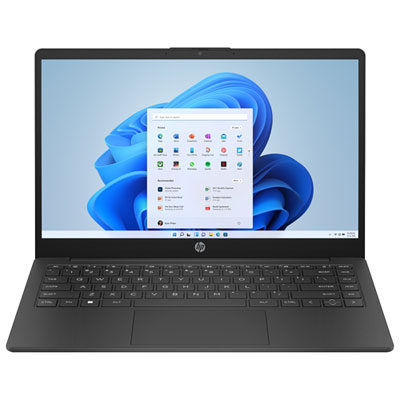
    HP Laptop 14" HD Display - AMD Athlon Silver 7120U - 8GB LPDDR5 - 256GB SSD - AMD Radeon Graphics - Windows 11 Home - Jet black

    About this product

    A jet black laptop featuring an AMD Athlon Silver processor, 8GB RAM, 256GB SSD, and Wi‑Fi 6.

    (8)
    $799.99 Your price for this item is $799.99
  3. 3

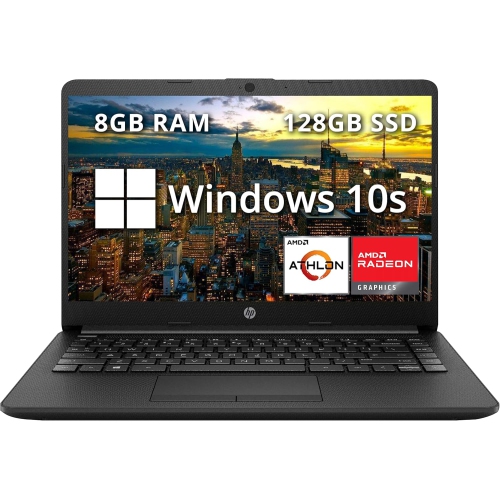
    HP Refurbished (Excellent) - Pavilion 14" HD Anti-Glare Laptop - Amd Athlon Silver 3050U - 8GB Ddr4 - 128GB SSD - Radeon - Windows 10 - In Black

    About this product

    A sleek black laptop featuring AMD Athlon Silver, 8GB RAM, 128GB SSD, Radeon Graphics, and webcam.

    (0)
    $399.00
    SAVE $120
    Your price for this item is $399
  4. 4

    LENOVO 14E 14" Touchscreen Chromebook - Amd A4-9120 - 4GB Ddr4 - 32GB Flash Memory - Chromeos - In Gray

    About this product

    A 14" Chromebook with Full HD display, AMD A4 processor, 4GB RAM, and 32GB flash storage.

    What customers like

    • Fast performance
    • Good screen quality
    • Great value for the price
    • Lightweight and portable
    • Easy to use and set up
    (23)
    $389.99
    SAVE $110
    Your price for this item is $389.99
  5. 5

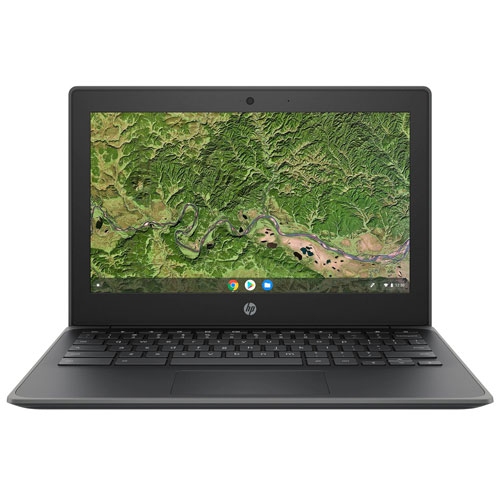
    HP Refurbished (Good) - G8 Ee 11.6" Chromebook - (Amd A4-Series A4-9120C/32GB Emmc/4GB Ram/chrome Os) - English In Grey

    About this product

    A refurbished HP Chromebook with AMD A4-Series processor, 32GB eMMC, and 4GB DDR4 RAM in grey.

    (2)
    $135.00 Your price for this item is $135

Why AMD laptop performance goes beyond processor names

The best AMD laptops pair capable processing with the screen quality, battery life, keyboard comfort, and portability that suit the way they will be used. For everyday tasks, that means smooth movement between a video call, a document, and a browser full of tabs. For creative work or gaming, it means enough processing and graphics capability to handle demanding applications without making the rest of the laptop feel like an afterthought. Processor names alone do not tell the whole story: the processor generation, power settings, memory, and cooling design all influence how a laptop performs. A slim model built for carrying between lectures has different strengths from a larger machine designed to spend most of its time on a desk. More processor cores can help with workloads such as rendering and compiling code, while everyday responsiveness also depends on fast storage and sufficient memory. For many people, 16 GB of memory provides useful room for multitasking; 32 GB or more can suit larger creative projects, virtual machines, and heavier workloads. Requirements vary by application, and memory is soldered in some laptops, making the starting configuration especially important for long-term use. Solid-state storage helps applications open promptly and keeps file transfers moving, although capacity matters just as much when coursework, photos, and game libraries begin to accumulate. A 512 GB drive can suit document-centred use, while 1 TB or more offers extra room for larger files. Some processors also include a neural processing unit that can accelerate supported AI tasks locally. Its usefulness depends on the software being used, rather than the feature name alone. A balanced laptop brings these parts together: enough performance for the intended work, practical storage for everyday files, and a design that remains comfortable through a full stretch of typing, browsing, or studying. That balance is often more valuable than a single standout specification.

Screen size and construction shape the daily experience as much as internal hardware. A 13-inch or 14-inch laptop fits more easily on a lecture-hall desk or a small café table, while a 15-inch or 16-inch screen gives spreadsheets, editing timelines, and side-by-side documents more breathing room. Overall dimensions, weight, and charger size determine how comfortably the complete setup travels in a backpack. Aluminium chassis can feel rigid and refined, while well-built plastic housings can offer practical durability without unnecessary weight; hinge strength and the amount of flex around the keyboard also matter. For frequent writing, a comfortable key layout, clear key markings, and a responsive touchpad make a noticeable difference. A numeric keypad may be useful for accounting or data entry, but it can change the keyboard’s position and leave less space elsewhere. Display quality deserves similar attention. Higher resolution can make text and fine detail look sharper, while a taller aspect ratio can show more of a document without constant scrolling. OLED panels offer deep blacks and strong contrast, although brightness, surface reflections, and individual sensitivity to display flicker can affect comfort. Other panel types can also deliver excellent results, particularly when colour accuracy and viewing angles match the intended use. For photo work, coverage of the relevant colour gamut is more informative than a vague promise of vivid colour. For long reading sessions, legible text and manageable glare may matter more. Battery-life claims are useful reference points rather than guarantees, since screen brightness, calls, games, and background applications change power consumption. Connections help determine how easily the laptop fits into an existing workspace: USB ports, an audio jack, a memory card reader, and external-display support each have practical uses. USB-C charging and video output are not universal across all USB-C ports, so those capabilities depend on the specific configuration. Reliable Wi-Fi, a clear webcam, and microphones that capture speech well round out a laptop suited to remote meetings, group projects, and keeping in touch.

Graphics needs create another important distinction within this category. Integrated graphics share system resources and can suit streaming, everyday visual work, and some less demanding games, depending on the processor and memory configuration. A dedicated graphics processor has its own capabilities and power requirements, making it relevant to more demanding games, 3D work, and certain editing applications. Laptops with an AMD processor do not necessarily use the same type or brand of graphics hardware, so processor and graphics specifications serve different purposes. For a closer match to play-focused use, AMD Gaming Laptops bring attention to a category where graphics performance, cooling, and display responsiveness are especially important. Higher refresh rates can make motion look smoother when the system produces enough frames, while higher game resolutions increase the workload on the graphics processor. Performance also depends on power limits and cooling, meaning two laptops with similarly named components can behave differently during a long session. Fan noise, vent placement, and the feel of the palm rest can matter when a machine doubles as a study or work laptop. Care is straightforward but worthwhile: a firm, flat surface keeps vents unobstructed, a padded sleeve helps protect the chassis in transit, and a clean microfibre cloth removes marks without abrasive scrubbing. Cleaning methods should follow the manufacturer’s directions, particularly for screen coatings, and liquids should never be sprayed directly onto the laptop. Durable hinges, a secure charging connection, and accessible service options can support years of regular use, though memory and storage upgrade options vary. Students may value a light machine with a comfortable keyboard, professionals may need dependable docking and calls, and creators may prioritize colour accuracy and sustained performance. As a graduation gift or a practical gift for someone beginning a new role, a laptop is most useful when its size, software compatibility, and everyday features reflect the recipient’s routine. The strongest fit is a machine that feels equally capable during ordinary tasks and the more demanding projects ahead.
Read More

FAQ

Some products may be subject to Environmental Handling Fees (EHF) depending on your province. Learn more about EHFs.