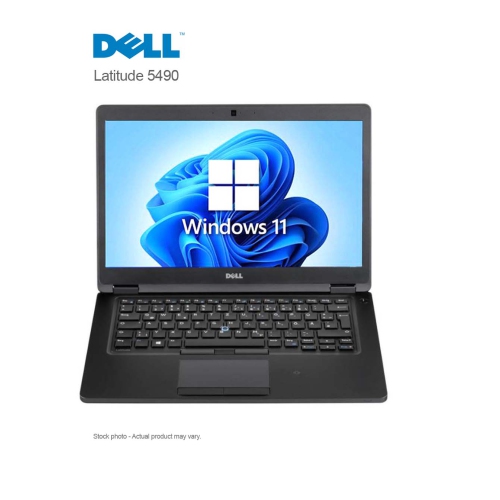
Dell Latitude 7490
Discover the perfect blend of performance and portability with the Dell Latitude 7490. Designed to meet the demands of today's fast-paced lifestyle, this laptop offers a seamless computing experience whether you're at home, in the office, or on the go. With its sleek design and robust capabilities, the Dell Latitude 7490 is an ideal choice for professionals and students alike who need reliable technology to stay productive and connected. Explore how this versatile device can elevate your everyday tasks and enhance your digital experience.
Sort

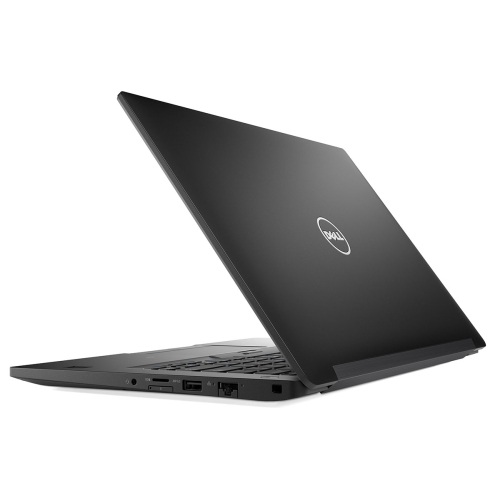
Practical performance and connectivity for everyday work
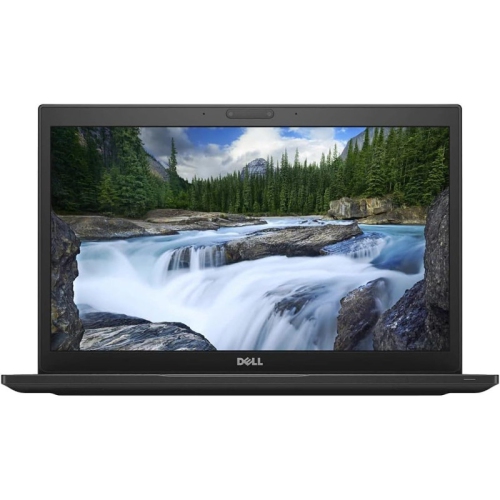
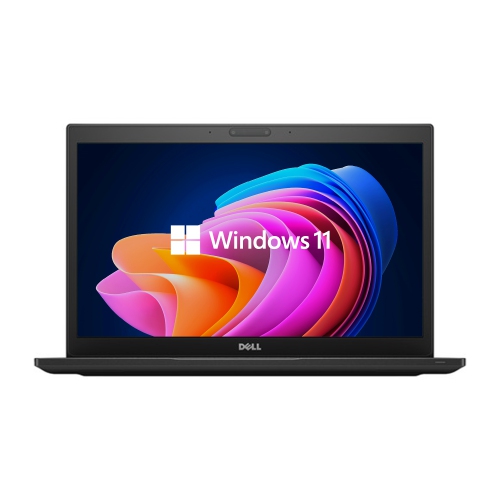
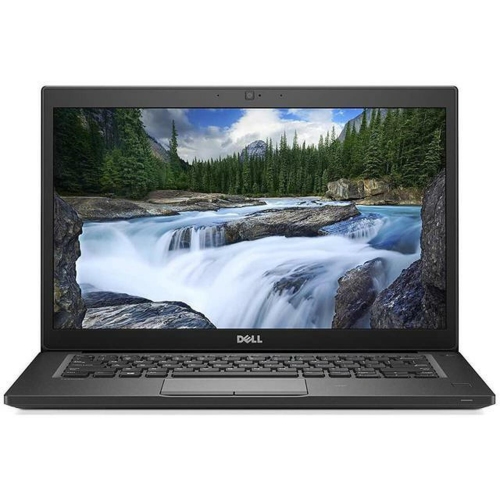
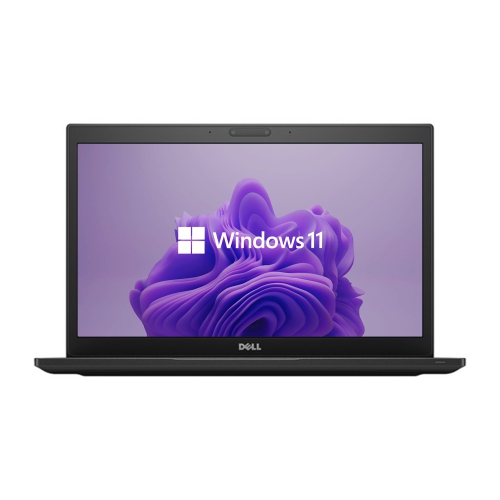
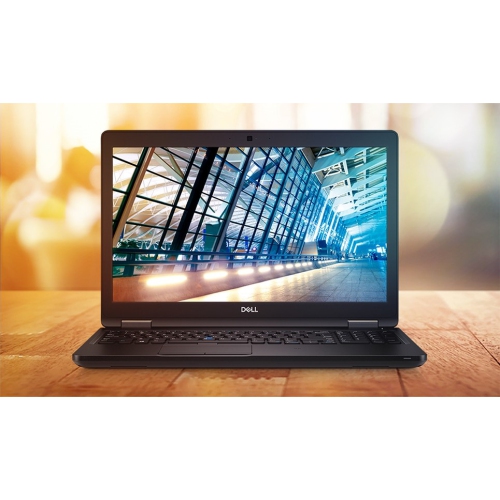
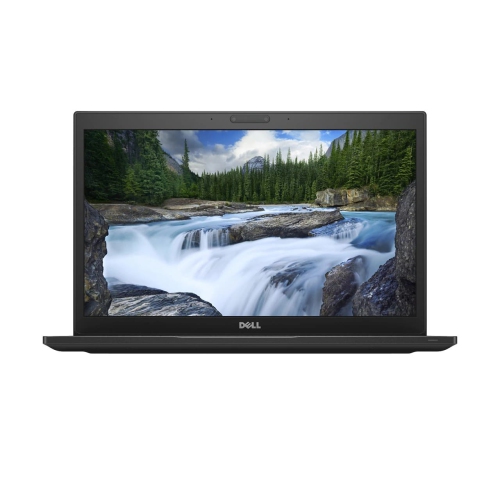
Dell Latitude 7490 laptops are designed for practical everyday computing, with a 14-inch form factor that balances screen space, portability, and comfortable use at a desk or kitchen table. This class of business laptop is well suited to office work, web browsing, online learning, video calls, document editing, spreadsheets, research, and general multitasking. The 14-inch anti-glare display offers a useful middle ground: it is more spacious than a compact notebook screen while remaining easy to carry between home, work, school, and shared spaces. Many configurations feature a Full HD resolution of 1920 x 1080, with touch and non-touch options available depending on the specific listing. An anti-glare surface can be helpful when working near a window, beneath overhead lighting, or in a bright room, while the compact chassis is convenient for a commuter bag or home office shelf. With a weight generally ranging from about 1.41 to 1.59 kg, these laptops can suit people who move between meetings, classrooms, libraries, and different rooms throughout the day. Their understated design also fits naturally into professional settings without taking up much desk space. When comparing available configurations, look closely at the processor, memory, storage, display type, keyboard layout, battery condition if the unit is refurbished, and the operating system included with the listing. These details can make a noticeable difference to everyday comfort and performance, particularly for someone who keeps many browser tabs open, works with large spreadsheets, joins frequent online meetings, or uses several applications at once. A configuration with more memory can feel more responsive during multitasking, while a solid-state drive can make starting the computer, opening files, and launching applications feel quicker than older mechanical storage. Since configurations may vary, checking the complete specifications is an important part of choosing the right fit for a home office, study area, or mobile work setup.
The Latitude 7490 platform is known for a practical selection of connections, which can be valuable for users who prefer plugging in accessories rather than relying entirely on adapters. Depending on the configuration, ports may include USB connections for a mouse, keyboard, external drive, printer, or phone; HDMI for a monitor or television; USB Type-C for compatible accessories; an Ethernet port for a wired network; an SD card reader; and a headphone jack. Some versions may also include optional Thunderbolt 3 functionality or a SIM card slot for mobile broadband, so confirm the individual specifications before purchasing. Built-in Wi-Fi and Bluetooth support make it easy to connect to a wireless network, headphones, speakers, a mouse, or other compatible devices. The broad port selection can be especially useful in a home office where the laptop may connect to a larger screen and full-size keyboard during the day, then return to portable use in the evening. It can also support students and remote workers who move between a desk and a quieter corner of the home. The internal design is another consideration for shoppers who value serviceability. This laptop family uses two memory slots and supports DDR4 memory configurations up to 32 GB, while storage may be provided through an M.2 SATA or PCIe NVMe solid-state drive, with capacity depending on the specific model. A removable bottom cover can make access to certain internal components more straightforward for qualified technicians or experienced users, although any upgrade should be checked against compatibility requirements and performed carefully. Graphics are typically handled by integrated Intel UHD Graphics 620, which is appropriate for productivity software, streaming, presentations, photo organization, and everyday creative tasks, but is not intended for demanding modern gaming, professional 3D rendering, or intensive graphics workloads. Matching the laptop to the intended use helps set realistic expectations and ensures that the available processor, memory, storage, and graphics capabilities support the way the computer will be used.
These laptops can be a sensible choice for a student preparing assignments, a small-business owner managing invoices and email, a professional working from home, or a family member who needs a dependable computer for browsing, banking, video calls, and keeping personal files organized. They may also suit a household looking for a second computer for a shared workspace, provided the configuration and condition meet the user’s needs. As the weather moves into the cooler months, a portable laptop can make it easier to continue working or studying from a warm living room, a home office, or a quiet table away from the main desk. For gift giving, a business-style laptop can be particularly practical for someone starting a course, beginning a new job, setting up a home office, or replacing an older computer used for everyday tasks. Accessories can further tailor the setup: a protective sleeve helps with transport, a wireless mouse can improve comfort, a laptop stand can raise the display for a more ergonomic position, and an external monitor can make long work sessions easier on the eyes. Users who store photographs, school projects, downloaded media, or work documents should review the included storage capacity and consider how much local space they will need. Those who rely on video meetings should also check the camera, microphone, and audio specifications, as well as the condition of any refurbished unit. For shoppers comparing similar models from the same era, the Dell Latitude 7480 may provide useful context when considering screen size, connectivity, portability, and configuration differences. Above all, review the listing details carefully, including processor generation, memory, storage type, display resolution, touch capability, battery information, included charger, warranty coverage, and return terms. This helps ensure the selected Latitude 7490 configuration is ready for its intended role, whether that means managing a busy workday, supporting online classes, handling household administration, or providing a straightforward computer for daily use.
The Latitude 7490 platform is known for a practical selection of connections, which can be valuable for users who prefer plugging in accessories rather than relying entirely on adapters. Depending on the configuration, ports may include USB connections for a mouse, keyboard, external drive, printer, or phone; HDMI for a monitor or television; USB Type-C for compatible accessories; an Ethernet port for a wired network; an SD card reader; and a headphone jack. Some versions may also include optional Thunderbolt 3 functionality or a SIM card slot for mobile broadband, so confirm the individual specifications before purchasing. Built-in Wi-Fi and Bluetooth support make it easy to connect to a wireless network, headphones, speakers, a mouse, or other compatible devices. The broad port selection can be especially useful in a home office where the laptop may connect to a larger screen and full-size keyboard during the day, then return to portable use in the evening. It can also support students and remote workers who move between a desk and a quieter corner of the home. The internal design is another consideration for shoppers who value serviceability. This laptop family uses two memory slots and supports DDR4 memory configurations up to 32 GB, while storage may be provided through an M.2 SATA or PCIe NVMe solid-state drive, with capacity depending on the specific model. A removable bottom cover can make access to certain internal components more straightforward for qualified technicians or experienced users, although any upgrade should be checked against compatibility requirements and performed carefully. Graphics are typically handled by integrated Intel UHD Graphics 620, which is appropriate for productivity software, streaming, presentations, photo organization, and everyday creative tasks, but is not intended for demanding modern gaming, professional 3D rendering, or intensive graphics workloads. Matching the laptop to the intended use helps set realistic expectations and ensures that the available processor, memory, storage, and graphics capabilities support the way the computer will be used.
These laptops can be a sensible choice for a student preparing assignments, a small-business owner managing invoices and email, a professional working from home, or a family member who needs a dependable computer for browsing, banking, video calls, and keeping personal files organized. They may also suit a household looking for a second computer for a shared workspace, provided the configuration and condition meet the user’s needs. As the weather moves into the cooler months, a portable laptop can make it easier to continue working or studying from a warm living room, a home office, or a quiet table away from the main desk. For gift giving, a business-style laptop can be particularly practical for someone starting a course, beginning a new job, setting up a home office, or replacing an older computer used for everyday tasks. Accessories can further tailor the setup: a protective sleeve helps with transport, a wireless mouse can improve comfort, a laptop stand can raise the display for a more ergonomic position, and an external monitor can make long work sessions easier on the eyes. Users who store photographs, school projects, downloaded media, or work documents should review the included storage capacity and consider how much local space they will need. Those who rely on video meetings should also check the camera, microphone, and audio specifications, as well as the condition of any refurbished unit. For shoppers comparing similar models from the same era, the Dell Latitude 7480 may provide useful context when considering screen size, connectivity, portability, and configuration differences. Above all, review the listing details carefully, including processor generation, memory, storage type, display resolution, touch capability, battery information, included charger, warranty coverage, and return terms. This helps ensure the selected Latitude 7490 configuration is ready for its intended role, whether that means managing a busy workday, supporting online classes, handling household administration, or providing a straightforward computer for daily use.
Top selling and popular products
-
 Your price for this item is $449
 -
 Your price for this item is $3099
 -
 Your price for this item is $299.95
 -
 Your price for this item is $664.05
 -
 Your price for this item is $599.68
 -
 Your price for this item is $869.99
 -
 Your price for this item is $259
 -
 Your price for this item is $418.98
Discover more categories related to Dell Latitude 7490
Top Collections:
Pokemon Centers, Kindle Devices, Best Budget Office Chairs, Apple iPhones 16, Best Laptops for Writers, iPhone 15 Apple, Canon G7X Cameras, Refurbished Apple Laptops, Alarm Clock, Motorola Razr Phones
Some products may be subject to Environmental Handling Fees
(EHF) depending on your province.
Learn more about EHFs.