Laptops With 8th Generation Intel Processors
Laptops With 8th Generation Intel Processors deliver the performance and efficiency needed for work, school, and entertainment. Designed to handle multitasking with ease, these laptops provide a reliable computing experience whether you’re browsing the web, creating documents, or streaming your favorite content. Explore a wide selection of models and find the perfect fit for your everyday needs with Laptops With 8th Generation Intel Processors.
Sort



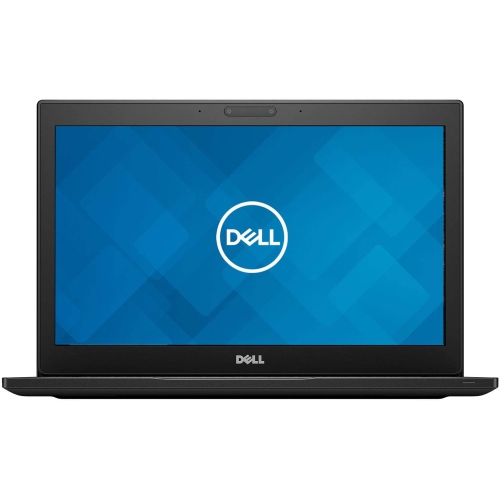
Why processor generation tells only part of the story
Laptops with 8th generation Intel processors cover a broad range of portable computers, from slim notebooks for everyday tasks to larger systems built for more demanding work. The generation identifies the processor family, but it does not mean every laptop has the same core count, speed, graphics capability, or battery life. Many mainstream 8th generation mobile processors have four cores and eight threads, allowing them to handle several computing tasks at once. Some higher-performance versions have six cores, while certain low-power versions have two, so the full processor specification matters more than the generation alone. For everyday use, these laptops can suit document writing, spreadsheets, web browsing, video calls, and streaming, provided the memory, storage, and software requirements are a good match. A student drafting an assignment with research tabs open, an office worker updating a presentation, or a household managing appointments and digital paperwork may find this class of computer practical. Programming with a text editor and modest development tools is another reasonable use, although large software builds and demanding virtual machines need more resources. Integrated graphics generally suit desktop applications, video playback, and lighter visual tasks; laptops with dedicated graphics may offer additional capability for photo editing, design software, or games, depending on the graphics hardware. Processor age alone cannot establish whether a particular application will run well. The application's minimum and suggested specifications, along with the laptop's complete configuration, provide a clearer picture. These are older-generation systems, so demanding video production, complex three-dimensional work, and newer games require especially careful compatibility checks. Their appeal is usually strongest when the intended workload is clearly defined rather than open-ended. Someone seeking a computer for essays and email has different requirements from someone editing several high-resolution video streams. For a broader view of processor families and configurations, laptops with Intel processors provide useful context beyond the 8th generation category. Within this generation, differences in cooling, power settings, and chassis design also affect how consistently a laptop performs during longer tasks.
Memory and storage have a noticeable influence on how an older laptop feels in daily use. With compatible software, 8 GB of memory can accommodate lighter tasks, while 16 GB offers more room for a busy browser, a video meeting, and several documents running together. More memory does not make the processor newer, but it can reduce the slowdowns that occur when a system runs short of working space. A solid-state drive generally makes starting the computer, launching applications, and opening files feel more responsive than a mechanical hard drive. Storage capacity is a separate consideration: text documents take relatively little space, while photo libraries, downloaded videos, and project files can fill a drive quickly. Neither memory nor storage is necessarily upgradeable, since some laptops use soldered components or have limited internal expansion. Screen size and resolution shape the experience just as directly. A 13-inch or 14-inch display is easier to carry between a desk and a classroom, while a 15-inch or larger screen gives spreadsheets and side-by-side documents more breathing room. Full HD resolution can provide useful workspace and clearer text than lower-resolution panels of a similar size. Brightness, viewing angles, and a matte or glossy finish affect comfort near windows or under overhead lighting. For long writing sessions, keyboard spacing, key feel, and touchpad responsiveness deserve attention; a numeric keypad may help with frequent data entry, but it is not present on every layout. Connections also vary widely. A familiar rectangular USB port can simplify attaching a mouse or flash drive, while a display output can support a larger monitor at a desk. A USB-C connector does not automatically support charging, video output, or every docking feature, so its stated capabilities are important. Wi-Fi capability, webcam quality, microphone clarity, and headset connections round out the experience for online lessons and remote meetings. Operating system compatibility and access to security updates are equally important: processor generation alone does not guarantee that the whole laptop meets the requirements of a supported operating system.
Build quality, physical condition, and battery health help determine how well an 8th generation laptop fits into a daily routine. Casings may use plastic, aluminium, magnesium alloy, or a combination of materials. Metal panels can feel rigid, while well-designed plastic can keep weight manageable; neither material alone proves that a laptop will withstand frequent travel. Hinge stability, a firm keyboard deck, secure ports, and an intact charging connector are more useful signs of a sound machine. For refurbished or previously used laptops, cosmetic grading and the stated testing process help clarify what to expect, but cosmetic condition is not the same as battery condition. Rechargeable batteries lose capacity with age and use, so original battery-life claims may not reflect the runtime of an older unit. Someone moving between meeting rooms may need enough charge for several short sessions, whereas a laptop that stays on a home desk may spend more time connected to power. Charger compatibility matters too, including the required connector and power rating. Day-to-day care is straightforward: use the computer on a firm surface, keep ventilation openings clear, and avoid resting it on bedding or thick fabric that can obstruct airflow. Carrying it in a padded sleeve or a properly fitted laptop compartment helps protect the corners and screen from pressure inside a bag. For cleaning, follow the manufacturer's directions, use a soft cloth, and avoid spraying liquid directly onto the display or keyboard. Regular file backups and software updates protect the usefulness of the laptop beyond its physical upkeep. These computers can also make practical gifts for a family member who needs a familiar setup for correspondence, video calls, or personal projects, as long as the required applications and accessibility needs are understood beforehand. A comfortable screen, readable keyboard, and straightforward charging arrangement may matter more to that recipient than a higher processor tier. For students, home offices, and shared household computing, the strongest fit comes from matching the complete laptop—not just its processor label—to the tasks, carrying habits, and working space it will serve.
Memory and storage have a noticeable influence on how an older laptop feels in daily use. With compatible software, 8 GB of memory can accommodate lighter tasks, while 16 GB offers more room for a busy browser, a video meeting, and several documents running together. More memory does not make the processor newer, but it can reduce the slowdowns that occur when a system runs short of working space. A solid-state drive generally makes starting the computer, launching applications, and opening files feel more responsive than a mechanical hard drive. Storage capacity is a separate consideration: text documents take relatively little space, while photo libraries, downloaded videos, and project files can fill a drive quickly. Neither memory nor storage is necessarily upgradeable, since some laptops use soldered components or have limited internal expansion. Screen size and resolution shape the experience just as directly. A 13-inch or 14-inch display is easier to carry between a desk and a classroom, while a 15-inch or larger screen gives spreadsheets and side-by-side documents more breathing room. Full HD resolution can provide useful workspace and clearer text than lower-resolution panels of a similar size. Brightness, viewing angles, and a matte or glossy finish affect comfort near windows or under overhead lighting. For long writing sessions, keyboard spacing, key feel, and touchpad responsiveness deserve attention; a numeric keypad may help with frequent data entry, but it is not present on every layout. Connections also vary widely. A familiar rectangular USB port can simplify attaching a mouse or flash drive, while a display output can support a larger monitor at a desk. A USB-C connector does not automatically support charging, video output, or every docking feature, so its stated capabilities are important. Wi-Fi capability, webcam quality, microphone clarity, and headset connections round out the experience for online lessons and remote meetings. Operating system compatibility and access to security updates are equally important: processor generation alone does not guarantee that the whole laptop meets the requirements of a supported operating system.
Build quality, physical condition, and battery health help determine how well an 8th generation laptop fits into a daily routine. Casings may use plastic, aluminium, magnesium alloy, or a combination of materials. Metal panels can feel rigid, while well-designed plastic can keep weight manageable; neither material alone proves that a laptop will withstand frequent travel. Hinge stability, a firm keyboard deck, secure ports, and an intact charging connector are more useful signs of a sound machine. For refurbished or previously used laptops, cosmetic grading and the stated testing process help clarify what to expect, but cosmetic condition is not the same as battery condition. Rechargeable batteries lose capacity with age and use, so original battery-life claims may not reflect the runtime of an older unit. Someone moving between meeting rooms may need enough charge for several short sessions, whereas a laptop that stays on a home desk may spend more time connected to power. Charger compatibility matters too, including the required connector and power rating. Day-to-day care is straightforward: use the computer on a firm surface, keep ventilation openings clear, and avoid resting it on bedding or thick fabric that can obstruct airflow. Carrying it in a padded sleeve or a properly fitted laptop compartment helps protect the corners and screen from pressure inside a bag. For cleaning, follow the manufacturer's directions, use a soft cloth, and avoid spraying liquid directly onto the display or keyboard. Regular file backups and software updates protect the usefulness of the laptop beyond its physical upkeep. These computers can also make practical gifts for a family member who needs a familiar setup for correspondence, video calls, or personal projects, as long as the required applications and accessibility needs are understood beforehand. A comfortable screen, readable keyboard, and straightforward charging arrangement may matter more to that recipient than a higher processor tier. For students, home offices, and shared household computing, the strongest fit comes from matching the complete laptop—not just its processor label—to the tasks, carrying habits, and working space it will serve.
Top selling and popular products
-
 Your price for this item is $449
 -
 Your price for this item is $3099
 -
 Your price for this item is $299.95
 -
 Your price for this item is $664.05
 -
 Your price for this item is $599.68
 -
 Your price for this item is $869.99
 -
 Your price for this item is $259
 -
 Your price for this item is $418.98
Discover more categories related to Laptops With 8th Generation Intel Processors

Top Collections:
Pokemon Centers, Kindle Devices, Best Budget Office Chairs, Apple iPhones 16, Best Laptops for Writers, iPhone 15 Apple, Canon G7X Cameras, Refurbished Apple Laptops, Alarm Clock, Motorola Razr Phones
Some products may be subject to Environmental Handling Fees
(EHF) depending on your province.
Learn more about EHFs.