Mobile Photography & Content Creation
Level up your phone photos and videos with creator-ready stabilizers, lighting, microphones, mobile lenses, and on-the-go storage—built for shooting anywhere.
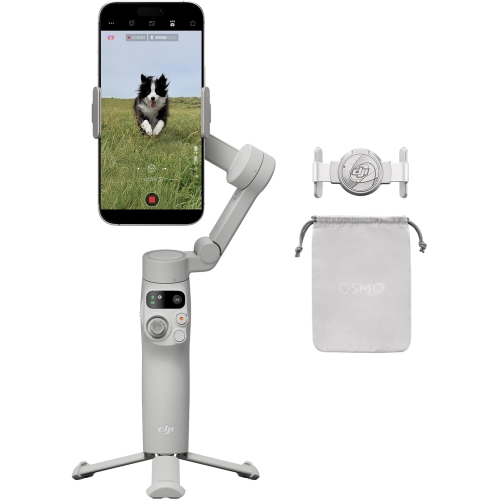
Smartphone Gimbal Stabilizers
Get smoother walking shots, cleaner pans, and more cinematic handheld video with 3-axis stabilization and smart tracking.
Smartphone Tripod Phone Mounts
Lock in your frame for tutorials, interviews, and time-lapses with tabletop tripods, flexible legs, and magnetic options.
Ring Lights for Phone
Brighten your shots with easy, flattering light for streaming, vlogging, and selfies—at home or on location.
Wireless Lavalier Microphones
Capture clearer voice audio for reels, interviews, and live streams with compact wireless lavalier systems.
Portable SSDs for Phone
Offload photos and video quickly—ideal for frequent filming, higher-resolution clips, and editing workflows.
Smartphone Lens Kit
Go wider, closer, or more cinematic with add-on smartphone lenses and filters for creative control.
USB-C Power Banks
Keep your phone and accessories powered for longer sessions with high-capacity power banks and fast charging.
Tips
- Start with stability: a gimbal is great for walking shots, while a tripod helps you lock in framing for tutorials, interviews, and time-lapses.
- Prioritize audio: even a basic wireless lav mic can make your videos sound more professional than the built-in phone mic.
- Light your face first, then your background. A ring light or small fill light close to the phone usually beats overhead room lighting.
- Shoot in 4K only when you need it. It looks great, but it fills storage fast—plan for an external SSD if you film often.
- Use 2x (or a telephoto lens) for more flattering close-ups, and a wide-angle lens for tight rooms, group shots, or travel scenes.
- Keep your lens clean. A quick wipe before filming prevents haze, glare, and soft-looking footage.
- Bring power: a reliable power bank can keep your phone, mic receiver, and light running through long shooting days.
- If you’re filming yourself, choose gear with tracking or a remote so you can hit record and adjust framing without walking back and forth.
Frequently Asked Questions
A tripod is ideal for locked-off shots like talking-head videos, overhead shots, and time-lapses. A gimbal is best when you’re moving—walking, panning, or following action—because it helps smooth out shakes and jitters.
Lighting and audio. A simple ring light (or compact fill light) improves clarity and reduces harsh shadows, while a wireless microphone makes speech sound crisp and consistent—especially in busy spaces.
For on-camera speaking, a wireless lavalier mic is a go-to because it stays close to your voice. If you’re doing desk setups, you can also consider compact wireless systems that work with phones, cameras, or laptops.
Photo-heavy creators often manage with internal phone storage, but video fills up fast—especially 4K. If you record frequently, consider a portable SSD so you can offload files quickly and keep shooting.
They can be—especially wide-angle, macro, and anamorphic-style lenses when you want a specific look your phone can’t easily replicate. For best results, pair them with a sturdy mount and good lighting.
Look for adjustable brightness, multiple colour temperature settings, and a stable stand. A built-in phone holder (or dual holders) can also make framing easier for vertical and horizontal shooting.
Some products may be subject to Environmental Handling Fees (EHF) depending on your province. Learn more about EHFs.