Tech Buying Guides for Confident Shopping
Compare popular tech categories with practical guidance on fit, features, compatibility, and long-term value so you can shop with more confidence at Best Buy Canada.
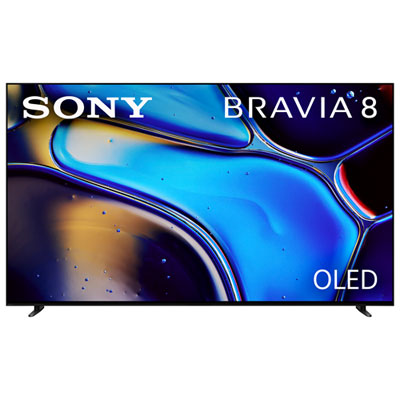
TVs for Movie Nights, Sports, and Gaming
Compare screen technologies, refresh rates, brightness, and room-fit features to find a TV that matches how you watch.
Projectors for Flexible Home Entertainment
Shop portable and home theatre projectors with the key details that matter most, like brightness, throw style, smart features, and audio setup.
Tablets for Streaming, Reading, and Everyday Use
Find tablets that balance display quality, battery life, portability, and connectivity for home, school, and on-the-go use.
Laptops for Work, Study, and Daily Tasks
Choose from laptops built for note-taking, multitasking, video calls, and productivity with a focus on fit and real-world performance.
Smart Home Devices That Work Together
Build a connected setup with smart home products chosen for compatibility, convenience, and easier everyday control.
Smartwatches and Wearables for Daily Tracking
Compare wearables by comfort, battery life, health features, app support, and training tools that fit your routine.
Cleaning Tech for Busy Homes
See how automated and hands-on cleaning devices compare when you want convenience, reach, and easier maintenance.
Kitchen Tech for Faster Everyday Cooking
Browse countertop cooking options that make it easier to match capacity, cooking style, and convenience to your kitchen.
Refurbished Electronics for Value-Focused Shopping
Explore tech picks that can deliver strong everyday performance when value is top of mind and condition details matter.
Tips
- Start with where and how you will use the product most often. A great spec sheet matters less than choosing the right device for your room, routine, and favourite tasks.
- Compare the features you will notice every day first, such as screen quality, battery life, portability, connectivity, and ease of setup.
- Check compatibility before you buy, especially for smart home devices, TV accessories, laptop ports, charging standards, and app support.
- Think past day-one performance and consider ownership costs like accessories, storage upgrades, replacement filters, subscriptions, and repairability.
- Use side-by-side guides when you are deciding between similar categories, such as TVs, vacuums, kitchen appliances, or laptop styles.
- If you are shopping for school or productivity, start with essentials like keyboard comfort, webcam quality, battery life, and software needs before stepping up to premium extras.
- When picture quality is your priority, compare panel type, brightness, motion handling, and room lighting rather than focusing on resolution alone.
- For flexible entertainment setups, projectors and compact displays can make sense, but make sure you check brightness, throw distance, audio, and streaming support.
Frequently Asked Questions
A good tech buying guide explains real differences that affect daily use, not just spec lists. Look for help with fit, setup, compatibility, performance, and long-term value so you can match the product to your space, habits, and budget.
Start with your main use case, then narrow by the features that matter most to that task. For example, a TV shopper may care about brightness and gaming features, while a tablet shopper may care more about portability, battery life, and accessory support.
Not always. Newer models can add useful upgrades, but last-generation products can still be a strong fit if they deliver the features you need at a better price. The smartest choice is the one that balances performance, features, and value for your setup.
Check the connection types, wireless standards, app support, operating system requirements, and voice assistant compatibility before you buy. This is especially important for smart home gear, TVs and sound systems, tablets with accessories, and connected home appliances. For a deeper look at multi-device setups, explore our smart home compatibility guide.
They can be a smart option if your priority is value and you are comfortable comparing condition, included accessories, and warranty details. If you are weighing pre-owned options against brand-new models, see our guide to refurbished tech worth buying.
Begin with your workload. Students and everyday users often want a balance of battery life, portability, and reliable performance, while some shoppers may benefit from stronger graphics or faster processors. For more specific advice, visit our laptops for school and work guide or compare styles in our gaming vs everyday laptops guide.
Category comparisons are often the fastest way to shop with confidence because they clarify the trade-offs first. If you are choosing for entertainment, picture size, or kitchen convenience, you may also want to read our OLED vs QLED TV comparison, our TV size and viewing distance guide, our robot vacuum vs stick vacuum guide, or our air fryer vs toaster oven guide.
Yes. Wearables are a great example of products that benefit from proof-first shopping because comfort, battery life, sensors, app support, and workout tracking can vary a lot. If that is your focus, check out our guide to smartwatches for fitness tracking.
Some products may be subject to Environmental Handling Fees (EHF) depending on your province. Learn more about EHFs.