TV Size and Viewing Distance Guide
Find the TV size that fits your room, your seating, and the way you watch. Use this focused guide to compare popular screen sizes, understand comfortable viewing distances for 4K TVs, and shop large-screen picks that make the most of your space. For more practical advice across categories, explore tech buying guides. If you're also comparing picture technologies, see OLED vs QLED TV comparisons.
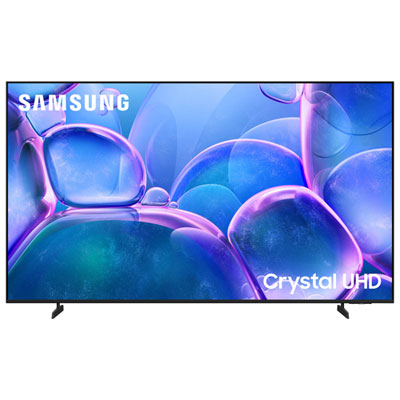
75 inch 4K TVs for Mid-Size Rooms
A strong starting point when you want a big-screen upgrade that fits many living rooms without pushing seating too far back.
85 inch 4K TVs for Bigger Viewing Areas
Ideal for larger family rooms where extra screen size helps movies, sports, and games feel more immersive from farther seats.
100 inch 4K TVs for Home Theatre Impact
Go extra large when you have the wall space and viewing distance to make a dramatic screen size feel right at home.
Large-Screen 120Hz and 144Hz TVs
Built for smoother motion in fast sports and responsive play in console or PC gaming setups.
Tips
- For a 75 inch 4K TV, many living rooms feel comfortable with seating placed roughly 7.5 to 10.5 feet away, depending on how immersive you want the picture to feel.
- For an 85 inch 4K TV, a common sweet spot is about 8.5 to 11.5 feet from the screen, which works well in larger family rooms and open-concept spaces.
- For a 100 inch 4K TV, aim for around 10 to 13.5 feet of viewing distance so the image feels cinematic without overwhelming the room.
- Measure from your main seat to the wall before you shop. That single number helps narrow down whether 75 inch, 85 inch, or 100 inch TVs make the most sense.
- Screen size is measured diagonally, not across the width. Always check the full TV dimensions, especially if you plan to place it on furniture or between built-ins.
- If your room gets bright daylight, a large LED, QLED, or Mini-LED model can be a practical fit. If picture quality is your top priority, you may also want to compare technologies in OLED vs QLED TV comparisons.
- Think about how you watch most often. Sports and gaming fans may want 120Hz or 144Hz support, while movie-first shoppers may prioritize contrast, HDR, and sound.
- If your TV will connect with speakers, streaming devices, or voice assistants, it helps to review broader setup considerations in our smart home compatibility guide.
Frequently Asked Questions
Start with the distance from your main seat to the screen, then match that range to the size you are considering. In many setups, 75 inch TVs work well at roughly 7.5 to 10.5 feet, 85 inch TVs at about 8.5 to 11.5 feet, and 100 inch TVs at around 10 to 13.5 feet. Room layout, wall space, and your preference for a more cinematic or more relaxed view also matter.
Not always, but 4K resolution does make it easier to go bigger without the picture looking coarse at normal seating distances. The best choice is the largest size that fits your room comfortably, suits your furniture setup, and matches how immersive you want movies, sports, and games to feel.
A 75 inch TV is often a strong fit for mid-size living rooms. An 85 inch TV can suit larger rooms where seating is farther back. A 100 inch TV is ideal when you want a theatre-like experience and have the wall space, delivery access, and seating distance to support it.
4K TVs give you more flexibility because the higher resolution lets you sit closer than you typically would with lower-resolution screens. That said, viewing distance still matters for comfort, field of view, and how well the TV fits the room overall.
Look at the full width and height of the TV, not just the diagonal size. Check stand width, wall-mount plans, doorway and stair clearance for delivery, refresh rate if you game, and smart platform features for streaming. For broader product advice beyond TVs, you can also browse tech buying guides.
Some products may be subject to Environmental Handling Fees (EHF) depending on your province. Learn more about EHFs.