Cozy Gaming Setup Essentials: Comfort, Lighting, and Sound
Build a cozy gaming space you’ll actually want to sink into—think supportive seating, softer lighting, cleaner cable runs, and audio that keeps you immersed (without waking the whole house).
Comfy Gaming Chairs & Recliners
Supportive seats that make long sessions feel more like lounging—without sacrificing posture.
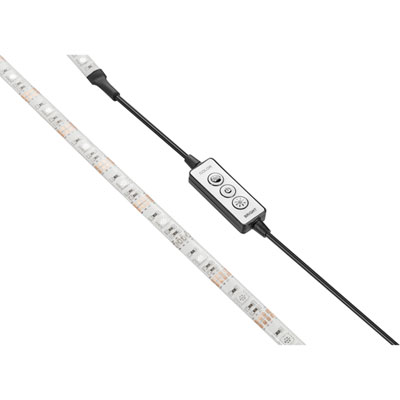
Soft Ambient Lighting & LED Accents
Set the mood with monitor backlights, desk glow, and colour you can tone down for a cozy look.
Mechanical Keyboards for a Relaxed Desk Feel
From compact layouts to premium builds—find a keyboard that looks great and feels even better.
Wireless Headsets for Late-Night Sessions
Comfort-first audio for gaming, chat, and streaming—minus the cable clutter.
Curved Gaming Monitors for Extra Immersion
A cozy upgrade that can make games, shows, and everyday scrolling feel more wraparound.
Desk Mats, Mouse Mats, and Setup Comfort
Add softness, reduce desk noise, and make your whole setup feel more finished.
Monitor Mounts & Arms
Lift your screen, reclaim desk space, and fine-tune your viewing angle for a more relaxed posture.
Cable Management for a Cleaner Look
Clips, raceways, sleeves, and kits that keep cords out of sight and out of the way.
Tips
- Start with your chair: look for adjustable height, armrests, and lumbar support so long sessions feel relaxed—not stiff.
- Dial in your screen comfort: set the top of your monitor near eye level and keep it about an arm’s length away to reduce strain.
- Add bias lighting behind your monitor (like an LED strip) to soften contrast and make the whole setup feel more inviting at night.
- Pick one lighting “theme” (warm white, a single accent colour, or subtle RGB) so your space looks cozy instead of chaotic.
- Go wireless where it matters—headsets and controllers can instantly cut clutter and make your desk feel calmer.
- Use a desk mat to quiet down keyboard and mouse noise, smooth out movement, and make the surface feel nicer on your wrists.
- Tidy cables with clips, sleeves, or a tray under the desk—less visual clutter = more cozy.
Frequently Asked Questions
A cozy setup prioritizes comfort and atmosphere: supportive seating, softer room lighting, a clean desk layout, and audio that feels immersive without being harsh. It’s about making the space easy to relax in—whether you’re gaming, streaming, or just hanging out in Discord.
It can be. A curved screen helps pull the edges of the display into your field of view, which can feel more natural for gaming and everyday use. If you sit fairly close to your monitor, a 27-inch curved display is a popular sweet spot for immersion without overwhelming your desk.
Try softer ambient lighting plus a monitor backlight (bias lighting). LED strips behind the desk or screen help reduce the “bright screen in a dark room” feeling, while a small table lamp can add a warm glow around your setup.
Wireless is great for a relaxed, clutter-free vibe—no cable tugging when you lean back. If you’re sensitive to charging or want the simplest plug-and-play option, wired can still be a solid choice. For late-night sessions, look for comfortable ear cushions and easy volume/mute controls.
A monitor arm can free up space by lifting the display off the desk, and a compact keyboard (like 65% or TKL) leaves more room for your mouse. Add cable clips or an under-desk solution to keep cords from pooling on the surface.
Not necessarily. Switch type and keycap material make a big difference, and many keyboards let you customize the feel. If you want a quieter vibe, look for linear switches or models designed to reduce ping and rattle.