Best Touch Screen Laptops for Students
Find the best touch screen laptops for students, ranked by user review ratings to help you compare options for school and everyday use. Whether you’re taking notes, researching assignments, or working on group projects, touch controls offer a hands-on way to navigate your coursework. Explore the top-rated choices to find a laptop that fits your study habits and budget.
What to look for in touch screen laptops for students
1. Performance and Software Compatibility
2. Touch Screen and Pen Support
3. Portability and Battery Life
4. Storage and Connectivity
-
1
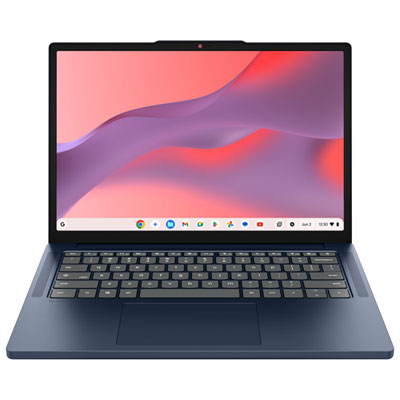
Lenovo 14" Touchscreen Chromebook, Student - MediaTek Kompanio 540 - 8GB LPDDR5x - 128GB SSD - ChromeOS - Cosmic Blue
About this product
A cosmic blue touchscreen laptop featuring a MediaTek Kompanio 540 processor, 8GB RAM, and 128GB SSD.
What customers like
(20)$399.99Your price for this item is $399.99SAVE $100 -
2
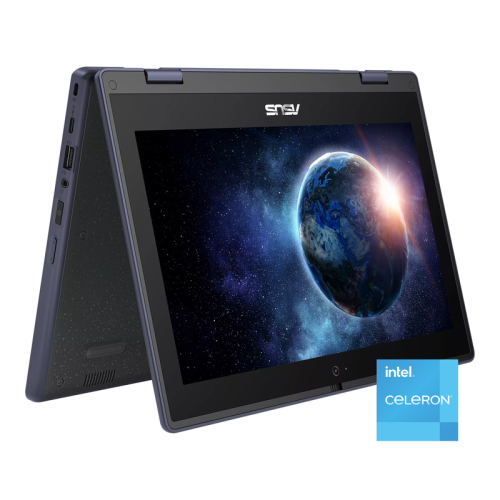
ASUS 11.6" HD Touchscreen 2-In-1 Student Laptop - Intel Celeron N100 - 4GB Ddr4 - 128GB SSD - Windows 11 Pro - In Gray
About this product
A rugged grey 2-in-1 touchscreen laptop with Intel Celeron, 128GB SSD, and Wi-Fi 6 connectivity.
(1)$479.00Your price for this item is $479SAVE $210
FAQ
A touch screen laptop supports tapping and swiping directly on the display, but it may have a traditional fixed keyboard design. A 2-in-1 laptop also has a hinge that folds into tablet mode or a detachable keyboard. Not every touch screen laptop is a 2-in-1, so check the design if you want to switch between laptop and tablet use.
Stylus compatibility varies by laptop. Some touch screens support active pens with features such as pressure sensitivity and palm rejection, while others support only basic touch input or capacitive styluses. Check the laptop’s supported pen technology and whether a compatible stylus is included or sold separately.
Start with your school’s software requirements. Windows touch screen laptops support many desktop applications, while Chromebooks use ChromeOS and centre on browser-based tools and supported apps. Courses that require specialized software may specify an operating system, so confirm those requirements before choosing.
Yes. Touch controls are an additional input option, so students can still type with the keyboard and navigate with the touchpad or a connected mouse. On many convertible models, the built-in keyboard and touchpad are disabled when the device is folded into tablet mode.
Check for Wi-Fi, Bluetooth and the ports needed for your school accessories. USB-A or USB-C can connect peripherals, while HDMI or a USB-C port with video output can connect an external display. USB-C capabilities vary, so confirm whether a port supports charging, video output or data transfer.
Top selling and popular products
Discover more categories related to Best Touch Screen Laptops for Students


Some products may be subject to Environmental Handling Fees (EHF) depending on your province. Learn more about EHFs.