Best Ergonomic Bluetooth Mice
Find a more comfortable fit for your hand with the best ergonomic Bluetooth mice, ranked by user review ratings. Whether you’re working, studying, or browsing, these wireless options offer contoured designs that support a more natural hand position. Compare comfort, features, and reviewer feedback to choose a mouse that suits your grip and daily routine.
What to look for in ergonomic Bluetooth mice
1. Ergonomic Shape and Fit
2. Bluetooth Compatibility
3. Tracking and Controls
4. Battery Life and Charging
-
1
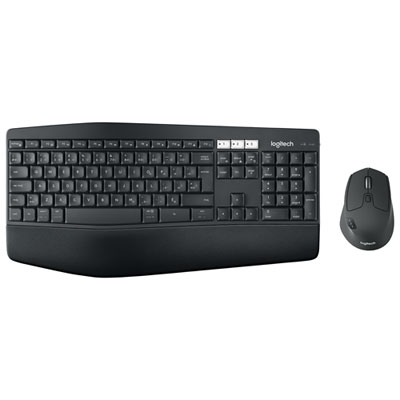
Logitech MK850 Bluetooth Optical Ergonomic Keyboard & Mouse Combo - French
About this product
An ergonomic French keyboard and mouse combo with Bluetooth connectivity and cushioned palm rest for comfort.
(5)$99.99Your price for this item is $99.99SAVE $30 -
2
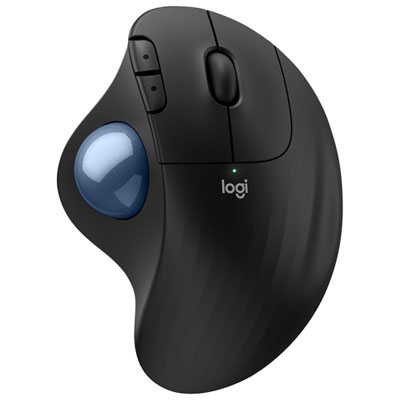
Logitech Ergo M575S Ergonomic 2000 DPI Wireless Trackball Mouse - Black
About this product
An ergonomic wireless trackball mouse in black featuring 2000 DPI precision and Bluetooth connectivity.
What customers like
(331)$49.98Your price for this item is $49.98SAVE $20 -
3
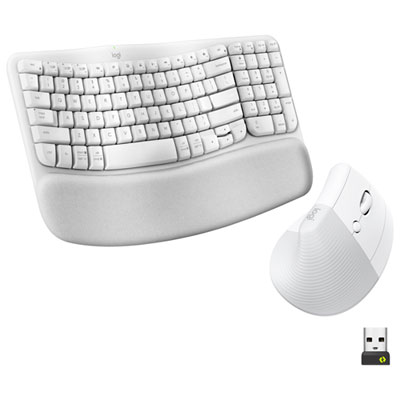
Logitech Wave Keys Bluetooth Membrane Full-Size Ergonomic Keyboard & Mouse Combo -White - EN -Only at Best Buy
About this product
A white ergonomic keyboard and mouse combo featuring a wavy keyframe and cushioned palm rest for comfort.
What customers like
(40)$159.99 Your price for this item is $159.99 -
4
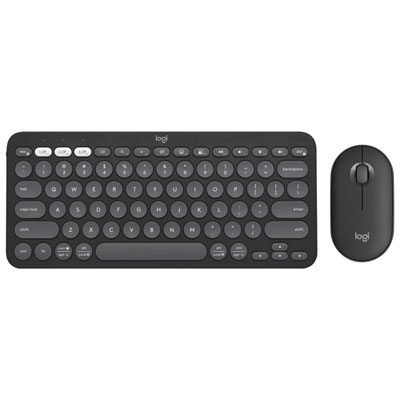
Logitech Pebble 2 Bluetooth Optical Ergonomic Keyboard & Mouse Combo - Black
About this product
A sleek black ergonomic combo featuring Bluetooth connectivity and customizable keys for versatile, portable productivity.
What customers like
(414)$69.99Your price for this item is $69.99SAVE $20 -
5
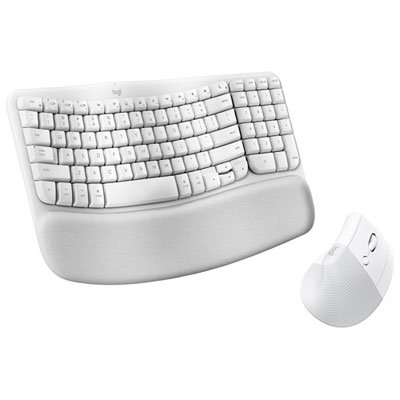
Logitech Wave Keys Bluetooth Membrane Full-Size Ergonomic Keyboard & Mouse Combo for Mac - White - EN -Only at Best Buy
About this product
A white ergonomic keyboard and mouse combo designed for Mac, featuring Mac-specific keys and precise control.
What customers like
(24)$159.99 Your price for this item is $159.99 -
6
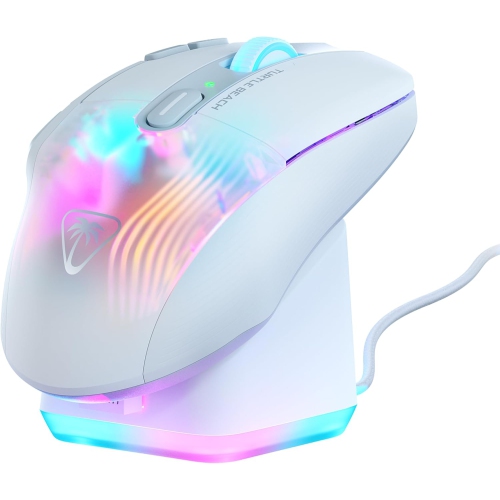
TURTLE BEACH Kone Xp Air Wireless Customizable Ergonomic RGB Gaming Mouse, Bluetooth, 19K Dpi Optical Sensor, 100-Hour Battery & Charging Dock, 4D
About this product
A white wireless gaming mouse featuring customizable RGB lighting, 19K DPI sensor, and 100-hour battery life.
What customers like
(36)$164.99Your price for this item is $164.99SAVE $135 -
7
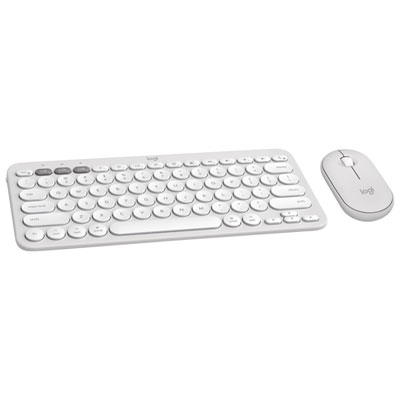
Logitech Pebble 2 Bluetooth Optical Ergonomic Keyboard & Mouse Combo for Mac - White
About this product
A sleek white Bluetooth keyboard and mouse combo designed for Mac with customizable keys and portable design.
What customers like
(33)$59.99Your price for this item is $59.99SAVE $30 -
8
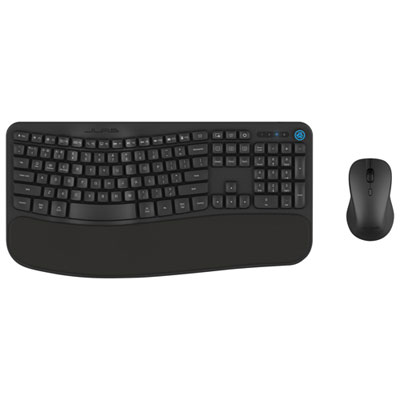
JLab Flow Bluetooth Ergonomic Keyboard & Mouse Combo - English
About this product
A Bluetooth keyboard and ambidextrous mouse combo featuring an ergonomic design and dedicated AI Button.
What customers like
(44)$69.99Your price for this item is $69.99SAVE $20
FAQ
Ergonomic Bluetooth mice may have sculpted contours, thumb rests, textured grips or vertical designs. Some are shaped for right-handed or left-handed use, while others have an ambidextrous layout. Button placement and scroll wheel styles also vary.
Bluetooth mice pair directly with devices that support compatible Bluetooth connections, so a USB receiver is not required for Bluetooth use. Some models also offer a separate wireless mode that uses a USB receiver, giving you a choice of connection types.
Some ergonomic Bluetooth mice can store pairing details for multiple devices, such as a laptop, desktop or tablet. Models with a device-switching button let you choose which paired device to control. Check the specifications for the number of supported pairings and available connection modes.
Check whether the mouse supports your operating system, such as Windows, macOS, ChromeOS or iPadOS. Basic pointer and click functions may be available across several platforms, while button assignments, gesture controls and other settings may require software that supports only certain systems.
Depending on the model, you may be able to assign button shortcuts, adjust pointer sensitivity or change scroll wheel settings. Some companion apps also let you save different button assignments for individual applications. Customization options vary by mouse and operating system.
Top selling and popular products
Discover more categories related to Best Ergonomic Bluetooth Mice

Some products may be subject to Environmental Handling Fees (EHF) depending on your province. Learn more about EHFs.