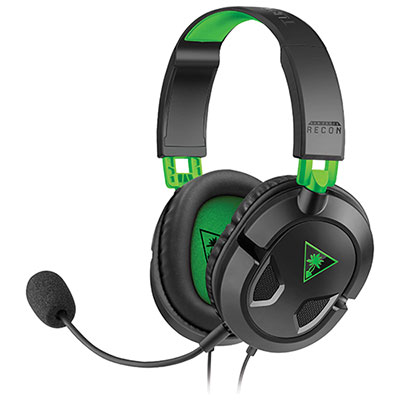
Best Gaming Microphones

Make every callout count with the best gaming microphones for clear voice chat, streaming, and recording. Whether you’re coordinating with teammates or sharing your gameplay, the right microphone helps your voice stand out. Explore gaming microphones ranked by user review ratings to find a great fit for your setup and budget.

Read More

What to look for in gaming microphones

1. Voice Clarity

Look for a microphone that captures clear, natural speech for team chat, streaming or recording. A pop filter can soften bursts of air from speech, while a shock mount can reduce vibrations from desk bumps.

2. Connectivity and Compatibility

USB microphones offer a straightforward connection to compatible computers, while XLR microphones require an audio interface or mixer. Check compatibility with your computer or console, as not every gaming microphone works with every platform.

3. Pickup Pattern

A cardioid pickup pattern focuses on sound in front of the microphone, making it a practical choice for solo gaming and streaming. If you also record group conversations, selectable pickup patterns can give you more flexibility.

4. Controls and Placement

A mute button and gain control make it easier to manage your voice during gameplay, while a headphone output with direct monitoring lets you hear yourself without a distracting delay. Check that the included stand or a compatible boom arm can position the microphone near your mouth without blocking your screen.
Citrus catapult arrow
  1. 1

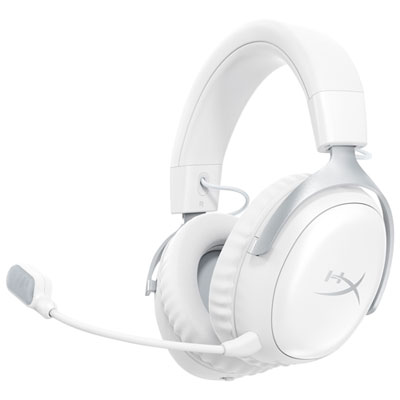
    HyperX Cloud III S Wireless Gaming Headset for Xbox Series X|S / Xbox One / PC / PS4 / PS5 / Nintendo Switch - White

    About this product

    A wireless white gaming headset with 53mm drivers, DTS surround sound, and a clear 10mm microphone.

    What customers like

    • Clear microphone
    • Long battery life
    • Excellent sound quality
    • Durable build
    • Comfortable fit
    (96)
    $179.98
    SAVE $50
    Your price for this item is $179.98
  2. 2

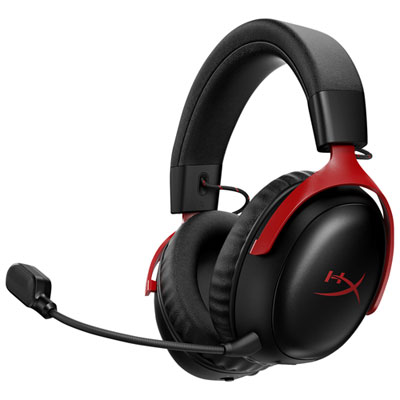
    Hyperx Cloud III S Wireless Gaming Headset with Microphone for Multi-Platform for Xbox Series X|S / Xbox One / PC / PS4 / PS5 / Nintendo Switch - Black/Red

    About this product

    A wireless black and red headset offering immersive DTS audio, 53mm drivers, and a clear 10mm microphone.

    What customers like

    • Long battery life
    • Clear microphone audio
    • Very comfortable fit
    • Durable and well-built
    • Excellent sound quality
    (200)
    $179.98
    SAVE $50
    Your price for this item is $179.98
  3. 3

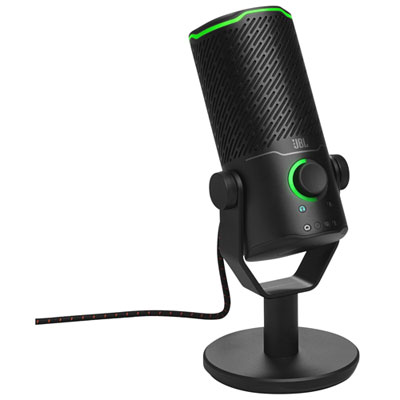
    JBL Quantum Stream Studio Gaming Microphone

    About this product

    A black studio microphone with triple condenser mics and four patterns for clear, versatile audio capture.

    What customers like

    • Excellent sound quality and voice clarity
    • High-quality, durable build and premium design
    • Versatile audio capture modes and pickup patterns
    • Intuitive controls and easy-to-use interface
    • Customizable RGB lighting and visual feedback features
    (35)
    $229.99 Your price for this item is $229.99
  4. 4

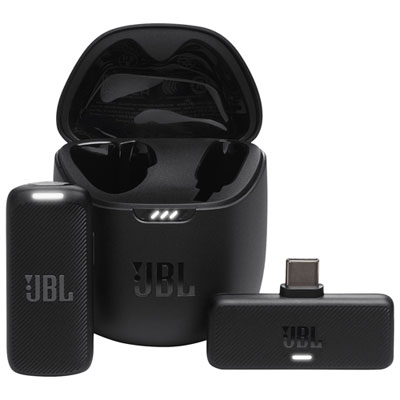
    JBL Quantum Stream Gaming USB-C Wireless Streaming Condenser Microphone

    About this product

    A black wireless condenser microphone with omnidirectional pickup, noise-cancelling, and a lightweight clip-on design.

    What customers like

    • Long battery life
    • Compact and portable design
    • Effective noise cancellation
    • Versatile wireless connectivity
    • Excellent sound quality
    (29)
    $139.99 Your price for this item is $139.99
  5. 5

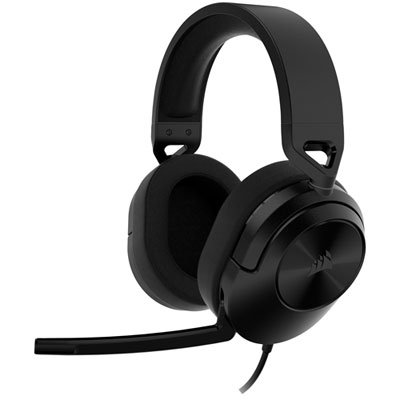
    Corsair HS55 SURROUND v2 Gaming Headset with Microphone for Xbox Series X|S / Xbox One / PC / PS4 / PS5 / Nintendo Switch - Carbon

    About this product

    A carbon-coloured gaming headset with Dolby Atmos, memory foam ear cups, and custom-tuned 50mm drivers.

    What customers like

    • Easy to set up and use
    • Comfortable fit with memory foam
    • Great value for the price
    • Excellent sound quality
    • Clear and reliable microphone
    (129)
    $79.99
    SAVE $25
    Your price for this item is $79.99
  6. 6

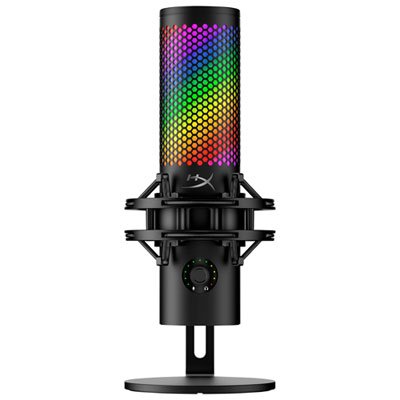
    HyperX QuadCast 2 S Desktop USB Microphone - Black/Red

    About this product

    A versatile black and red USB microphone with four polar patterns, tap-to-mute, and customizable aRGB lighting.

    What customers like

    • Easy setup and user-friendly controls
    • Customizable RGB lighting and stylish design
    • Solid build quality with effective shock mount
    • Versatile with multiple polar patterns
    • Excellent sound and voice clarity
    (270)
    $205.98
    SAVE $14
    Your price for this item is $205.98
  7. 7

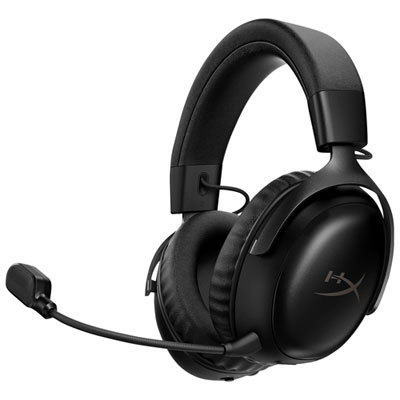
    Hyperx Cloud III S Wireless Gaming Headset with Microphone for Multi-Platform for Xbox Series X|S / Xbox One / PC / PS4 / PS5 / Nintendo Switch - Black

    About this product

    A wireless black headset offering immersive DTS audio, 53mm drivers, and a clear 10mm microphone for gaming.

    What customers like

    • Long battery life
    • Durable and sturdy build
    • Clear microphone for voice chat
    • Excellent sound quality
    • Comfortable fit with memory foam earcups
    (59)
    $157.98
    SAVE $22
    Your price for this item is $157.98
  8. 8

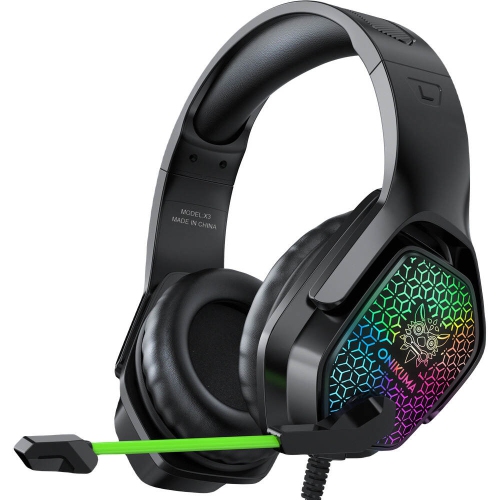
    WINGOMART X3 Gaming Headset Over-Ear 3.5MM Led Light Stereo Bass Game Headphones w Mic for PC Laptop Gamer Xbox One, Ps5, Ps4, PC, Nintendo Switch

    About this product

    A comfortable over-ear gaming headset with LED lights, stereo bass, noise reduction mic, and wide compatibility.

    (10)
    $16.99
    SAVE $73
    Your price for this item is $16.99
  9. 9

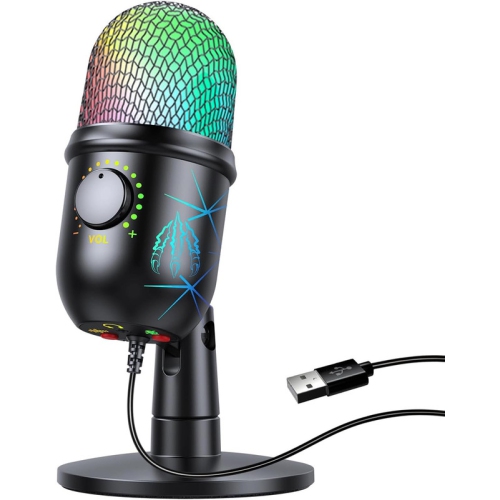
    YOULIGHTS Gaming Microphone, USB PC Mic for Streaming, Podcasts, Recording, Condenser Computer Desktop Mic On Mac/ps4/ps5, w RGB Control, Mute

    About this product

    A USB condenser microphone with RGB lighting, mute touch, and headphone jack for streaming and recording.

    $48.58 Your price for this item is $48.58
  10. 10

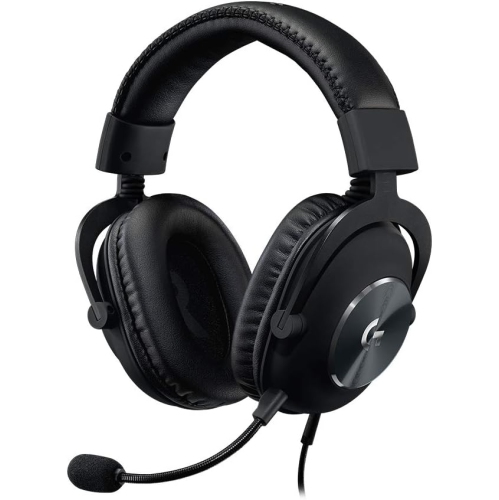
    LOGITECH G Pro X Gaming Headset With Microphone - In Black

    About this product

    A black gaming headset featuring 50mm drivers, memory foam ear pads, and next-gen 7.1 surround sound.

    $159.99 Your price for this item is $159.99

Clearer team chat starts with the right microphone setup

The best gaming microphones bring your voice forward clearly, keep controls within easy reach, and suit the way you play, whether that means quiet strategy calls, lively multiplayer sessions, or a stream with running commentary. A dedicated gaming microphone gives you more freedom to position the capsule near your mouth without changing your headphones, and it can serve equally well for voice chat, video calls, narration, and creative audio projects. Sound quality depends on more than the microphone alone: pickup pattern, speaking distance, room acoustics, and input settings all shape what teammates and viewers hear. A cardioid pickup pattern captures sound mainly from the front while reducing pickup from behind, making it a practical choice for one person seated at a desk. Dynamic gaming microphones often work well for close-up speech in rooms with keyboard noise, computer fans, or voices nearby. Their advantage comes largely from being used close to the mouth, where speech is much louder than surrounding sound; they do not automatically remove background noise. Condenser gaming microphones can capture subtle vocal detail and offer clear results in quieter spaces, though they may also make room reflections and desk sounds more noticeable at typical speaking distances. Neither type is universally better. A soft-spoken player in a carpeted bedroom has different needs from an enthusiastic streamer beside a loud mechanical keyboard. A microphone positioned correctly with sensible gain settings will often deliver more useful results than one chosen for specifications alone. For everyday team chat, intelligibility matters most: consonants should be easy to understand, quieter comments should remain audible, and excited callouts should not turn harsh or distorted. For streaming or voice-over work, a fuller, more consistent vocal sound may matter more, particularly when speech needs to sit comfortably alongside game audio and music. Frequency response can influence vocal character, but a wider stated range does not by itself mean clearer speech. The strongest match is a microphone that captures your natural voice without demanding constant adjustments between rounds.

Connection type plays a major role in how a gaming microphone fits into an existing setup. USB gaming microphones connect directly to compatible computers and commonly combine the microphone, audio conversion, and useful controls in one device. They are convenient for players who want a straightforward desk setup, although software features and operating system support vary. A USB connector alone does not guarantee compatibility with every console, phone, or tablet, so supported devices and connection requirements deserve close attention. XLR gaming microphones connect through an audio interface or mixer, giving creators more flexibility over signal routing, headphone monitoring, and future equipment changes. They also require the appropriate cable and supporting hardware; condenser XLR microphones commonly need phantom power, while some dynamic models need an interface with ample clean gain. Microphones with both USB and XLR connections can accommodate different workflows, but built-in controls or processing may function differently depending on the connection used. For a player moving between voice chat and streaming, physical gain adjustment, an accessible mute control, and a clear status light can make daily use easier. A headphone output with direct monitoring lets you hear the microphone signal with minimal delay, helping you notice a rubbing cable or a sudden change in speaking distance. Automatic gain control can help manage varying speech levels, though its behaviour differs between devices and may bring up background sound during pauses. Noise suppression can reduce some steady or unwanted sounds, but aggressive processing may make speech sound thin or cut off softer syllables. Similarly, a limiter or other level-management feature can help control peaks, but correct input gain remains important. High sample rates and bit depths may be useful for production workflows, yet they are not a substitute for good placement or a quiet recording space, especially when chat applications compress audio. Players who prefer an all-in-one audio setup can also explore gaming headsets with good microphones, which keep the microphone near the mouth as the wearer moves and leave more of the desk free.

Physical fit and construction matter during long sessions, particularly on a crowded desk shared with a large mouse mat, two monitors, and a drink kept safely away from electronics. A compact desktop stand is easy to position, but it can pick up vibrations from typing or an accidental bump. A compatible boom arm can bring the microphone closer to your mouth while freeing up working space; its load rating, mounting thread, clamp opening, and reach need to suit both the microphone and the desk. Shock mounts can help reduce mechanically transmitted vibration, while a pop filter or foam windscreen can soften bursts of air from sounds such as “p” and “b.” Speaking slightly across the capsule rather than directly into it can also reduce those bursts without forcing an awkward posture. Some microphones capture sound through the end, while others capture it through the side, so the correct speaking surface matters. Placement should feel comfortable enough to maintain through a full match, with an unobstructed view of the screen and no cable dragging across the keyboard. Metal housings and sturdy grilles can tolerate routine handling, while lighter plastic construction may be easier to reposition; secure joints, stable bases, and well-supported connectors are important in either case. Detachable cables can simplify replacement and transport, provided the replacement supports the required connection and data transfer. For care, disconnect the microphone before wiping exterior surfaces with a soft, dry cloth, keep moisture away from the capsule and ports, and follow the manufacturer's directions for cleaning removable windscreens. Avoid pulling on cables or overtightening stand fittings. A gaming microphone can be a thoughtful gift for a multiplayer regular, an aspiring streamer, or someone who also records tutorials and joins online study sessions. Matching the connection and mounting needs to the recipient's setup helps make that gift genuinely useful. Over time, the features that matter most are often the practical ones: reliable connections, comfortable placement, clear monitoring, and a mute button that is easy to find when someone walks into the room.
Read More

FAQ

Some products may be subject to Environmental Handling Fees (EHF) depending on your province. Learn more about EHFs.