Best Prebuilt

Find the best prebuilt PCs for gaming, work, and everyday tasks, ranked by customer review ratings. Whether you’re after smooth gameplay, reliable multitasking, or a ready-to-use desktop for home, explore options that fellow shoppers rate highly and compare features to find the right fit for your needs and budget.

Read More

What to look for in prebuilt PCs

1. Processor and Graphics

Choose a processor suited to your everyday apps and more demanding tasks, such as video editing or gaming. Integrated graphics can handle browsing and office work, while a dedicated graphics card is worth considering for gaming, 3D design and other graphics-heavy tasks.

2. Memory and Storage

Look for 16 GB of RAM for everyday multitasking, or consider 32 GB for demanding games and creative projects. An SSD helps your PC start quickly and load apps faster, so choose enough capacity for your software, files and game library.

3. Cooling and Build Quality

Good airflow and effective cooling help maintain performance during longer sessions. Check reviews for fan noise, and compare case dimensions to make sure the desktop fits your space with room for ventilation.

4. Connectivity and Upgrade Options

Check for the USB ports, monitor connections, Wi-Fi and Bluetooth support your setup needs. If you plan to upgrade later, look for accessible memory and storage slots, standard-sized components and a power supply that can support your planned changes.
Citrus catapult arrow
  1. 1

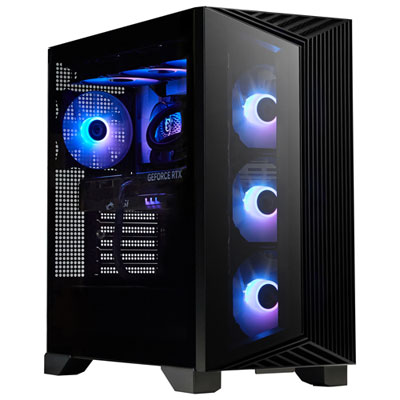
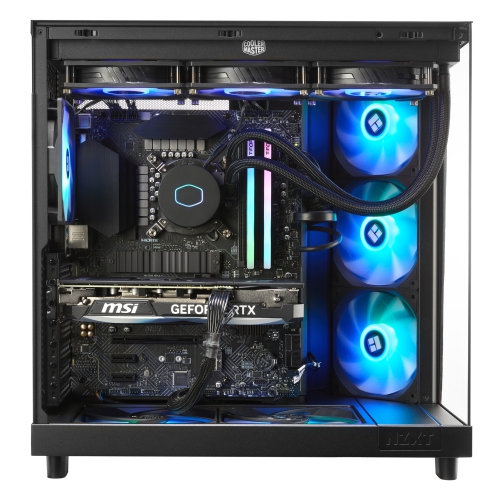
    MSI Aegis Gaming PC - RTX 5070, AMD Ryzen 9 9900X, 32GB Memory, 2TB SSD, Win 11

    About this product

    A powerful black desktop featuring AMD Ryzen R9-9900X, 32GB RAM, RTX 5070, and 2TB SSD.

    What customers like

    • Great graphics capabilities
    • Handles demanding games and software
    • Reliable and responsive operation
    • Excellent performance and speed
    • Sleek and clean design
    (158)
    $3,999.99 Your price for this item is $3999.99
  2. 2

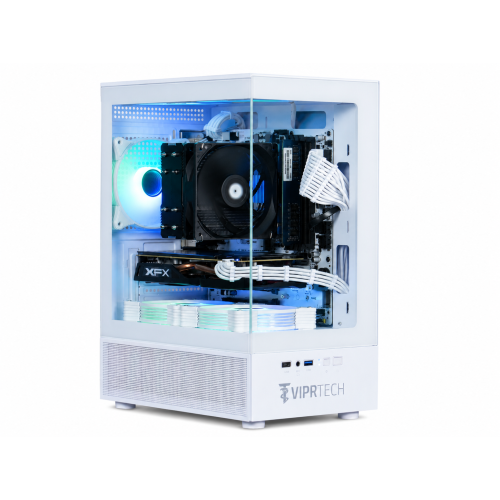
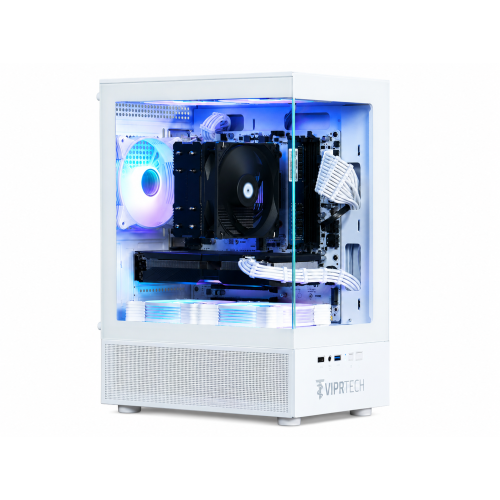
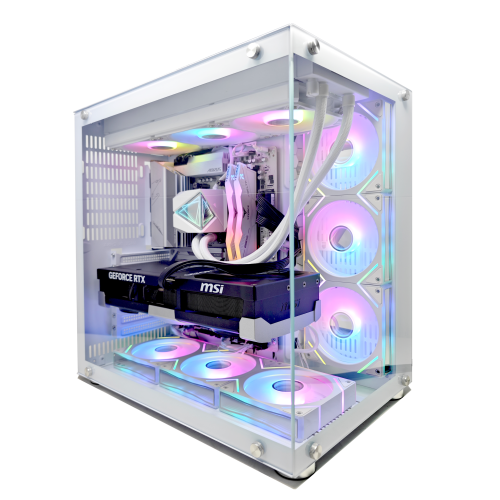
    VIPRTECH Stryker 1.0 Gaming PC - Rx 580 8GB, Amd Ryzen 7, 16GB Memory, 500GB SSD, Win 11 Pro, Arctic In White

    About this product

    A powerful white desktop featuring Ryzen 7, RX 580 8GB, 32GB RAM, 1TB NVMe SSD, and RGB lighting.

    (14)
    $1,199.99 Your price for this item is $1199.99
  3. 3

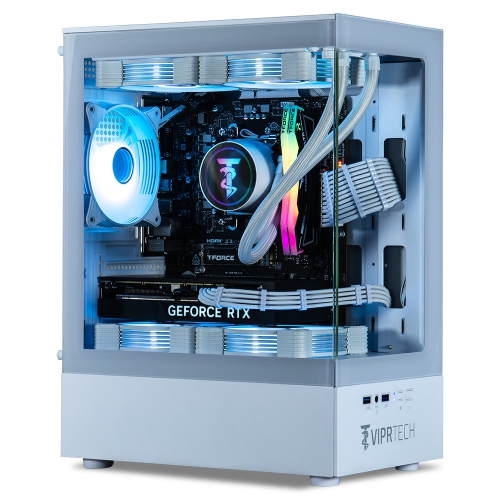
    VIPRTECH Reaper 4.0 Gaming PC - Rtx 5070 12GB, Amd Ryzen 7 8700F, 32GB Memory, 2Tb SSD, Win 11, Arctic White, Liquid Cooled, Vr-Ready

    About this product

    A liquid-cooled white desktop featuring Ryzen 7 7700, RTX 4070 Super, 32GB DDR5, and 2TB SSD.

    (5)
    $2,999.99 Your price for this item is $2999.99
  4. 4

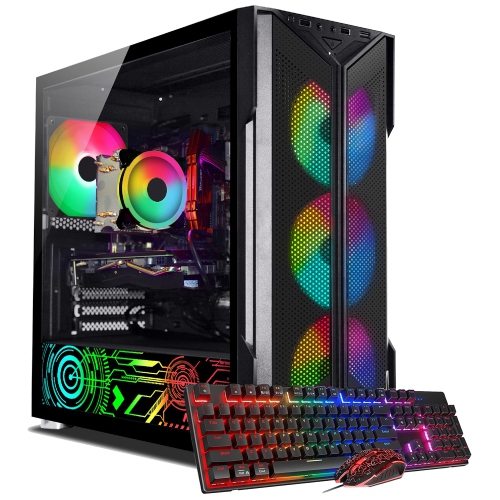
    AQVIN Refurbished (Excellent) - Gaming PC Tower - Gtx 1660 Super 6GB, Intel Core I7, 32GB Memory, 512GB SSD, Win 11 Pro

    About this product

    A high-performance gaming PC featuring an Intel Core i7, 32GB RAM, 1TB SSD, and RGB lighting.

    (3)
    $1,499.99 Your price for this item is $1499.99
  5. 5

    TECHWHIZ Vortex Gaming PC - Rtx 5070 Ti, Intel Core I7-14700Kf, 32GB Memory, 1Tb SSD, Win 11 Pro, Ai-Ready

    About this product

    A powerful desktop featuring an Intel i7 processor, RTX 5070 Ti graphics, 32GB RAM, and 2TB SSD.

    (2)
    $3,749.00
    SAVE $400
    Your price for this item is $3749
  6. 6

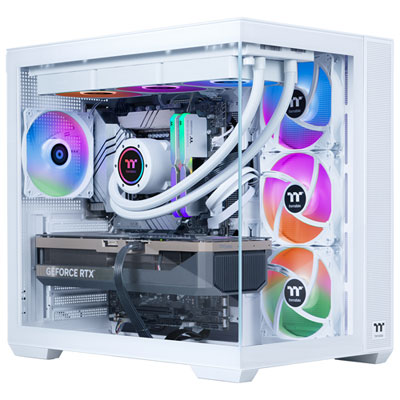
    Thermaltake LCGS View Gaming PC - RTX 5070 Ti, Intel Core Ultra 9 285K, 32GB Memory, 2TB SSD, Win 11 - Only at Best Buy

    About this product

    A high-performance gaming desktop featuring an Intel Core Ultra 9 processor, 32GB RAM, and RTX 5070 Ti graphics.

    (2)
    $4,199.99 Your price for this item is $4199.99
  7. 7

    VIPRTECH Stryker 3.0 Gaming PC - Rtx 3060 12GB, Amd Ryzen 7, 16GB Memory, 1Tb SSD, Win 11 Pro, Arctic In White

    About this product

    A liquid-cooled white desktop featuring Ryzen 7, RTX 3060, 32GB RAM, 1TB NVMe SSD, and RGB lighting.

    (1)
    $1,499.99 Your price for this item is $1499.99
  8. 8

    TW6001 Techwhiz Nightshade Gaming PC - Rtx 5060 Ti, Amd Ryzen 7 5700, 32GB Memory, 1Tb SSD, Win 11 Pro, Ai-Ready, 1-Year Warranty

    About this product

    A powerful desktop with Intel i7, RTX 5060 Ti, 32GB RAM, 2TB SSD, and Windows 11 Pro.

    (1)
    $1,999.00
    SAVE $600
    Your price for this item is $1999
  9. 9

    UNIWAY Pulse Gaming PC - Rtx 5070, Amd Ryzen 7 8700F, 32GB Memory, 2Tb SSD, Win 11 Pro, White, Liquid Cooled, Ai-Ready, 1-Year Warranty

    About this product

    A high-performance white desktop featuring Ryzen 7 8700F, RTX 5070, 32GB DDR5, and liquid cooling.

    (1)
    $2,749.98
    SAVE $350
    Your price for this item is $2749.98
  10. 10

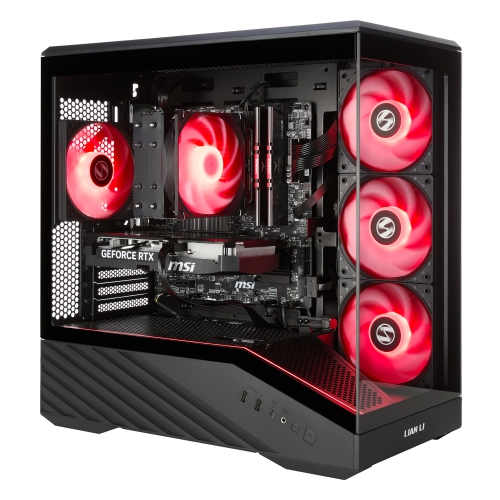
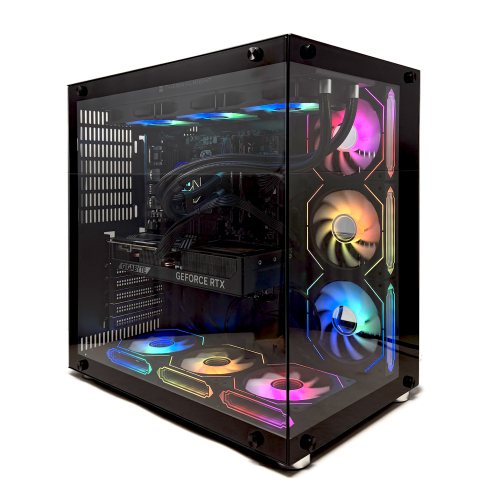
    UNIWAY Pulse Gaming PC - Rtx 5070, Amd Ryzen 7 8700F, 32GB Memory, 2Tb SSD, Win 11 Pro, Black, Liquid Cooled, Ai-Ready, 1-Year Warranty

    About this product

    A powerful black desktop featuring Ryzen 7 8700F, RTX 5070, 32GB DDR5, and liquid cooling.

    (1)
    $2,749.98
    SAVE $350
    Your price for this item is $2749.98

Gaming PCs need more than a powerful graphics card

The best prebuilt gaming PCs combine performance suited to the games being played, effective cooling, and a design that fits comfortably into everyday life. A prebuilt PC arrives with its main internal components assembled, removing the need to fit a processor, mount a cooler, or route power cables before getting started. Depending on the configuration, an operating system may also be installed, though initial setup, updates, and connections to a display and peripherals are still part of making the computer ready to use. For someone moving from a console to desktop gaming, that convenience makes a prebuilt tower an approachable starting point. For an experienced player, it can mean spending less time assembling hardware and more time enjoying a familiar library. The strongest fit is not necessarily the largest tower or the one with the most powerful graphics card; it is a balanced system whose processor, graphics, memory, and storage match its intended workload. A desktop used for competitive matches on a high-refresh-rate 1080p monitor has different priorities from one driving richly detailed games at 4K. Competitive play often benefits from strong processor performance and consistently high frame rates, while higher resolutions generally place greater demands on the graphics card. Exploring Prebuilt PCs brings those different configurations into focus, from compact desktops for shared spaces to larger towers with room for additional components. These computers can also suit students who game after coursework, creators who edit footage between matches, and households that need one desktop for entertainment and demanding projects. As a gift, a gaming PC is most useful when it matches the recipient’s favourite games, existing monitor, and available space. Knowing whether they prefer fast-paced multiplayer titles, detailed simulations, or expansive single-player adventures helps establish what kind of performance will matter most. There is no single configuration that is best for every player, because game requirements, display resolution, and expectations for visual quality vary considerably.

Inside a prebuilt gaming desktop, the relationship between components matters more than an impressive specification viewed on its own. The processor handles game logic and many background tasks, while the graphics card renders the images shown on screen. An unusually strong graphics card paired with a processor that cannot keep pace may leave some of that graphics capability unused, particularly in processor-heavy games or at lower resolutions. The reverse can also be true: a capable processor cannot make up for limited graphics performance when demanding visual settings are enabled. For 1080p gaming, balanced mainstream hardware can provide an enjoyable experience, with actual results depending on the game and settings. At 1440p, graphics capability and video memory become increasingly important, while 4K gaming typically calls for substantially more graphics processing power. Ray tracing adds another demanding workload, and upscaling features can improve performance in supported games, though image quality and responsiveness depend on the implementation. System memory serves a different purpose from the memory on a graphics card. For many gaming setups, 16 GB of system memory is a practical starting point, while 32 GB offers more headroom for demanding games, streaming, creative applications, and multitasking. Someone playing with voice chat, a browser, and recording software open at the same time may benefit from that extra capacity. A solid-state drive supports responsive everyday use and shorter loading times than a traditional hard drive, but storage capacity deserves equal attention: a handful of large game installations can occupy considerable space. Room for another drive can make a desktop easier to live with as a library grows. Connectivity also shapes the experience. Accessible USB ports simplify connecting a controller, headset, or external drive, while compatible display outputs are essential for the intended monitor resolution and refresh rate. Ethernet offers a wired network connection, and built-in Wi-Fi can be useful where running a cable is impractical. Wireless capabilities, port types, and monitor support vary by configuration rather than being guaranteed features of every gaming tower.

The case surrounding those components influences placement, maintenance, sound, and long-term flexibility. Steel panels provide a sturdy structure, aluminium can reduce case weight, and tempered-glass side panels make internal hardware visible but require careful handling when removed. Mesh sections and well-positioned vents allow air to move through the chassis; their effectiveness depends on fan placement, component layout, and whether nearby furniture blocks the airflow. A tower tucked into a narrow desk cupboard may have less breathing room than the same computer placed beside the desk with its vents unobstructed. Compact cases can work well in apartments, bedrooms, and multipurpose rooms, although their smaller dimensions may limit graphics card length, cooler size, or expansion space. Larger cases often provide more working room, but size alone does not guarantee lower noise or better cooling. Fan quality, cooling design, power demands, and fan settings all affect how noticeable a system becomes during a long gaming session. Air cooling can be effective and relatively straightforward to maintain, while liquid cooling may suit certain higher-power configurations; neither approach is automatically superior in every desktop. For a computer used beside a microphone or in a shared room, noise characteristics deserve attention alongside performance. Straightforward care helps preserve reliable operation: vents need clear space, removable filters benefit from regular cleaning, and dust removal should follow the manufacturer’s directions with the system shut down and unplugged. Easy-to-remove panels can make that upkeep less awkward. Upgrade potential depends on more than an empty slot, too. Motherboard compatibility, power supply capacity, internal clearances, and the use of standard or proprietary connections influence which changes are possible later. Warranty terms and support arrangements are also worth understanding before internal modifications. A well-matched prebuilt desktop brings these practical details together, delivering the performance needed for favourite games while fitting the room, keeping everyday connections convenient, and offering a manageable path for care and future changes.
Read More

FAQ

Some products may be subject to Environmental Handling Fees (EHF) depending on your province. Learn more about EHFs.