Best AI-Ready Laptops
Find the best AI-ready laptops for work, study, and creative projects, ranked by customer review ratings. Whether you’re exploring AI-powered tools or upgrading your everyday setup, compare options with the processing power, memory, and features to match your needs. Customer feedback can help you narrow down your choices and find the right fit for your routine.
What to look for in AI-ready laptops
1. AI Processing Capabilities
2. Memory, Storage, and Graphics
3. AI Features and Software Compatibility
4. Battery Life and Portability
-
1
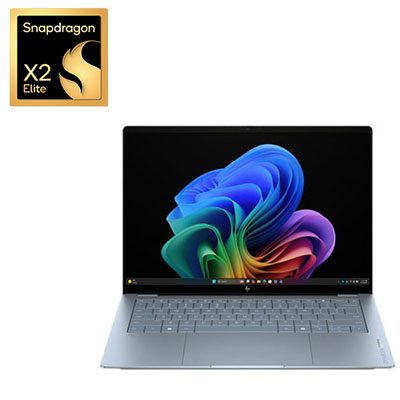
HP OmniBook Ultra 14" 3K OLED Touchscreen Copilot+ PC Laptop - Snapdragon X2 Elite - Qualcomm Hexagon NPU 85 TOPs - 32GB LPDDR5x - 1TB SSD - Qualcomm Adreno Graphics - Windows 11 Home - Stone Blue
About this product
A thin, stone blue laptop featuring a 14" OLED touchscreen, Snapdragon X2 Elite processor, and 32GB RAM.
What customers like
(40)$3,299.99 Your price for this item is $3299.99 -
2
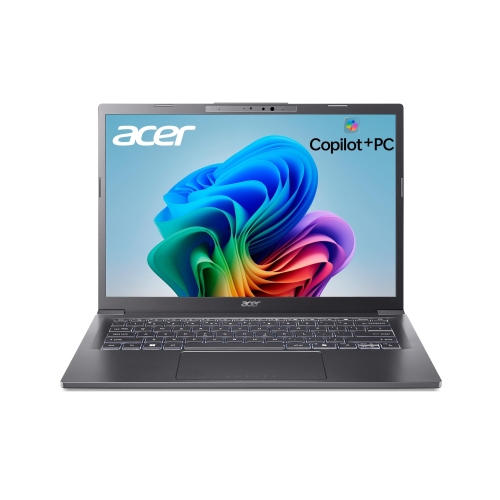
ACER Aspire 14 Ai 14-Inch Fhd+ Laptop, Intel Core Ultra 7 256V, Copilot+ PC, Intel Arc 140V, 16GB Lpddr5X Memory, 1Tb SSD, Wi-Fi 6E, Dual
About this product
A gray Copilot+ laptop with Intel Core Ultra 7, 16GB memory, 1TB SSD, and Wi-Fi 6E.
(1)$1,179.99Your price for this item is $1179.99SAVE $720 -
3
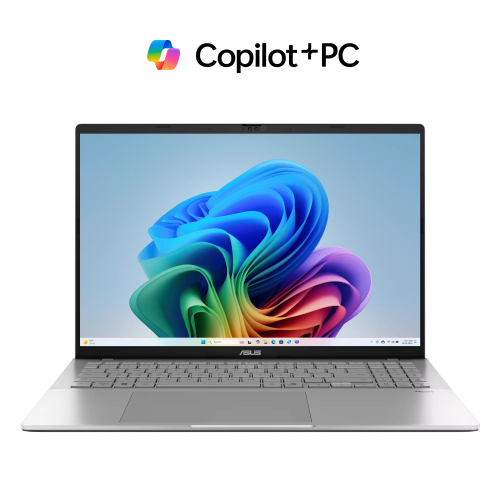
ASUS Vivobook S16 16" Wuxga 120Hz Touch Copilot+ PC Laptop-Silver(Amd Ryzen Ai 9 465/32GB Ddr5/1Tb SSD/amd Radeon Graphics/backlit Keyboard/fhd
About this product
A silver Copilot+ laptop with Ryzen AI 9, 32GB DDR5 RAM, 1TB SSD, and 120Hz touchscreen.
(1)$2,079.00Your price for this item is $2079SAVE $520 -
4
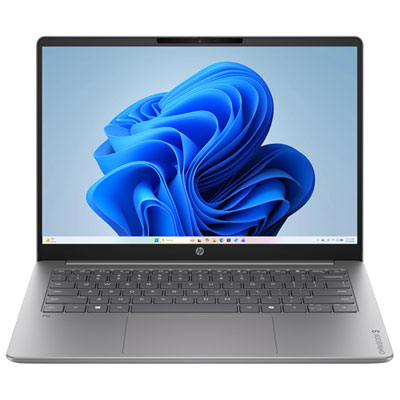
HP OmniBook 3 14" 2K AI PC Laptop - Snapdragon X X1-26-100 - Qualcomm Hexagon NPU 45 TOPs - 8GB LPDDR5x RAM - 256GB SSD – 32 Hours Battery Life - Windows 11 Home - Nouvelle Silver
About this product
A silver laptop with Snapdragon X processing, 8GB RAM, 256GB SSD, and a 2K anti-glare display.
What customers like
(69)$849.99 Your price for this item is $849.99 -
5
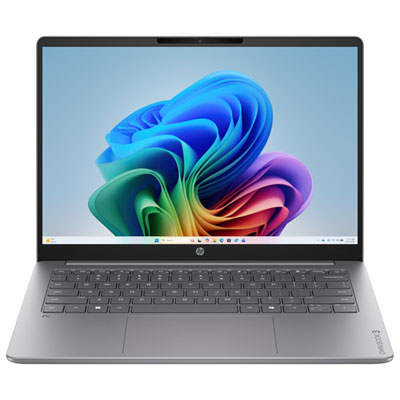
HP OmniBook 3 14" 2K WUXGA Copilot+ PC Laptop - Snapdragon X - Qualcomm Hexagon NPU 45 TOPs - 16GB LPDDR5x - 512GB SSD - Qualcomm Adreno - Windows 11 Home - Nouvelle Silver Aluminum
About this product
A sleek silver laptop featuring a Snapdragon X processor, 16GB RAM, 512GB SSD, and AI-powered productivity tools.
What customers like
(69)$999.99Your price for this item is $999.99SAVE $240 -
6
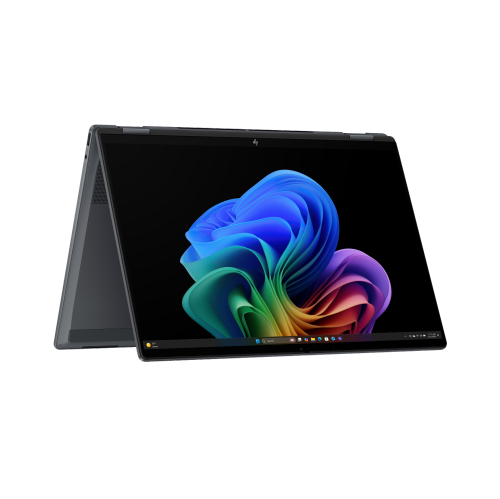
HP Omnibook X Flip 16" Fhd+ Touch 2-In-1 Laptop Next Gen Ai, Intel Core Ultra 7 256V, 47 Tops Npu, Copilot+ PC, 16GB Lpddr5X, 1Tb SSD, Thunderbolt
About this product
A 2-in-1 laptop with FHD+ touchscreen, Intel Core Ultra 7, 47 TOPS NPU, and Thunderbolt 4.
(2)$1,359.99Your price for this item is $1359.99SAVE $740 -
7

DELL 14 Plus Copilot+ PC Laptop - Intel Core Ultra 9 288V - 32GB Lpddr5X - 1Tb SSD - Intel Arc Graphics - Windows 11 Home - Ice In Blue
About this product
A high-performance laptop featuring an Intel Core Ultra 9 processor, 1TB SSD, and 32GB LPDDR5X RAM.
$2,697.97Your price for this item is $2697.97SAVE $501 -
8

ACER - Swift 14 Ai 14.5" 120Hz Copilot+ PC Laptop - Snapdragon X Plus - 16GB Lpddr5 - 1Tb SSD - Windows 11 - Steel In Grey
About this product
A sleek grey laptop featuring Snapdragon X Plus, 16GB RAM, 1TB SSD, and integrated AI capabilities.
$999.97Your price for this item is $999.97SAVE $400
FAQ
An AI-ready laptop includes hardware designed to process artificial intelligence tasks, such as a neural processing unit (NPU), a compatible graphics processor, or both. These components can support AI features in the operating system and supported apps. The term does not represent a single specification, so available features vary by laptop and software.
A central processing unit (CPU) handles general computing tasks, while a graphics processing unit (GPU) handles graphics and parallel calculations, including some AI workloads. An NPU is a specialised processor dedicated to supported AI tasks. Software determines which components are used.
On-device AI processes tasks using the laptop’s own hardware, while cloud-based AI sends requests to remote servers through an internet connection. Some apps combine both approaches. Whether a feature works offline depends on the app, its setup requirements, and whether the necessary AI model is stored on the laptop.
Check the requirements for the operating system and apps you plan to use, including supported processors, memory, graphics hardware, and any NPU requirements. Processor architecture, such as x86 or Arm, can also affect compatibility with apps, drivers, and accessories. Certain AI features require a specific software version, account, or subscription.
AI-ready laptops use standard connections for accessories, but the available options vary by model. Look for the ports and wireless connections your setup needs, such as HDMI, USB-A, USB-C, Wi-Fi, and Bluetooth. For USB-C docks and monitors, check whether the port supports video output, charging, and the required data connection.
Top selling and popular products
Discover more categories related to Best AI-Ready Laptops

Some products may be subject to Environmental Handling Fees (EHF) depending on your province. Learn more about EHFs.