Best Budget Headphones for PS5
Find the best budget headphones for PS5 to bring your games to life without stretching your budget. Ranked by user review ratings, this selection highlights affordable options for your gaming setup. Compare sound quality, comfort, microphone features, and PS5 compatibility to find the right fit for multiplayer matches, solo adventures, and everyday play.
What to look for in budget headphones for PS5
1. PS5 Compatibility
2. Sound Quality
3. Comfort and Build
4. Microphone and Controls
-
1
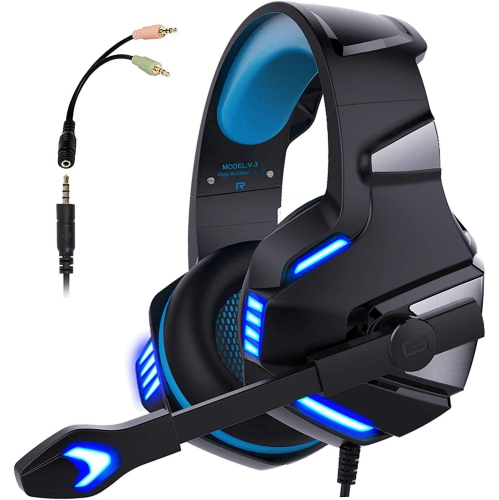
NAVOR Over-Ear Gaming Headphones With Microphone for Ps5/xbox/nintendo/pc
About this product
A clear sound gaming headset with microphone, LED lights, and volume control for multiple platforms.
(2)$52.96Your price for this item is $52.96SAVE $12 -
2
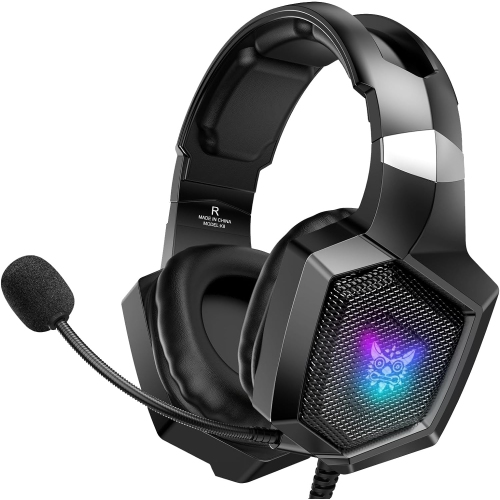
NANDDI Gaming With Rophone, Gaming Headphones for Ps4 Ps5 PC With RGB Lights, Playstation With Noise
About this product
A black over-ear wired gaming headset featuring RGB lights, noise reduction, and 7.1 surround sound.
$32.99 Your price for this item is $32.99 -
3
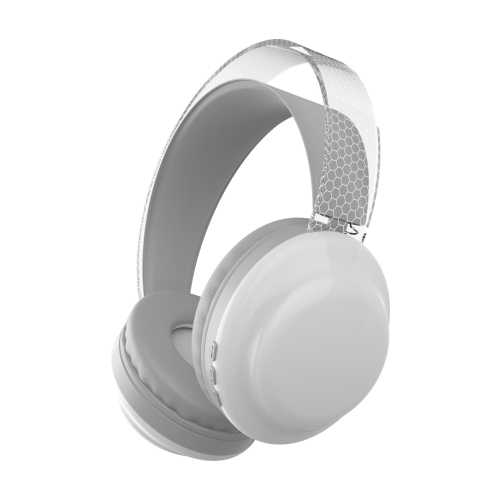
ZYSCOPE Over-Ear Bluetooth Headphones With RGB Colorful Lights, Gaming, Zero Latency, Smart Noise Cancellation. Color: In White
About this product
A white over-ear headset featuring RGB lights, Bluetooth 5.3, surround sound, and smart noise cancellation.
$48.99 Your price for this item is $48.99
FAQ
Wired headphones with a 3.5 mm plug connect to the headset jack on the DualSense controller. On your PS5, go to Settings > Sound > Audio Output to select the headphones and choose whether they play all audio or voice chat only.
PS5-compatible wireless headphones typically connect through a USB transmitter. The PS5 does not directly support standard Bluetooth headphones for game audio, so check for explicit PS5 compatibility rather than Bluetooth support alone.
No. You can listen through headphones and use the DualSense controller’s built-in microphone for voice chat. A compatible headset with its own microphone is another option. Select your preferred microphone under Settings > Sound > Microphone.
Compatible stereo headphones can use the PS5’s 3D audio for headphones through a supported USB connection or the DualSense controller’s 3.5 mm jack. A headset labelled as surround sound is not required. You can configure the feature under Settings > Sound > 3D Audio for Headphones.
Press the PS button to open the control centre, then select Sound to adjust headphone volume. During supported voice chats, the voice chat card also provides an audio balance control for game and chat audio. Some compatible headsets offer their own volume controls, while other adjustments remain in the console menus.
Top selling and popular products
Discover more categories related to Best Budget Headphones for PS5
Some products may be subject to Environmental Handling Fees (EHF) depending on your province. Learn more about EHFs.