Best Budget PS5 Headphones
Find the best budget PS5 headphones for immersive game audio and clear team chat without stretching your budget. Ranked by user review ratings, this selection highlights affordable options to help you compare player favourites and find the right fit for your gaming setup.
What to look for in budget PS5 headphones
1. PS5 Compatibility
2. Sound Quality
3. Comfort and Fit
4. Microphone and Value
-
1
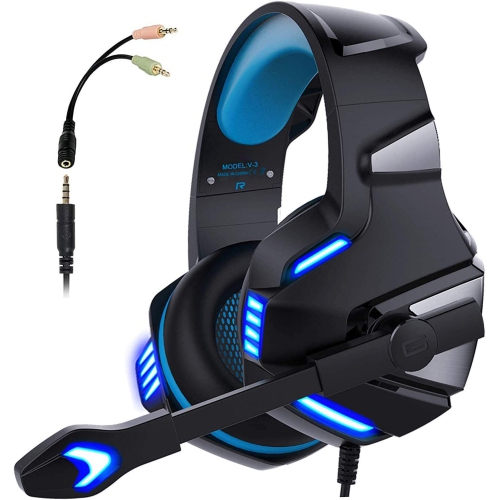
NAVOR Gaming Headphones Stereo Wired 3.5MM Headset With Mic for Ps5 Xbox Nintendo PC
About this product
A wired stereo gaming headset with mic, compatible with PS5, Xbox, Nintendo, and PC via 3.5mm jack.
(2)$58.96Your price for this item is $58.96SAVE $14 -
2
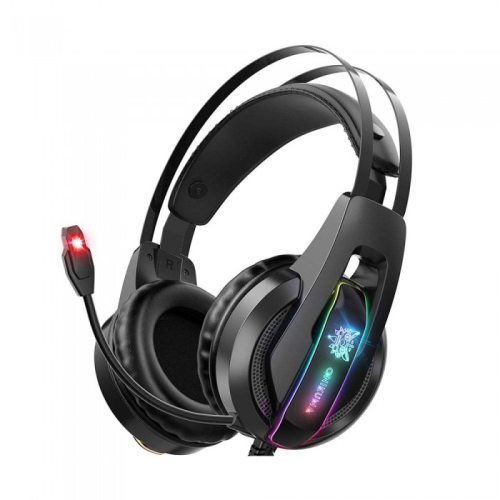
WINGOMART K16 Gaming Headset Over-Ear 3.5MM Led Light Stereo Bass Game Headphones w Mic for PC Laptop Gamer Xbox One, Ps5, Ps4, PC, Nintendo Switch
About this product
A comfortable over-ear gaming headset with LED lights, stereo bass, noise reduction mic, and wide device compatibility.
(1)$16.99Your price for this item is $16.99SAVE $73 -
3
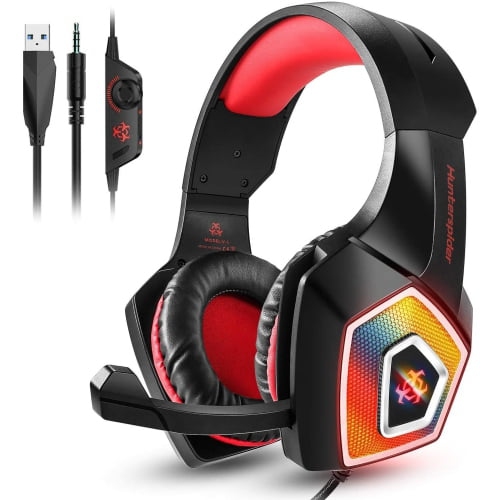
WINGOMART Gaming Headset W/mic for Xbox, Playstation, Ps5, Ps4, PC, Nintendo Switch - Stereo Bass Headphones 3.5MM - Over Ear Headphones w Led
About this product
A lightweight over-ear gaming headset with stereo bass, LED lighting, noise isolation, and adjustable microphone.
(3)$19.99Your price for this item is $19.99SAVE $70 -
4
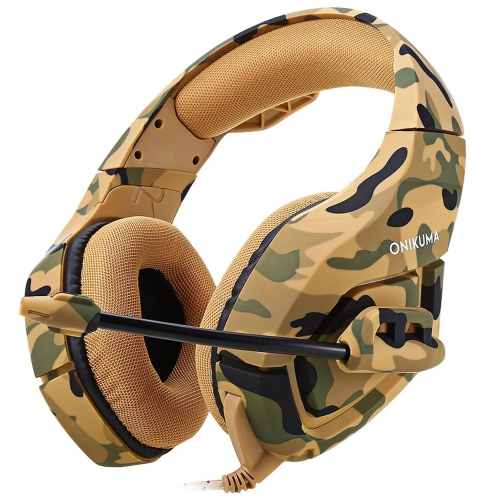
WINGOMART K1B Camouflage Gaming Headset Over-Ear 3.5MM Stereo Bass Game Headphones w Mic for PC Laptop Gamer Xbox One, Ps5, Ps4, PC, Nintendo
About this product
A camouflage over-ear gaming headset with stereo bass, LED lights, noise reduction mic, and broad compatibility.
(2)$15.99Your price for this item is $15.99SAVE $64 -
5
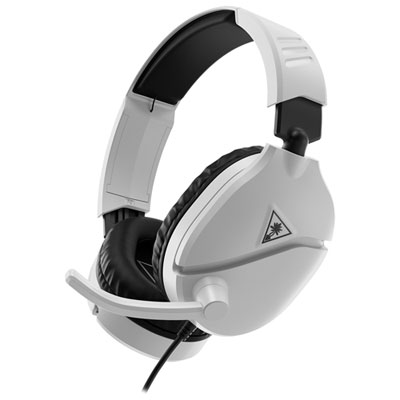
Turtle Beach Recon 70 Gaming Headset for Xbox Series X|S / Xbox One / PC / PS4 / PS5 / Nintendo Switch - White
About this product
A lightweight white headset with plush padding, flip-to-mute mic, and multi-platform 3.5mm connectivity.
What customers like
(57)$49.99 Your price for this item is $49.99 -
6
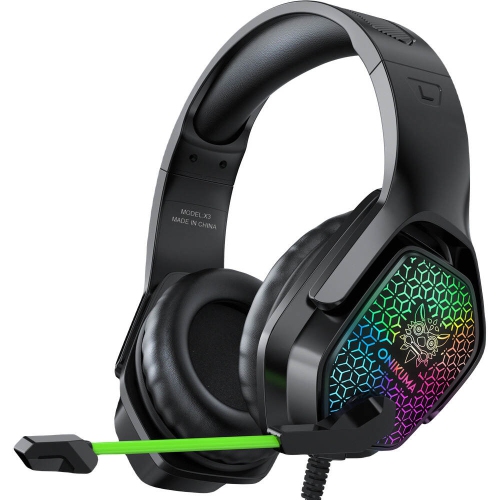
WINGOMART X3 Gaming Headset Over-Ear 3.5MM Led Light Stereo Bass Game Headphones w Mic for PC Laptop Gamer Xbox One, Ps5, Ps4, PC, Nintendo Switch
About this product
A comfortable over-ear gaming headset with LED lights, stereo bass, noise reduction mic, and wide compatibility.
(10)$16.99Your price for this item is $16.99SAVE $73 -
7
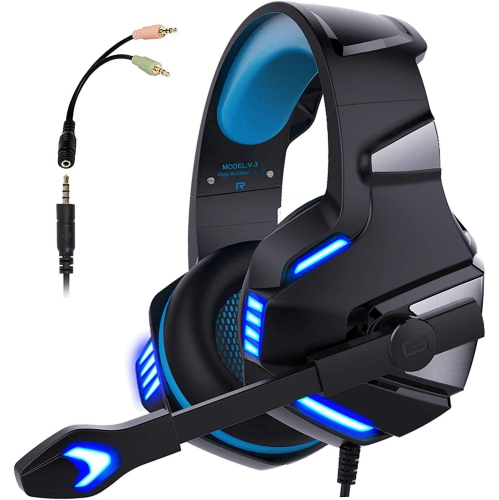
NAVOR Over-Ear Gaming Headphones With Microphone for Ps5/xbox/nintendo/pc
About this product
A clear sound gaming headset with microphone, LED lights, and volume control for multiple platforms.
(2)$52.96Your price for this item is $52.96SAVE $12 -
8
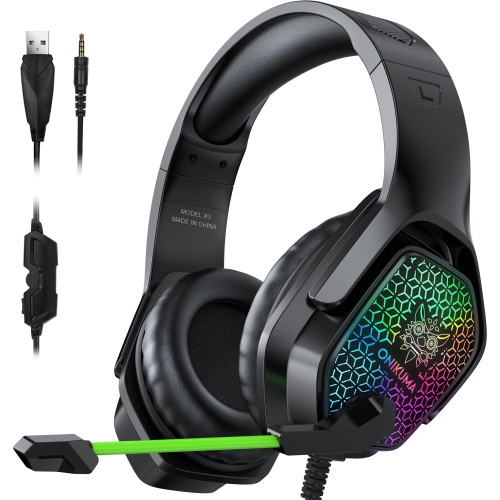
WINGOMART X3 Gaming Headset Over-Ear 3.5MM Led Light Stereo Bass Game Headphones w Mic for PC Laptop Gamer Xbox One, Ps5, Ps4, PC, Nintendo Switch
About this product
A black over-ear gaming headset with LED lights, stereo bass, noise reduction mic, and wide device compatibility.
(6)$17.99Your price for this item is $17.99SAVE $72 -
9
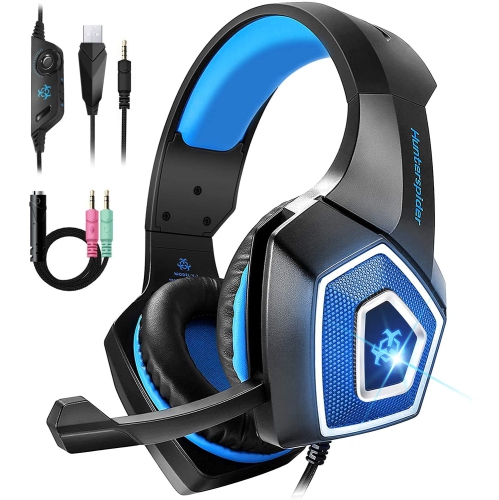
WINGOMART Gaming Headset W/mic for Xbox One, Ps5, Ps4, PC, Nintendo Switch Playstation 5 - Stereo Bass Headphones - 3.5MM - Lightweight Over Ear
About this product
A lightweight over-ear headset with stereo bass, noise isolation, LED light, and adjustable mic for gaming.
(2)$15.99Your price for this item is $15.99SAVE $64 -
10
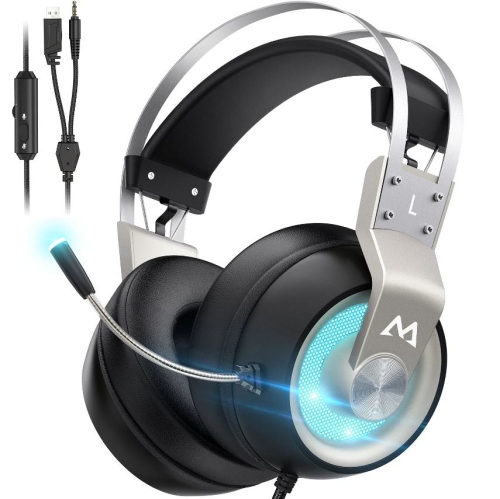
MPOW Eg3 Pro Gaming Headset, 3D Bass Surround Sound for Ps5 Ps4 Xbox Computer Headset With Noise Cancelling Mic
About this product
A gaming headset with 3D bass surround sound and noise-cancelling mic, suitable for multiple platforms.
(1)$52.74Your price for this item is $52.74SAVE $7
FAQ
Wired headphones with a compatible 3.5 mm plug connect to the headphone jack on the DualSense controller. Compatible USB headsets can connect to a USB port on the console. For voice chat, check that the connection also supports the headset’s microphone.
PS5 does not support direct pairing with standard Bluetooth headphones for game audio. Wireless gaming headsets typically connect through a PS5-compatible USB transmitter instead. Check for explicit PS5 compatibility, as wireless connectivity alone does not confirm console support.
Headphones provide audio playback, while a gaming headset includes a microphone for voice chat. If you use headphones without a microphone, you can select the DualSense controller’s built-in microphone or another compatible microphone as your input device.
Common controls include a volume dial and a microphone mute button, located on an ear cup or an inline cable remote. Some headsets have a flip-to-mute microphone. Available controls vary, and features such as game and chat audio balance may depend on PS5 compatibility.
Go to Settings > Sound > Audio Output to select your output device and choose whether headphones receive all audio or voice chat audio only. Microphone settings are under Settings > Sound > Microphone. You can also access headphone volume through the control centre’s Sound menu.
Top selling and popular products
Discover more categories related to Best Budget PS5 Headphones
Some products may be subject to Environmental Handling Fees (EHF) depending on your province. Learn more about EHFs.