Best PS5 Bluetooth Headsets
Find the best PS5 Bluetooth headsets for your gaming setup, ranked by customer review ratings. Compare options for immersive sound, clear voice chat, and comfort during longer sessions. PS5 consoles don’t support Bluetooth audio directly, so check for a PS5-compatible USB transmitter or adapter before choosing your headset.
What to look for in PS5 Bluetooth headsets
1. PS5 Compatibility
2. Sound and Microphone Quality
3. Comfort and Fit
4. Battery Life and Device Switching
-
1
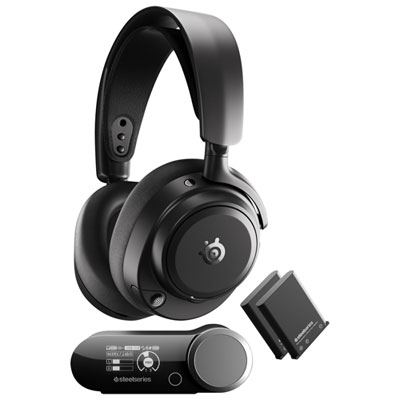
Steelseries Arctis Nova Pro Omni Wireless Gaming Headset for Xbox Series X|S / Xbox One / PC / PS4 / PS5 / Nintendo Switch - Black
About this product
A wireless black gaming headset offering high-fidelity sound, hybrid ANC, and OmniPlay device switching.
(1)$549.99 Your price for this item is $549.99 -
2
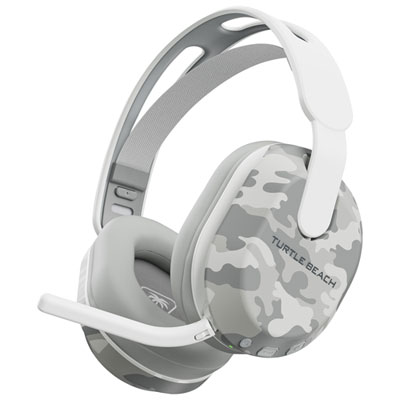
Turtle Beach Stealth 500 Wireless Gaming Headset for PC / PS4 / PS5 - Arctic Camo
About this product
An arctic camo wireless gaming headset featuring 40mm drivers, flip-to-mute mic, and 40-hour battery life.
What customers like
(79)$99.99 Your price for this item is $99.99 -
3
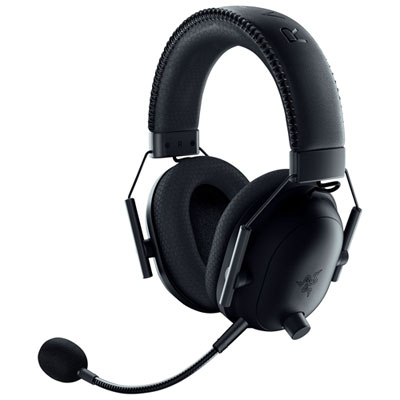
Razer BlackShark V2 Pro PlayStation Wireless Gaming Headset for PC / PS4 / PS5 - Black
About this product
A wireless black gaming headset with HyperClear Super Wideband mic and pro-tuned FPS audio profiles.
What customers like
(83)$289.99 Your price for this item is $289.99 -
4
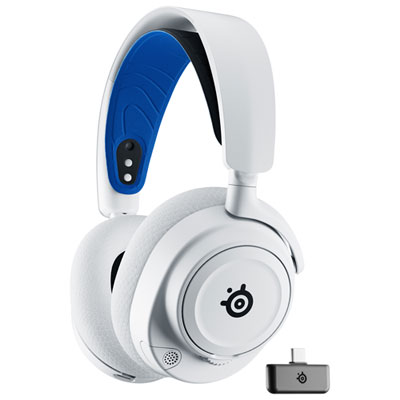
Steelseries Arctis Nova 7P Wireless Gaming Headset for PC / PS4 / PS5 / Nintendo Switch - White
About this product
A wireless white headset delivering immersive 360° spatial audio and dual audio streams for enhanced gaming experiences.
What customers like
(937)$249.95 Your price for this item is $249.95 -
5
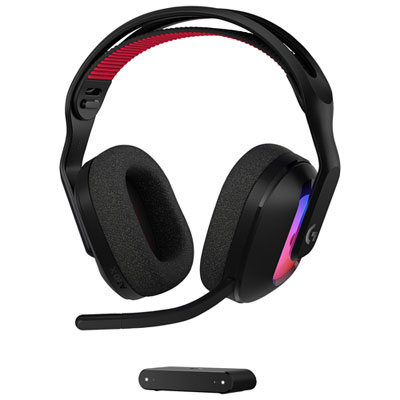
Astro A20 X LIGHTSPEED Wireless Gaming Headset for Xbox Series X|S / Xbox One / PC / PS4 / PS5 / Nintendo Switch - Black
About this product
A black wireless gaming headset with 24-bit LIGHTSPEED, Bluetooth, 40mm PRO-G drivers, and customizable RGB lighting.
What customers like
(137)$219.99Your price for this item is $219.99SAVE $30 -
6
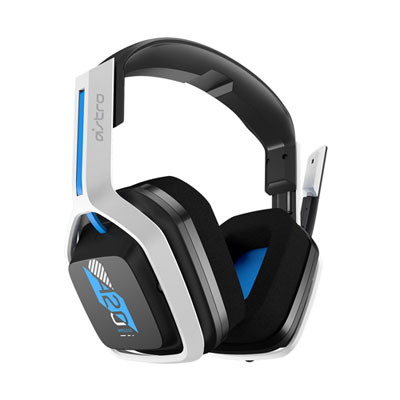
ASTRO Gaming A20 Gen 2 Wireless Gaming Headset with Microphone for PC / PS4 / PS5 - White/Blue
About this product
A wireless headset in white and blue featuring 40mm drivers, customizable EQ presets, and a built-in microphone.
What customers like
(901)$129.99 Your price for this item is $129.99 -
7
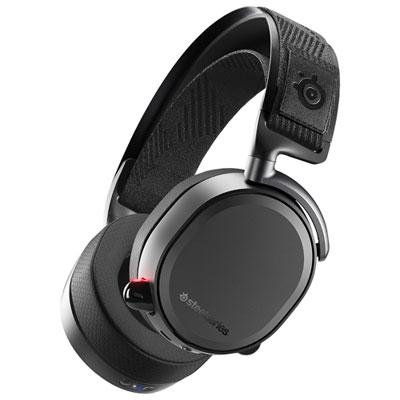
SteelSeries Arctis Pro Wireless Gaming Headset for PC / PS4 / PS5 / Nintendo Switch - Black
About this product
A black wireless gaming headset offering hi-res audio, Bluetooth connectivity, and ultra-comfortable fabric ear cushions.
What customers like
(416)$399.95 Your price for this item is $399.95 -
8
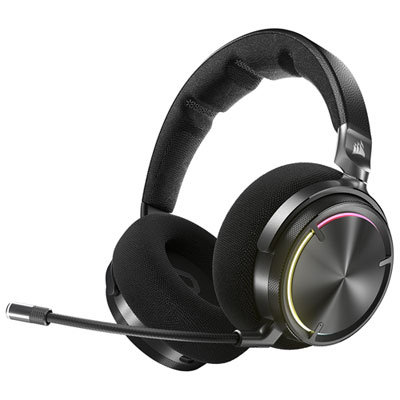
Corsair VIRTUOSO MAX Over-Ear Noise Cancelling Gaming Headphones for PC / PS4 / PS5 / Nintendo Switch - Carbon
About this product
An over-ear carbon headset with 50mm graphene drivers, active noise cancellation, and wireless connectivity.
What customers like
(385)$319.98Your price for this item is $319.98SAVE $30 -
9
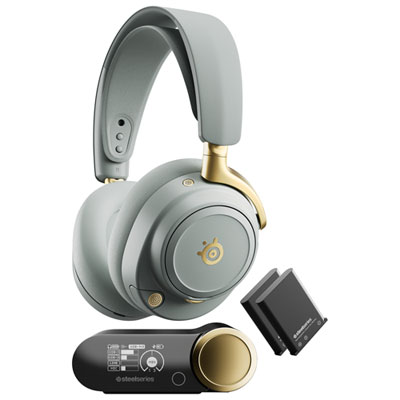
SteelSeries Arctis Nova Elite Wireless Gaming Headset for Xbox Series X|S / Xbox One / PC / PS4 / PS5 / Nintendo Switch - Sage/Gold
About this product
A wireless gaming headset in sage and gold featuring hi-res audio, active noise cancellation, and Bluetooth connectivity.
(2)$829.99 Your price for this item is $829.99 -
10
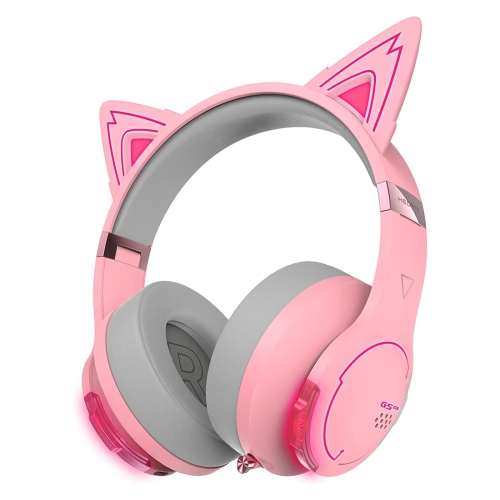
EDIFIER G5Bt Cat Wireless Bluetooth Wired Cat Ear Gaming Headset With Mic (Pink)
About this product
A pink over-ear gaming headset featuring detachable cat ears, RGB lighting, Bluetooth, and a built-in mic.
(7)$304.68 Your price for this item is $304.68
FAQ
PS5 does not support direct pairing with standard Bluetooth audio headsets. For wireless game audio and voice chat, look for a headset with a PS5-compatible USB transmitter. Some headsets include Bluetooth for phones and other devices but use a separate wireless connection for PS5.
Bluetooth typically connects a headset to devices such as phones and tablets. Many PS5-compatible wireless headsets instead connect to the console through a dedicated 2.4 GHz USB transmitter. A headset labelled Bluetooth is not necessarily compatible with PS5, so check for explicit console support.
Connect the headset’s PS5-compatible USB transmitter to the console, then turn on the headset and follow its pairing instructions. On PS5, open Settings > Sound to select the headset as the audio output and microphone input. If the transmitter has a console mode, select the setting specified by the manufacturer.
Some headsets support a PS5 connection through a USB transmitter alongside a Bluetooth connection to a phone. Depending on the headset, you may be able to hear both sources simultaneously or switch between them. Dual connectivity does not always mean simultaneous audio, so check how calls, microphone use, and audio mixing are handled.
Common controls include headset volume, microphone mute, and sidetone, which lets you hear your own voice through the headset. Some models also offer equalizer settings or game/chat balance, although support can vary on PS5. Certain settings may require a mobile or desktop app rather than being accessible from the console.
Top selling and popular products
Discover more categories related to Best PS5 Bluetooth Headsets
Some products may be subject to Environmental Handling Fees (EHF) depending on your province. Learn more about EHFs.