Best Digital Family Calendars

Keep your household organized with the best digital family calendars, ranked by user review ratings. Whether you’re coordinating school activities, work commitments, or family appointments, a digital calendar can make it easier to see what’s coming up at a glance. Explore top-rated options to find the right fit for your family’s routine.

Read More

What to look for in digital family calendars

1. Calendar Syncing and Compatibility

Check whether the calendar works with the services your family uses, such as Google Calendar, Apple Calendar, or Outlook. Look for support for multiple accounts, and confirm whether changes sync both ways or only appear on the display.

2. Screen Size and Placement

Choose a screen that makes appointments easy to read from your intended viewing distance. Check the dimensions, power requirements, and included mounting hardware to find a suitable spot on a wall or countertop.

3. Shared Planning Features

Colour-coded profiles, shared lists, and chore tracking can help everyone follow the family schedule. Compare daily, weekly, and monthly views, along with touchscreen controls and mobile app access for updating plans away from home.

4. Connectivity, Privacy, and Ongoing Costs

Check Wi-Fi requirements and whether schedules remain viewable without an internet connection. Review account permissions and privacy settings, and confirm whether features such as reminders or meal planning require a paid subscription.
Citrus catapult arrow
  1. 1

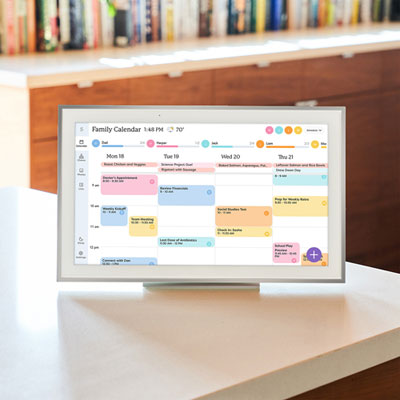
    Skylight 15" Touchscreen Calendar Smart Display - Silver - Only at Best Buy

    About this product

    A silver smart display that auto-syncs multiple calendars and features interactive chore charts for families.

    What customers like

    • Excellent calendar syncing and integration
    • Effective family organization and chore features
    • Large, clear, and responsive display
    • Sleek and elegant design
    • Easy to use and set up
    (438)
    $449.99 Your price for this item is $449.99
  2. 2

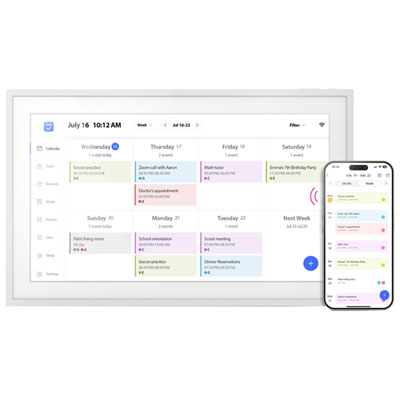
    Aluratek - 15.6" WiFi Smart Calendar and Photo Frame with Touchscreen IPS LCD Display, No Subscription Fee and 32GB - White

    About this product

    A white digital photo frame with 32GB storage, Wi-Fi connectivity, touch screen, and calendar syncing features.

    (7)
    $219.99
    SAVE $30
    Your price for this item is $219.99
  3. 3

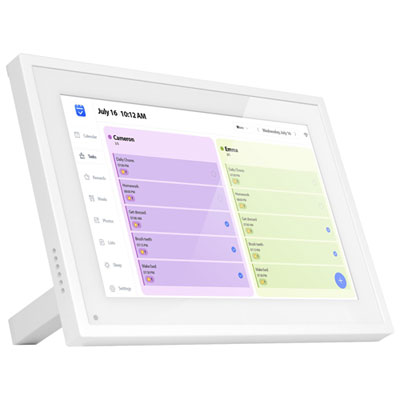
    Aluratek - 10.1" Calendar and Digital Photo Frame with WiFi, Touchscreen IPS LCD Display, No Subscription Fee and 32GB - White

    About this product

    A white digital photo frame with a 10.1" HD IPS display and wireless photo sharing via Wi-Fi.

    (2)
    $169.99
    SAVE $30
    Your price for this item is $169.99
  4. 4

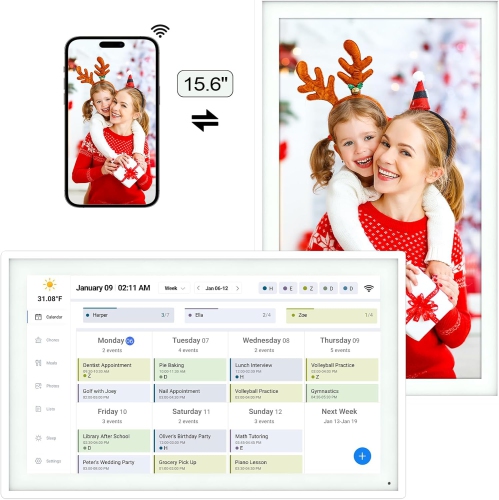
    POVEE Digital Calendar: 15.6 Inch Smart Family Calendar & Chore Chart, 1920 1080 Ips Wall Mounted Picture Frame, Family Schedules Weekly And

    About this product

    A wall-mounted digital calendar and chore chart with a 15.6" HD IPS display for family organization.

    $349.99
    SAVE $120
    Your price for this item is $349.99
  5. 5

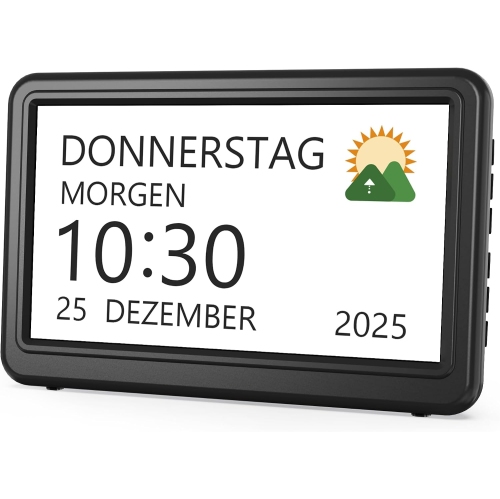
    SYMLIS Digital Calendar Clock Electronic Date Alarm Clock 20 Reminders 20 Alarms 12 Themes 7 Inch Display Elderly Care Clock

    About this product

    A digital calendar clock with 20 reminders, 20 alarms, 12 display themes, and a 7-inch screen.

    $77.48
    SAVE $62
    Your price for this item is $77.48
  6. 6

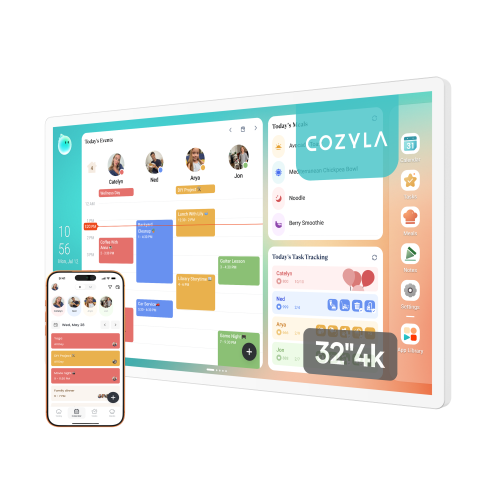
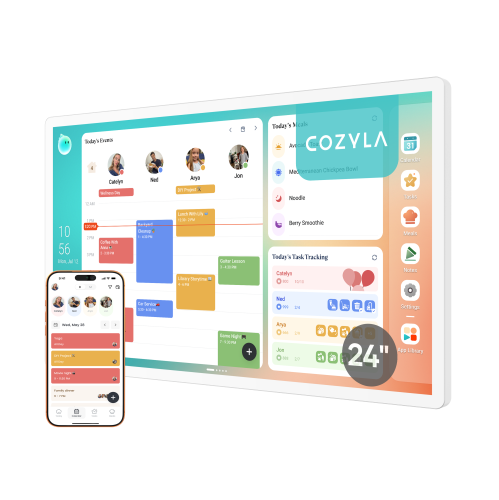
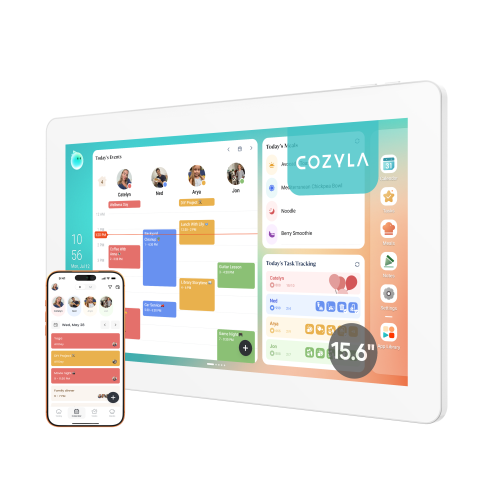
    COZYLA Calendar Plus 2: 32" 4K Uhd Smart Digital Calendar w Google Play, Touch Screen Wall Planner w Voice Agent, Chore Chart, Meal Planner & Wall

    About this product

    A 32-inch 4K touch screen digital planner that organizes family schedules, chores, and meal plans.

    $1,599.99 Your price for this item is $1599.99
  7. 7

    AMAZON Echo Show 15 (Newest Model) – 15.6” Full HD Smart Display With Alexa & Fire Tv – Kitchen Hub - Refurbished Excellent

    About this product

    A versatile Full HD smart display with Alexa and Fire TV, perfect for organizing and entertaining your home.

    $499.99
    SAVE $50
    Your price for this item is $499.99
  8. 8

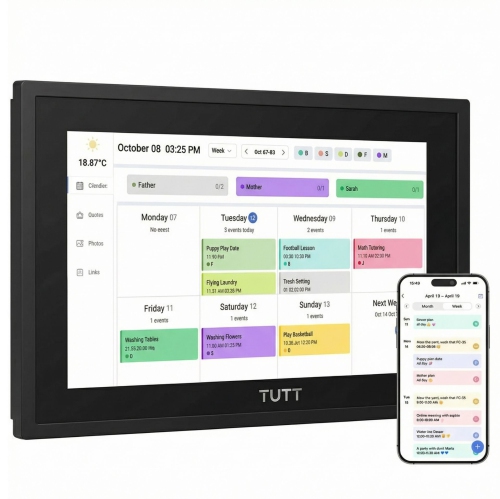
    TUTT 21.5” Digital Calendar 32GB | Calendar, Wi-Fi Photo & Video Frame, Art Gallery | Premium Features No Subscription, Touchscreen

    About this product

    A versatile 21.5" Full HD IPS touchscreen device with calendar sync, Wi-Fi photo frame, and art gallery.

    $489.90
    SAVE $110
    Your price for this item is $489.90
  9. 9

    MYACUC 10.1" Wifi Digital Calendar Smart Family Planner, Chore Charts, Achievement Rewards, Ai Meal Planning, Smart Touchscreen Interactive Display

    About this product

    A WiFi-enabled smart touchscreen planner that streamlines family schedules, chore charts, and meal planning.

    $190.99 Your price for this item is $190.99

Everyone’s plans together on one shared screen

Digital family calendars bring shared schedules onto a dedicated screen, giving everyone in the household a familiar place to check what happens next. Rather than leaving appointments scattered across phones, paper notes, and school messages, these displays can bring compatible calendars together in a daily, weekly, or monthly view. The best digital family calendars for a household are those that make its routines easier to see and maintain: clear text, straightforward touchscreen controls, dependable calendar syncing, and enough space to distinguish overlapping activities all matter. A parent checking a pickup time, a teenager looking for a practice session, and a grandparent confirming a visit should be able to find the relevant details without navigating a complicated menu. Colour-coded profiles can help separate each person’s commitments, while a combined family view shows where schedules overlap. Calendar compatibility deserves close attention because support for an account does not necessarily mean every function works in both directions. Some displays show events imported from another calendar, while others allow changes made on the screen to appear in the connected account as well. Supported account types, refresh timing, and editing permissions vary by model. For families who adjust plans away from home, a companion app can make it possible to add an appointment from a phone and have it appear on the household display. Repeating events are useful for regular lessons, shared custody arrangements, and weekly activities, especially when individual occurrences can be changed without altering the whole series. Event details also make a difference: a location, departure time, or note about what to bring can turn a brief calendar entry into something genuinely useful. A dedicated calendar screen serves a different purpose from a digital photo frame that simply displays the date. Its value lies in keeping schedules visible and actionable, even when personal devices are tucked away. Photo display features may be a welcome extra, but readable calendar layouts and easy everyday updates remain central to its intended use.

Beyond appointments, some digital family calendars include tools for chores, meal planning, reminders, and shared lists. These features can bring the smaller moving parts of household life into the same place as the main schedule. A school pickup entry might sit alongside a reminder to pack a library book, while a dinner plan helps explain why someone needs to start preparing a meal before an evening activity. Households looking to connect daily responsibilities with scheduled events may find Digital Calendars with Chore Charts particularly relevant. Depending on the model, chore tools may support assigned tasks, repeating routines, completion tracking, or reward systems. Clear ownership is often more useful than a long list: feeding the cat, emptying the dishwasher, and putting sports equipment away are easier to follow when each task has a name and an expected time attached. For younger children, simple icons and a short daily view can be more approachable than a crowded month of appointments. Older children and adults may prefer fuller event details and the ability to manage their own entries. A calendar used by several generations benefits from readable type, strong contrast, and touch targets that do not demand pinpoint accuracy. Colour coding works best when names or symbols provide another way to identify people, rather than relying on colour alone. Notification options also affect how comfortably a display fits into daily life. On-screen reminders may suit a busy kitchen, while adjustable sounds and quiet hours can help keep alerts from interrupting homework or rest. The usefulness of these features depends on how easily the household can maintain them; adding a task should not feel harder than completing it. Digital family calendars can suit couples coordinating different work schedules, families juggling activities, or relatives sharing caregiving responsibilities. They can also make thoughtful housewarming gifts for recipients who welcome shared planning tools, provided the display works with their existing accounts and has a suitable place in the home.

Screen size, placement, and construction shape how useful a digital calendar feels long after setup. A larger display can make a busy weekly layout easier to read from across a room, but the usable calendar area matters as much as the screen’s overall dimensions. Wide borders, persistent menus, and extra panels can leave less room for event names. A smaller touchscreen may fit neatly on a narrow console or kitchen counter when people usually check it at arm’s length. Wall-mounted designs keep surfaces clear, while tabletop models offer flexibility when furniture arrangements change. The mounting method, included hardware, stand stability, and supported screen orientation should match the intended location. A heavily used family calendar needs to be easy for its users to reach without blocking a walkway or placing a power lead where someone could catch it. Many dedicated displays require continuous power and Wi-Fi for connected features, so outlet access and a reliable signal are practical considerations. Offline behaviour varies: a display may retain previously loaded information but need a connection to receive updates. Glass touch surfaces and plastic or metal housings are common, with finishes that differ in how readily they show fingerprints and reflections. Positioning a screen away from direct glare can improve readability more than simply increasing its brightness. In a kitchen, distance from sinks, cooking splashes, and steam helps protect a device that may not have a water-resistance rating. For care, follow the manufacturer’s cleaning instructions; a soft, dry microfibre cloth is generally suitable for routine dust and fingerprints, and liquid should never be sprayed directly onto the screen. A secure mount, stable stand, and neatly routed cable also contribute to durability in a busy household. Privacy is equally practical when schedules sit in a shared space. Event visibility controls, separate profiles, and restricted settings can help keep personal details from appearing to every visitor. Ongoing software support and straightforward account management matter, too. A well-matched digital calendar becomes a dependable point of reference because it is readable, accessible, and simple enough for the whole household to use consistently.
Read More

FAQ

Some products may be subject to Environmental Handling Fees (EHF) depending on your province. Learn more about EHFs.