Cheap Prebuilt Gaming PCs

Shop cheap prebuilt gaming PCs for a budget-friendly gaming desktop without having to assemble it yourself. Compare processor, graphics card, memory and storage specifications against your favourite games’ recommended system requirements to find a configuration that fits your needs and budget.
Sort

What entry-level hardware means for your favourite games

Entry-level prebuilt gaming PCs are assembled desktop computers that combine gaming hardware with the convenience of a system that does not need to be built from separate parts. Many are suited to 1080p gaming, although performance depends on the processor, graphics hardware, memory and demands of each game. Competitive multiplayer games, independent releases and older favourites can have very different requirements from visually demanding open-world adventures. A desktop that delivers smooth play in one title may need lower graphics settings in another, so a “gaming” label alone does not describe the experience. Dedicated graphics cards have their own video memory and generally provide more gaming capability than basic integrated graphics, while integrated graphics can suit lighter games and everyday tasks. The exact graphics processor matters more than the amount of video memory by itself. Processor performance also affects how a game feels, particularly in busy multiplayer matches, large simulations or scenes with many characters on screen. Its generation and architecture are useful context alongside its core count. Memory gives games and background applications room to run together; 16 GB of RAM is a practical reference point for many gaming setups, though individual requirements vary. Someone who keeps voice chat, a browser and a game open at once may notice memory limitations sooner than someone running only a single application. Storage affects a different part of the experience. A solid-state drive helps with system startup, application launches and game loading, but it does not replace the need for capable graphics hardware. Capacity matters when several large games share space with school files, photos and recorded clips. A 1 TB drive provides more room than a 500 GB drive, although usable space is lower after formatting and software installation. Together, these components shape how comfortably a prebuilt desktop handles a player’s usual games, rather than simply how impressive one specification looks on paper.

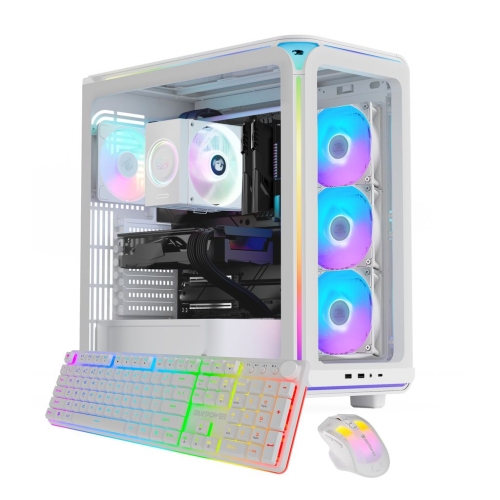
The case and internal layout influence how a gaming desktop fits into a room and how straightforward it is to maintain. Steel panels provide a sturdy structure, plastic front panels allow varied shapes and finishes, and tempered-glass side panels make the internal components visible. Glass adds weight and needs careful handling, especially when a side panel is removed for cleaning. A compact tower can leave more room beside a monitor, but a smaller footprint may also limit graphics-card clearance, expansion slots or access to drive bays. Larger cases can offer more working space inside, although their external dimensions still need to suit the desk or floor area. A tower tucked into a closed cabinet has different airflow conditions from one standing in an open space, and vents need clearance rather than being pressed against furniture. Fan placement, unobstructed intake panels and sensible cable routing help components shed heat during longer sessions. Lighting is a visual feature, not a measure of gaming performance, and fan noise can matter more than illuminated panels in a shared bedroom or study area. Case colour is another way to coordinate the setup: Prebuilt White Gaming PCs can complement a light-coloured desk, keyboard and monitor without changing the hardware requirements of the games being played. Inside the case, construction details also affect future flexibility. Standard component sizes, accessible memory slots and additional storage connections can make later changes more straightforward. Some prebuilt desktops use proprietary motherboards, power supplies or case connections, which can restrict compatible replacements. A larger graphics card may need more physical space, additional power connectors and a power supply with sufficient capacity. Upgrade potential therefore depends on the whole system, not just an empty slot. Clear specifications and service documentation help establish what can be changed, while warranty terms explain how support and servicing are handled.

A prebuilt gaming desktop can serve several roles beyond an evening of play. For a student, the same system may handle assignments, video calls and multiplayer sessions after homework; for a family, it may be a shared computer for games, browsing and personal projects. Players interested in strategy games, racing simulations or controller-based adventures may use different accessories, but all benefit from a setup that suits the way they sit and play. A desktop intended for recording gameplay or broadcasting it alongside a live camera feed has additional demands on its processor, graphics hardware, memory and storage. Those uses should not be assumed from gaming performance alone. Connections also shape everyday convenience. Ethernet provides a wired network connection, while Wi-Fi is useful where running a cable is impractical; built-in wireless capability is not a given in every desktop. Bluetooth support matters for compatible wireless accessories, and accessible USB ports make it easier to connect a headset, controller or external drive. Display connections need to match the monitor, and systems with a dedicated graphics card normally use that card’s outputs for the gaming display. A monitor’s resolution and refresh rate also need to be considered alongside the computer’s capabilities: a high-refresh display cannot make a game run faster than the hardware allows. Monitors, keyboards, mice and headsets are separate parts of the overall setup unless expressly included. For a gift recipient, knowing the games they play, the equipment they already own and the space they have is more useful than choosing by appearance alone. Routine care helps keep the desktop dependable. Clear vents, dust filters cleaned according to the manufacturer’s directions and a stable surface away from spills all support everyday use. Powering down and unplugging the system before exterior cleaning, using suitable products for each surface and keeping software updated are practical habits. Regular backups protect saved files and personal work, giving the computer a useful role beyond its game library.

FAQ

Some products may be subject to Environmental Handling Fees (EHF) depending on your province. Learn more about EHFs.