Best Wireless Gaming Headsets PS4
Find the best wireless gaming headsets for PS4, ranked by user review ratings to help you compare player favourites. Whether you’re coordinating with teammates or settling into a solo adventure, explore options with clear audio, comfortable designs, and convenient voice chat to find the right fit for your gaming setup.
What to look for in wireless gaming headsets for PS4
1. PS4 Compatibility
2. Sound and Microphone Quality
3. Comfort and Fit
4. Battery Life and Wireless Performance
-
1
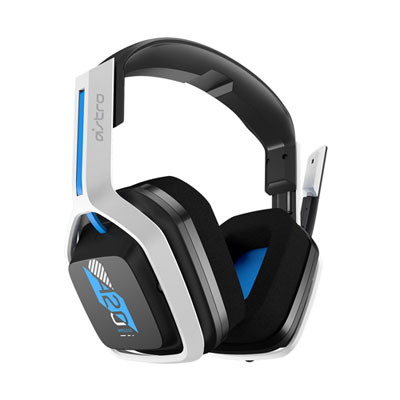
ASTRO Gaming A20 Gen 2 Wireless Gaming Headset with Microphone for PC / PS4 / PS5 - White/Blue
About this product
A wireless headset in white and blue featuring 40mm drivers, customizable EQ presets, and a built-in microphone.
What customers like
(901)$129.99 Your price for this item is $129.99 -
2

Corsair HS55 Wireless Dolby Audio 7.1 Surround Gaming Headset for PC / PS4 / PS5 / Nintendo Switch – Black
About this product
A wireless black gaming headset with Dolby 7.1 surround sound, soft foam pads, and on-ear controls.
What customers like
(606)$119.98 Your price for this item is $119.98 -
3
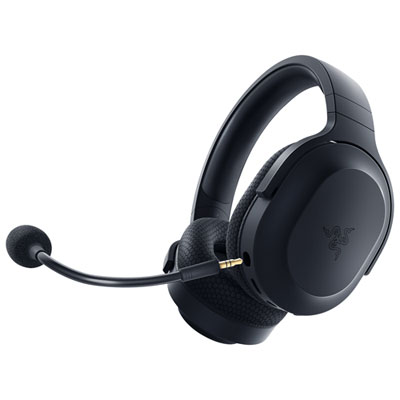
Razer Barracuda X Plus Wireless Gaming Headset for PC - Black
About this product
A versatile black wireless headset offering immersive audio, clear mic, and multi-platform compatibility for gaming and entertainment.
What customers like
(888)$94.99Your price for this item is $94.99SAVE $15 -
4
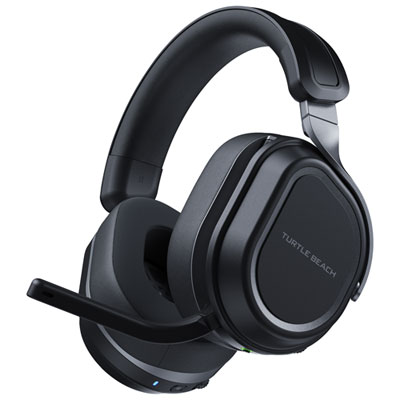
Turtle Beach Stealth 700 Wireless Gaming Headset for PC / PS4 / PS5 / Nintendo Switch - Black
About this product
A wireless black headset offering 60mm dual drivers, flip-to-mute mic, and 80-hour battery life.
What customers like
(384)$199.99Your price for this item is $199.99SAVE $70 -
5
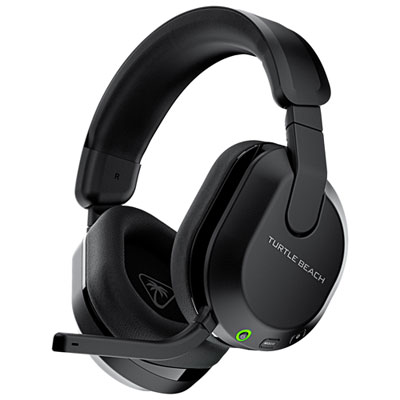
Turtle Beach Stealth 600P Gen 3 Wireless Gaming Headset for Xbox Series X|S / Xbox One / PC / PS4 / PS5 / Nintendo Switch - Black
About this product
A wireless headset with 50mm drivers, AI mic noise reduction, and memory foam cushions for comfortable gaming.
What customers like
(393)$99.99Your price for this item is $99.99SAVE $10 -
6
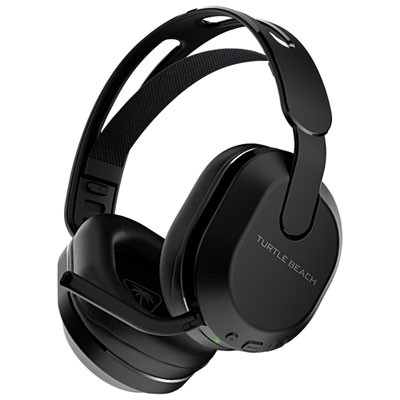
Turtle Beach Stealth 500P Wireless Gaming Headset for PC / PS4 / PS5 - Black
About this product
A wireless black headset with memory foam padding, 40-hour battery, app controls, and flip-to-mute mic.
What customers like
(357)$99.99 Your price for this item is $99.99 -
7
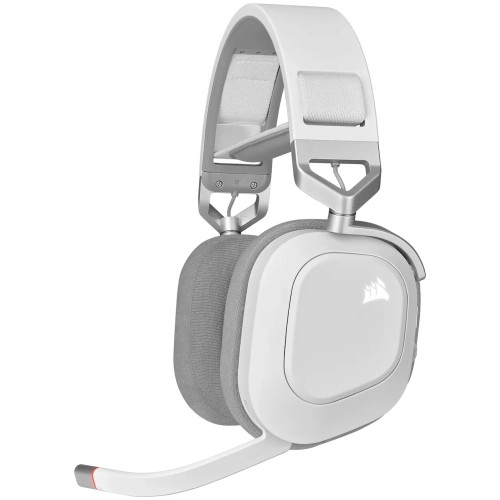
CORSAIR Hs80 RGB Wireless Gaming Headset for PC, Mac, Ps5, Ps4 - (Ca-9011236-Na) In White
About this product
A white wireless gaming headset with 50mm neodymium drivers, 24-bit sound, RGB lighting, and multi-platform connectivity.
What customers like
(730)$186.99 Your price for this item is $186.99 -
8
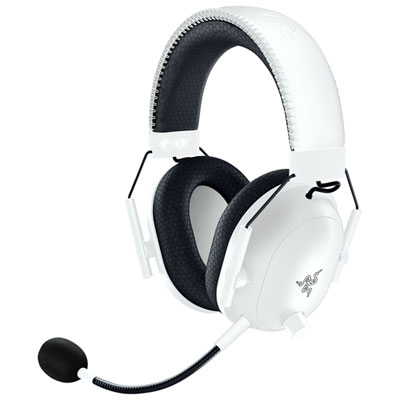
Razer BlackShark V2 Pro PlayStation Wireless Gaming Headset for PC / PS4 / PS5 - White
About this product
A wireless white gaming headset featuring a HyperClear Super Wideband mic and pro-tuned FPS audio profiles.
What customers like
(131)$289.99 Your price for this item is $289.99 -
9
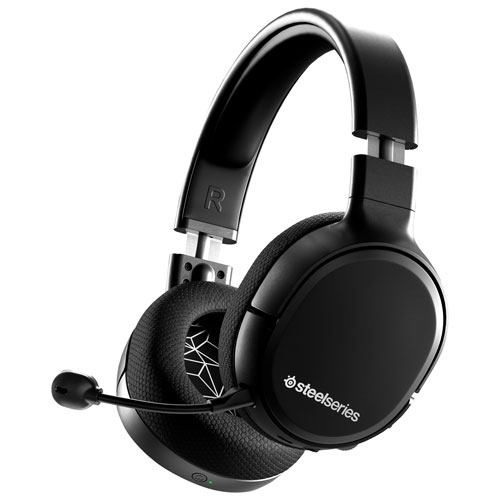
STEELSERIES - Arctis 1 Wireless Gaming Headset
About this product
A wireless gaming headset by SteelSeries, perfect for immersive gaming experiences.
$99.00Your price for this item is $99SAVE $100 -
10
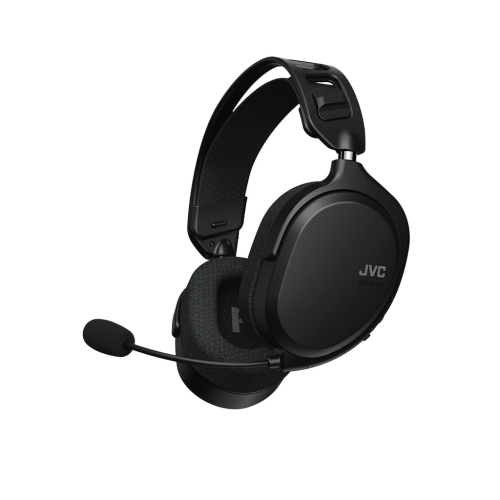
JVC - Ultra Lightweight Wireless Gaming Headset With Detachable Microphone In Black
About this product
An ultra-lightweight wireless gaming headset in black featuring a detachable microphone for clear communication.
$149.99 Your price for this item is $149.99
FAQ
Look for explicit PS4 compatibility, a supported wireless USB adapter or base station, and a microphone for voice chat. Other useful features include on-headset volume controls, a mute button, adjustable ear cups, and a rechargeable battery. Wireless compatibility with another console does not automatically mean the headset supports PS4.
PS4 does not natively support standard Bluetooth headsets for game audio and voice chat. PS4-compatible wireless gaming headsets typically connect through a USB wireless adapter or a compatible base station. A headset described as Bluetooth-only should not be assumed to work with PS4.
Connect the headset’s PS4-compatible USB adapter or base station, then turn on and pair the headset according to its instructions. On your PS4, go to Settings > Devices > Audio Devices to select the available input and output devices. For supported USB headsets, choose All Audio under Output to Headphones to route both game audio and chat through the headset.
Depending on the headset, controls may include a microphone mute button, flip-to-mute boom, microphone monitoring, and chat volume adjustment. Microphone monitoring lets you hear your own voice through the headset. Separate game and chat volume controls vary by headset and connection type, so check which functions are supported on PS4.
Some wireless headsets include a 3.5 mm audio connection that can plug into a DUALSHOCK 4 controller. Others support wireless audio only, and a USB charging cable does not necessarily carry audio. Check whether wired mode supports both headphone audio and the microphone, as available functions can differ from wireless mode.
Top selling and popular products
Discover more categories related to Best Wireless Gaming Headsets PS4
Some products may be subject to Environmental Handling Fees (EHF) depending on your province. Learn more about EHFs.