Best Computer Motherboard for Gaming
The best computer motherboards for gaming provide a solid foundation for your build, with support for compatible processors, fast memory, and the connections you need. Whether you’re upgrading your setup or building a new gaming PC, compare features such as expansion slots, storage support, and built-in Wi-Fi to find the right fit. Explore the motherboards below, ranked by user review ratings, to help narrow down your choices.
What to look for in the best computer motherboards for gaming
1. Processor and Memory Compatibility
2. Form Factor and Expansion
3. Power Delivery and Cooling
4. Storage and Connectivity
-
1
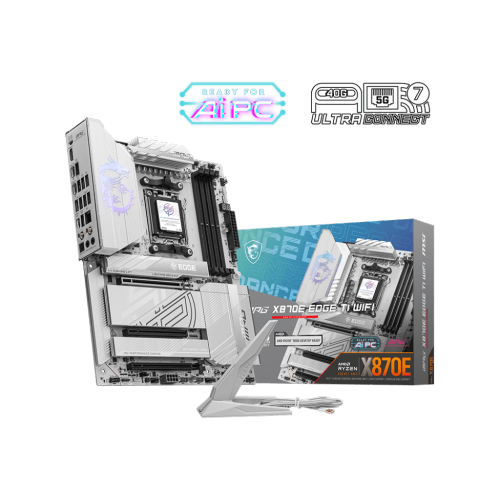
MSI Mpg X870E Edge Ti Wifi Atx Am5 Ddr5 Motherboard for Amd Ryzen 9000 / 8000 / 7000 Series Cpus
About this product
A high-performance ATX motherboard supporting AMD Ryzen processors with DDR5, PCIe 4.0, Wi-Fi 6E, and Bluetooth 5.3.
What customers like
(35)$399.99Your price for this item is $399.99SAVE $60 -
2
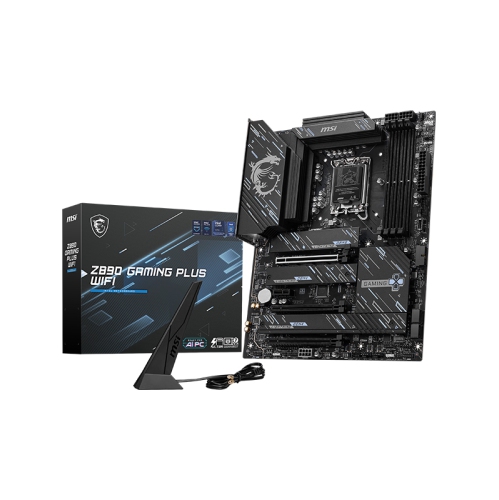
MSI Z890 Gaming Plus Wifi Atx Socket 1851 Ddr5 Motherboard for Intel Core Ultra Cpus (Series 2)
About this product
A high-performance motherboard featuring DDR5 support, PCIe 5.0, quad M.2 slots, Wi-Fi 7, and 7.1 audio.
(8)$339.99Your price for this item is $339.99SAVE $60 -
3
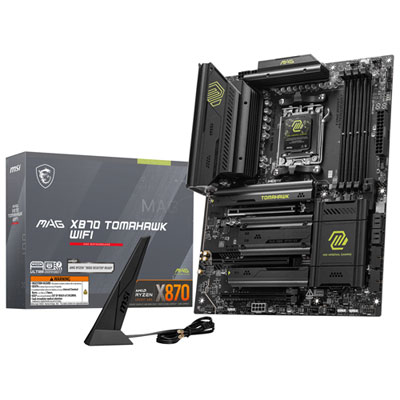
MSI X870 WIFI7 ATX AM5 DDR5 Motherboard for AMD Ryzen 9000/8000/7000 CPUs
About this product
A high-performance ATX motherboard with DDR5 support, WiFi 7, USB 40Gbps, and PCIe 5.0 connectivity.
What customers like
(32)$364.99 Your price for this item is $364.99 -
4
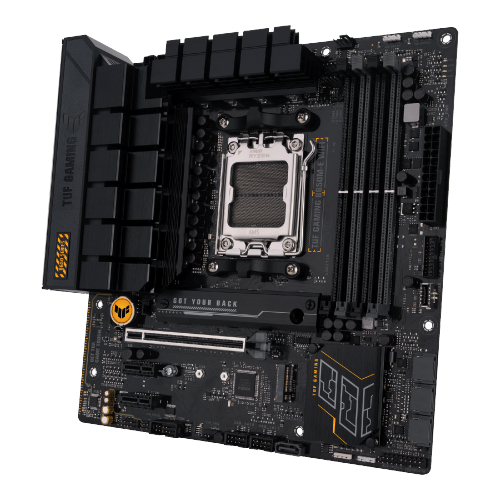
ASUS Micro-Atx Tuf Gaming B650M-E Amd Motherboard (Tuf Gaming B650M-E Wifi)
About this product
A durable micro-ATX motherboard with Wi-Fi, military-grade components, and advanced cooling for gaming performance.
(7)$189.99Your price for this item is $189.99SAVE $70 -
5

ASUS ROG Strix X870E-E Gaming Wi-Fi 7 AM5 DDR5 Motherboard
About this product
A high-performance motherboard with PCIe 5.0, DDR5 support, Wi-Fi 7, and advanced AI optimization features.
What customers like
(162)$629.99 Your price for this item is $629.99 -
6
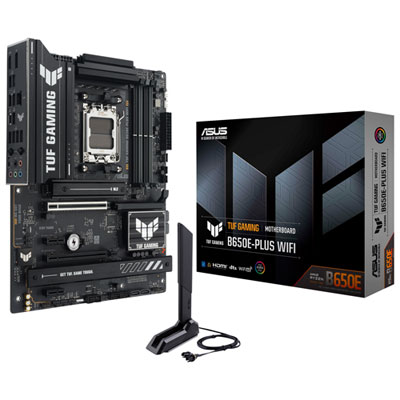
ASUS TUF Gaming B650E-PLUS Wi-Fi 6E AM5 DDR5 Motherboard for AMD Ryzen 9000/8000/7000 Series CPUs
About this product
A high-performance motherboard with Wi-Fi 6E, DDR5 support, advanced cooling, and customizable RGB lighting.
What customers like
(71)$239.99 Your price for this item is $239.99 -
7
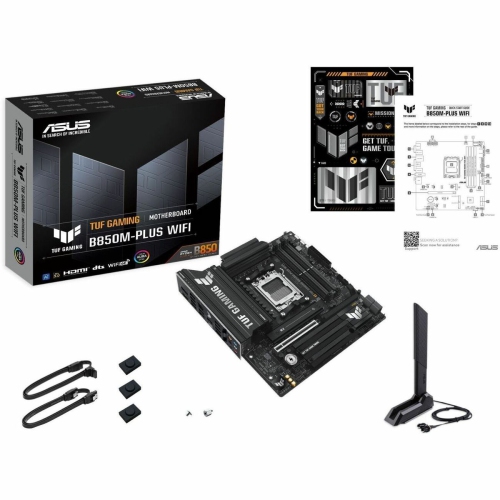
ASUS Micro-Atx Am5 Motherboard (Tuf Gaming B850M-Plus Wifi)
About this product
A durable micro-ATX motherboard with Wi-Fi, designed for AMD Ryzen processors and gaming performance.
(16)$360.69Your price for this item is $360.69SAVE $36 -
8
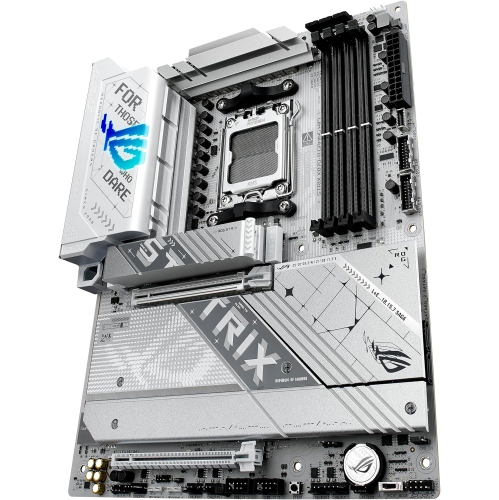
ASUS Atx Am5 Motherboard (Rog Strix X870-A Gaming Wifi)
About this product
A sleek white ATX motherboard supporting AMD Ryzen 9000 Series and advanced AI connectivity features.
What customers like
(74)$440.99Your price for this item is $440.99SAVE $77 -
9

ASUS B850 Max Gaming WiFi W ATX AM5 Motherboard for AMD Ryzen 9000/8000/7000 Series CPUs
About this product
An advanced ATX motherboard featuring Wi-Fi 6E, PCIe 5.0, and robust cooling for high-performance gaming.
(11)$269.99 Your price for this item is $269.99 -
10
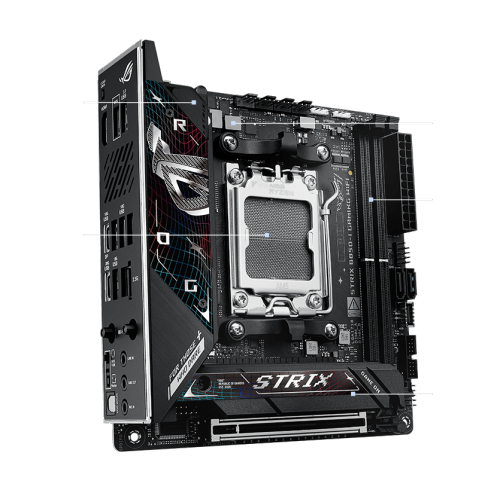
ASUS Mini-Itx Am5 Motherboard (Rog Strix B850-I Gaming Wifi)
About this product
A compact mini-ITX motherboard with PCIe 5.0, DDR5 support, WiFi, and robust power delivery.
(19)$491.99Your price for this item is $491.99SAVE $135
FAQ
Look for a motherboard that supports your chosen processor and memory type, with connections for your graphics card, storage drives and peripherals. Other features to consider include built-in Wi-Fi, Bluetooth, Ethernet, onboard audio and headers for fans or RGB lighting.
Match the processor’s socket requirements to the motherboard, then check the motherboard manufacturer’s CPU support list. The chipset and installed BIOS version also matter, as some compatible processors require a BIOS update before they can be used.
The chipset manages many of the motherboard’s connections and helps determine which features are available, including USB connectivity, additional PCIe connections and storage options. It also affects support for features such as processor and memory overclocking, depending on the platform.
Most gaming motherboards support either DDR4 or DDR5, not both. These memory types use different electrical connections and are not interchangeable. Check the motherboard’s specifications for the required memory type and its memory compatibility list for validated kits.
Gaming motherboards commonly include M.2 slots for compatible SSDs and SATA ports for SATA SSDs or hard drives. Check which drive interfaces each M.2 slot supports and whether using it shares connections with other ports or slots. These details are listed in the motherboard’s specifications or manual.
Top selling and popular products
Discover more categories related to Best Computer Motherboard for Gaming
Some products may be subject to Environmental Handling Fees (EHF) depending on your province. Learn more about EHFs.