Best Computer Software
Find the best computer software for work, school, and everyday tasks with options ranked by customer review ratings. Whether you’re looking to boost productivity, protect your devices, or bring creative projects to life, explore top-rated software and compare customer feedback to find the right fit for your needs.
What to look for in computer software
1. Purpose and Features
2. System Compatibility
3. Licence and Pricing
4. Ease of Use and Support
-
1
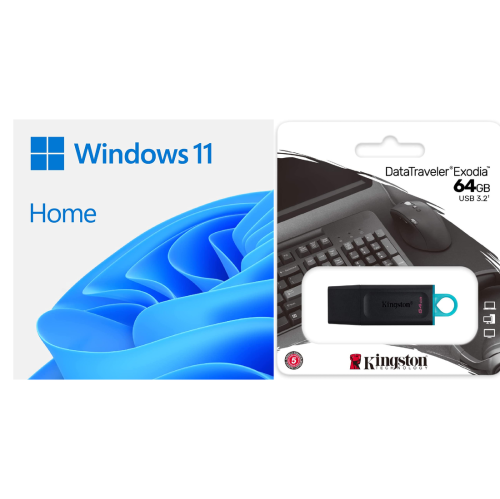
MICROSOFT Windows 11 Home 64-Bit 1-Pack DVD (Media Download Available) English Dsp Oei W/ Kingston 64GB USB 3.0 Drive
About this product
A complete Windows 11 Home installation kit with English DVD and a 64GB USB 3.0 drive included.
(1)$185.99Your price for this item is $185.99SAVE $4 -
2
Microsoft Windows 11 Home (PC) - Digital Download
About this product
An intuitive operating system featuring biometric logins, encrypted authentication, antivirus protection, and productivity-enhancing tools.
What customers like
(275)$188.98 Your price for this item is $188.98 -
3
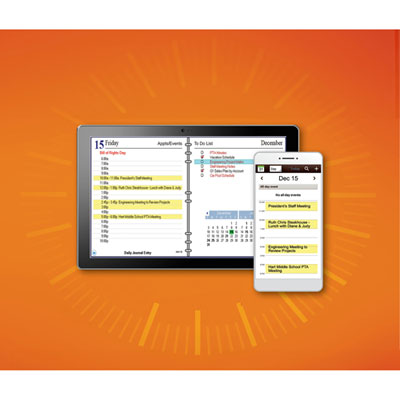
AnyTime Organizer Deluxe Version 16 (PC) - Digital Download
About this product
An intuitive organizer software offering customizable layouts, easy access to contacts, calendars, to-do lists, and expenses.
What customers like
(22)$49.99 Your price for this item is $49.99 -
4
MICROSOFT Windows 11 Professional – Product Key – Lifetime Activation – Bilingual (Eng/fran)-Digital Download
About this product
A bilingual 64-bit operating system with BitLocker, Remote Desktop, Snap Layouts, and lifetime activation.
What customers like
(82)$78.95Your price for this item is $78.95SAVE $111 -
5
Adobe Express Premium (PC/Mac/Mobile) - 1 User - 1 Year - Digital Download
About this product
An intuitive design software offering templates, AI tools, and branding features for effortless content creation.
(2)$139.99 Your price for this item is $139.99 -
6
MICROSOFT Windows 8 Professional Upgrade
About this product
An upgrade software that enhances your computer with advanced Windows 8 Professional features and security.
$88.88Your price for this item is $88.88SAVE $96 -
7
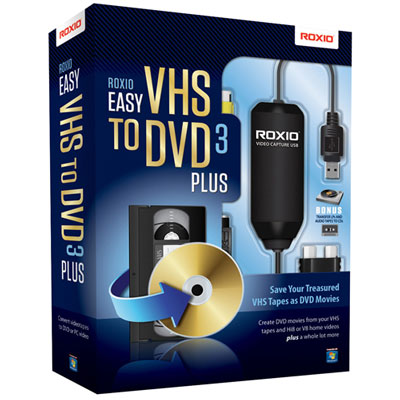
Roxio Easy VHS to DVD 3 Plus - PC
About this product
A user-friendly software that converts VHS or analog camcorder videos to DVD on your PC.
What customers like
(30)$39.99 Your price for this item is $39.99
FAQ
Common categories include productivity suites, creative software, accounting programs, operating systems and educational software. Productivity suites typically include tools for documents, spreadsheets and presentations, while creative software focuses on tasks such as photo editing, video editing and graphic design.
Start with the tasks you want to complete, such as writing reports, managing finances or editing photos. Then compare features, supported file formats, operating system requirements and licensing options. Tutorials, accessibility features and integration with your existing apps may also help guide your choice.
Check the software’s system requirements against your computer’s operating system version, processor, memory and graphics capabilities. Some programs support both Windows and macOS, while others are designed for only one platform. Certain features may also require an internet connection or additional hardware.
A subscription grants access to software for a defined term and typically includes updates while the subscription is active. A perpetual licence generally lets you continue using a particular version without an expiry date, subject to the licence terms. Access to future major versions, online features and technical support varies by provider.
Desktop software is installed on your computer and may support offline use, depending on the program. Web-based software runs through a browser and usually requires an internet connection, though some apps offer offline features. Both formats may support file sharing, cloud storage and collaboration, depending on the software.
Top selling and popular products
Discover more categories related to Best Computer Software
Some products may be subject to Environmental Handling Fees (EHF) depending on your province. Learn more about EHFs.