Best Graphics Cards Under $300

Upgrade your PC for less with the best graphics cards under $300, ranked by customer review ratings. Whether you’re looking for smoother gameplay or better performance for everyday creative tasks, explore budget-friendly options and compare graphics memory, power requirements, and compatibility to find the right fit for your setup.

Read More

What to look for in graphics cards under $300

1. Gaming Performance

Compare benchmarks for the games you play at your preferred resolution and settings. In this price range, prioritize solid 1080p performance rather than expecting high frame rates at 4K.

2. Video Memory

Video memory, or VRAM, helps a graphics card handle textures and other visual assets. Aim for 8GB where available within your budget, but compare overall performance rather than choosing by memory capacity alone.

3. PC Compatibility

Check the card’s length and slot thickness against the space available in your case. Confirm that your power supply meets its wattage and connector requirements, and that its display outputs match your monitor.

4. Features and Value

Compare upscaling support, video encoding capabilities and warranty coverage alongside gaming performance. If you’re considering an open-box or refurbished card to stay under $300, check its condition, included accessories and return policy.
Citrus catapult arrow
  1. 1

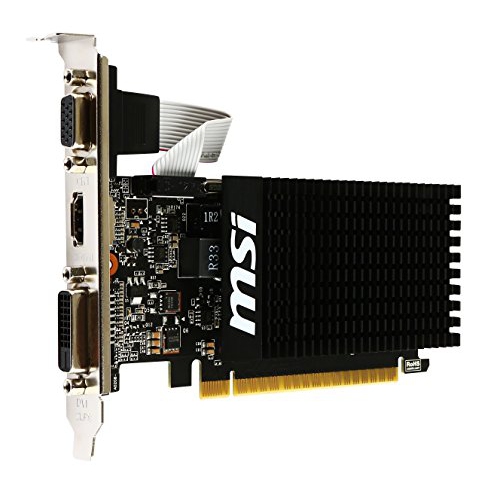
    MSI Geforce Gt730 2GB Oc Edition PCi-Express Video Card

    About this product

    A low-profile, virtually silent graphics card with 2GB memory and HDMI, DVI-D, and D-Sub outputs.

    (10)
    $172.68
    SAVE $10
    Your price for this item is $172.68
  2. 2

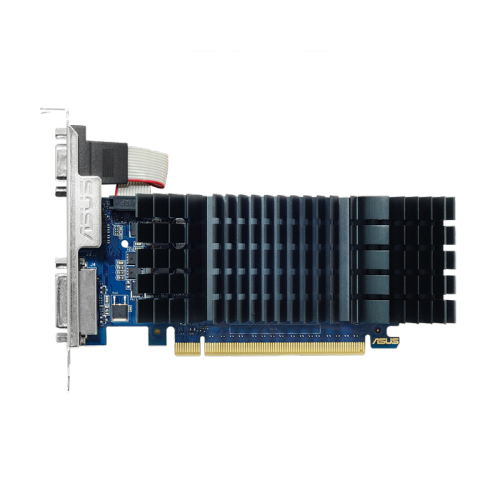
    ASUS Nvidia Geforce Gt 730 2GB Gddr5 Video Card (Gt730-Sl-2Gd5-Brk)

    About this product

    A silent, passively cooled graphics card with 2GB GDDR5 memory, ideal for quiet home theater PCs.

    (11)
    $143.99
    SAVE $9
    Your price for this item is $143.99
  3. 3

    AMD Refurbished (Good) - Radeon R5 240 1GB High-Performance Graphics Card, PCie 3.0, Low Profile Video Card, Dvi, Display Port, Including Dp to HDMI

    About this product

    A refurbished low-profile graphics card with 1GB memory, PCIe 3.0, DVI, DisplayPort, and DP to HDMI adapter.

    (3)
    $28.99
    SAVE $46
    Your price for this item is $28.99
  4. 4

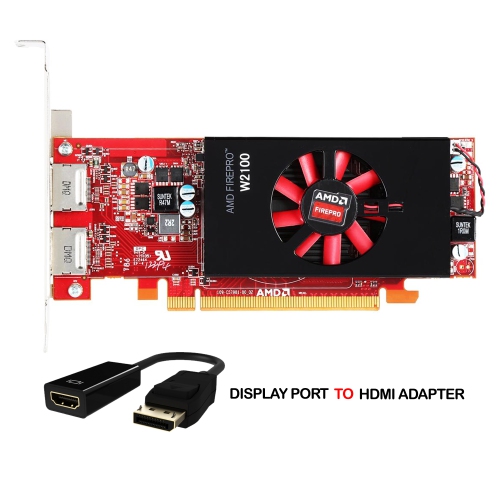
    AMD Refurbished (Good) - Dell Firepro W2100 High-Performance Graphics Cards, 2GB Ddr3 Memory, High Profile Video Card, Dual Display Ports, Dp To

    About this product

    A high-performance graphics card with 2GB DDR3 memory and dual DisplayPorts for enhanced multitasking.

    $99.99 Your price for this item is $99.99
  5. 5

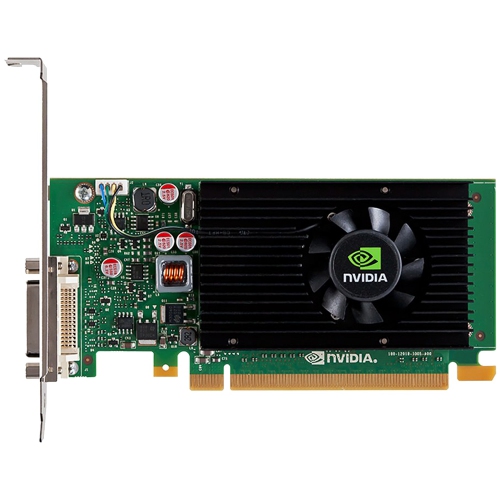
    NVIDIA Refurbished (Good) - Nvs 315 Professional Video Card (1GB Ddr3 64-Bit/ PCi Express 2.0 X16/ Dms-59 Port) High Profile Graphics Card

    About this product

    A refurbished high-profile graphics card with 1GB DDR3, PCIe 2.0 x16, and DMS-59 connectivity.

    $99.99 Your price for this item is $99.99
  6. 6

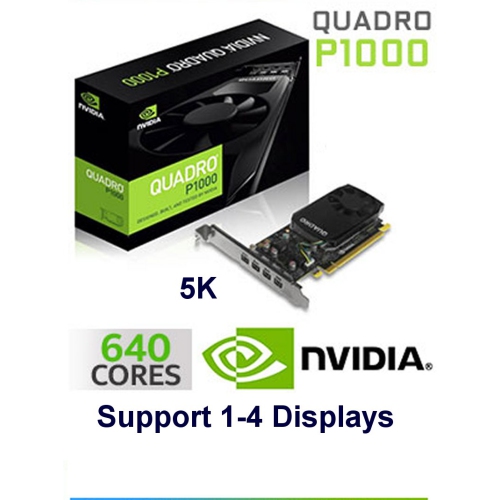
    NVIDIA Refurbished (Good) Quadro Nvs 295 Dual Display PCi Express Videocard

    About this product

    A powerful refurbished NVIDIA videocard with 4.0GB memory, capable of displaying 4K/5K resolution on multiple screens.

    $238.99
    SAVE $221
    Your price for this item is $238.99
  7. 7

    MSI Nvidia Geforce Gt710 Equipped With Gddr3 2GB Graphics Board Vd5931 Gt710 2Gd3H Lp

    About this product

    A reliable graphics card featuring 2GB GDDR3 memory for enhanced visual performance in desktop PCs.

    $129.99 Your price for this item is $129.99

Why smooth 1080p gaming takes more than VRAM

A dedicated graphics card gives a desktop PC the hardware to render games, drive detailed displays, and accelerate compatible creative software without relying solely on graphics built into the processor. For many everyday gaming setups, the most useful balance is smooth 1080p performance, enough video memory for the games being played, and a cooling system that stays comfortable to sit beside through a long session. Competitive games often benefit from higher frame rates and responsive controls, while story-driven adventures put more emphasis on texture detail, lighting, and steady performance through busy scenes. The best graphics cards for either purpose are those that suit the monitor, software, and rest of the computer rather than simply carrying the largest number on a specification sheet. A 1080p display has fewer pixels to render than a 1440p or 4K display, so it can leave more processing headroom for visual detail or higher frame rates. Video memory, also called VRAM, holds resources such as textures and frame data close to the graphics processor. An 8GB configuration can suit many 1080p games, although demanding titles, high-resolution texture packs, and some creative projects can require reduced settings or more memory. Greater VRAM capacity alone does not guarantee faster gameplay; graphics processor capability, memory bandwidth, drivers, and game design also matter. Ray tracing adds more complex lighting effects but can place a substantial load on the hardware. Supported upscaling features can improve performance by rendering at a lower internal resolution and reconstructing the image, with results that vary by game and setting. Frame generation can make supported games appear smoother, but it does not replace a responsive base frame rate. For someone moving from integrated graphics or refreshing an older desktop, those distinctions help explain why a card that feels excellent in a fast-paced multiplayer match may behave differently in a richly detailed open-world game. Consistent frame delivery often makes the more noticeable difference during actual play.

Physical fit and power compatibility are just as important as gaming capability, particularly when a graphics card is going into a computer that already has its other components in place. Most desktop graphics cards connect through a PCI Express slot, but the space around that slot can vary considerably. Card length determines whether the cooler clears front-mounted fans or drive cages, height affects clearance near the side panel, and thickness determines how many adjacent expansion slots become occupied. A compact desktop can call for a low-profile design and the appropriate bracket, while a larger tower may accommodate a longer cooler with multiple fans. Power cables also need clearance, so a card that fits on paper can still be awkward inside a tightly packed case. Some designs draw their power from the motherboard slot, while others require dedicated connectors from the power supply. The power supply’s capacity, connector types, condition, and the demands of the complete system all influence suitability. Prebuilt desktops can have additional restrictions, including proprietary power supplies or limited case space. Monitor connections deserve similar attention: the outputs on the graphics card, the cable, and the display input must support the intended resolution and refresh rate together. A high-refresh-rate monitor cannot show its full capability if another part of that connection limits it. Inside the card’s cooler, metal heatsinks, commonly made with aluminium fins and sometimes copper heatpipes, move heat away from the processor while fans carry it into the case airflow. A metal backplate can add rigidity, but its presence alone does not establish cooling quality or durability. Larger coolers may run more quietly under comparable loads, although fan tuning and case ventilation also affect sound. In a shared office or a bedroom gaming setup, a steady, unobtrusive fan sound can matter more than a small difference in peak performance. Adequate airflow and secure mounting help make the upgrade practical for daily use.

Graphics cards also serve people whose desktops divide their time between entertainment, schoolwork, and creative projects. A student might use the same computer for an evening game, a video assignment, and a presentation spread across two monitors. A hobby photographer may benefit from accelerated effects in compatible editing software, while someone cutting together travel footage may rely on supported hardware video encoding for smoother exports. These gains depend on the application, file format, and supported features; a dedicated card does not automatically speed up every task. The processor, system memory, and storage still play important roles, and an older processor can limit frame rates even after a graphics upgrade. Streaming gameplay adds another workload, making encoder support and software compatibility relevant alongside game performance. For a family desktop, reliable display support and manageable noise may take priority over advanced visual effects. For a gaming enthusiast receiving a graphics card as a gift, knowing the case dimensions, power supply connections, favourite games, and monitor resolution makes the choice much more personal and useful. Shoppers considering a broader range of configurations can also explore Best Graphics Cards Under $500, with the same attention to system fit and intended use. Once installed, sensible care centres on keeping ventilation paths clear, limiting dust buildup, and maintaining appropriate software support. Dust filters and accessible case vents benefit from periodic cleaning with the computer shut down and disconnected from power, following the equipment manufacturer’s directions. Fans should be kept from spinning freely during compressed-air cleaning, and liquids should stay away from exposed components. Proper support is useful for heavier cards, especially if the computer is moved between rooms or transported. Driver updates can bring game fixes and application improvements, while temperature and fan behaviour can reveal airflow problems before they become disruptive. A well-matched graphics card should feel like a natural extension of the desktop: ready for a quick match after work, a longer weekend session, or a creative project that needs more graphical processing power.
Read More

FAQ

Some products may be subject to Environmental Handling Fees (EHF) depending on your province. Learn more about EHFs.