Best HP Laptops for College

Find the right laptop for college, from taking lecture notes and researching assignments to joining online classes. Ranked by user review ratings, these top-rated laptops offer a starting point for comparing the features that matter most to your studies, including battery life, portability, performance, and price.

Read More

What to look for in HP laptops for college

1. Performance and Software Compatibility

Match the processor, memory, and storage to your program’s requirements: 16 GB of RAM and an SSD are useful starting points for multitasking. Engineering, design, or video editing courses may require dedicated graphics, so check your college’s software requirements before choosing.

2. Portability and Build

A lightweight HP laptop with a 13-inch or 14-inch screen is easier to carry between classes, while a larger screen offers more room for assignments. Consider the laptop’s weight, construction, and charger size if you’ll be carrying it daily.

3. Battery Life and Charging

Look for battery life that can cover lectures and study sessions, keeping in mind that actual runtime varies with screen brightness and workload. USB-C charging and fast charging can make top-ups more convenient, but support varies by model.

4. Display and Everyday Features

A Full HD or higher-resolution display and a comfortable keyboard can make long study sessions easier. Compare webcam quality, Wi-Fi capabilities, and ports for your accessories; an HP 2-in-1 with a compatible pen may also suit handwritten notes or sketching.
Citrus catapult arrow
  1. 1

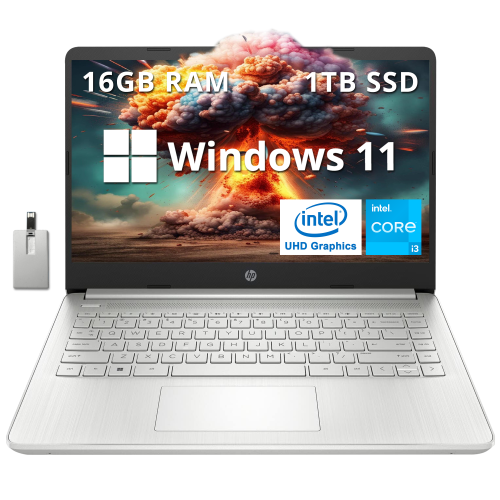
    HP - 14" Fhd Anti-Glare Laptop - Intel Core I3-1215U - 16GB Ddr4 - 1Tb PCie SSD - Intel Uhd - Windows 11 - - 32GB Hotface USB Card

    About this product

    A sleek silver laptop featuring Intel Core i3, 16GB RAM, 1TB SSD, backlit keyboard, and Windows 11.

    (1)
    $779.00
    SAVE $220
    Your price for this item is $779
  2. 2

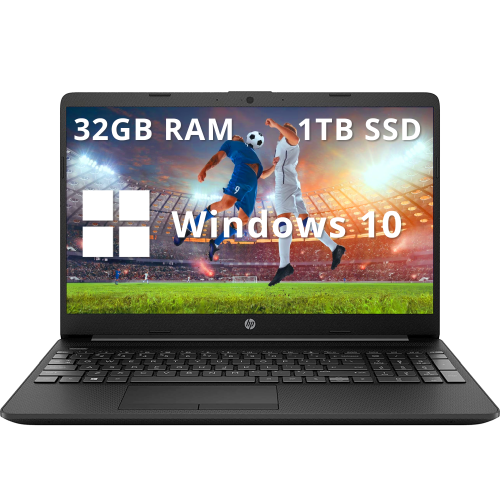
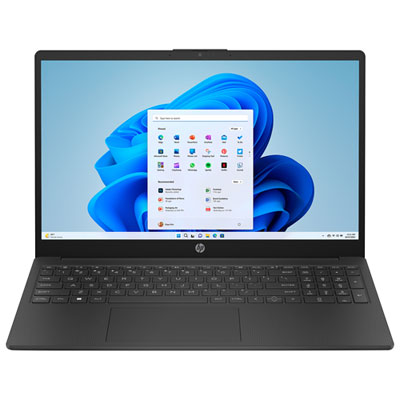
    HP - 15.6" Fhd Anti-Glare Business Laptop - Intel Celeron N4020 - 32GB Ddr4 - 1Tb SSD - Intel Uhd - Windows 10 - In Black

    About this product

    A black business laptop featuring Intel Celeron N4020, 32GB RAM, 1TB SSD, and fast charging.

    What customers like

    • Fast performance
    • Ample storage and memory
    • Good value for the price
    • Clear anti-glare screen
    • Lightweight and portable
    (0)
    $899.00
    SAVE $330
    Your price for this item is $899
  3. 3

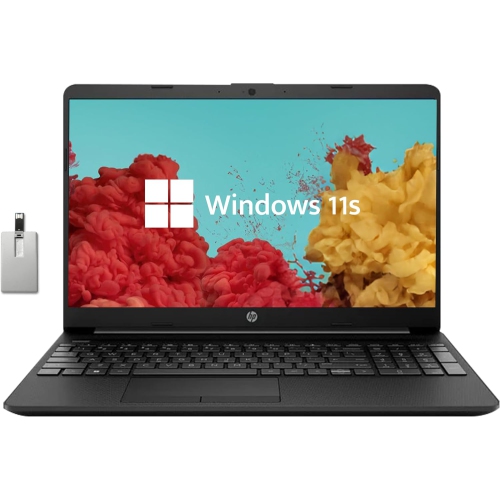
    HP - 15.6" HD Student Laptop, Intel Pentium N5030, 256GB SSD, 16GB Ram, Intel Uhd Graphics, HD Webcam, Wi-Fi 5, Bluetooth, Win 11, Black, 32GB

    About this product

    A 15.6" HD student laptop with 16GB RAM, 256GB SSD, Intel UHD Graphics, and Windows 11 in black.

    (0)
    $649.00
    SAVE $230
    Your price for this item is $649
  4. 4

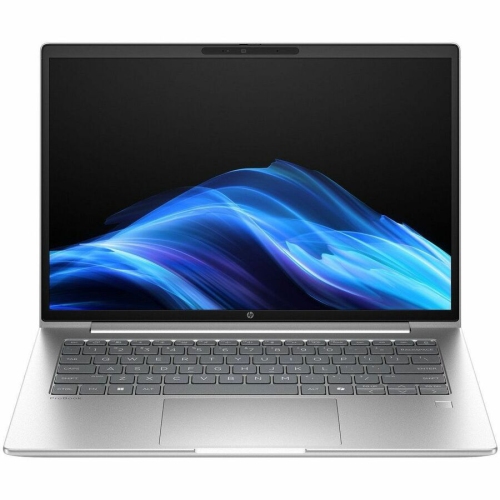
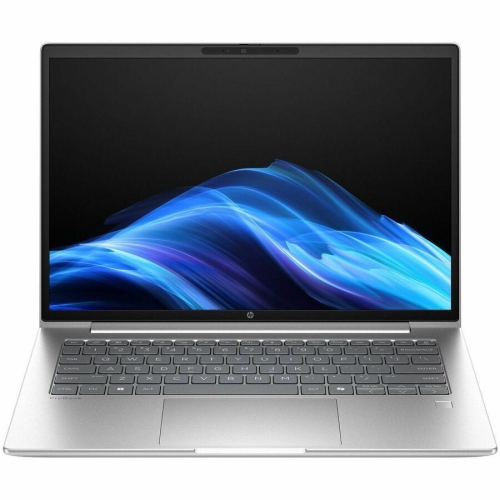
    HP Elitebook 8 G1A 16" Touchscreen Business Laptop - Amd Ryzen Ai 7 350 - 32GB Ram - 1Tb SSD - Windows 11 Pro - In Silver

    About this product

    A powerful Glacier Silver touchscreen notebook featuring AMD Ryzen AI 7, 32GB RAM, and 1TB SSD.

    (7)
    $3,242.33
    SAVE $324
    Your price for this item is $3242.33
  5. 5

    HP 17" Envy 17M-Cg0013Dx 17.3" Fhd (1920X1080P) Touchscreen Laptop, Core I7 10Th Gen, 16GB Ram, 512GB SSD, Windows 11 (Refurbished - Good)

    About this product

    A powerful touchscreen laptop featuring a 10th Gen Core i7, 16GB RAM, and 512GB SSD.

    What customers like

    • Comfortable backlit keyboard with numeric pad
    • Easy setup and user-friendly features
    • Strong sound and audio quality
    • Large, vibrant touchscreen display
    • Fast and smooth performance
    (1,289)
    $869.99 Your price for this item is $869.99
  6. 6

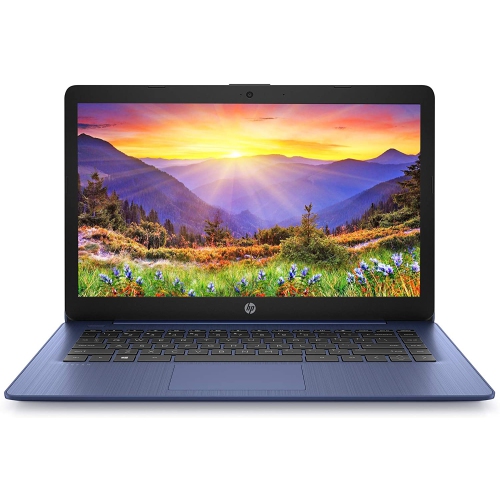
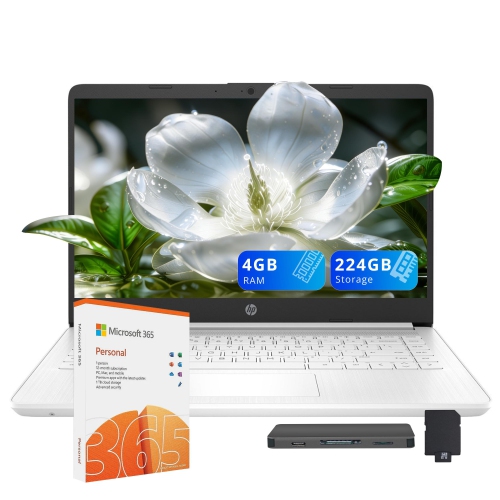
    HP Stream 14" Laptop - Intel Celeron N4000 - 4GB Ram - 64GB Emmc - Windows 10 - Royal - Includes 1 Year Office 365 Subscription In Blue

    About this product

    A lightweight blue laptop featuring Intel Celeron N4000, 64GB eMMC storage, and Windows 10.

    What customers like

    • Good battery life
    • Affordable price
    • Bright and clear screen
    • Lightweight and portable
    • Easy to use and set up
    (153)
    $320.00 Your price for this item is $320
  7. 7

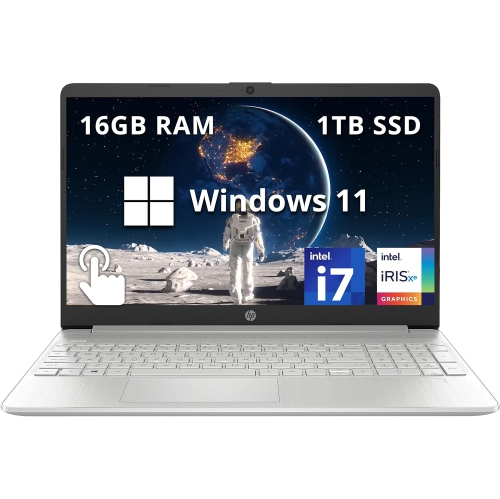
    HP - 15.6" Fhd Touchscreen Laptop - Intel Core I7-1255U - 16GB Ddr4 - 1Tb SSD - Intel Iris Xe - Windows 11 - In Silver

    About this product

    A sleek silver laptop with a 15.6" FHD touchscreen, Intel i7 processor, and 1TB SSD storage.

    What customers like

    • Crisp, high-resolution touchscreen display
    • Ample storage and memory capacity
    • Long battery life and fast charging
    • Fast performance and quick startup
    • Lightweight and portable
    (0)
    $999.00
    SAVE $190
    Your price for this item is $999
  8. 8

    HP Elitebook 8 G1A 16" Touchscreen Business Laptop - Amd Ryzen Ai 7 350 - 32GB - 512GB SSD - Windows 11 Pro - In Silver

    About this product

    A powerful glacier silver touchscreen notebook with AMD Ryzen AI 7, 32GB RAM, and Windows 11 Pro.

    (7)
    $2,589.99
    SAVE $50
    Your price for this item is $2589.99
  9. 9

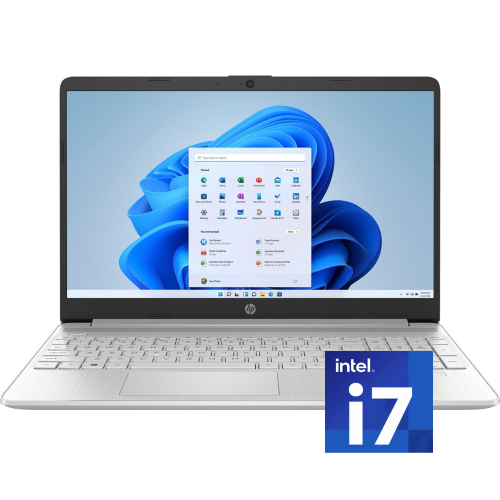
    HP 15.6" Fhd Touchscreen Laptop - Intel Core I7-1255U - 16GB Ddr4 - 512GB SSD - Windows 11 - Natural In Silver

    About this product

    A sleek silver touchscreen laptop with Intel i7, 16GB RAM, 512GB SSD, and Windows 11.

    What customers like

    • Good battery life
    • Attractive appearance
    • Lightweight and compact
    • Comfortable keyboard feel
    • Smooth performance
    (0)
    $1,349.00
    SAVE $580
    Your price for this item is $1349
  10. 10

    HP 15.6" FHD Laptop - Intel N100 - 4GB RAM - 128GB SSD - Intel UHD Graphics - Windows 11 S - Jet Black - Includes 1-year subscription of Microsoft 365 Personal with 1TB cloud storage

    About this product

    A jet black laptop featuring an Intel N100 processor, 4GB RAM, 512GB SSD, and anti-glare display.

    What customers like

    • Prompt delivery
    • Easy to set up and use
    • Fast performance
    • Good value for money
    • Compact and comfortable design
    (83)
    $299.99
    SAVE $260
    Your price for this item is $299.99

How coursework shapes the laptop features that matter

The best laptops for college balance everyday portability with the performance needed for a student’s coursework. A computer that feels comfortable during a three-hour lecture should also have enough memory and processing power to handle research tabs, lecture slides, a video call, and a half-finished paper without constant switching and waiting. For students whose assignments centre on essays, presentations, online learning platforms, and spreadsheets, a general-purpose laptop can cover much of the academic day. More demanding programs may involve statistical analysis, software development, architectural drawings, or video editing, where processor capability, additional memory, and sometimes dedicated graphics become more important. Program requirements are a useful starting point because specialized applications may need a particular operating system or hardware configuration. Memory and storage serve different purposes: memory supports active applications, while storage holds software, documents, photographs, and other files. For many students, 16 GB of memory provides useful room for multitasking, while a 512 GB solid-state drive offers space for applications and coursework without relying entirely on online storage. Larger media projects, virtual machines, and extensive datasets can call for more of both. A solid-state drive also helps applications launch promptly and makes opening saved work feel responsive. Students in design-related programs may place greater importance on display colour accuracy and graphics performance, while those studying business may appreciate a comfortable keyboard and enough screen space to compare spreadsheets. A computer for coding benefits from readable text, reliable multitasking, and compatibility with required development tools. The distinction is less about finding the most powerful machine and more about matching its capabilities to the assignments it will actually handle. A laptop used mainly for reading articles and submitting papers has different demands from one expected to render a detailed 3D model. For a broader look at study-focused options, Top HP Laptops for Students brings together another selection relevant to academic use. Across different fields of study, the strongest fit combines suitable software support, manageable carrying weight, and enough capacity for the work ahead.

Physical design matters just as much when a laptop travels between home, classrooms, the library, and a part-time job. A 13-inch or 14-inch display often suits students who work at compact desks or carry their computer throughout the day, while a 15-inch or 16-inch display gives documents, timelines, and side-by-side windows more breathing room. Overall dimensions matter alongside screen size, especially when fitting a computer into a backpack’s padded compartment. Carrying weight includes the charger and any adapters, not just the laptop itself. A traditional clamshell design provides a familiar typing setup for essays and research, while a convertible design can support reading, presenting, and handwritten notes when its touchscreen and compatible pen features are suited to those tasks. Pen support varies, and a touchscreen alone does not guarantee compatibility with an active stylus. For students annotating diagrams or working through equations, accurate pen input and a stable hinge can make a meaningful difference. Keyboard comfort becomes particularly noticeable during longer assignments: clear key markings, a sensible layout, and a responsive touchpad help keep attention on the work. A backlit keyboard can improve visibility in a dim lecture hall, while an anti-glare screen can make reflections less distracting near bright windows. Display resolution affects text clarity, but brightness and viewing angles also influence daily comfort. Materials such as aluminium and moulded plastic each appear in laptop construction; dependable build quality depends on the complete design, including the hinges, lid, and base, rather than the outer material alone. A firm chassis and well-supported screen are useful for frequent travel, although no everyday laptop should be treated as impact-proof. A padded sleeve helps protect the finish from keys and charging plugs inside a bag. Students who spend long stretches at a desk may also appreciate a setup that supports an external monitor, keyboard, and mouse, allowing the laptop to remain portable without making every study session depend on a small screen.

Battery life, connections, and straightforward care help determine how comfortably a laptop fits into college routines over time. Battery estimates are not a promise of identical results in every class: screen brightness, video meetings, background applications, and demanding software all affect how long a charge lasts. A student moving between lectures may value battery endurance more than someone who usually works beside an outlet, while intensive graphics work may still require access to power. Charging compatibility deserves attention as well. Not every USB-C port accepts power or carries a display signal, so the connection specifications matter when pairing a laptop with a charger, dock, or monitor. A practical port selection can simplify attaching a classroom display, wired headphones, an external drive, or peripherals used for a course. Reliable Wi-Fi supports access to learning platforms and shared documents, although connection quality also depends on the campus network. For remote classes and group projects, a clear webcam, intelligible microphone, and accessible audio controls can be more useful than a specification that rarely affects coursework. A physical camera shutter, where included, adds a convenient privacy control. Password protection, device encryption where supported, and a separate backup of important assignments help protect work beyond the hardware itself. Online file syncing is useful, but keeping recoverable copies matters when a document is accidentally overwritten or a computer is lost. Routine care is simple: keep vents unobstructed, use the laptop on a firm surface during demanding tasks, and follow the manufacturer’s cleaning directions for the screen and keyboard. Carrying it closed and keeping drinks away from the work area can help prevent avoidable damage. Repair options and upgradeability vary by design, so accessible service and sufficient memory from the outset may matter to students planning to keep one computer through several years of study. For a graduation gift or support at the start of college, confirming the recipient’s program requirements and preferred size helps ensure the laptop suits both their academic workload and the way they like to work.
Read More

FAQ

Some products may be subject to Environmental Handling Fees (EHF) depending on your province. Learn more about EHFs.