Best Laptops for Multitasking and Gaming

Power through busy workdays and jump into your favourite games with the best laptops for multitasking and gaming. Ranked by user review ratings, this selection highlights shopper favourites to help you compare your options. Look for powerful processors, ample RAM, and capable graphics to keep multiple apps running smoothly and deliver responsive gameplay.

Read More

What to look for in laptops for multitasking and gaming

1. Processor and Memory

Look for a recent multi-core processor and at least 16GB of RAM to handle games alongside browsers, chat apps, and everyday tasks. Consider 32GB if you regularly stream, edit video, or run demanding software while gaming.

2. Graphics Performance

A dedicated graphics card is a strong choice for demanding games, especially at higher resolutions and detail settings. Check benchmarks for the specific laptop, as graphics power limits and cooling can affect performance even when models share the same graphics chip.

3. Display Quality

A refresh rate of 144Hz or higher can make fast-paced games look smoother when the laptop delivers matching frame rates. Balance resolution and screen size with graphics performance, and consider an adaptive-sync display to help reduce screen tearing.

4. Storage and Cooling

An SSD helps games load and apps launch quickly, while 1TB of storage gives you more room for large games and work files. Look for reviews that assess cooling and fan noise during extended gaming sessions, and check whether storage and memory can be upgraded.
Citrus catapult arrow
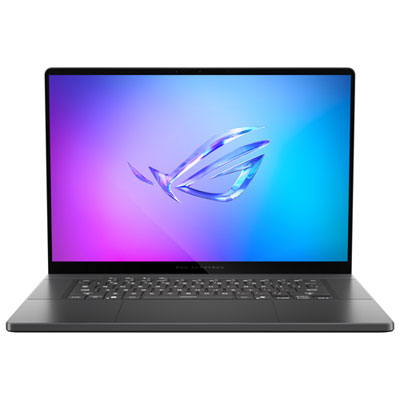
  1. 1

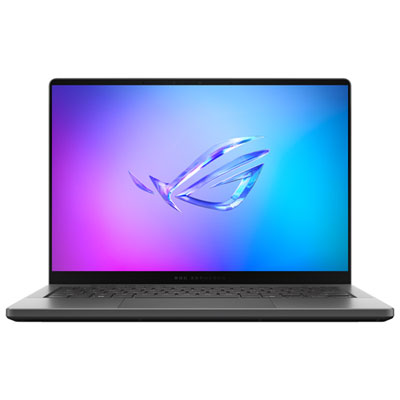
    ASUS Zephyrus G16 16" 240Hz Gaming Laptop - Intel Core Ultra 9 285H - 32GB LPDDR5X - 512GB SSD - GeForce RTX 5060 - Windows 11 - Eclipse Grey

    About this product

    An ultra-slim grey laptop featuring Intel Core Ultra 9, 32GB RAM, and GeForce RTX 5060 graphics.

    (12)
    $3,499.99 Your price for this item is $3499.99
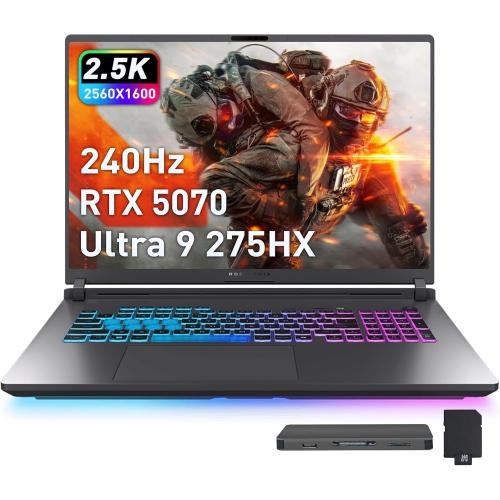
  2. 2

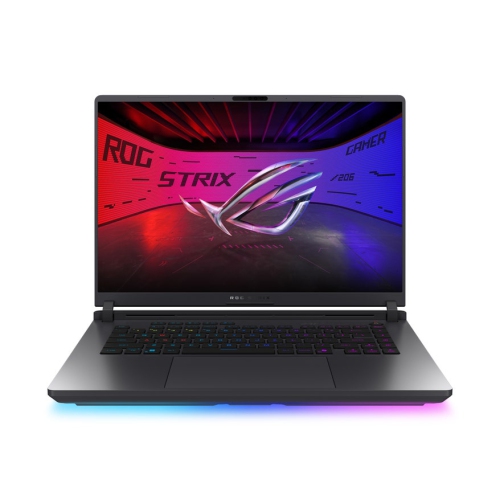
    ASUS Rog Strix G18 18" 240Hz Gaming Laptop - Intel Ultra 9 275Hx - 32GB Ddr5 - 3Tb Storage (2Tb SSD + 1Tb Docking Station) - Rtx 5070 - Windows 11

    About this product

    A high-performance gaming laptop with a 240Hz WQXGA display, RTX 5070 graphics, and RGB keyboard.

    (2)
    $4,149.00
    SAVE $950
    Your price for this item is $4149
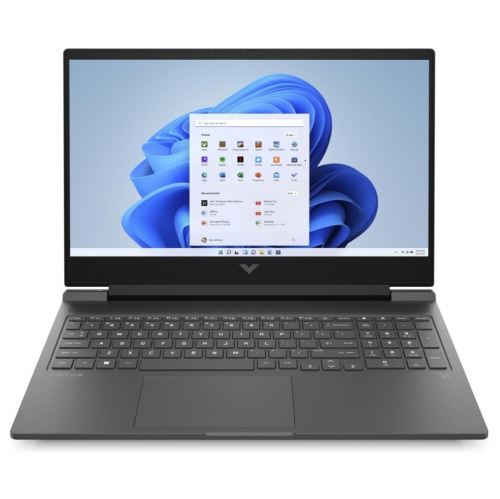
  3. 3

    VICTUS BY HP 16.1" Fhd 144Hz Gaming Laptop - Amd Ryzen 5 7640Hs - 16GB Ddr5 - 512GB SSD - Rtx 4050 - Windows 11 - Mica In Silver

    About this product

    A powerful silver laptop featuring AMD Ryzen 5, RTX 4050 graphics, 16GB RAM, and a 144Hz FHD display.

    (1)
    $1,614.05
    SAVE $84
    Your price for this item is $1614.05
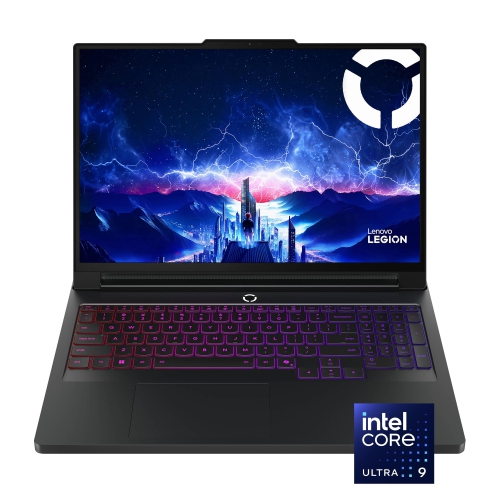
  4. 4

    LENOVO Legion Pro 7 16" Wqxga 240Hz Gaming Laptop - Intel Ultra 9 275Hx - 16GB Ddr5 - 1Tb SSD - Rtx 5080 - Windows 11 Pro - In Black

    About this product

    A powerful black gaming laptop featuring an Intel Ultra 9 processor and NVIDIA GeForce RTX 5080 graphics.

    (1)
    $5,429.00
    SAVE $2326
    Your price for this item is $5429
  5. 5

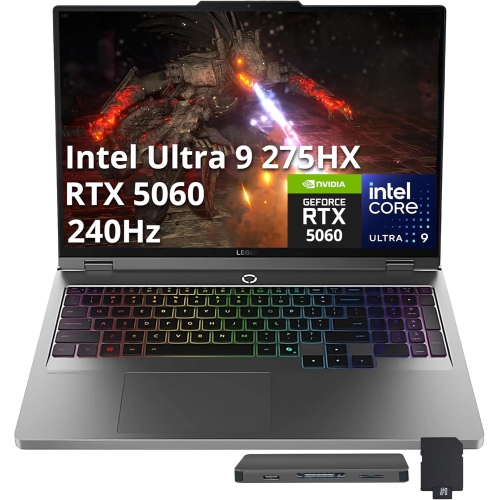
    LENOVO Legion 5 16" Wqxga 240Hz HDr Gaming Laptop - Intel Ultra 9 275Hx - 64GB Ddr5 - 4Tb SSD - Rtx 5060 - Win 11 Pro - - 512GB Docking Station Set

    About this product

    A powerful grey gaming laptop with Intel Ultra 9, RTX 5060, 4TB SSD, and 64GB DDR5 RAM.

    (1)
    $4,899.00
    SAVE $2100
    Your price for this item is $4899
  6. 6

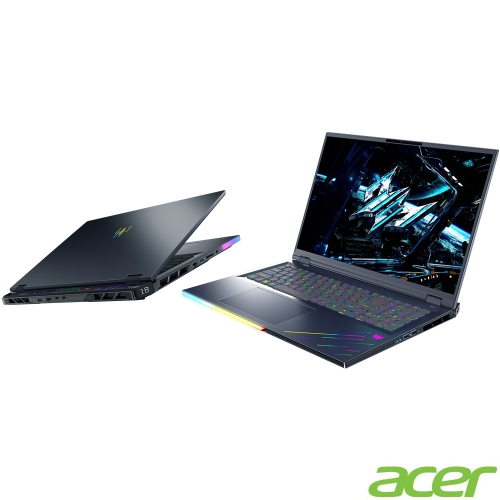
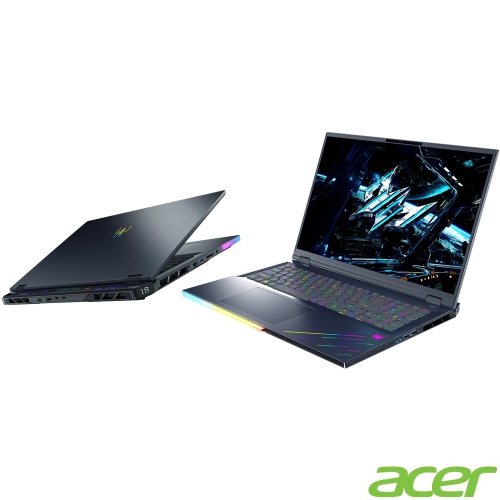
    ACER Predator Helios 18 250Hz HDr Gaming Laptop - Intel Core Ultra 9-275Hx - 32GB Ddr5 - 1Tb SSD - Rtx 5080 - Windows 11 Home - Abyss In Black

    About this product

    A high-performance gaming laptop featuring Intel Core Ultra 9, RTX 5080 graphics, and 32GB DDR5 RAM.

    What customers like

    • Solid build quality and comfortable keyboard
    • Powerful gaming performance
    • Large, sharp, bright 250Hz display
    • Upgradable design with versatile connectivity
    • Fast speeds and high-end hardware
    (21)
    $4,399.00
    SAVE $200
    Your price for this item is $4399
  7. 7

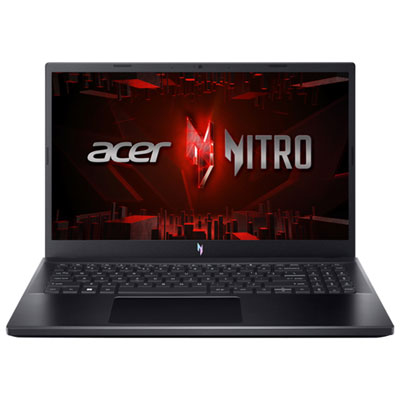
    Acer Nitro V 15.6" 165Hz Gaming Laptop - Intel Core i7-13620H - 16GB DDR4 - 1TB SSD - RTX 5060 - Windows 11 - Black

    About this product

    A powerful black gaming laptop featuring Intel Core i7, 16GB RAM, RTX 5060 graphics, and backlit keyboard.

    (18)
    $1,599.99
    SAVE $200
    Your price for this item is $1599.99
  8. 8

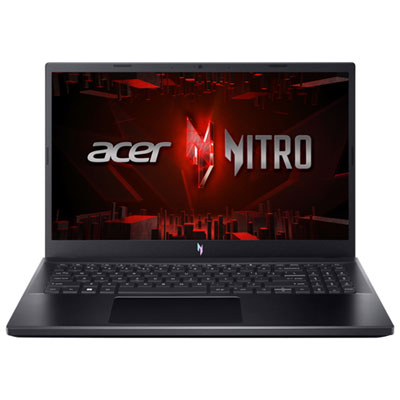
    Acer Nitro V 15.6" 165Hz Gaming Laptop - AMD Ryzen 7 7735HS - 16GB DDR5 - 512GB SSD - RTX 4050 - Windows 11 - Black

    About this product

    A powerful black gaming laptop featuring Ryzen 7, RTX 4050 graphics, 16GB RAM, and a backlit keyboard.

    What customers like

    • Sleek and compact design
    • Great value for the price
    • Fast and powerful hardware
    • High-quality 165Hz display
    • Excellent gaming performance
    (27)
    $1,999.99 Your price for this item is $1999.99
  9. 9

    ACER - Predator Helios 18" 250Hz HDr Gaming Laptop - Intel Core Ultra 9-275Hx - 32GB Ddr5 - 1Tb SSD - Rtx 5080 - Windows 11 Home - Abyss - W/ 1

    About this product

    A high-performance gaming laptop featuring Intel Core Ultra 9, RTX 5080, 32GB RAM, and 1TB SSD.

    (2)
    $3,799.00
    SAVE $700
    Your price for this item is $3799
  10. 10

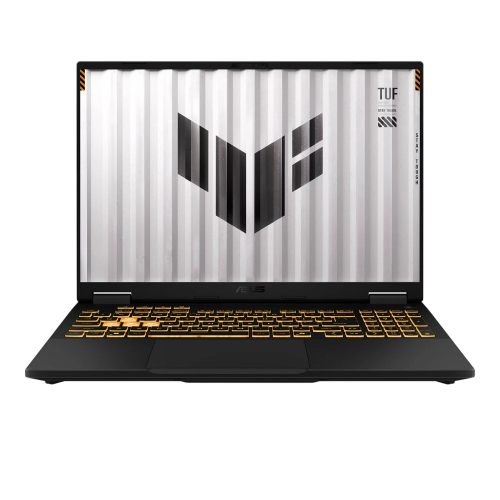
    ASUS Tuf F16 16" Fhd+ 165Hz Gaming Laptop - Intel Core I7-14650Hx - 32GB Ddr5 - 1Tb SSD - Rtx 5060 - Windows 11 - In Gray

    About this product

    A powerful grey gaming laptop featuring a 165Hz FHD+ display, RTX 5060 graphics, and RGB keyboard.

    (1)
    $2,969.00
    SAVE $1280
    Your price for this item is $2969

Why balanced hardware matters when games share the workload

The best laptops for multitasking and gaming combine a capable multi-core processor, dedicated graphics, ample memory, and fast solid-state storage in a design that can maintain performance under sustained workloads. That balance matters when a game is running alongside voice chat, a browser full of research tabs, and a recording application. A powerful graphics processor handles much of the visual workload, while the CPU supports game logic, background applications, and everyday responsiveness. Memory gives those active programs room to work without repeatedly moving data between RAM and storage. For many people, 16GB of RAM supports everyday multitasking and a wide range of games; 32GB provides more headroom for demanding games, large projects, and several applications running together. Workloads involving extensive video editing, virtual machines, or particularly large creative files may benefit from 64GB, depending on the software. No memory capacity guarantees lag-free performance, since the processor, graphics hardware, cooling, and software requirements all contribute. Dedicated graphics are especially relevant for visually demanding games, higher display resolutions, and creative applications that support graphics acceleration. Integrated graphics can suit lighter gaming and routine productivity, but generally leave less room for demanding visual settings. Graphics memory is another consideration, particularly when loading detailed textures or working with complex 3D scenes. An SSD helps games launch, files open, and applications load promptly, though it does not replace the need for enough RAM. A 1TB SSD offers useful space for a mix of software, documents, and games, while larger game libraries and recorded footage can make additional capacity worthwhile. Actual storage needs vary considerably because individual games and project files differ in size. For someone moving from spreadsheets and video calls to an evening gaming session, a well-balanced laptop is often a better fit than a machine built around one impressive specification. The most suitable configuration supports the whole workload, including the applications that stay open in the background, rather than gaming performance alone.

Display quality and cooling shape how that performance feels during everyday use. A higher refresh rate can make motion appear smoother in fast-paced games, but the benefit depends on the frame rates the laptop can produce and the settings selected. A 144Hz or 165Hz display can offer a useful balance for mixed use, while faster panels may appeal to competitive players who prioritize motion clarity. Resolution involves a similar trade-off: additional pixels can make text, images, and game detail look sharper, but rendering games at a higher resolution places greater demands on the graphics processor. Adaptive sync, where supported, helps reduce visible tearing when frame rates vary. For multitasking, a taller display shape can provide extra vertical space for documents, code, and browser windows. A 16-inch screen offers room for side-by-side applications without necessarily requiring the footprint of a much larger laptop; a more compact screen may suit someone carrying a computer between home, campus, and shared workspaces. Brightness, glare control, viewing angles, and colour accuracy also affect comfort and usefulness, especially for photo editing or lengthy reading sessions. Beneath the display, cooling design helps determine how consistently the processor and graphics hardware can operate during extended play or rendering. Two laptops with similar headline specifications can perform differently because their power limits and cooling systems differ. Thinner designs tend to prioritize portability, while larger chassis may provide more space for airflow, although size alone does not establish performance or noise levels. Fan sound can be noticeable during intensive tasks, making acoustics relevant in a shared room or during calls. Gaming performance is generally strongest when the laptop is connected to its intended power adapter; unplugged use often brings reduced performance and shorter battery life under heavy loads. Battery figures based on light browsing should not be treated as estimates for demanding gaming sessions. The practical balance is a machine that feels manageable to carry while supporting the sustained performance expected at a desk.

Physical design, connections, and care are just as important when a laptop handles both work and play. Aluminium housings can offer a firm feel, while well-built plastic chassis can also be durable and practical; hinge quality, keyboard support, and overall construction matter more than the material name alone. A comfortable keyboard with a clear layout helps during long writing sessions, and a responsive touchpad is useful when there is no space for a mouse. A number pad can be convenient for spreadsheets, though it may change the position and spacing of other keys. Port selection affects how easily the laptop fits into an existing setup. USB connections support accessories and external drives, while a compatible display output allows a larger monitor to extend the workspace. USB-C capabilities vary, so charging, video output, and data-transfer support depend on the individual connection rather than its shape. Wi-Fi supports flexible placement around the home, and Ethernet can provide a dependable wired option for online play when a suitable connection is within reach. Webcam and microphone quality matter for people who switch between meetings, remote learning, and team chat. Students balancing assignments with gaming may also find relevant options among best laptops for school and gaming, where portability and everyday study needs share the spotlight with entertainment. For a gift recipient, compatibility with their games, course software, or creative applications is more useful than appearance alone. Upgradeable memory or storage can provide flexibility over time, but some designs use soldered components or have limited expansion space. Manufacturer specifications establish what can be changed and how servicing should be handled. Everyday care includes keeping vents clear, using the laptop on a firm surface during demanding tasks, and following the manufacturer’s cleaning directions. A padded sleeve with a secure fit helps protect the chassis in transit, with separate space for the adapter so it does not press against the screen. Together, these details distinguish a laptop that performs well occasionally from one that fits comfortably into a full day of tasks and gaming.
Read More

FAQ

Some products may be subject to Environmental Handling Fees (EHF) depending on your province. Learn more about EHFs.