Best Laptops for Architects

Bring your architectural ideas to life with the best laptops for architects, ranked based on user review ratings. Whether you’re drafting floor plans, building 3D models, or rendering detailed designs, look for powerful processing, dedicated graphics, and ample memory to support your design software. Explore top-rated options with sharp displays and portable designs to help you work from the studio to the job site.

Read More

What to look for in laptops for architects

1. Software Compatibility

Check the operating system and hardware requirements for your CAD, BIM and rendering applications before choosing a laptop. Some architectural software requires Windows, while other applications support both Windows and macOS.

2. Processor, Memory and Storage

Look for a fast processor for responsive drafting and modelling, with multiple cores to support CPU-based rendering. Aim for at least 16 GB of RAM, or 32 GB or more for large models and multitasking, plus an SSD with enough space for applications, project files and material libraries.

3. Graphics Performance

A dedicated graphics card can improve 3D navigation and support demanding real-time visualizations and GPU-based rendering. Check your software’s supported graphics hardware and video memory requirements, especially if you work with complex scenes or high-resolution textures.

4. Display and Portability

A sharp, colour-accurate display helps you review drawings, materials and presentations, while a larger screen gives you more workspace. Balance screen size against weight and battery life for site visits, and check for ports that support external monitors and peripherals.
Citrus catapult arrow
  1. 1

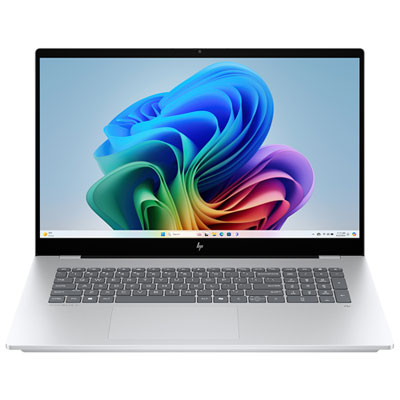
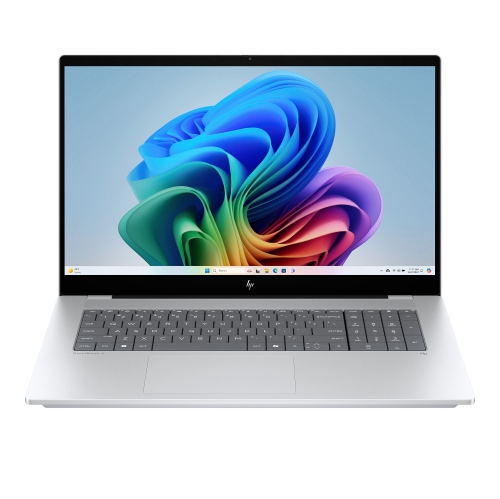
    HP OmniBook X 17.3" FHD Touchscreen Copilot+ PC Laptop - Intel Core Ultra 7 356H - 32GB LPDDR5x - 1TB SSD - GeForce RTX 5050 - Windows 11 Home - Glacier Silver Aluminum

    About this product

    A powerful AI-driven laptop featuring a 17.3" FHD touchscreen, Intel Core Ultra processor, and 32GB RAM.

    What customers like

    • Fast performance
    • Beautiful large touchscreen display
    • Ample 32GB RAM
    • Works great with Windows 11 Pro
    • Solid case build
    (249)
    $2,699.99
    SAVE $300
    Your price for this item is $2699.99
  2. 2

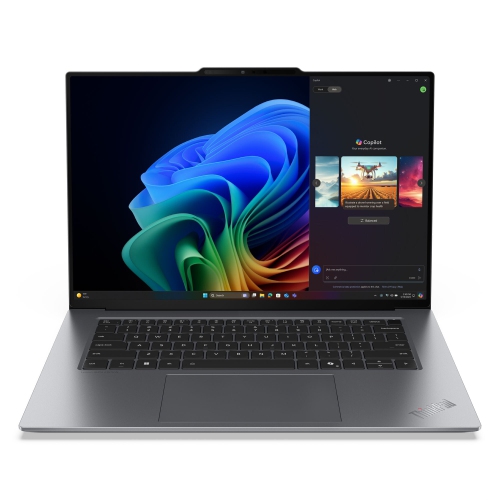
    LENOVO Thinkpad X9 15 Aura Edition Intel Laptop, 15.3" 120Hz, Intel Core Ultra 7 268V Vpro, 32GB, 1Tb SSD

    About this product

    A high-performance laptop featuring a 15.3" 120Hz display, Intel Core Ultra 7, 32GB RAM, and 1TB SSD.

    What customers like

    • Lightweight and slim design
    • Long-lasting battery life
    • Fast and powerful performance
    • Vibrant and sharp display
    • Quiet and cool operation
    (50)
    $2,499.00
    SAVE $1490
    Your price for this item is $2499
  3. 3

    APPLE Macbook Pro 13.3" W/ Touch Bar (Fall 2020) - Space ( M1 Chip / 256GB SSD / 8GB Ram) - En - In Grey

    About this product

    A powerful grey laptop featuring the M1 chip, 256GB SSD, 8GB RAM, and Touch Bar.

    What customers like

    • Comfortable and responsive keyboard
    • Sleek and durable build quality
    • High-quality vibrant display
    • Powerful and fast M1 chip performance
    • Excellent battery life
    (6,034)
    $1,500.00 Your price for this item is $1500
  4. 4

    Refurbished (Excellent) - HP EliteBook x360 1030 G8 14" Touchscreen 2-in-1 Business Laptop - Intel Core i7-1185G7 - 16GB - 1TB SSD - Windows 11 Pro - Silver - 1 Year Warranty

    About this product

    A versatile 2-in-1 laptop with a 14" touchscreen, Intel Core i7, 16GB RAM, and 1TB storage.

    What customers like

    • Long battery life
    • Versatile 2-in-1 design with touchscreen
    • Fast performance and quick boot-up
    • Excellent multitasking and memory capacity
    • Lightweight and sturdy build
    (1,042)
    $789.00 Your price for this item is $789
  5. 5

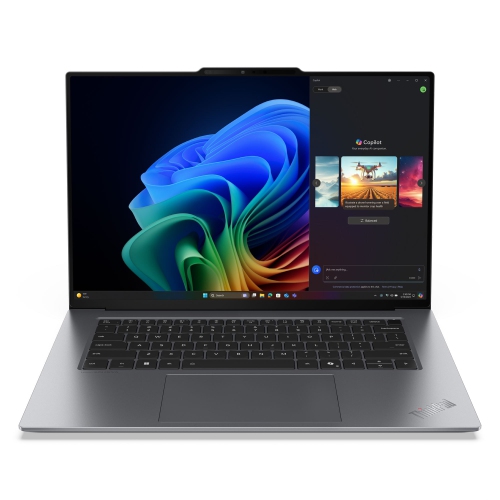
    LENOVO Thinkpad X9 15 Aura Edition 15.3" 120Hz Laptop - Intel Core Ultra 5 226V - 16GB - 512GB SSD - Intel Arc 130V - Thunder In Grey

    About this product

    A high-performance laptop featuring a 15.3" 120Hz display, Intel Core Ultra 5, 16GB RAM, and 512GB SSD.

    (7)
    $2,429.00 Your price for this item is $2429
  6. 6

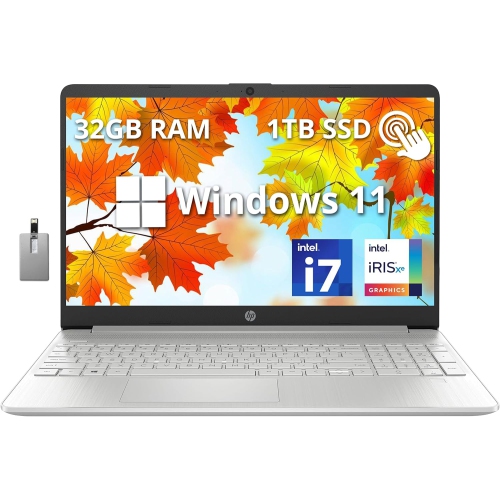
    HP 15.6" Fhd Touchscreen Laptop - Intel Core I7-1255U - 32GB Ddr4 - 1Tb SSD - Intel Iris Xe - Windows 11 - - 32GB Hotface USB Card In Silver

    About this product

    A powerful natural silver touchscreen laptop featuring Intel Core i7, 32GB RAM, 1TB SSD, and Windows 11.

    What customers like

    • Powerful performance for gaming and multitasking
    • Ample RAM and storage for handling large files
    • Solid build quality and sleek design
    • Large, bright touchscreen display with vivid colours
    • Long battery life and fast charging
    (0)
    $1,849.00
    SAVE $800
    Your price for this item is $1849
  7. 7

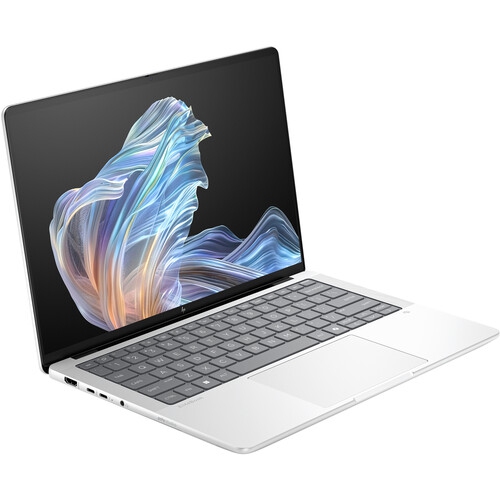
    HP Elitebook X G1A 14" 120Hz Oled Touchscreen Laptop - Amd Ryzen Ai 9 Hx 375 - 32GB Lpddr5X - 1Tb SSD - Windows 11 Pro - Glacier In Silver

    About this product

    A powerful Glacier Silver touchscreen laptop featuring AMD Ryzen AI 9, 32GB RAM, and 1TB SSD.

    (2)
    $2,928.99
    SAVE $517
    Your price for this item is $2928.99
  8. 8

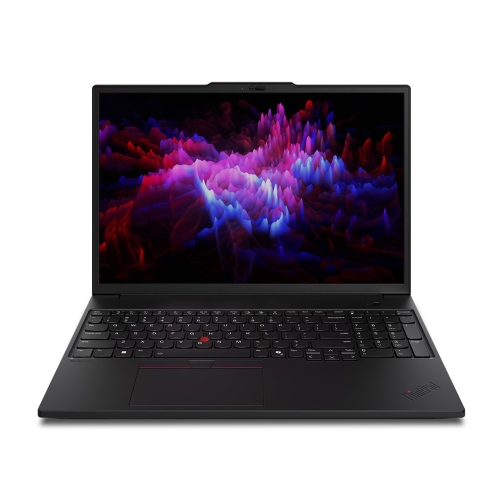
    LENOVO Thinkpad P16S Gen 4 Intel Laptop, 16" Low Light, Intel Core Ultra 7 265H Vpro, 96GB, 2Tb SSD In Blue

    About this product

    A powerful blue laptop featuring Intel Core Ultra 7, 96GB RAM, 2TB SSD, and NVIDIA RTX PRO graphics.

    (2)
    $8,199.00
    SAVE $2900
    Your price for this item is $8199
  9. 9

    HP Omnibook X 17.3" Fhd Ips Touchscreen Laptop - Intel Ultra 7 256V - 16GB Lpddr5 - 2Tb SSD - Intel Arc 140V - Windows 11 Home - Glacier In Silver

    About this product

    A powerful laptop featuring a 17.3" FHD touchscreen, Intel Ultra 7 processor, and 2TB SSD storage.

    (1)
    $1,780.29
    SAVE $600
    Your price for this item is $1780.29
  10. 10

    APPLE Refurbished (Good) - Macbook Pro W/ Touch Bar 13.3" - Space (Intel Core I5 1.4Ghz/128GB SSD/8GB Ram) - En (2019 Model) In Grey

    About this product

    A refurbished grey laptop featuring a Touch Bar, Intel Core i5 processor, 128GB SSD, and 8GB RAM.

    What customers like

    • High-quality Retina display
    • Seamless integration with Apple ecosystem
    • Excellent battery life
    • Fast performance and quick boot-up
    • Lightweight and portable design
    (2,492)
    $649.77
    SAVE $350
    Your price for this item is $649.77

What keeps drafting responsive as building models grow

The best laptops for architects combine responsive drafting performance, capable graphics, enough memory for complex building models, and a display that makes fine linework easy to read. Architectural work rarely involves just one application: a typical session might include a detailed floor plan, a linked structural model, a materials library, a presentation layout, and several reference documents. A laptop needs to keep those tasks moving without making every switch between windows feel like an interruption. For computer-aided design (CAD) and building information modelling (BIM), strong single-core processor performance often supports responsive drawing and model editing, while additional processor cores can help with CPU-based rendering and other tasks designed to use them. Clock speed alone does not tell the whole story; processor generation, power limits, and cooling also affect sustained performance. For substantial BIM projects and regular multitasking, 32 GB of RAM is a practical starting point, while 64 GB or more can be useful for large linked models, detailed scenes, and multidisciplinary coordination. Smaller drafting projects may need less, so the requirements of the actual software and project files remain important. Dedicated graphics are especially relevant for navigating intricate 3D models, real-time visualization, and GPU-based rendering. A graphics processor with 8 GB of video memory can be a useful starting point for demanding visualization work, although high-resolution textures and larger scenes may require more. Professional graphics hardware and independent software vendor certifications can offer added assurance for supported workflows, but certification should be checked against the applications being used. Fast solid-state storage helps with opening project files, loading libraries, and saving large datasets; a 1 TB drive provides useful working space, while 2 TB leaves more room for local archives and reference assets. These specifications work together rather than in isolation. A powerful processor paired with limited memory or graphics capability may still struggle when a project moves from simple drawings to a fully furnished model with detailed lighting.

A clear, comfortable screen matters when an architect spends hours checking dimensions, adjusting hatch patterns, or reviewing the junction between a wall and roof assembly. A 15-inch or 16-inch display offers a useful balance between workspace and portability, and a 16:10 aspect ratio provides extra vertical room for drawings, toolbars, and document pages. Higher resolution can make text and linework sharper, provided the software scales its interface properly. Colour accuracy becomes more important when preparing material palettes, interior views, and client presentations: broad coverage of the sRGB colour space is useful for everyday digital work, while wider-gamut displays may suit colour-managed visualization workflows. Coverage alone does not guarantee accurate colour, and calibration can matter when matching work across screens. A matte finish can reduce distracting reflections under office lighting, while sufficient brightness helps maintain readability in varied indoor settings. Touchscreens and pen input may make sketching concepts or marking up drawings more natural, but they do not replace the processor, memory, and graphics needed for full architectural workloads. Keyboard spacing, a precise touchpad, and comfortable palm rests also deserve attention, especially when entering dimensions or using shortcuts throughout the day. A separate mouse often makes detailed drafting easier, and connections for an external monitor can turn a portable computer into a more spacious desk setup. The number of supported displays and their resolutions depend on the laptop’s hardware and ports, not simply the shape of the connector. USB-C charging and docking support should likewise be confirmed for the intended accessories. Wi-Fi capability supports shared files and online meetings, while wired networking through a suitable port or adapter can be useful for large transfers. For architects moving between a studio, meeting room, and project site, the laptop’s weight should be considered together with its charger, protective sleeve, and everyday peripherals. A slimmer machine may travel more easily, while a larger chassis can provide more room for cooling during extended rendering sessions.

Intended use helps distinguish a dependable architecture laptop from one that looks impressive on a specification sheet but does not fit the working day. An architect focused on construction drawings and documentation may place greater value on responsive editing, a comfortable keyboard, and stable software support than on the highest possible rendering performance. A visualization specialist working with detailed vegetation, complex materials, and animated walkthroughs may need stronger graphics and more video memory. Students often need a balance of portability and performance for lectures, studio work, and critiques; Best Laptops for Architecture Students brings that study-focused use into view. Software compatibility is essential across all these roles. Operating system, processor architecture, plug-ins, graphics drivers, and school or practice requirements should be checked before choosing a laptop, particularly when a workflow depends on specialized tools. Battery life also changes with the workload: reading specifications or annotating documents is far less demanding than rendering a detailed interior, and maximum performance may require connection to mains power. Durable construction matters for frequent travel, but a metal chassis alone does not establish impact resistance. Hinge stability, keyboard construction, and any documented durability testing offer more useful context. A well-fitted padded sleeve helps protect the laptop from scratches and minor knocks inside a bag, while keeping it separate from loose tools and heavy sample materials reduces avoidable pressure on the screen. Regular care is straightforward: keep ventilation openings clear, use the computer on a firm surface during demanding tasks, and clean the display with a suitable soft cloth according to the manufacturer’s directions. Memory and storage upgrade options vary, so accessible components can be valuable when project demands grow. Local storage should also be supported by a reliable backup routine, since a fast drive is not a substitute for a second copy of important drawings. The right fit is a laptop that supports the complete project cycle, from early massing studies and coordinated drawings to polished presentations, without adding unnecessary bulk or compromising the tools the work requires.
Read More

FAQ

Some products may be subject to Environmental Handling Fees (EHF) depending on your province. Learn more about EHFs.