Best Thunderbolt 3 Cables

Connect your devices with confidence using the best Thunderbolt 3 cables, ranked by user review ratings. Whether you’re linking a laptop to a docking station, transferring large files, or connecting a compatible display, find options for your setup. Compare cable lengths, supported data transfer speeds, and power delivery capabilities to choose a cable that meets your needs.

Read More

What to look for in Thunderbolt 3 cables

1. Device Compatibility

Thunderbolt 3 uses a USB-C connector, but not every USB-C cable supports Thunderbolt 3 features. Look for Thunderbolt-certified cables and confirm compatibility with your computer, dock, monitor, or external drive.

2. Data Transfer and Display Support

Choose a cable rated for up to 40 Gbps if you need high-speed storage transfers or a demanding docking setup. For monitors, check that your cable and connected devices support your intended resolution, refresh rate, and number of displays.

3. Charging Capacity

Check the cable’s USB Power Delivery rating against your laptop’s charging requirements. Thunderbolt 3 cables can support up to 100 W, but available charging power also depends on the charger or dock and your device.

4. Cable Length and Type

Choose a length that reaches comfortably between devices without unnecessary slack. Longer passive Thunderbolt 3 cables may limit data speeds to 20 Gbps, while active cables can maintain 40 Gbps over longer distances but may have more limited compatibility with non-Thunderbolt USB devices.
Citrus catapult arrow
  1. 1

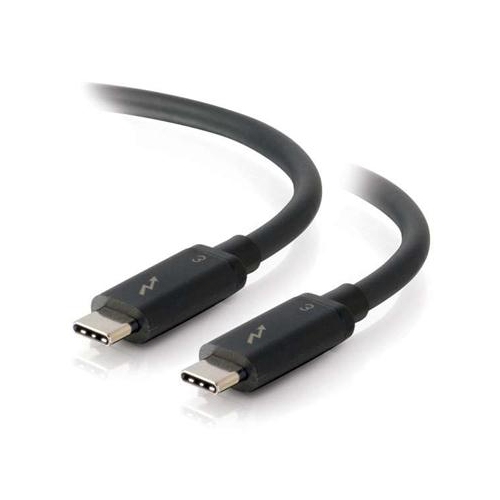
    CABLES TO GO 6Ft Thunderbolt 3 USB C to C

    About this product

    A high-speed 6-foot Thunderbolt 3 USB-C to USB-C cable supporting data transfer up to 20Gbps.

    (0)
    $66.68
    SAVE $10
    Your price for this item is $66.68
  2. 2

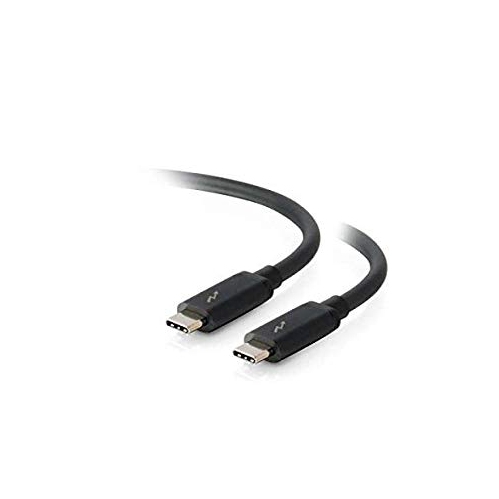
    CABLES TO GO C2G 6Ft Thunderbolt 3 USB C Cable (20GBps)

    About this product

    A high-speed 6ft Thunderbolt 3 USB-C cable offering data transfer rates up to 20Gbps.

    (0)
    $73.99 Your price for this item is $73.99
  3. 3

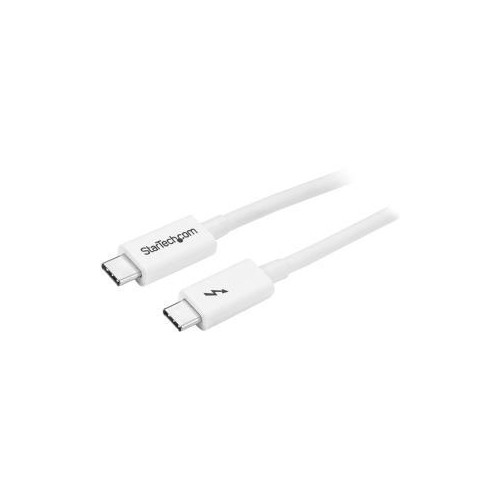
    STARTECH 2M Thunderbolt 3 20G Tblt3Mm2M

    About this product

    A 2m Thunderbolt 3 USB-C cable offering 20Gbps data transfer, 4K 60Hz video, and power delivery.

    (1)
    $68.68
    SAVE $10
    Your price for this item is $68.68
  4. 4

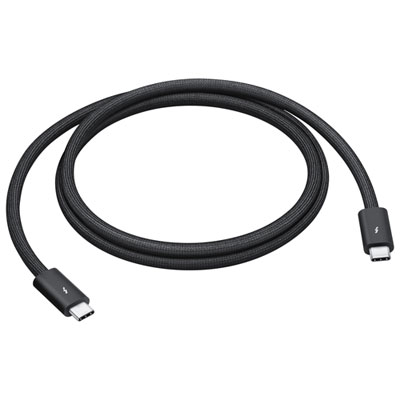
    STARTECH 2M Thunderbolt 3 Cbl Tblt3Mm2Mw

    About this product

    A white 2m Thunderbolt 3 cable supporting 20Gbps data transfer, USB-C, and DisplayPort compatibility.

    (1)
    $68.68
    SAVE $10
    Your price for this item is $68.68

Why a USB-C fit does not guarantee Thunderbolt performance

The best Thunderbolt 3 cables bring together fast data transfer, dependable display connections, and suitable power delivery for the devices at either end. A compatible cable can support transfer speeds of up to 40 Gbps, carry video to high-resolution monitors, and deliver up to 100W of USB Power Delivery when its specifications and the connected equipment allow. Those capabilities make Thunderbolt 3 cables useful for connecting a laptop to a desktop dock, working with an external solid-state drive, or building a workstation around multiple displays. One connection to a powered dock can carry files, video, and charging power, leaving fewer separate leads to attach when settling in at a desk. The small, reversible USB-C connector fits either way up, but its shape alone does not confirm Thunderbolt support. A USB-C charging cable may fit the same ports without providing the bandwidth or features needed for a Thunderbolt storage device or docking station. Thunderbolt markings and clearly stated certification help distinguish cables designed for the protocol from leads intended mainly for charging or basic USB connections. Actual performance still depends on the computer, cable, dock, and peripheral working together; a 40 Gbps cable cannot make a slower external drive transfer files at that maximum rate. For photographers moving large image folders, video editors working from external storage, and people switching between a mobile laptop and a full desk setup, that distinction matters more than the connector’s appearance. Display support deserves the same attention. Thunderbolt 3 can carry enough video bandwidth for configurations such as two 4K displays at 60 Hz, but the computer’s graphics capabilities, supported display count, dock outputs, and monitor connections determine what works in practice. A single-monitor workspace may have simpler requirements, while a dual-display arrangement benefits from checking the complete connection path. For a broader view of connection options, Thunderbolt Cables cover a range of setups, with compatibility and stated specifications providing the most useful basis for comparison.

Cable length has a practical effect on both performance and how comfortably a workspace comes together. A short lead can sit neatly between a laptop and a portable drive, keeping excess cable away from a mouse or notebook. A longer one can reach a dock tucked behind a monitor or an external storage enclosure positioned at the far side of a desk. The important detail is the rated speed at that exact length, rather than the assumption that every Thunderbolt 3 cable performs identically. Short passive Thunderbolt 3 cables commonly support 40 Gbps, while longer passive versions may be limited to 20 Gbps. Active cables use circuitry to help maintain signal quality over greater distances and can support 40 Gbps at lengths where a passive design may not. However, some active Thunderbolt 3 cables have more limited compatibility with ordinary USB-C devices, including reduced USB data speeds or no support for USB-C DisplayPort Alt Mode. That matters when the same cable needs to move between a Thunderbolt dock and a non-Thunderbolt USB-C monitor or drive. A clearly stated list of supported protocols is more useful than a broad compatibility claim. Measure the route between ports, allowing a little slack for moving the laptop or adjusting a monitor arm, without leaving a tight bend beside either connector. Charging requirements are another separate consideration. Thunderbolt 3 cables may be rated for different power levels, and support for 40 Gbps does not automatically mean support for 100W charging. Delivering 100W requires a cable rated for 5A, along with a compatible power source and device using the appropriate USB Power Delivery profile. A dock may supply less power to the laptop than its adapter’s total rating because it also powers connected accessories. For everyday office work, a lower charging output may be sufficient; under demanding workloads, a laptop with higher power requirements may charge slowly or still need its own adapter. Matching the cable’s data, video, and power specifications to the intended use helps avoid a connection that handles one task well but falls short on another.

Construction and connector fit become especially noticeable when a cable is plugged in, packed away, and carried between locations every day. Flexible jackets are useful for tight desk layouts and travel pouches, while braided coverings can add resistance to surface abrasion. Neither a thick jacket nor a braided finish proves a cable’s transfer speed, charging capacity, or internal build quality, so those physical details belong alongside verified electrical specifications rather than replacing them. Reinforced strain relief at the point where the cable meets the connector can help manage the bending that occurs during normal use. Connector housings also need enough clearance around closely spaced laptop ports, recessed sockets, and protective cases. A bulky housing can be awkward beside another accessory even when the plug itself is compatible. At a permanent workstation, a cable with a relaxed curve and secure routing is less likely to be pulled when a chair moves or a laptop shifts. For a student carrying a portable drive between study spaces, flexibility and a compact length may matter more than reaching across a large desk. People working with audio interfaces or external graphics enclosures should also confirm the accessory’s Thunderbolt requirements and computer support, since a suitable cable cannot add features the host system lacks. As a practical gift for someone expanding a workspace, a Thunderbolt 3 cable is most useful when the recipient’s port type, required length, and power needs are known. Care is straightforward: unplug by holding the connector housing rather than pulling on the cord, store the cable in loose loops, and avoid pinching it beneath furniture or sharply folding it beside the plug. Keep connectors dry and free of debris, and stop using a cable with exposed wiring, damaged housings, or unusual heat during operation. If a connection becomes intermittent, inspect both ports and cable ends before assuming the accessory has failed. The most useful choice is a cable whose stated capabilities suit the whole setup, with enough reach for comfortable placement and a build that fits the way it will be handled.
Read More

FAQ

Some products may be subject to Environmental Handling Fees (EHF) depending on your province. Learn more about EHFs.