Business Laptops with Intel Core Ultra
Browse business laptops with Intel Core Ultra processors for office tasks, multitasking, and work on the go. Compare processor models, memory, storage, screen size, and available ports to choose a work laptop that fits your software requirements, workspace, and travel needs.

Sort

Business Laptops with Intel Core Ultra

Business laptops with Intel Core Ultra combine portable computing with processing capabilities suited to busy workdays, from managing spreadsheets and presentations to switching between browser-based tools, business software and video meetings. They can be a practical fit for independent professionals, office teams and hybrid workers who need one computer for both focused work and collaboration. Processor configuration, memory and storage all contribute to how a laptop handles those demands. More memory provides room for multiple applications and larger working files, while solid-state storage supports responsive access to documents and programs. For heavier tasks such as data analysis, software development or content creation, the processor’s performance capabilities and the application’s graphics requirements deserve closer attention. Configurations with a neural processing unit, or NPU, can also accelerate supported AI tasks locally, including certain audio, video and image-processing features. The usefulness of that hardware depends on the software being used, making application compatibility an important part of comparing business laptops.
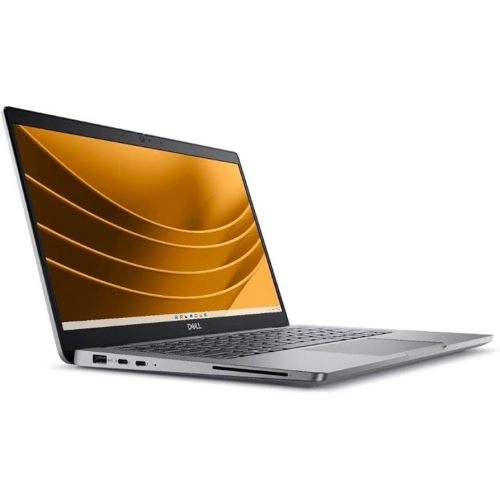
Day-to-day comfort matters as much as processing power, particularly when a laptop serves as your main work computer. A larger display can provide more room for side-by-side documents and detailed spreadsheets, while a more compact design is easier to carry between meetings, shared workspaces and client appointments. Screen resolution, brightness and glare control affect readability, and keyboard layout, touchpad size and overall weight can make a noticeable difference during longer sessions. A numeric keypad may be useful for frequent data entry, while a backlit keyboard can make typing easier in dimmer spaces. For remote collaboration, webcam quality, microphone performance and speaker clarity are useful points of comparison. Connectivity also shapes how easily a laptop fits into an existing workspace: USB ports, display connections and compatible docking options can support monitors, storage and accessories. USB-C capabilities differ between laptops, so charging, external-display support and data-transfer specifications are worth checking individually. Battery capacity and charging options are especially relevant for work away from a desk, alongside the demands of your usual applications.

Business-focused features can help these laptops fit individual working habits and organizational requirements. Depending on the configuration, options such as fingerprint sign-in, facial recognition, hardware-backed security and a webcam privacy shutter can add convenient ways to control access and protect sensitive information. The operating system edition also matters for businesses that require particular device-management, encryption or network features. For organizations purchasing multiple laptops, consistent configurations and compatible accessories can simplify setup across a team, while remote-management capabilities may be relevant to IT support. Professionals running specialized software should consider its operating system, memory and graphics requirements rather than relying on the processor name alone; some workloads benefit from dedicated graphics, while others are well served by integrated graphics. Memory and storage upgrade options, repair access and service coverage can also influence a longer-term purchase. Matching these details to your workload, workspace and travel routine helps narrow the choice to a business laptop that supports the way you work.

FAQ

Some products may be subject to Environmental Handling Fees (EHF) depending on your province. Learn more about EHFs.