Dell Latitude 7450
The Dell Latitude 7450 is a versatile laptop designed to meet the demands of both professional and personal use. With its sleek design and reliable performance, this laptop is ideal for those who need a dependable device for everyday tasks. Whether you're working from home, attending virtual meetings, or simply browsing the web, the Dell Latitude 7450 offers an excellent balance of functionality and portability. Explore its capabilities and discover how it can enhance your productivity and entertainment experiences.
Sort
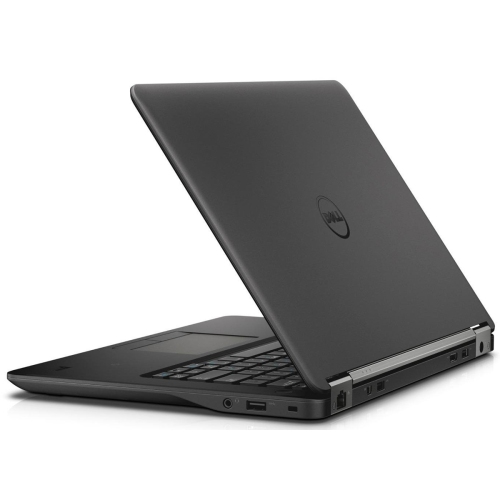
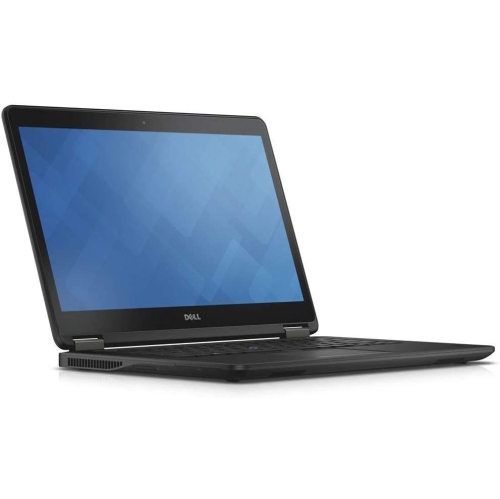
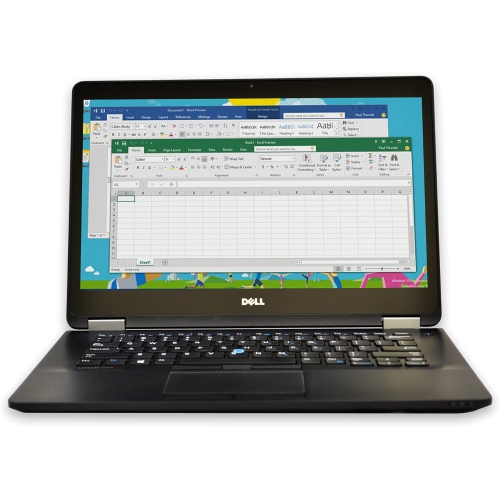
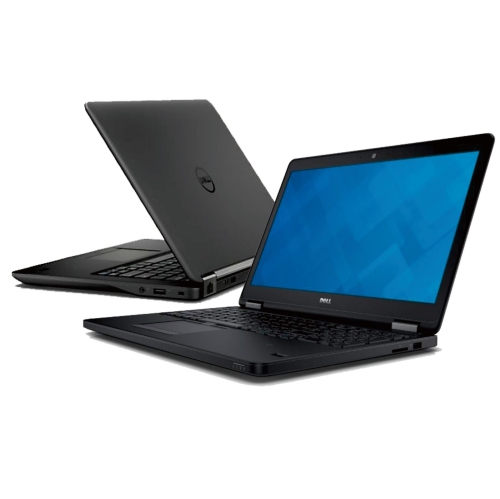
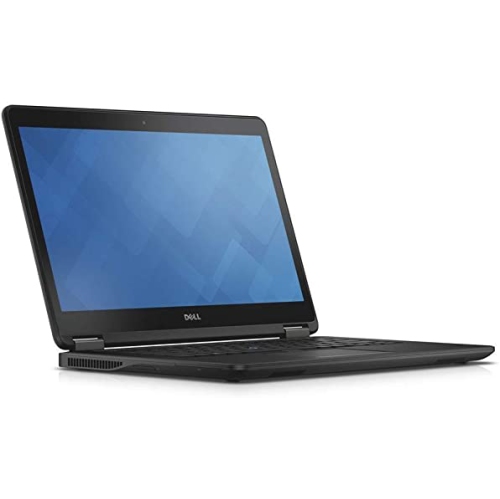
Practical performance and security for work wherever it takes you
The Latitude 7450 collection is designed for people who need a dependable 14-inch business laptop for work, study, and everyday productivity. These portable computers are well suited to professionals who move between a home office, a shared workspace, client meetings, and the road, offering a practical balance of screen space, mobility, and workplace-ready performance. A 14-inch display with a taller 16:10 layout can make documents, spreadsheets, browser windows, and email threads feel easier to manage without making the computer cumbersome to carry. The compact size also fits naturally into a commuter bag or backpack, whether you are travelling across town for meetings or setting up at the kitchen table while the weather warms. Look for configurations built around modern Intel Core Ultra processors, with options that support responsive multitasking across office applications, video calls, web research, presentations, and collaboration platforms. Many users will find 16GB of memory suitable for managing several applications and browser tabs at once, while 32GB may be preferable for demanding workflows, larger files, virtual machines, or longer periods of intensive multitasking. Storage choices also deserve attention: an SSD helps applications open quickly and makes it easier to access work files, course materials, photos, and presentations without the delays associated with older storage technology. When comparing available configurations, consider how much local space you need for downloaded files and project folders, particularly if your work involves large spreadsheets, media assets, technical documents, or frequent travel without a reliable internet connection.
Business laptops in this category are often chosen for their combination of convenience, connectivity, and security. A fingerprint reader or facial recognition camera can make signing in quicker while adding a layer of protection for files and accounts, which is especially useful when a computer is used in public areas or shared offices. An infrared webcam can also support compatible face-based sign-in, while a physical camera shutter may provide added peace of mind between video meetings. Check the port selection before purchasing: USB-A remains useful for existing accessories such as presentation remotes, wired mice, and external drives, while USB-C ports can support charging, displays, docking stations, and newer peripherals. HDMI can be helpful when connecting directly to a classroom projector, meeting-room display, or home television, and a built-in headphone jack is convenient for calls when you prefer wired audio. Touch and non-touch displays suit different working styles; touch can feel natural for scrolling through long documents or navigating presentations, while a non-touch panel may be the better fit for buyers who prefer a traditional laptop experience. Screen resolution, brightness, viewing comfort, and finish are also worth weighing, especially if you work near a bright window or spend several hours reviewing text. These computers can be a thoughtful choice for a university student, a remote employee, a small-business owner, or someone beginning a new role that requires reliable access to documents and communication tools. They may also make a practical professional gift for a graduate, new employee, or family member building a home office, provided the recipient’s software, memory, storage, and connectivity needs are considered first. For frequent travellers, pay close attention to weight and battery expectations, since even a small difference can be noticeable when a laptop is carried through a station, airport, or campus throughout the day. During the cooler months, when work and study often shift indoors, a capable portable computer can serve as the centre of a flexible workspace, connecting to a larger monitor, keyboard, and other accessories at a desk while remaining easy to pack away when the day is done.
Business laptops in this category are often chosen for their combination of convenience, connectivity, and security. A fingerprint reader or facial recognition camera can make signing in quicker while adding a layer of protection for files and accounts, which is especially useful when a computer is used in public areas or shared offices. An infrared webcam can also support compatible face-based sign-in, while a physical camera shutter may provide added peace of mind between video meetings. Check the port selection before purchasing: USB-A remains useful for existing accessories such as presentation remotes, wired mice, and external drives, while USB-C ports can support charging, displays, docking stations, and newer peripherals. HDMI can be helpful when connecting directly to a classroom projector, meeting-room display, or home television, and a built-in headphone jack is convenient for calls when you prefer wired audio. Touch and non-touch displays suit different working styles; touch can feel natural for scrolling through long documents or navigating presentations, while a non-touch panel may be the better fit for buyers who prefer a traditional laptop experience. Screen resolution, brightness, viewing comfort, and finish are also worth weighing, especially if you work near a bright window or spend several hours reviewing text. These computers can be a thoughtful choice for a university student, a remote employee, a small-business owner, or someone beginning a new role that requires reliable access to documents and communication tools. They may also make a practical professional gift for a graduate, new employee, or family member building a home office, provided the recipient’s software, memory, storage, and connectivity needs are considered first. For frequent travellers, pay close attention to weight and battery expectations, since even a small difference can be noticeable when a laptop is carried through a station, airport, or campus throughout the day. During the cooler months, when work and study often shift indoors, a capable portable computer can serve as the centre of a flexible workspace, connecting to a larger monitor, keyboard, and other accessories at a desk while remaining easy to pack away when the day is done.
Top selling and popular products
-
 Your price for this item is $449
 -
 Your price for this item is $3099
 -
 Your price for this item is $299.95
 -
 Your price for this item is $664.05
 -
 Your price for this item is $599.68
 -
 Your price for this item is $869.99
 -
 Your price for this item is $259
 -
 Your price for this item is $418.98
Discover more categories related to Dell Latitude 7450

Top Collections:
Pokemon Centers, Kindle Devices, Best Budget Office Chairs, Apple iPhones 16, Best Laptops for Writers, iPhone 15 Apple, Canon G7X Cameras, Refurbished Apple Laptops, Alarm Clock, Motorola Razr Phones
Some products may be subject to Environmental Handling Fees
(EHF) depending on your province.
Learn more about EHFs.