MSI RTX 3060
Experience impressive graphics performance and smooth gameplay with the MSI RTX 3060. Designed for gaming enthusiasts and creative professionals alike, the MSI RTX 3060 offers advanced visual capabilities to elevate your setup. Explore a range of options to find the perfect match for your PC build and enjoy reliable performance for work, play, and everything in between. Discover how the MSI RTX 3060 can enhance your computing experience today.
Sort
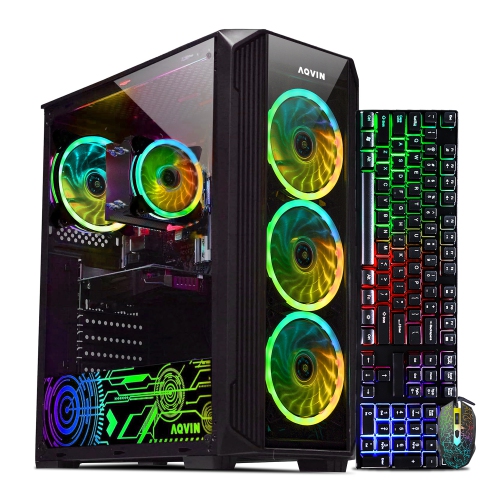
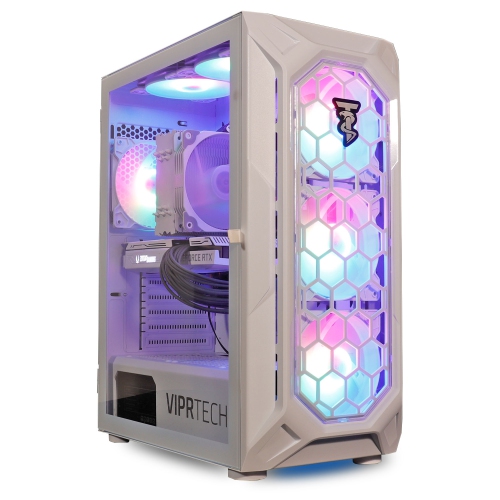
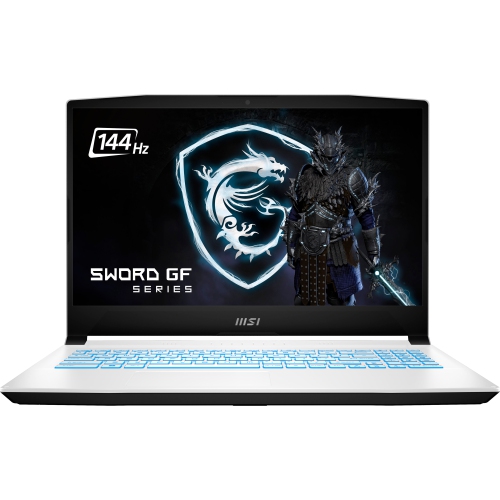
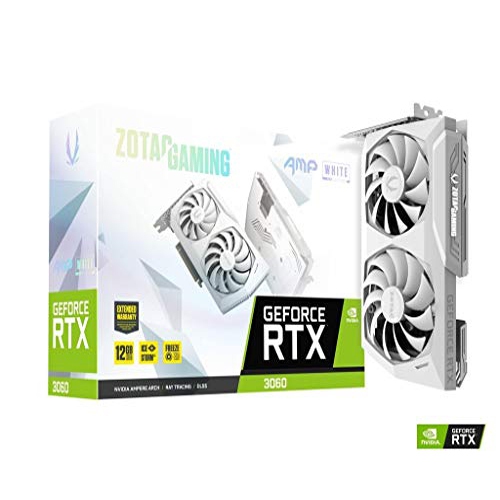


Better 1080p gaming depends on more than graphics power
A dedicated desktop graphics card handles much of the visual processing behind PC games, 3D applications, and accelerated creative work, making it an important part of a system built for more than everyday browsing. Cards in this performance class are particularly relevant to 1080p gaming, where they can deliver detailed textures, convincing lighting, and responsive play with settings suited to each game. They can also support 1440p gaming, although more demanding titles may call for reduced effects or image upscaling to maintain smoother motion. Hardware-accelerated ray tracing adds realistic reflections, shadows, and lighting in supported games, but it places a heavier load on the graphics processor than conventional rendering. Supported upscaling features render a game at a lower internal resolution and reconstruct the output, helping balance image quality with performance. Neither feature guarantees the same results across every title: the game engine, processor, memory, and chosen settings all matter. The RTX 3060 Graphics category provides a broader view of desktop cards built around this graphics processor, with differences in cooling, dimensions, memory configuration, and factory tuning. Many cards in this family pair 12 GB of GDDR6 video memory with a 192-bit memory interface, while some versions use 8 GB with a narrower 128-bit interface. Those configurations should not be treated as interchangeable simply because they share a processor family. Video memory holds resources such as textures and scene data, and additional capacity can be useful for detailed game assets or certain creative workloads. It does not, by itself, determine frame rates. For someone moving from integrated graphics or an older dedicated card, the practical appeal is a more capable desktop for gaming, editing, and visually demanding applications, provided the rest of the computer can support the upgrade. A player exploring richly detailed single-player worlds may value higher visual settings, while someone playing competitive matches may prefer lighter effects and a higher, steadier frame rate.
Physical fit and electrical compatibility are just as important as graphics specifications. A desktop card installs into a compatible PCIe slot, but an open slot alone does not confirm that it will fit the computer. Card length must clear front-mounted fans, drive cages, and liquid-cooling radiators; card height must leave room for the side panel and power cable; and cooler thickness can cover neighbouring expansion slots. A compact dual-fan design may suit a smaller tower, yet even a relatively short card can be too thick for a tightly arranged case. Larger coolers offer more surface area for heat dissipation, although their size does not automatically make them quieter or better suited to every build. Typical construction combines a printed circuit board with a metal heatsink, heatpipes, fan assemblies, and a protective shroud. Some designs add a backplate for rigidity or component coverage, with materials and thermal roles varying by model. These details affect handling, clearance, and long-term support more directly than decorative styling does. Power requirements also deserve close attention. Many standard configurations in this processor family have graphics power around 170 W, and a 550 W system power supply is a common manufacturer recommendation, but the exact card specification and the demands of the complete computer take priority. A powerful processor, several drives, or other expansion hardware can change the calculation. The power supply needs the correct PCIe power connectors as well as adequate capacity; connector shape and cable compatibility should never be assumed. Display connections are another practical consideration, particularly for a desk with more than one monitor. HDMI and DisplayPort connections are common, but port counts and supported output modes vary. The monitor, cable, and graphics output must all support the desired resolution and refresh rate. For a typical desktop installation, connecting the monitor directly to the graphics card rather than the motherboard ensures that the display uses the intended output. Desktop expansion cards are not direct internal upgrades for laptops, and compact prebuilt computers may have proprietary power supplies or limited expansion space.
Beyond gaming, a dedicated graphics card can make a desktop more useful for video projects, digital illustration, 3D modelling, and streaming when the software supports graphics acceleration. A student assembling a short film, a hobbyist previewing a textured scene, or a creator recording gameplay may benefit in different ways. Supported video encoders can handle part of the recording or streaming workload, while compatible editing applications can use the graphics processor for selected effects, previews, and exports. These benefits depend on the application, file format, and project settings rather than applying equally to every task. System memory and storage remain separate considerations: video memory does not replace desktop RAM, and a graphics upgrade will not solve slow file access or insufficient working memory. For someone choosing a card as a gift, knowing the recipient’s computer case, power supply, monitor, and preferred applications is more useful than choosing by appearance alone. A card that suits those details is more likely to become a straightforward upgrade rather than an unexpected rebuild. Durability also depends partly on installation and ongoing care. The expansion bracket should be secured correctly, and heavier designs may benefit from a suitable support to limit sagging. Clear airflow around the fans helps the cooler work as intended, especially during a long gaming session or a lengthy render. Dust can collect on fan blades, heatsink fins, and case filters, gradually restricting airflow and increasing fan noise. Cleaning should follow the manufacturer’s directions, with the computer shut down and disconnected from power, and without applying liquid directly to components. Routine care generally does not require removing the cooler or disturbing thermal materials. Driver updates from the appropriate official source can provide application fixes and compatibility improvements, though individual releases may affect different systems differently. A well-matched card brings together suitable performance, dependable cooling, correct connections, and a comfortable physical fit, supporting both immersive play and productive desktop work without overlooking the practical details that make an upgrade successful.
Physical fit and electrical compatibility are just as important as graphics specifications. A desktop card installs into a compatible PCIe slot, but an open slot alone does not confirm that it will fit the computer. Card length must clear front-mounted fans, drive cages, and liquid-cooling radiators; card height must leave room for the side panel and power cable; and cooler thickness can cover neighbouring expansion slots. A compact dual-fan design may suit a smaller tower, yet even a relatively short card can be too thick for a tightly arranged case. Larger coolers offer more surface area for heat dissipation, although their size does not automatically make them quieter or better suited to every build. Typical construction combines a printed circuit board with a metal heatsink, heatpipes, fan assemblies, and a protective shroud. Some designs add a backplate for rigidity or component coverage, with materials and thermal roles varying by model. These details affect handling, clearance, and long-term support more directly than decorative styling does. Power requirements also deserve close attention. Many standard configurations in this processor family have graphics power around 170 W, and a 550 W system power supply is a common manufacturer recommendation, but the exact card specification and the demands of the complete computer take priority. A powerful processor, several drives, or other expansion hardware can change the calculation. The power supply needs the correct PCIe power connectors as well as adequate capacity; connector shape and cable compatibility should never be assumed. Display connections are another practical consideration, particularly for a desk with more than one monitor. HDMI and DisplayPort connections are common, but port counts and supported output modes vary. The monitor, cable, and graphics output must all support the desired resolution and refresh rate. For a typical desktop installation, connecting the monitor directly to the graphics card rather than the motherboard ensures that the display uses the intended output. Desktop expansion cards are not direct internal upgrades for laptops, and compact prebuilt computers may have proprietary power supplies or limited expansion space.
Beyond gaming, a dedicated graphics card can make a desktop more useful for video projects, digital illustration, 3D modelling, and streaming when the software supports graphics acceleration. A student assembling a short film, a hobbyist previewing a textured scene, or a creator recording gameplay may benefit in different ways. Supported video encoders can handle part of the recording or streaming workload, while compatible editing applications can use the graphics processor for selected effects, previews, and exports. These benefits depend on the application, file format, and project settings rather than applying equally to every task. System memory and storage remain separate considerations: video memory does not replace desktop RAM, and a graphics upgrade will not solve slow file access or insufficient working memory. For someone choosing a card as a gift, knowing the recipient’s computer case, power supply, monitor, and preferred applications is more useful than choosing by appearance alone. A card that suits those details is more likely to become a straightforward upgrade rather than an unexpected rebuild. Durability also depends partly on installation and ongoing care. The expansion bracket should be secured correctly, and heavier designs may benefit from a suitable support to limit sagging. Clear airflow around the fans helps the cooler work as intended, especially during a long gaming session or a lengthy render. Dust can collect on fan blades, heatsink fins, and case filters, gradually restricting airflow and increasing fan noise. Cleaning should follow the manufacturer’s directions, with the computer shut down and disconnected from power, and without applying liquid directly to components. Routine care generally does not require removing the cooler or disturbing thermal materials. Driver updates from the appropriate official source can provide application fixes and compatibility improvements, though individual releases may affect different systems differently. A well-matched card brings together suitable performance, dependable cooling, correct connections, and a comfortable physical fit, supporting both immersive play and productive desktop work without overlooking the practical details that make an upgrade successful.
Top selling and popular products
-
 Your price for this item is $449
 -
 Your price for this item is $3099
 -
 Your price for this item is $299.95
 -
 Your price for this item is $664.05
 -
 Your price for this item is $599.68
 -
 Your price for this item is $869.99
 -
 Your price for this item is $259
 -
 Your price for this item is $418.98
Discover more categories related to MSI RTX 3060
Top Collections:
Pokemon Centers, Kindle Devices, Best Budget Office Chairs, Apple iPhones 16, Best Laptops for Writers, iPhone 15 Apple, Canon G7X Cameras, Refurbished Apple Laptops, Alarm Clock, Motorola Razr Phones
Some products may be subject to Environmental Handling Fees
(EHF) depending on your province.
Learn more about EHFs.