Tax Preparation Software
Tax preparation software makes filing your taxes easier and more efficient, whether you're managing personal finances or running a small business. With user-friendly interfaces and helpful tools, tax preparation software helps you organize your information and streamline the filing process. Find the right solution to suit your needs and simplify tax season with reliable tax preparation software options available at Best Buy.
Sort





What NETFILE certification means for your tax return
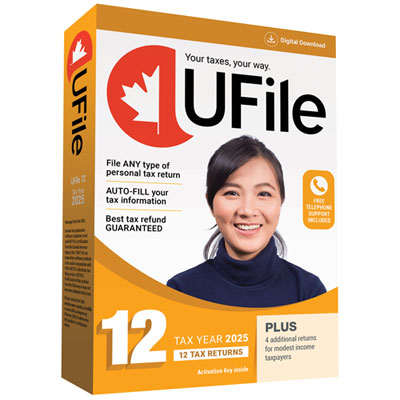
Tax preparation software helps individuals and families organize financial information, calculate income tax, and prepare Canadian income tax and benefit returns. Instead of working through paper forms and transferring figures between schedules, users can enter details through guided questions or form-based screens that connect income, deductions, and credits. For Canadian personal returns, an important distinction is whether the software is certified by the Canada Revenue Agency for NETFILE for the relevant tax year. NETFILE allows eligible individuals to transmit their own returns electronically, while certification applies to a particular software version and tax year rather than every edition a publisher has released. Certification also does not mean that the CRA has verified the information entered or confirmed a person’s eligibility for a claim. Features such as importing information from a previous return, retrieving supported tax slips through the CRA’s auto-fill service, and checking for incomplete entries can reduce repetitive work. These functions still depend on accurate personal details, the appropriate account access, and the information held by the CRA. A slip that has not yet been processed may not appear in an import, so the imported information needs to be compared with personal records. Within the broader category of Tax Management Software, personal tax preparation tools are intended for individual filing needs, which differ from corporate tax returns, payroll administration, and bookkeeping. Employees with straightforward income, students reporting tuition, retirees receiving pension income, and households preparing several family members’ returns may each need different features. Provincial support matters as well: Quebec residents generally prepare both a federal return and a separate provincial return, and electronic filing with Revenu Québec requires software authorized for that purpose. Support for the correct jurisdiction, tax year, and return type is more useful than a long feature list that does not match the household’s circumstances.
The way tax software handles everyday details can make a substantial difference to the filing experience. Someone with a single employment slip may prefer a short interview that explains unfamiliar terms and keeps less relevant sections out of the way. A person who changed jobs, moved between provinces, received employment insurance benefits, or began drawing retirement income may benefit from more detailed prompts and a clear summary of how each entry affects the return. For couples, software that links spouses’ or common-law partners’ information can help coordinate relevant calculations while still preparing a separate return for each person. Tuition amounts, charitable donations, medical expenses, childcare expenses, and registered retirement savings plan contributions each involve their own eligibility requirements and supporting records. Useful software explains what belongs in a field without implying that every expense qualifies. More involved situations need closer attention to supported forms and calculations. A freelancer may need to report business income and separate eligible expenses from personal spending, while a landlord may need rental income schedules and records for property-related expenses. Investors may need tools for reporting dispositions, tracking adjusted cost base, and handling information that is not fully captured on a tax slip. Tax software can organize these entries, but it cannot reconstruct missing transaction records or determine the facts of a complicated situation on its own. Clear navigation, searchable help, and access to completed forms make it easier to understand how an interview answer flows into the return. Error checks are useful for identifying missing identification details, inconsistent entries, or fields that need another look, although they cannot catch every mistake. Where assistance is included, the distinction between technical support and tax advice matters: help installing software is different from advice about reporting business income. These differences are especially relevant when several people share responsibility for gathering documents or when a return includes a major life change.
Desktop and browser-based tax preparation software suit different working habits, and neither format removes the need to consider privacy, compatibility, and record keeping. Desktop software requires a supported operating system, sufficient storage, and a way to maintain backups of saved return files. A browser-based tool generally relies on an internet connection and an account, with storage and access governed by the provider’s terms. Mobile access can be convenient for reviewing details or capturing documents where supported, while a larger screen may make it easier to compare slips, inspect schedules, and review a completed return. Licence terms also matter for households: the permitted number of returns, installation rules, and treatment of returns for relatives can vary. Software intended for personal filing should not be assumed to support paid preparation for other people. Because tax records contain social insurance numbers, income details, addresses, and sometimes banking information, sensible safeguards include strong passwords, multifactor authentication where supported, updated devices, and protected backups. Local storage still requires device security, just as online storage requires attention to account access and the provider’s data practices. The ability to save a readable copy of the completed return, retain the electronic filing confirmation, and reopen records later is valuable beyond the initial submission. A saved file is not the same as a successfully transmitted return; the filing confirmation provides evidence that the electronic submission was received. Some certified software also supports ReFILE, which lets eligible individuals request changes to certain previously filed returns electronically, subject to CRA rules and supported tax years. Supporting documents still need to be retained even when they are not submitted with the return, generally for six years from the end of the last tax year to which they relate, with exceptions that can require longer retention. Tax preparation software is most useful when its supported forms, filing functions, accessibility features, and storage options fit the person using it, leaving a clear record of what was entered, what was filed, and what may need attention later.
The way tax software handles everyday details can make a substantial difference to the filing experience. Someone with a single employment slip may prefer a short interview that explains unfamiliar terms and keeps less relevant sections out of the way. A person who changed jobs, moved between provinces, received employment insurance benefits, or began drawing retirement income may benefit from more detailed prompts and a clear summary of how each entry affects the return. For couples, software that links spouses’ or common-law partners’ information can help coordinate relevant calculations while still preparing a separate return for each person. Tuition amounts, charitable donations, medical expenses, childcare expenses, and registered retirement savings plan contributions each involve their own eligibility requirements and supporting records. Useful software explains what belongs in a field without implying that every expense qualifies. More involved situations need closer attention to supported forms and calculations. A freelancer may need to report business income and separate eligible expenses from personal spending, while a landlord may need rental income schedules and records for property-related expenses. Investors may need tools for reporting dispositions, tracking adjusted cost base, and handling information that is not fully captured on a tax slip. Tax software can organize these entries, but it cannot reconstruct missing transaction records or determine the facts of a complicated situation on its own. Clear navigation, searchable help, and access to completed forms make it easier to understand how an interview answer flows into the return. Error checks are useful for identifying missing identification details, inconsistent entries, or fields that need another look, although they cannot catch every mistake. Where assistance is included, the distinction between technical support and tax advice matters: help installing software is different from advice about reporting business income. These differences are especially relevant when several people share responsibility for gathering documents or when a return includes a major life change.
Desktop and browser-based tax preparation software suit different working habits, and neither format removes the need to consider privacy, compatibility, and record keeping. Desktop software requires a supported operating system, sufficient storage, and a way to maintain backups of saved return files. A browser-based tool generally relies on an internet connection and an account, with storage and access governed by the provider’s terms. Mobile access can be convenient for reviewing details or capturing documents where supported, while a larger screen may make it easier to compare slips, inspect schedules, and review a completed return. Licence terms also matter for households: the permitted number of returns, installation rules, and treatment of returns for relatives can vary. Software intended for personal filing should not be assumed to support paid preparation for other people. Because tax records contain social insurance numbers, income details, addresses, and sometimes banking information, sensible safeguards include strong passwords, multifactor authentication where supported, updated devices, and protected backups. Local storage still requires device security, just as online storage requires attention to account access and the provider’s data practices. The ability to save a readable copy of the completed return, retain the electronic filing confirmation, and reopen records later is valuable beyond the initial submission. A saved file is not the same as a successfully transmitted return; the filing confirmation provides evidence that the electronic submission was received. Some certified software also supports ReFILE, which lets eligible individuals request changes to certain previously filed returns electronically, subject to CRA rules and supported tax years. Supporting documents still need to be retained even when they are not submitted with the return, generally for six years from the end of the last tax year to which they relate, with exceptions that can require longer retention. Tax preparation software is most useful when its supported forms, filing functions, accessibility features, and storage options fit the person using it, leaving a clear record of what was entered, what was filed, and what may need attention later.
Top selling and popular products
-
 Your price for this item is $39.99
-
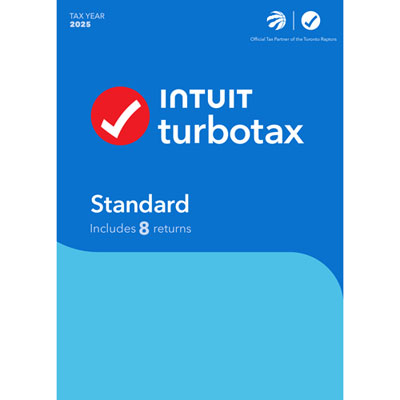 Your price for this item is $45.99
-
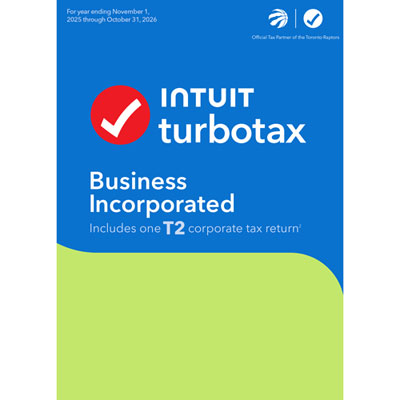 Your price for this item is $374.99
-
 Your price for this item is $1370.99
-
 Your price for this item is $915.99
Discover more categories related to Tax Preparation Software
Top Collections:
Pokemon Centers, Best Black Friday Deals This Year, Best Black Friday Deals On Electronics, Kindle Devices, Best Budget Office Chairs, Best Black Friday Deals On Apple Products, Best Cameras for Sports Photography, Pokémon 30th Celebration Cards, Dyson Airwrap, Canon G7X Cameras
Some products may be subject to Environmental Handling Fees
(EHF) depending on your province.
Learn more about EHFs.