Windows 11 Desktops
Discover a wide selection of Windows 11 desktops designed to meet your home, office, or gaming needs. Enjoy the latest innovations in computing with devices that offer seamless performance and a modern user experience. Whether you’re upgrading your workspace or setting up a new system, explore options that deliver reliability and versatility. Find the perfect Windows 11 desktops to support your productivity, creativity, and entertainment at Best Buy.
Sort
Guidance for productive setups, virtual desktops and everyday tasks
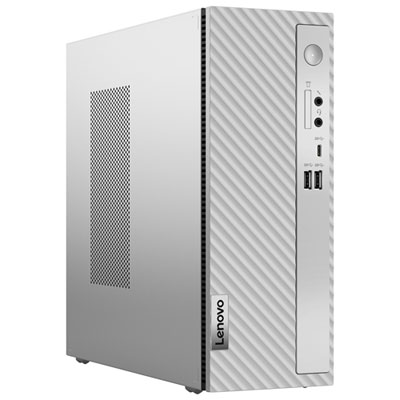
Windows 11 desktops are full-size computers designed for dependable everyday performance, comfortable working space and flexible home or office setups. Unlike laptops, desktop computers typically provide a separate tower and monitor, making it easier to choose a screen size, keyboard, mouse and other accessories that suit your routine. They can be a practical choice for students managing research, video calls and assignments; home users who want a dedicated place for browsing, streaming and personal records; or professionals handling documents, spreadsheets, communication and multitasking. A Windows 11 desktop can also make a thoughtful gift for a family member setting up a first home office, a student preparing for a new term or someone replacing an older computer that has become slow and difficult to use. Before choosing one, consider where it will be placed and how it will be used. Measure the available desk or cabinet space, allow room for airflow around the tower and check whether the computer includes the connections needed for your monitor, printer, external storage and other accessories. If a clean, uncluttered workspace matters, an all-in-one desktop combines the computer components with the display in one streamlined design. A traditional tower gives you more flexibility to select a separate monitor and may offer easier access to additional ports or future upgrades. Think about the number of browser tabs and applications you normally keep open, the type of files you work with and whether you plan to edit photos, create videos, play games or use demanding design software. Processor capability, memory and solid-state storage all influence how quickly the computer starts, opens applications and responds while several tasks are running. More memory can be especially helpful for busy households, where a desktop may move between schoolwork, video calls, photo libraries and entertainment throughout the day.
Windows 11 also includes virtual desktops, which are separate digital workspaces that help organize open applications without requiring a second physical computer. This feature can be useful when a single screen becomes crowded with documents, browser windows, messages and other tasks. To create a virtual desktop, press the Windows key and Tab together, or select the Task View icon on the taskbar, then choose New Desktop. For a faster option, press Ctrl, the Windows key and D at the same time. Each workspace can be given a practical name, such as Work, School, Projects or Personal, so it is easier to remember what belongs where. In Task View, right-click a desktop thumbnail and choose Rename to label it, or choose a different background for each workspace to make them easier to identify at a glance. Applications can be moved between workspaces by opening Task View and dragging an app window to another desktop thumbnail. To switch between virtual desktops, press Ctrl, the Windows key and the Left or Right Arrow key, or return to Task View and select the workspace you need. A student might keep research and writing tools together on one desktop while placing music or personal browsing on another. Someone working from home could separate meetings, project files and household tasks, reducing the clutter that builds up during a long day. A shared family computer can feel more manageable when each person has a clearly defined workspace, although virtual desktops do not create separate user accounts or protect files from other users. For privacy and security, use the appropriate Windows account settings, a strong password and regular updates. Virtual desktops are a Windows 11 feature within a physical computer, so they do not replace the need to select suitable hardware. A well-matched desktop gives these workspaces enough speed and memory to remain responsive as you move between them.
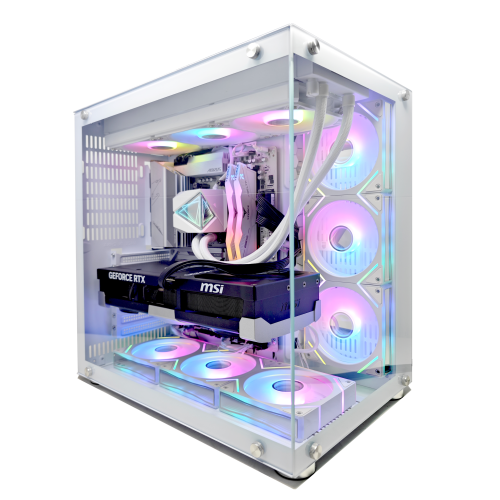
When comparing Windows 11 desktops, look beyond the processor name and consider the complete experience you want at your desk. Memory affects how comfortably you can keep multiple applications open, while solid-state storage generally helps with quick start-up and responsive file access. Storage capacity is important if you keep a large collection of photos, school projects, downloaded media or creative files locally; external drives and cloud storage can provide additional flexibility when needed. Check the available USB, audio and display connections before buying, particularly if you use a printer, webcam, headset, card reader or more than one monitor. Wireless connectivity can reduce cable clutter, while a wired network connection may be useful for a fixed office, streaming setup or gaming area. If gaming is part of the plan, look for a configuration with graphics hardware suited to the games and resolution you expect to use. Our selection of Windows 11 Pro Gaming Desktops can help shoppers focus on systems designed for that purpose. For creative work, pay attention to memory, graphics performance, display quality and the types of files you handle. For everyday use, ease of setup, quiet operation, included accessories and a comfortable monitor may matter more than maximum performance. During the warmer part of the year and through the cooler months, a dedicated desktop can support changing routines, from school planning and home administration to indoor hobbies and shared entertainment. Set it up near a comfortable chair with enough lighting, keep frequently used accessories within reach and arrange cables so the workspace stays easy to use. Whether it becomes a focused study station, a family computer or the centre of a home office, the right Windows 11 desktop should fit naturally into the room and provide dependable performance for the tasks that matter most.
Windows 11 also includes virtual desktops, which are separate digital workspaces that help organize open applications without requiring a second physical computer. This feature can be useful when a single screen becomes crowded with documents, browser windows, messages and other tasks. To create a virtual desktop, press the Windows key and Tab together, or select the Task View icon on the taskbar, then choose New Desktop. For a faster option, press Ctrl, the Windows key and D at the same time. Each workspace can be given a practical name, such as Work, School, Projects or Personal, so it is easier to remember what belongs where. In Task View, right-click a desktop thumbnail and choose Rename to label it, or choose a different background for each workspace to make them easier to identify at a glance. Applications can be moved between workspaces by opening Task View and dragging an app window to another desktop thumbnail. To switch between virtual desktops, press Ctrl, the Windows key and the Left or Right Arrow key, or return to Task View and select the workspace you need. A student might keep research and writing tools together on one desktop while placing music or personal browsing on another. Someone working from home could separate meetings, project files and household tasks, reducing the clutter that builds up during a long day. A shared family computer can feel more manageable when each person has a clearly defined workspace, although virtual desktops do not create separate user accounts or protect files from other users. For privacy and security, use the appropriate Windows account settings, a strong password and regular updates. Virtual desktops are a Windows 11 feature within a physical computer, so they do not replace the need to select suitable hardware. A well-matched desktop gives these workspaces enough speed and memory to remain responsive as you move between them.
When comparing Windows 11 desktops, look beyond the processor name and consider the complete experience you want at your desk. Memory affects how comfortably you can keep multiple applications open, while solid-state storage generally helps with quick start-up and responsive file access. Storage capacity is important if you keep a large collection of photos, school projects, downloaded media or creative files locally; external drives and cloud storage can provide additional flexibility when needed. Check the available USB, audio and display connections before buying, particularly if you use a printer, webcam, headset, card reader or more than one monitor. Wireless connectivity can reduce cable clutter, while a wired network connection may be useful for a fixed office, streaming setup or gaming area. If gaming is part of the plan, look for a configuration with graphics hardware suited to the games and resolution you expect to use. Our selection of Windows 11 Pro Gaming Desktops can help shoppers focus on systems designed for that purpose. For creative work, pay attention to memory, graphics performance, display quality and the types of files you handle. For everyday use, ease of setup, quiet operation, included accessories and a comfortable monitor may matter more than maximum performance. During the warmer part of the year and through the cooler months, a dedicated desktop can support changing routines, from school planning and home administration to indoor hobbies and shared entertainment. Set it up near a comfortable chair with enough lighting, keep frequently used accessories within reach and arrange cables so the workspace stays easy to use. Whether it becomes a focused study station, a family computer or the centre of a home office, the right Windows 11 desktop should fit naturally into the room and provide dependable performance for the tasks that matter most.
Top selling and popular products
-
 Your price for this item is $1599
 -
 Your price for this item is $1629.79
 -
 Your price for this item is $1999.99
 -
 Your price for this item is $1459.79
 -
 Your price for this item is $879
 -
 Your price for this item is $1199.99
 -
 Your price for this item is $1839
 -
 Your price for this item is $879
Discover more categories related to Windows 11 Desktops
Top Collections:
Pokemon Centers, Kindle Devices, Best Budget Office Chairs, Apple iPhones 16, Best Laptops for Writers, iPhone 15 Apple, Canon G7X Cameras, Refurbished Apple Laptops, Alarm Clock, Motorola Razr Phones
Some products may be subject to Environmental Handling Fees
(EHF) depending on your province.
Learn more about EHFs.