Best Headsets for Meetings
Stay focused and sound clear with the best headsets for meetings, whether you’re working from home or joining calls at the office. Ranked by customer review ratings, this selection makes it easy to explore highly rated options for your workday. Look for features such as clear microphones, comfortable ear cushions, and convenient connectivity to find a headset that suits your meeting setup.
What to look for in headsets for meetings
1. Microphone Clarity
2. Comfort and Fit
3. Connectivity and Compatibility
4. Audio Features and Battery Life
-
1
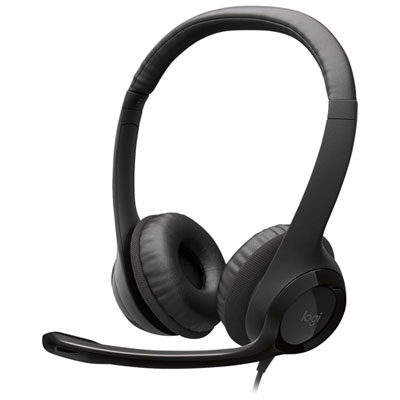
Logitech H390 Wired Headset with Noise Cancelling Microphone for PC - Black
About this product
A black wired headset featuring noise-cancelling microphone, 30mm drivers, and comfortable leatherette padding.
What customers like
(6,762)$27.99 Your price for this item is $27.99 -
2
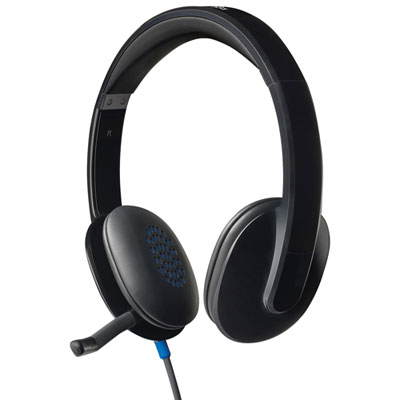
Logitech H540 USB Headset for PC
About this product
A black on-ear headset delivering crisp digital stereo sound with laser-tuned drivers and soft leatherette padding.
What customers like
(2,083)$47.98Your price for this item is $47.98SAVE $2 -
3
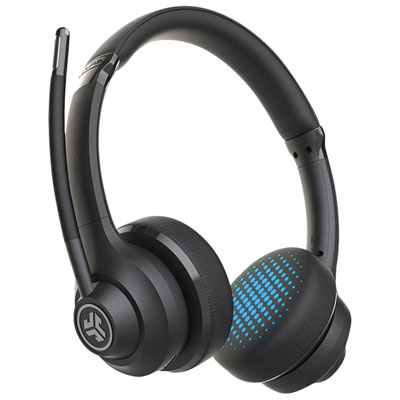
JLab Go Work Wireless Headset for PC - Black
About this product
A black wireless headset featuring Bluetooth 5.0, dual microphones, rotatable boom, and cloud foam earcups.
What customers like
(2,140)$56.98Your price for this item is $56.98SAVE $13 -
4
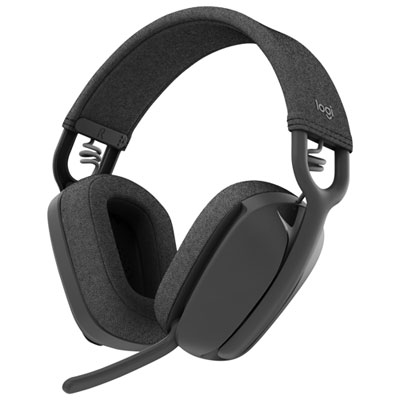
Logitech Zone Vibe 100 Wireless Headset with Microphone for PC - Graphite
About this product
A comfortable wireless headset with 18-hour battery life, dynamic audio, and clear voice calling.
What customers like
(385)$99.99Your price for this item is $99.99SAVE $30 -
5
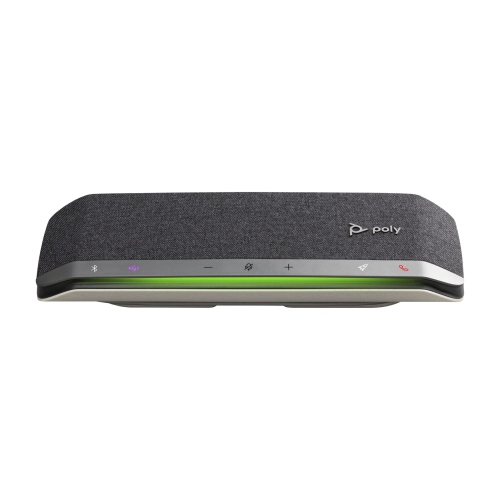
HPI POLY G Truly Wireless Bluetooth Headsets With Mic - (77P35Aa) In Silver
About this product
A sleek silver wireless Bluetooth headset with built-in mic, ideal for seamless virtual meetings and calls.
(2)$236.55Your price for this item is $236.55SAVE $12 -
6
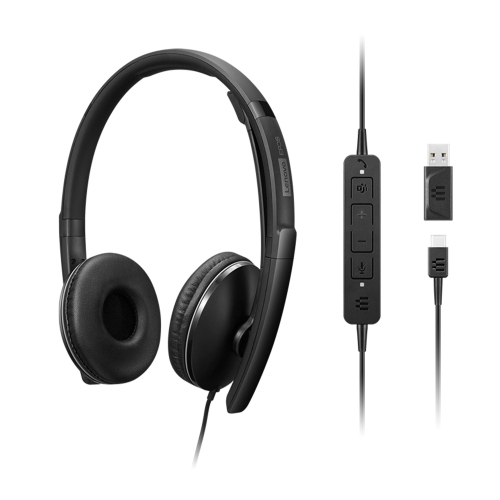
LENOVO Wired Anc Headset Gen 2 (Teams)
About this product
A wired headset with active noise cancellation, optimized for Teams meetings and clear audio communication.
(2)$187.19 Your price for this item is $187.19 -
7
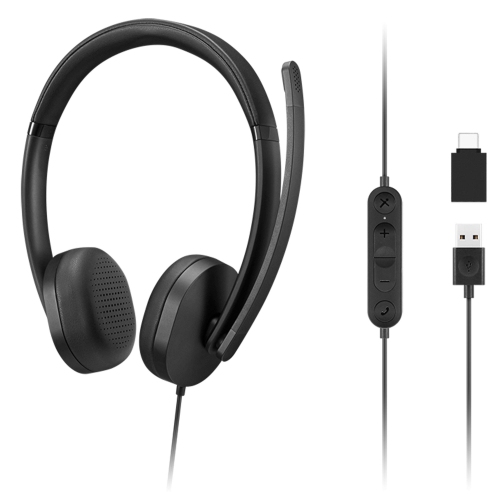
LENOVO 115 USB-A / USB-C Wired Stereo Headset
About this product
A versatile wired stereo headset with both USB-A and USB-C connectivity for clear audio and calls.
(3)$35.99 Your price for this item is $35.99 -
8
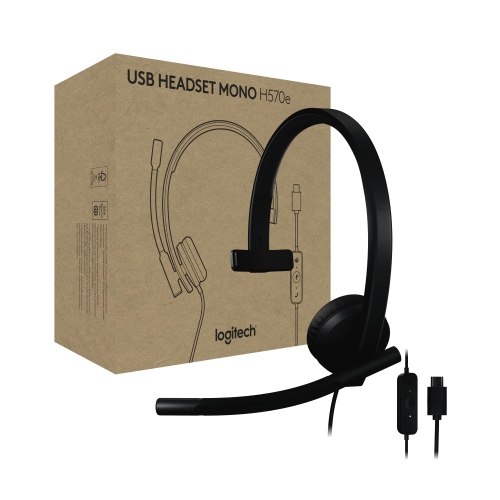
LOGITECH H570E USB Headset With Microphone for PC And Mac, USB-C Wired Headset With Mono Sound, Noise-Canceling Mics And
About this product
A black USB-C wired headset with mono sound, noise-cancelling microphones, and convenient inline controls.
(1)$89.54Your price for this item is $89.54SAVE $57 -
9
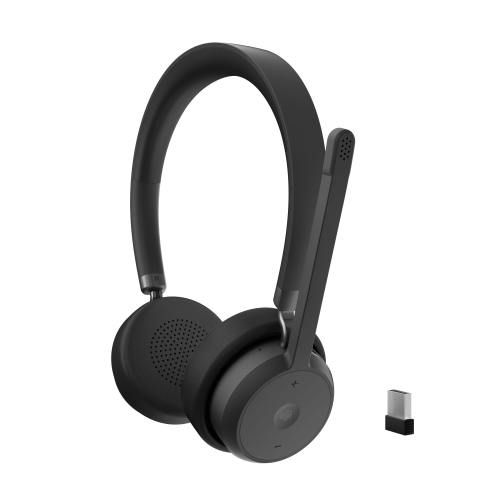
LENOVO Wireless Voip Headset (USB-A, Teams)
About this product
A wireless headset designed for seamless VoIP calls and Microsoft Teams integration.
What customers like
(28)$102.99Your price for this item is $102.99SAVE $17 -
10

Logitech H570e Noise Cancelling On-Ear Binural Headphones - Black
About this product
A lightweight black headset with noise-cancelling microphone, echo cancellation, and comfortable leatherette ear pads.
(9)$71.99 Your price for this item is $71.99
FAQ
Meeting headsets may connect through USB-A, USB-C, a 3.5 mm audio jack or Bluetooth. Some wireless models include a USB adapter, while others pair directly with a compatible device. Check which ports and wireless connections your computer or phone supports.
Mono headsets have one earpiece, leaving one ear uncovered. Stereo headsets have two earpieces and play audio through both ears. Choosing between them comes down to your preferred listening style and whether you want one ear open during calls.
Common options include boom microphones that extend towards your mouth and microphones built into the earcups or cable. Boom microphones may be fixed, adjustable, retractable or detachable. Some models also have a flip-to-mute function.
Meeting headsets may include controls for volume, microphone mute, call answering and call ending. These can be located on an earcup or an inline cable module. Wireless models may also have power and pairing buttons, while some headsets include a visible mute indicator.
Check the headset’s supported operating systems, connection requirements and any listed certifications for your meeting platform. Basic audio support and features such as answering calls from the headset can have different compatibility requirements. Your meeting app may also let you select the headset separately as its microphone and speaker.
Top selling and popular products
Discover more categories related to Best Headsets for Meetings
Some products may be subject to Environmental Handling Fees (EHF) depending on your province. Learn more about EHFs.