Dual Screen Laptops
Dual Screen Laptops offer an innovative approach to multitasking, providing users with expanded workspace and increased productivity. Perfect for professionals, creatives, and students alike, these advanced devices make it easier to manage multiple applications and tasks at once. Explore a wide selection of Dual Screen Laptops designed to help you streamline your workflow and enhance your computing experience. Find the ideal model that fits your needs and take your efficiency to the next level.
Sort
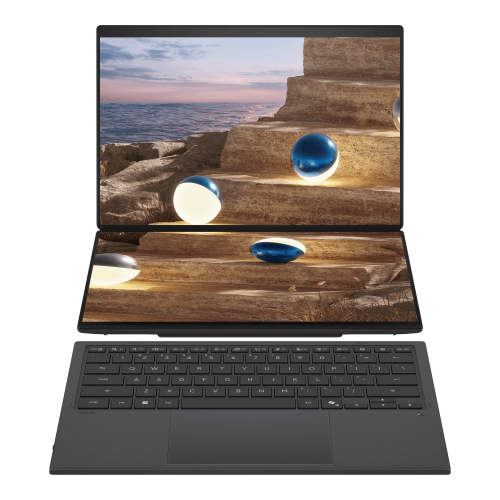
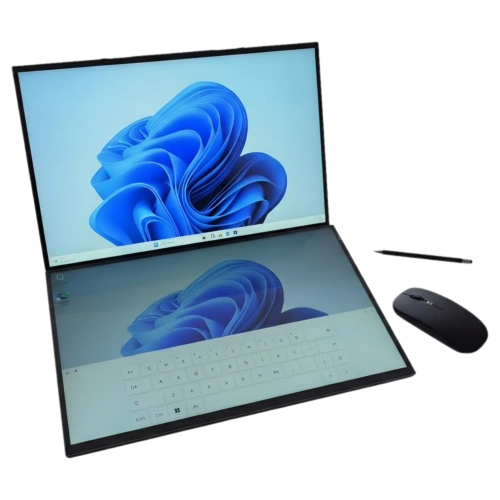
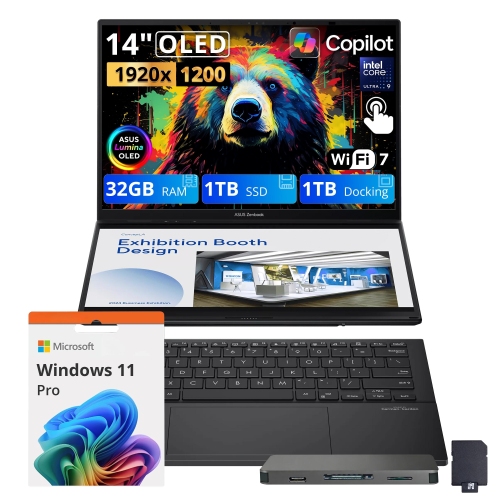
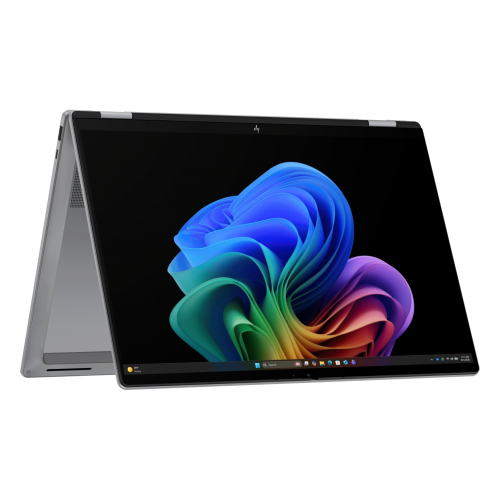
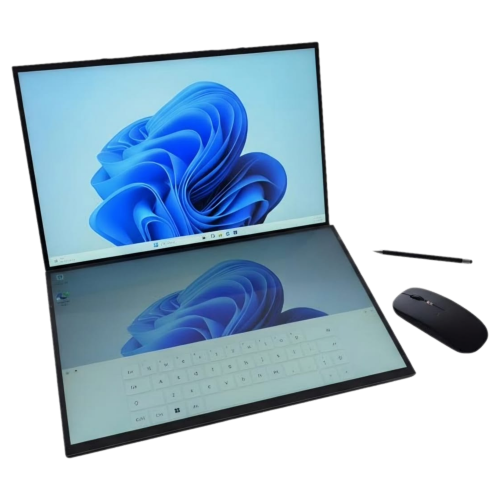
More screen space without packing a separate monitor
Dual-screen laptops bring two built-in displays into a portable computer, creating room for related tasks without requiring a separate monitor at every stop. Their appeal is easy to picture: a document fills one screen while research stays open on the other, or a video meeting remains visible above a shared spreadsheet. Rather than repeatedly hiding one window to reach another, the layout keeps useful information within sight. Designs differ considerably, from laptops with a compact secondary display above the keyboard to configurations with two large screens that can be arranged vertically or side by side. That distinction affects how the computer feels in everyday use. A smaller companion screen can suit messaging, playback controls, tool palettes, or reference notes, while a larger second panel provides more space for detailed documents and full application windows. Students might keep lecture material beside their notes, writers can separate source material from a draft, and developers can view code alongside documentation or a preview. For creative work, placing editing tools on one display can leave the other less cluttered for photographs, illustrations, or a video timeline. The benefits depend partly on how comfortably the software handles multiple displays, including window placement, touch input, and screen orientation. Some designs also support a digital pen, although pen compatibility and included accessories vary. Keyboard arrangements are another defining feature: a physical keyboard may sit below a smaller screen, rest over part of a larger display, or detach for a separate typing position. Each arrangement changes the distance between the hands and the main display, as well as the amount of desk space needed. A dual-screen laptop therefore serves a different purpose from simply owning a computer with a large screen. It is particularly suited to people whose work regularly involves looking at two things at once, whether those are a budget and receipts, a presentation and speaking notes, or a lesson and an assignment.
Display quality shapes the experience as much as the number of screens. Resolution influences how clearly small text and fine details appear, while brightness and surface finish affect visibility near windows or beneath overhead lighting. Glossy panels can give images a crisp appearance but may show reflections more readily; less reflective finishes can make extended reading more comfortable in some settings. Colour consistency between the displays matters for visual work, since the same photograph can look noticeably different when panels have different characteristics or settings. Screen proportions also influence the layout: taller displays accommodate more lines of text, while wider ones give timelines, spreadsheets, and side-by-side windows room to spread out. Touch controls can make moving between tasks feel direct, but not every application is designed around fingertip input. For handwriting or drawing, supported pen features, palm rejection, and the stability of the screen surface all contribute to the experience. Inside the laptop, the processor, memory, graphics hardware, and storage still determine how smoothly applications run. Two displays do not automatically make a system better suited to demanding tasks. Keeping a browser full of research tabs open beside a large spreadsheet places different demands on a computer than editing high-resolution video or working with detailed 3D models. Adequate memory helps when several applications remain open, while storage capacity matters for large project files and media libraries. Specialized graphics hardware may benefit some creative applications, but its usefulness depends on the software and workload. Connectivity deserves equal attention in a setup that may include a keyboard, mouse, headset, storage drive, or external display. The functions supported by each port matter more than its shape alone, particularly for charging and video output. Wireless connections can reduce cable clutter, though a dependable Wi-Fi connection remains important for shared documents, online meetings, and cloud-based tools. Audio and camera placement also affect daily comfort when the laptop is used for frequent calls, especially if changing the screen arrangement alters the viewing angle.
Portability involves more than fitting the closed laptop into a bag. A two-screen design may need extra space when opened, particularly with a separate keyboard, support stand, or mouse. A narrow desk, a shared table, and a deep work surface can each produce a different typing and viewing experience. Weight is also best understood as the complete carrying setup, including the charger and any accessories needed for the preferred arrangement. Battery life varies with display brightness, the number of active screens, application demands, and power settings; running both panels can draw more power than using one under otherwise similar conditions. Some designs allow one screen to be turned off when extra space is unnecessary. Materials and construction contribute to everyday durability, with metal or reinforced plastic housings offering different balances of weight, rigidity, and feel. Hinge stability, keyboard support, and a secure stand are especially relevant when screens are repositioned regularly. A comfortable layout keeps text readable without encouraging a hunched posture, and leaves enough room for the wrists and pointing device. For frequent travel between home, school, and a workplace, a well-fitting padded sleeve helps protect display surfaces and edges from contact with other belongings. Loose cables, pens, and small objects should stay clear of the screens before the laptop closes. Routine care is straightforward: a clean, soft microfibre cloth helps remove fingerprints, while cleaning methods should follow the manufacturer's recommendations. Clear ventilation openings and a firm supporting surface also help the cooling system work as intended. For a different approach to screen space, Widescreen Laptops provide a single expansive display rather than dividing work between two built-in panels. Dual-screen designs make particular sense when separate visual areas are central to the task. As a gift for a student, remote worker, or creative hobbyist, this type of laptop is most useful when its screen arrangement, software compatibility, and carrying setup suit the recipient's established habits. The strongest fit comes from a layout that makes familiar work feel more organized without making everyday movement, typing, or setup unnecessarily complicated.
Top selling and popular products
-
 Your price for this item is $449
-
 Your price for this item is $3099
-
 Your price for this item is $1800.68
-
 Your price for this item is $664.05
-
 Your price for this item is $3400.68
-
 Your price for this item is $489.7
-
 Your price for this item is $1199
-
 Your price for this item is $1951.79
Discover more categories related to Dual Screen Laptops
Top Collections:
Best Black Friday Deals This Year, Best Black Friday Deals On Electronics, Kindle Devices, Dyson Airwrap, Best Cameras for Sports Photography, Best Budget Office Chairs, Canon G7X Cameras, PS5 Pro Consoles, Best Black Friday Deals On Apple Products, XBOX One S Consoles
Some products may be subject to Environmental Handling Fees
(EHF) depending on your province.
Learn more about EHFs.