Best AM4 Motherboards

Build or upgrade your desktop with the best AM4 motherboards, ranked by user review ratings. Whether you’re putting together a gaming PC or a workstation, explore options with the connectivity, expansion slots, and memory support your setup needs. Compare features and customer feedback, and check processor compatibility to find the right fit for your build.

What to look for in AM4 motherboards

1. Processor and Chipset Compatibility

An AM4 socket alone does not guarantee compatibility with every AM4 processor, so check the motherboard’s CPU support list and required BIOS version. B550 and X570 boards can offer PCIe 4.0 with compatible processors, while some older chipsets may suit lower-cost builds.

2. Form Factor and Expansion

Match the motherboard’s form factor—ATX, microATX or Mini-ITX—to the sizes your PC case supports. Check that it has enough expansion slots and M.2 sockets for your graphics card, storage and other components, noting any shared bandwidth or slot restrictions.

3. Memory Support and Power Delivery

AM4 motherboards use DDR4 memory, so compare the number of RAM slots, maximum capacity and supported speeds for your chosen processor. Robust power delivery and suitable VRM heatsinks are worth prioritizing for higher-power CPUs or supported overclocking.

4. Connectivity and Setup Features

Look for the USB ports, Ethernet speed, audio connections and built-in Wi-Fi you need. Display outputs require a processor with integrated graphics, while BIOS flashback and diagnostic LEDs can make initial setup and troubleshooting easier.
  1. 1

    ASUS Micro-Atx Am4 Motherboards (Tuf Gaming B550M-Plus Wifi Ii)

    About this product

    A powerful ASUS Micro-ATX AM4 motherboard with Wi-Fi, compatible with various AMD Ryzen desktop processors.

    (7)
    $346.68
    SAVE $15
    Your price for this item is $346.68
  2. 2

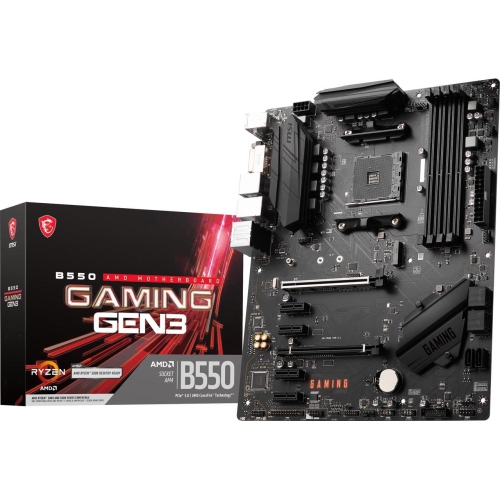
    MSI B550 Gaming Gen3 Gaming Motherboard (Supports Amd Ryzen 5000/4000 Series Cpu, Am4, Ddr4, PCie 3.0, SATA 6GB/s, M.2, USB 3.2 Gen 1, HDMI, Atx)

    About this product

    A versatile ATX motherboard supporting AMD Ryzen CPUs, DDR4 memory, PCIe 3.0, M.2, and USB 3.2.

    (1)
    $250.68
    SAVE $15
    Your price for this item is $250.68
  3. 3

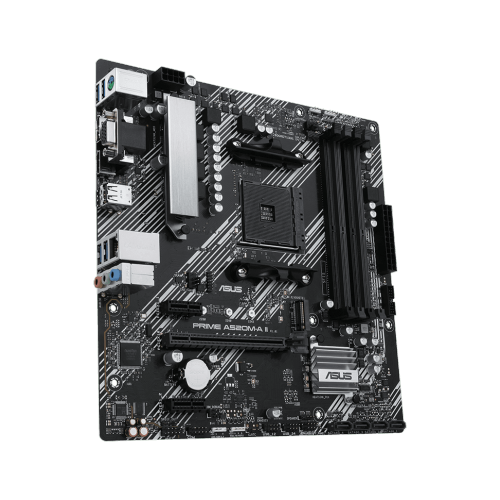
    ASUS Micro-Atx Am4 Motherboards (Prime A520M-A Ii/csm)

    About this product

    A versatile micro-ATX motherboard supporting AMD Ryzen processors with robust connectivity and reliable performance.

    What customers like

    • Suitable for both beginners and advanced users
    • Good value for the price
    • Versatile for gaming and office use
    • Reliable performance
    • Easy to set up
    (22)
    $134.68
    SAVE $10
    Your price for this item is $134.68
  4. 4

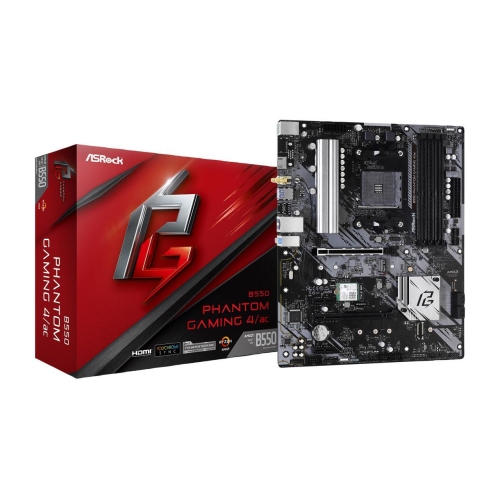
    ASROCK B550 Phantom Gaming 4/ac Am4 Amd B550 Atx Amd Motherboard

    About this product

    A high-performance ATX motherboard with AMD B550 chipset, PCIe 4.0 support, and multiple connectivity options.

    $127.49
    SAVE $10
    Your price for this item is $127.49
  5. 5

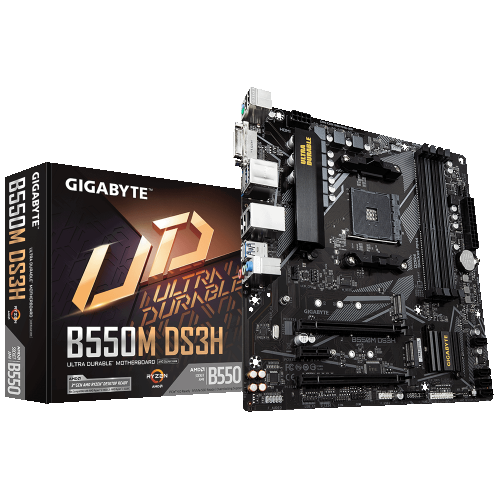
    GIGABYTE B550M Ds3H Desktop Motherboard - Amd Chipset - Socket Am4

    About this product

    A micro-ATX motherboard supporting 3rd Gen AMD Ryzen, dual M.2 slots, and PCIe 4.0 connectivity.

    What customers like

    • Ideal for budget PC builds
    • Excellent value for money
    • Good performance and reliability
    • Easy to install and build with
    • Strong compatibility with Ryzen processors
    (28)
    $159.00
    SAVE $40
    Your price for this item is $159
  6. 6

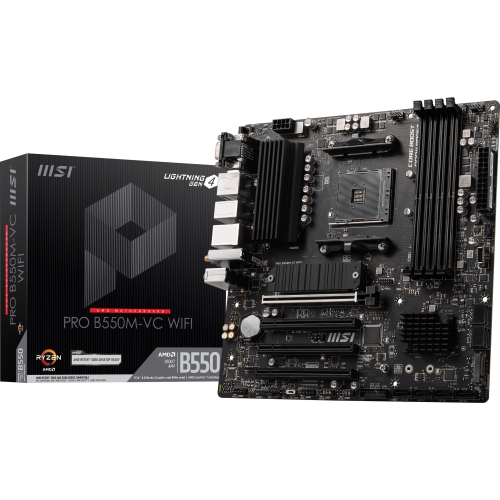
    MSI Pro B550M-Vc Wifi Matx Am4 Ddr4 Motherboard for Amd Ryzen 3000/5000 Series Cpus

    About this product

    A micro-ATX motherboard with WiFi 6, PCIe 4.0, dual M.2 slots, and four DDR4 DIMM support.

    What customers like

    • Good compatibility with Ryzen CPUs and components
    • Strong value for the price
    • Reliable performance and stability
    • Easy installation and setup
    • Fast built-in Wi-Fi and connectivity options
    (21)
    $175.68
    SAVE $15
    Your price for this item is $175.68
  7. 7

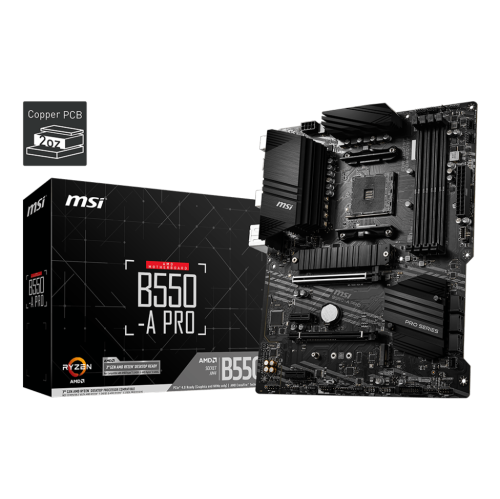
    MSI B550-A Pro Atx Am4 Ddr4 Motherboard for Amd Ryzen 3000/5000 Series Cpus

    About this product

    A versatile ATX motherboard supporting 3rd Gen AMD Ryzen CPUs, DDR4 memory, PCIe 4.0, and M.2 storage.

    (1)
    $212.68
    SAVE $15
    Your price for this item is $212.68
  8. 8

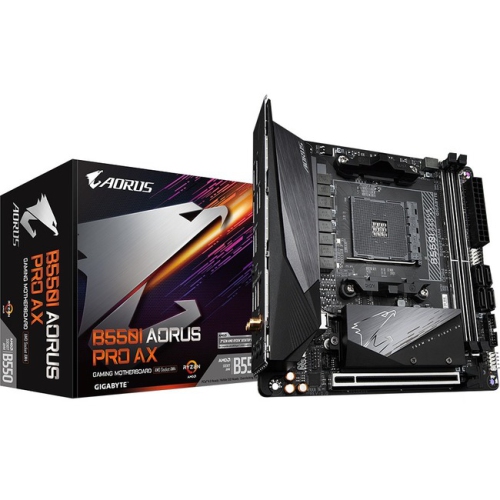
    AORUS B550I Pro Ax Ultra Durable B550I Pro Ax (Rev. 1.0) Desktop Motherboard (B550Iproax)

    About this product

    An ultra-durable Mini ITX motherboard with AMD B550 chipset, Wi-Fi 6, and dual DDR4 memory slots.

    What customers like

    • Compact Mini ITX size with well-designed layout
    • Excellent compatibility and future upgrade potential
    • Wide range of features and connectivity options
    • Strong power delivery and VRM performance
    • Easy installation and user-friendly BIOS
    (48)
    $372.68
    SAVE $9626
    Your price for this item is $372.68
  9. 9

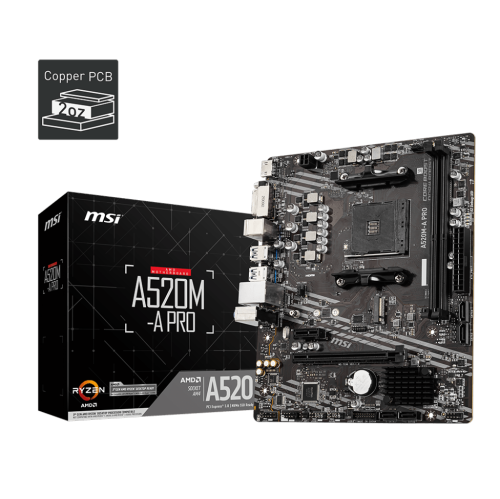
    MSI A520M-A Pro Matx Am4 Ddr4 Motherboard for Amd Ryzen 3000/5000 Series Cpus

    About this product

    A versatile mATX motherboard supporting 3rd Gen AMD Ryzen CPUs, DDR4 memory, M.2, and USB 3.2 Gen 1.

    $119.37
    SAVE $11
    Your price for this item is $119.37

Why processor compatibility goes beyond the AM4 socket

The best AM4 motherboards combine dependable processor support, suitable power delivery, and the connections a desktop actually needs. AM4 is a processor socket used across several generations of desktop CPUs, making these boards relevant to both complete builds and upgrades that retain compatible components. The socket alone does not guarantee compatibility: the exact processor must appear on the board’s support list, and some combinations require a particular BIOS version before the computer can start. A board with a firmware update feature that works without an installed processor can be especially useful when pairing newer supported CPUs with earlier firmware. AM4 motherboards use DDR4 memory rather than DDR5, so memory type, supported capacity, and the number of DIMM slots matter when carrying parts over from another computer. Two-slot boards can suit compact systems, while four-slot layouts provide more flexibility for memory expansion within the board’s supported limits. Chipset choice also shapes the connections and expansion options. B550 boards commonly provide a balanced foundation for gaming and everyday productivity, including PCIe 4.0 connectivity for a primary graphics slot and an M.2 storage connection when used with a compatible processor. X570 boards can offer additional high-speed connectivity for systems with more demanding storage or expansion requirements, although the exact layout varies by model. Neither chipset is automatically the best choice for every build. A straightforward desktop with one graphics card and one fast SSD has different requirements from a workstation handling multiple drives and add-in cards. Power delivery is another meaningful distinction, particularly with higher-power processors and sustained workloads. Substantial heatsinks around the processor socket and a well-designed voltage regulation system help manage the demands of long gaming sessions, rendering tasks, and large software projects. The most useful board is the one that supports the intended processor reliably and accommodates the components that will be used, rather than simply offering the longest feature list.

Physical fit and component placement make a noticeable difference during assembly and everyday ownership. ATX motherboards typically provide more room for expansion slots and connectors, microATX boards suit many smaller tower cases, and Mini-ITX boards are designed for compact builds with more limited expansion space. The case must support the motherboard’s form factor, and the internal layout needs enough clearance for the graphics card, processor cooler, memory, and storage. A large air cooler can overhang tall memory modules, while a thick graphics card may cover an adjacent expansion slot. These details matter in a system intended to accommodate a capture card, dedicated sound card, or another accessory. Motherboards are built around layered printed circuit boards with copper pathways, electronic components, and connectors; heatsinks help disperse heat from power components and, on some boards, M.2 drives. Reinforced graphics slots may provide additional mechanical support, but a heavy graphics card still benefits from appropriate support within the case. Storage connections deserve equally close attention. M.2 describes a physical format, not a guarantee of speed or compatibility, and individual slots can support different drive lengths and interfaces. Some slots accept PCIe NVMe drives, some support SATA-based drives, and some support both. Installing a drive or expansion card can also share bandwidth with another connection or disable certain SATA ports, depending on the board’s design. Rear USB ports are useful for keyboards, mice, audio interfaces, and external drives, while internal headers determine whether the case’s front USB and audio connections can be used. A front USB-C port requires a compatible motherboard header rather than merely a USB-C connection on the rear panel. Built-in Wi-Fi and Bluetooth can simplify a desktop positioned away from the router, while Ethernet suits a wired setup. Display outputs on the motherboard only function with a supported processor that provides integrated graphics; their presence does not replace a dedicated graphics card when the processor lacks that capability.

Different workloads bring different motherboard features into focus. For a gaming desktop, reliable processor operation, an appropriately connected graphics slot, responsive storage, and enough ports for peripherals are usually more useful than decorative extras. A motherboard does not independently deliver a fixed increase in frame rates; its role is to let the processor, memory, graphics card, and storage operate within their supported capabilities. The Best Motherboards for Gaming collection is also relevant when comparing gaming-focused layouts and connections across a broader range of platforms. For streaming or recording gameplay, expansion space and USB connectivity may matter as much as the primary graphics slot, particularly when a capture device, microphone interface, webcam, and external drive are connected together. A desktop used for photo editing, video work, or software development may benefit more from supported memory capacity and multiple storage connections. An everyday home computer can have simpler requirements, with integrated graphics support, accessible display outputs, and dependable networking taking priority. Fan headers and their control options influence how easily the finished system can balance airflow and noise, especially during extended workloads. Clear diagnostic lights, accessible connector labels, and convenient firmware features can also make troubleshooting less frustrating. Durability depends partly on careful installation and maintenance: correct case standoff placement prevents unintended contact beneath the board, cables should not pull against connectors, and components should seat without excessive force. Dust removal and unobstructed case airflow help keep heatsinks effective, while handling precautions reduce the risk of static discharge or damage to exposed contacts. Firmware updates are most useful when addressing a documented compatibility, security, or stability need. As a gift for a PC enthusiast, an AM4 motherboard is best matched to a known processor, case, and memory configuration. For an upgrade, keeping compatible DDR4 memory and other components can make the board a practical foundation, provided its socket support, connections, and expansion layout suit the intended computer.

FAQ

Some products may be subject to Environmental Handling Fees (EHF) depending on your province. Learn more about EHFs.