Best Charging Station for PS5
Keep your controllers charged and ready for your next gaming session with the best charging stations for PS5. Ranked by user review ratings, this selection helps you compare options for keeping your gaming setup tidy and your controllers within reach. Find a charging station that suits your space and the way you play.
What to look for in charging stations for PS5
1. Controller Compatibility
2. Charging Capacity and Speed
3. Power Source and Protection
4. Design and Ease of Use
-
1
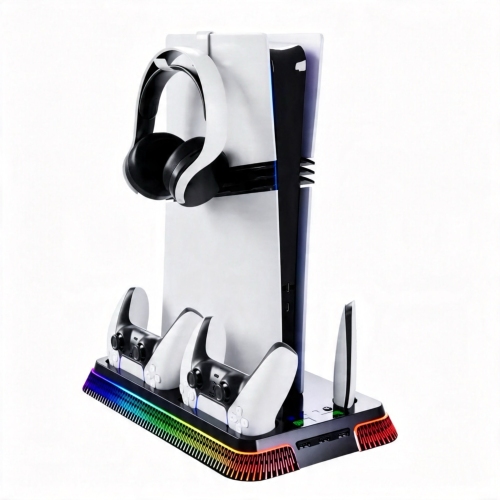
UNBRAND Ps5 Cooling Station & Stand w Dual Controller Charger And RGB Ambient Lighting, Honeycomb Design Console Dock for Playstation 5
About this product
A multifunctional vertical dock featuring controller charging, cooling, accessory organization, and vibrant RGB ambient lighting.
(3)$59.90Your price for this item is $59.90SAVE $40 -
2
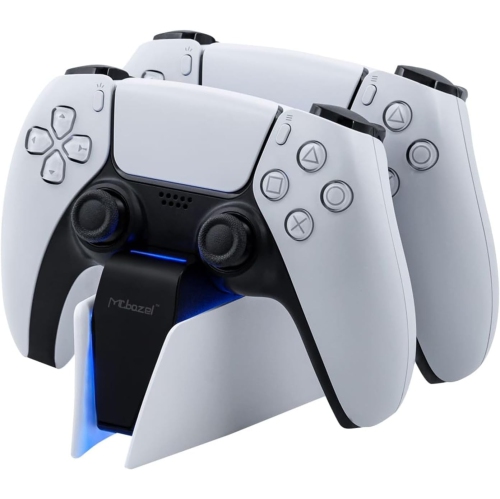
VECELOLIBILIS Dual Charger for Ps5 Controller, Fast Charging Station Charger Dock for Ps5 Controllers, Type C Dual Charging Station With Led Indicator
About this product
A white dual charging dock with LED indicators for fast, easy charging of two PS5 controllers.
(1)$32.99Your price for this item is $32.99SAVE $5 -
3
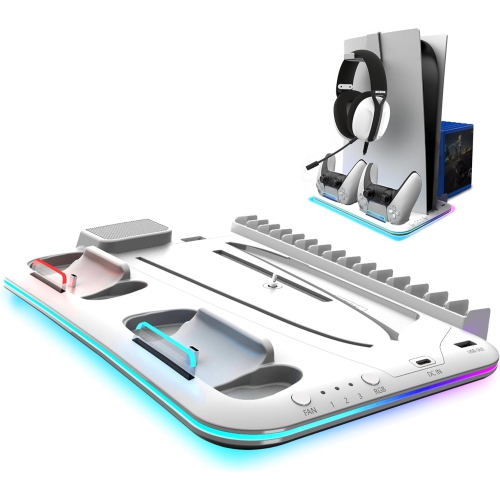
MYACUC RGB Light And 3 Levels Turbo Cooling Station With Controller Charging Station for Ps5/slim Digital/disc With Headset Holder
About this product
A versatile station featuring RGB lighting, three-speed cooling fan, controller charging, and a headset holder.
(1)$64.99 Your price for this item is $64.99 -
4

PlayStation 5 DualSense Wireless Controller Charging Station
About this product
A convenient charging station that powers two wireless controllers simultaneously with a quick click-in design.
What customers like
(6,774)$39.99 Your price for this item is $39.99 -
5
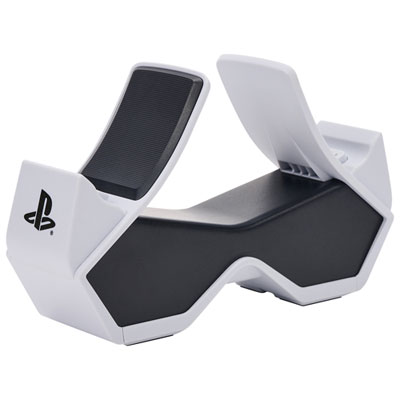
PowerA DualSense Controller Charger for PS5
About this product
A compact charger that powers two PS5 controllers simultaneously with convenient LED charge status indicators.
What customers like
(2,308)$34.99 Your price for this item is $34.99
FAQ
Look for compatibility with your controllers, the number of charging slots you need, charging indicators, and your preferred power source. Some stations also include controller stands or storage for gaming accessories.
Compatibility varies by charging station. Some support both DualSense and DualSense Edge controllers, while others are designed only for standard DualSense controllers. Check that the station explicitly lists your controller model.
Not always. Some charging stations use a wall power adapter, while others draw power through a USB connection. A wall-powered station does not need a connection to the PS5. For a console-powered station, USB power availability depends on the console’s settings.
Depending on the design, controllers connect through their bottom charging contacts, a built-in USB-C connector, or a removable USB-C adapter. Contact-based docks let you place the controller onto the station without plugging a cable directly into it.
Charging station lights commonly show whether a controller is charging or fully charged. Colours and light patterns vary by model, and some stations display a separate indicator for each controller. The station’s guide explains its specific indicators.
Top selling and popular products
Discover more categories related to Best Charging Station for PS5
Some products may be subject to Environmental Handling Fees (EHF) depending on your province. Learn more about EHFs.