Best Cooling Stands for PS5
Find the best cooling stands for PS5, ranked by user review ratings to help you compare options with confidence. Whether you’re looking for added airflow, a tidy setup, or convenient controller storage, explore stands with features that suit your gaming space and keep your console neatly organized.
What to look for in cooling stands for PS5
1. Console Compatibility
2. Airflow and Fan Noise
3. Controller Charging and Power
4. Stability and Storage
-
1
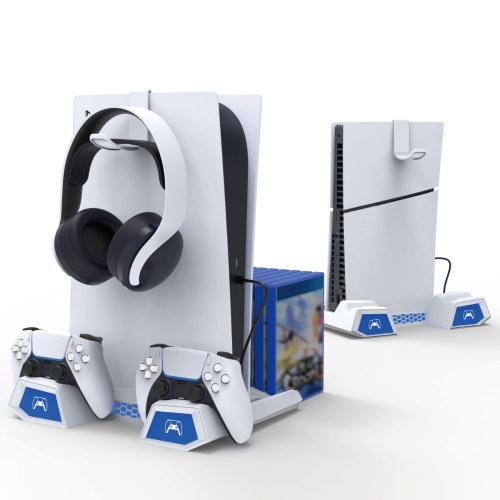
IPEGA Ps5 Pro/slim Cooling Stand, All-In-One Dock With Controller Charger, USB Hub, Game Disc & Headset Storage, 3-Speed Fan & Led Indicator
About this product
An all-in-one vertical stand with cooling fan, dual controller charger, USB hub, and organized storage.
$69.99Your price for this item is $69.99SAVE $10 -
2
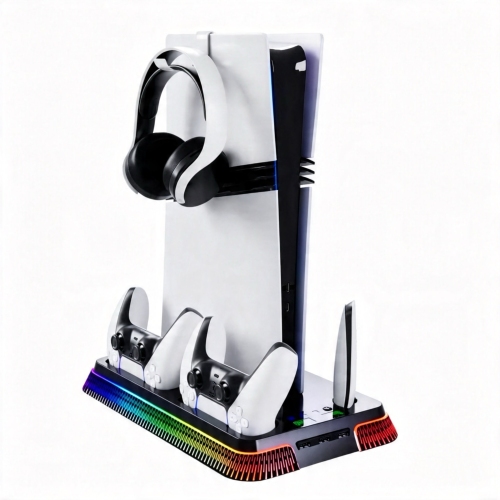
UNBRAND Ps5 Cooling Station & Stand w Dual Controller Charger And RGB Ambient Lighting, Honeycomb Design Console Dock for Playstation 5
About this product
A multifunctional vertical dock featuring dual controller charging, cooling support, and vibrant RGB ambient lighting.
$49.99Your price for this item is $49.99SAVE $40 -
3

BISBISOUS Ps5 Cooling Station Compatible With Ps5 Pro Slim Console Controller Charging Stand RGB
About this product
A multifunctional cooling station with RGB lighting and controller charging, compatible with PS5 Pro and Slim consoles.
$63.52Your price for this item is $63.52SAVE $57 -
4
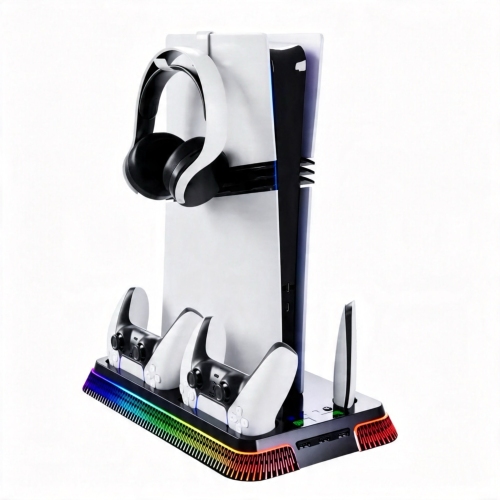
UNBRAND Ps5 Cooling Station & Stand w Dual Controller Charger And RGB Ambient Lighting, Honeycomb Design Console Dock for Playstation 5
About this product
A multifunctional vertical dock featuring controller charging, cooling, accessory organization, and vibrant RGB ambient lighting.
(3)$59.90Your price for this item is $59.90SAVE $40 -
5
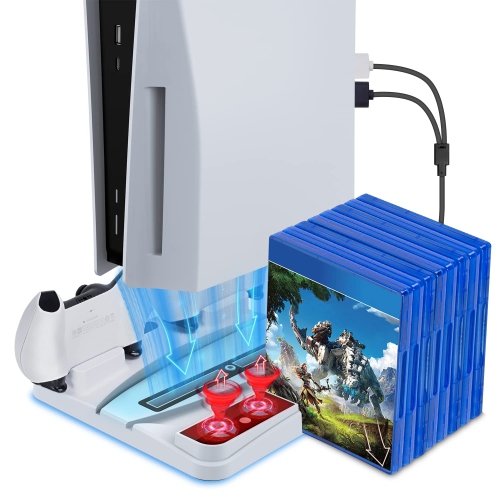
HLD Ps5 Stand With Cooling Fan And Dual Controller Charger Station for Playstation 5 Uhd & De, Ps5 Accessories Cooling Stand, Wi
About this product
A PS5 stand with cooling fan and dual controller charger station for Playstation 5, with accessories cooling stand.
$59.95Your price for this item is $59.95SAVE $35 -
6
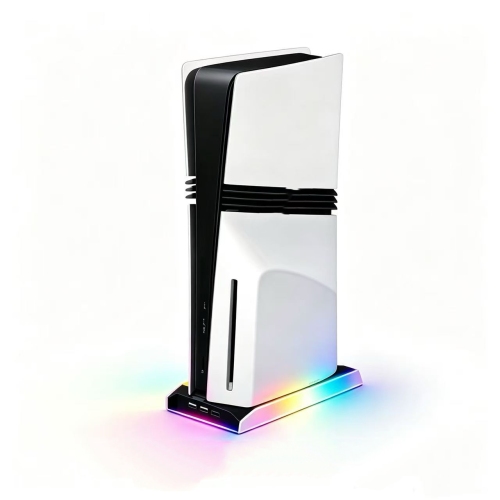
UNBRAND Universal RGB Vertical Cooling Stand for Ps5 Slim & Ps5 Pro, Built-In Cooling Fan Gaming Console Accessory
About this product
A vertical stand with built-in silent cooling fan and customizable RGB lighting for PS5 Slim and Pro consoles.
$39.99Your price for this item is $39.99SAVE $20
FAQ
PS5 cooling stands may include built-in fans, DualSense controller charging docks, USB ports, LED lighting and accessory storage. Some also offer fan controls or charging indicators. Feature combinations vary, so compare stands based on how you use your gaming setup.
Compatibility varies between the original PS5, PS5 Slim and PS5 Pro, as well as disc and digital editions. Check the stand’s supported console models and whether it requires an included adapter for your version.
Many PS5 cooling stands include charging docks for one or two DualSense controllers. Charging connections and indicators vary by stand. If you use a DualSense Edge or another controller, check for explicit compatibility rather than assuming a standard DualSense dock will support it.
Depending on the design, a PS5 cooling stand may draw power from the console through a USB cable or use a separate power adapter. Check the listed power connection and included accessories. For USB-powered stands, power availability while the console is in rest mode depends on the console’s USB power settings.
Some PS5 cooling stands include holders for game cases, a headset hook or dedicated spots for controllers and small accessories. Others keep storage minimal and focus on fans and charging docks. Choose storage features that match the accessories you regularly keep beside your console.
Top selling and popular products
Discover more categories related to Best Cooling Stands for PS5
Some products may be subject to Environmental Handling Fees (EHF) depending on your province. Learn more about EHFs.