Best Headsets for PlayStation 5
Find the best headsets for PlayStation 5 with a selection ranked by user review ratings. Whether you’re coordinating with teammates or diving into a story-driven adventure, the right headset can help you hear in-game details and communicate clearly. Compare options for comfort, sound quality, and microphone performance to find a fit for your gaming setup.
What to look for in headsets for PlayStation 5
1. PS5 Compatibility
2. Sound Quality
3. Microphone and Controls
4. Comfort and Battery Life
-
1
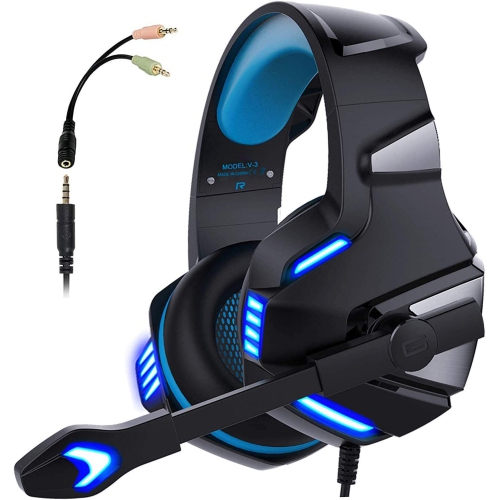
NAVOR Gaming Headphones Stereo Wired 3.5MM Headset With Mic for Ps5 Xbox Nintendo PC
About this product
A wired stereo gaming headset with mic, compatible with PS5, Xbox, Nintendo, and PC via 3.5mm jack.
(2)$58.96Your price for this item is $58.96SAVE $14 -
2
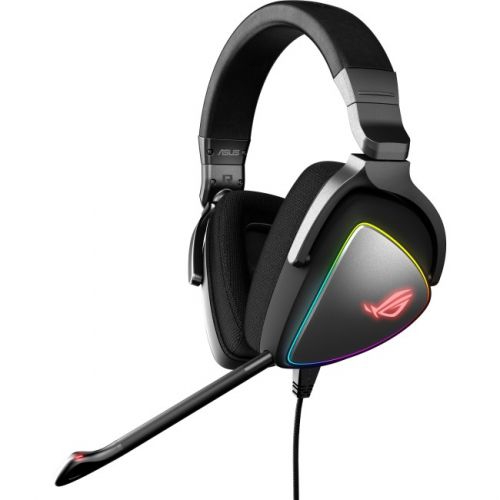
ASUS Rog Delta USB-C Gaming Headset for PC, Mac, Playstation 4, Teamspeak, And Discord With Hi-Res Ess Quad-Dac
About this product
A high-resolution USB-C gaming headset with ESS Quad-DAC, surround sound, and a unidirectional microphone.
What customers like
(173)$219.99 Your price for this item is $219.99 -
3
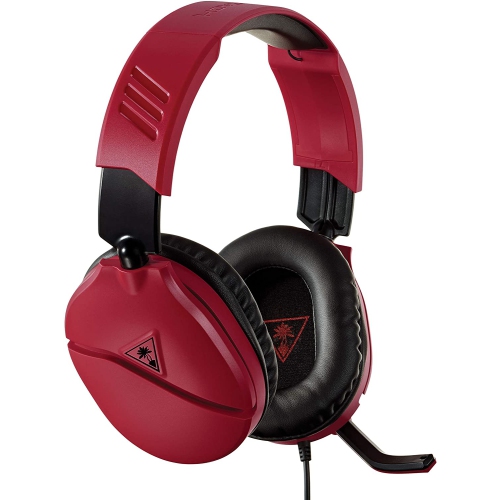
MEDIARAIN Turtle Beach Recon 70 Gaming Headset for Playstation 4 Pro, Playstation 4 Playstation 5 - In Red
About this product
A red gaming headset designed for PlayStation consoles, delivering immersive audio and clear communication.
What customers like
(130)$49.99Your price for this item is $49.99SAVE $50 -
4
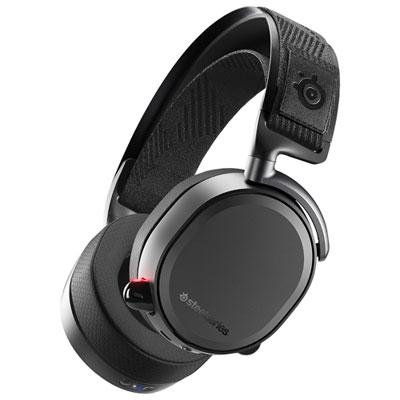
SteelSeries Arctis Pro Wireless Gaming Headset for PC / PS4 / PS5 / Nintendo Switch - Black
About this product
A black wireless gaming headset offering hi-res audio, Bluetooth connectivity, and ultra-comfortable fabric ear cushions.
What customers like
(416)$399.99 Your price for this item is $399.99 -
5
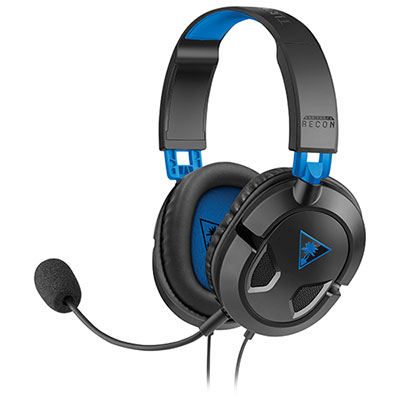
Turtle Beach EAR FORCE Recon 50P PlayStation 4 Headset for Xbox Series X|S / Xbox One / PC / PS4 / PS5 / Nintendo Switch - Black
About this product
A lightweight black over-ear gaming headset delivering immersive sound with 40mm neodymium speakers and soft cushions.
What customers like
(3,117)$39.99 Your price for this item is $39.99 -
6

LOGITECH G935 Wireless 7.1 Surround Lightsync Gaming Headset
About this product
A wireless gaming headset offering 7.1 surround sound and customizable Lightsync RGB lighting.
What customers like
(1,747)$233.87Your price for this item is $233.87SAVE $23 -
7
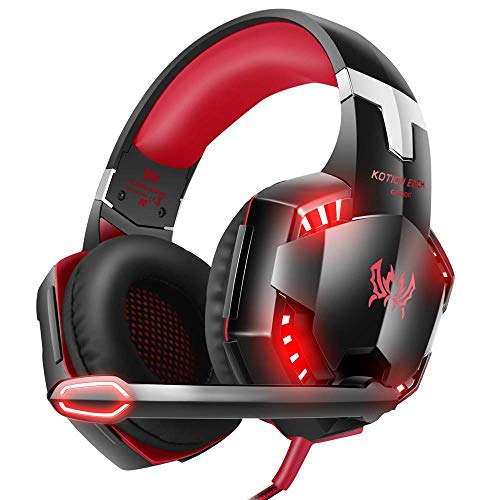
VERSIONTECH. Versiontech G2000 Gaming Headset - In Black/red
About this product
A black and red gaming headset with noise-cancelling mic, built-in volume control, and LED lights.
(10)$69.99 Your price for this item is $69.99 -
8
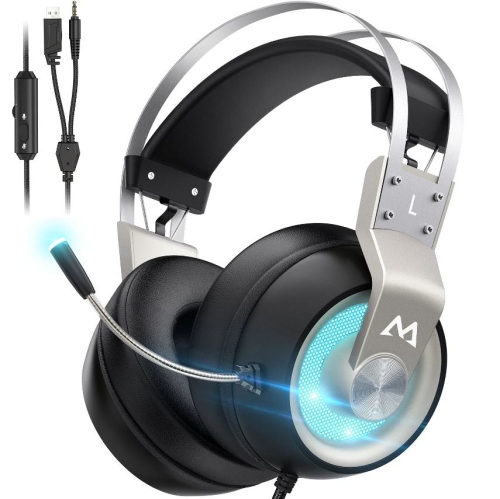
MPOW Eg3 Pro Gaming Headset, 3D Bass Surround Sound for Ps5 Ps4 Xbox Computer Headset With Noise Cancelling Mic
About this product
A gaming headset with 3D bass surround sound and noise-cancelling mic, suitable for multiple platforms.
(1)$52.74Your price for this item is $52.74SAVE $7 -
9
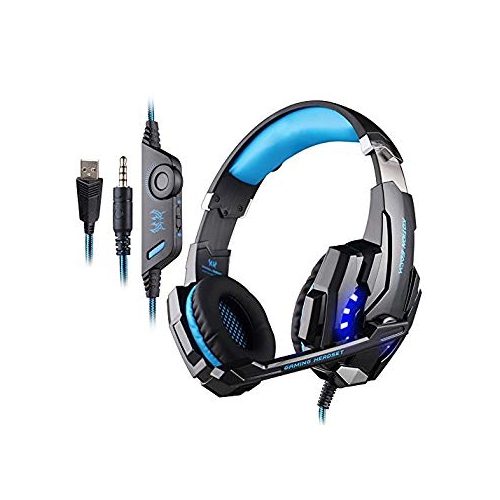
BEEXCELLENT PC Gaming Headset Headphone for Playstation 4 Ps4 Xbox One Laptop Tablet Smartphone 3.5MM Stereo Earphone With Mic Noise Reduc
About this product
A versatile 3.5mm stereo gaming headset with built-in mic and noise reduction for immersive audio.
$33.99 Your price for this item is $33.99 -
10
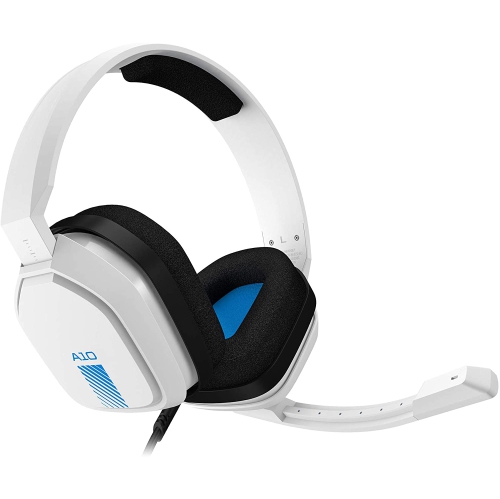
ASTRO Refurbished (Excellent) - Gaming A10 Gaming Headset (White/blue)
About this product
A white and blue gaming headset designed for PlayStation consoles, delivering immersive audio and clear communication.
$65.00Your price for this item is $65SAVE $15
FAQ
PS5 supports wired headsets through the DualSense controller’s 3.5 mm headset jack, as well as compatible USB headsets and wireless headsets with a PS5-compatible USB transmitter. Check that the headset explicitly lists PS5 compatibility, as USB and wireless support varies.
PS5 does not support standard Bluetooth headsets for direct game audio connections. Wireless gaming headsets typically connect through a compatible USB transmitter instead. Some Bluetooth headsets also offer a wired connection, though microphone support depends on the headset and cable.
PS5’s Tempest 3D AudioTech works with compatible stereo headphones connected through USB or the DualSense controller’s 3.5 mm jack. A headset does not need its own surround sound processing to use this feature. You can enable and personalise 3D audio for headphones in the console’s sound settings.
Connect your compatible headset, then open Settings > Sound > Microphone to select the input device and adjust the microphone level. Check any mute switch on the headset and the DualSense controller’s mute button. Party chat and in-game chat may also have separate microphone settings.
Many PS4 headsets also work with PS5, including models that use a compatible 3.5 mm connection or supported USB transmitter. Headsets that rely on an optical audio connection cannot plug directly into PS5 because the console has no optical audio port. Check the manufacturer’s compatibility details for connection requirements and supported controls.
Top selling and popular products
Discover more categories related to Best Headsets for PlayStation 5
Some products may be subject to Environmental Handling Fees (EHF) depending on your province. Learn more about EHFs.