Best WD Black for PS5

Expand your PS5 storage with top-rated options for keeping more of your favourite games ready to play. Ranked by user review ratings, this selection makes it easy to compare storage choices for your console. Look for a compatible internal SSD to play PS5 games directly, or external USB storage to store PS5 titles and play PS4 games.

Read More

What to look for in WD_BLACK SSDs for PS5

1. PS5 Compatibility

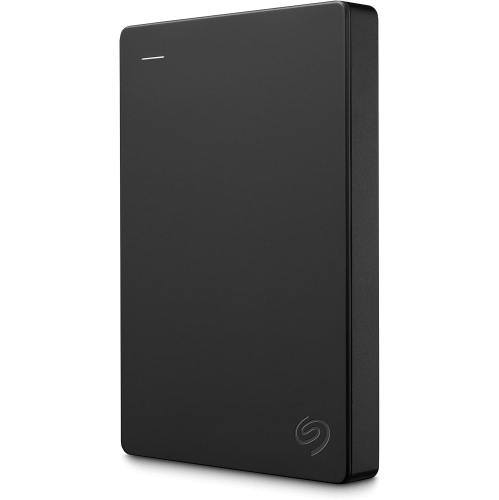
Choose an internal M.2 NVMe SSD that meets Sony’s PS5 requirements, including PCIe Gen4 x4 support. WD_BLACK external USB drives can store PS5 games, but you’ll need to transfer those games to compatible internal storage before playing.

2. Read Speed

Sony recommends a sequential read speed of at least 5,500 MB/s for a PS5 expansion SSD. Compare the specifications for the exact model and capacity you’re considering, rather than assuming every WD_BLACK drive offers the same performance.

3. Heatsink and Fit

PS5 expansion SSDs require effective heat dissipation, such as a heatsink. A model with a built-in, PS5-compatible heatsink can simplify installation, but check that the complete drive assembly fits Sony’s expansion-slot dimensions.

4. Storage Capacity

PS5 supports compatible M.2 SSD capacities from 250 GB to 8 TB. Choose enough space for your current games, future downloads and updates, keeping in mind that usable storage will be lower than the advertised capacity.
Citrus catapult arrow
  1. 1

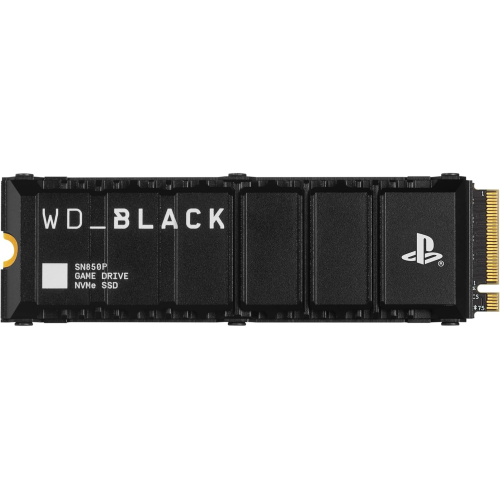
    WD_BLACK 2Tb Sn850P Nvme M.2 SSD Officially Licensed Storage Expansion for Ps5 Consoles, Up to 7300Mb/s, With Heatsink - Wdbbyv0020Bnc-Wrsn

    About this product

    A high-speed NVMe M.2 SSD with heatsink, officially licensed for PS5 consoles, offering up to 7300MB/s.

    What customers like

    • Reliable and durable performance
    • Large storage capacity
    • Officially licensed and fully compatible with PS5
    • Blazing fast read and write speeds
    • Easy installation process
    (1,977)
    $599.99
    SAVE $305
    Your price for this item is $599.99

More room for games without deciding what to delete

The Best WD Black for PS5 selection is for players who want more room for the games they love without constantly deciding what to delete next. A console’s built-in storage can fill up quickly once a few large releases, downloadable expansions, and saved gameplay clips enter the picture. Adding compatible storage makes it easier to keep a sprawling single-player adventure alongside the sports game everyone plays on weekends and the multiplayer favourite that gets regular updates. For a shared household console, that extra breathing room can be especially useful: each player can keep more of their library installed, rather than clearing space whenever someone brings home a new game. When choosing capacity, think about the games you actually keep coming back to, not just the size of your current download queue. A smaller upgrade may suit someone who finishes one game before starting another, while a larger drive is worth considering for players who like plenty of choice ready to launch.

The most important purchase consideration is how you want to use the storage. A compatible internal M.2 NVMe solid-state drive lets you store and play current-generation console games directly from the added drive, making it a practical choice for expanding your ready-to-play library. Compatibility takes more than matching the connector: check the console’s requirements for the PCIe interface, read speed, capacity, and physical dimensions before buying. Heat management matters, too. An internal drive needs a suitable heatsink or other cooling structure that fits within the expansion bay, and a model with a pre-installed heatsink can simplify the shopping process. External USB storage serves a different purpose. It can hold current-generation games to reduce the need to download them again, but those games must be transferred back to compatible internal storage before you can play them. Supported previous-generation games can be played directly from compatible external USB storage. That distinction is easy to miss when comparing capacities, yet it makes a real difference to everyday convenience.

For frequent players, the right upgrade is often the one that removes a familiar interruption: settling onto the couch after dinner, reaching for the controller, and finding that the game everyone wants to play is no longer installed. More storage helps keep those favourites close at hand, although it does not increase frame rates or replace the need for a reliable internet connection for online play and downloads. It can also make a thoughtful birthday or holiday gift for someone whose game library keeps growing, particularly if they prefer a useful addition to their existing setup. Before giving a drive, confirm the recipient’s console model, whether they already have an expansion drive installed, and whether they would prefer internal expansion or external storage. An internal upgrade involves opening the console’s designated expansion bay and following the manufacturer’s installation steps, while an external drive connects by USB and may need formatting. Compare usable capacity, cooling design, warranty coverage, and overall value rather than choosing on headline speed alone; the best fit should match both the player’s library and the way they like to play.

Read More

FAQ

Some products may be subject to Environmental Handling Fees (EHF) depending on your province. Learn more about EHFs.