Google Nest Hub Smart Displays
Discover how the Google Nest Hub Smart Display can transform your daily routines and enhance your connected home experience. With its intuitive design and seamless integration, the Google Nest Hub Smart Display brings convenience and control to your fingertips. Explore a range of options that make it easy to manage tasks, stay informed, and enjoy entertainment throughout your space. Find the perfect Google Nest Hub Smart Display to suit your needs and elevate every moment at home.
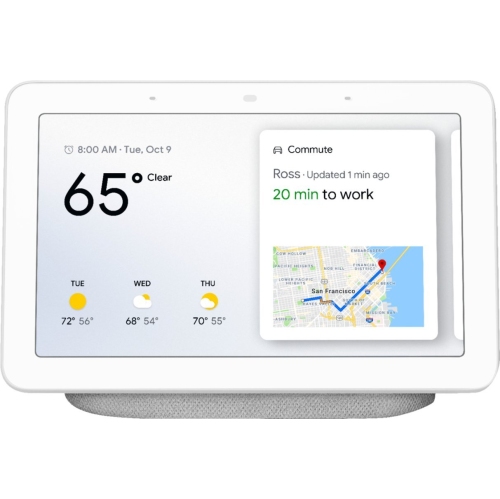
Everyday tasks made easier with voice and touch
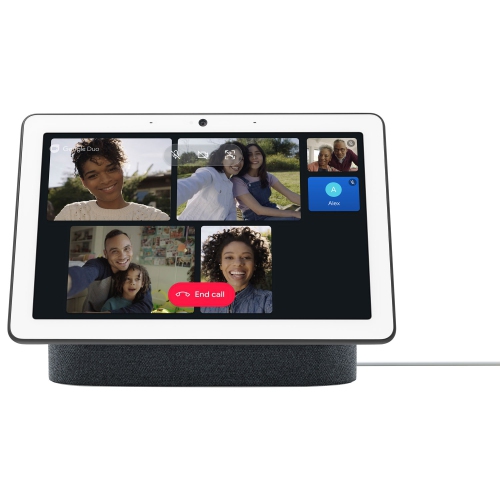
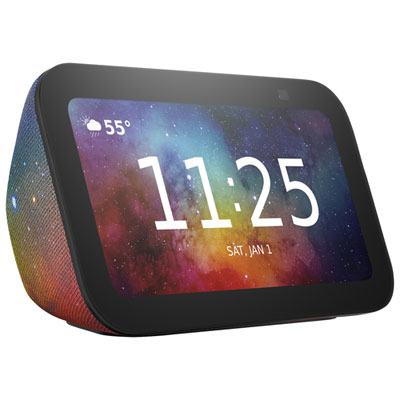
A smart display is a Wi-Fi-connected home device that combines a touchscreen, a built-in speaker and voice-assistant features. It brings familiar tasks such as setting timers, playing music and checking appointments onto a screen that stays in a convenient spot rather than travelling in a pocket. Voice controls make it useful when hands are occupied, while the touchscreen provides a way to select an option, adjust playback or see information at a glance. In a kitchen, that might mean following a supported recipe with ingredients visible beside the mixing bowl and a countdown running nearby. On a bedside table, it might mean viewing an alarm or using compatible lighting controls without reaching for a phone. The screen is what separates this type of device from a voice-only smart speaker: a spoken answer can be accompanied by text, a picture or an on-screen control, depending on the request and supported features. When not being used for a task, many smart displays can show a clock or act as a digital photo frame, bringing favourite pictures into a shared living space. They are generally designed to stay connected to power and serve as a household companion, rather than replace a portable tablet or a computer. Their appeal is less about handling complex work and more about making small, repeated interactions easier. A family might use one for shared reminders and kitchen timers, while someone living alone might appreciate having music, personal calendar information and compatible home controls together in one place. Available functions depend on the device, connected accounts and services, so the most useful setup is one that supports the routines already happening at home. A display earns its space when its screen is readable from where people naturally stand or sit and its everyday controls are simple enough to use without interrupting the task at hand.
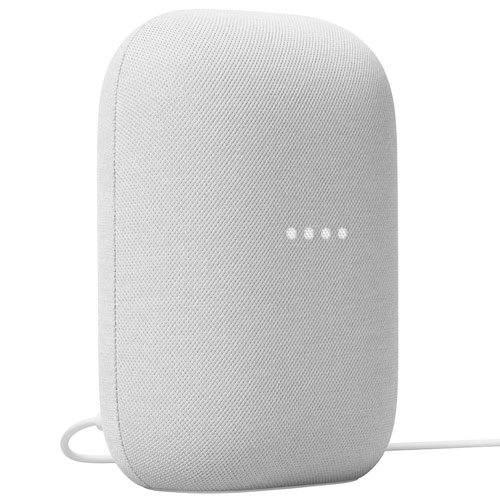
The physical design matters because a smart display usually remains visible throughout the day. Compact screens around the 7-inch size range can fit comfortably on a bedside table or a modest stretch of countertop, although the full footprint also includes the base, power connection and space needed for the cable. Screen angle affects how easily text and images can be seen from a seated position or while standing nearby. A display placed below eye level may be comfortable for glancing at a timer but less convenient for a longer video, while a position across the room calls for larger on-screen information. Brightness controls and automatic screen adjustment, where included, can help the display suit different indoor lighting conditions. Readability also depends on glare: a location facing a bright window may obscure details even when the screen itself is clear. Many designs combine a smooth touchscreen with a fabric-covered speaker section and a moulded base, creating a softer appearance than a bare screen on a stand. Colour and texture can help the device blend with cabinetry, bedroom furniture or a living-room shelf, but practical care deserves equal attention. The screen benefits from gentle cleaning with a clean, soft cloth and any method specified by the manufacturer. Fabric surfaces need care that avoids saturating the speaker area, and openings should remain unobstructed. On a kitchen countertop, a position away from the sink, splashes and cooking steam helps protect the device while keeping it useful. A stable surface and a neatly routed power cord are especially important in homes with children or pets. Built-in sound is well suited to spoken responses, podcasts and casual listening, though speaker performance varies. For someone who mainly wants clear speech beside a work surface, sound priorities may differ from those of a listener hoping to fill a larger room with music.
Smart displays are most useful when their connections match the household’s existing devices and services. Reliable Wi-Fi near the intended location supports voice requests, streaming and the delivery of updated information; a weak connection can make even simple interactions feel inconsistent. Setup commonly involves a compatible phone or tablet, an app and an account, with additional sign-ins needed for certain media or photo services. Support can vary by device, service, language and region, and some features may require a separate subscription. For shoppers comparing the wider category, voice-activated smart displays provide a useful way to consider how touchscreen interaction and hands-free control fit together. Compatibility is particularly important for connected-home use. A display may be able to adjust compatible lights, operate supported plugs or show a compatible doorbell’s video feed, but those connections are not universal. A household with several connected devices benefits from controls that work together without requiring a different routine for each room. Shared use also brings account and privacy considerations. Personal calendar entries, photographs and reminders deserve thought when the screen sits somewhere guests can see it. Microphone controls, account permissions and any options for personalized responses differ between devices, and voice matching should not be treated as a substitute for secure account access. For gifting, a smart display can suit someone who enjoys hands-free music, wants a dedicated place for family photographs or already uses compatible home accessories. The recipient’s comfort with account setup, access to Wi-Fi and preference for voice controls matter more than novelty alone. Touch controls offer an alternative when speaking aloud would be inconvenient, though available accessibility settings should match the person’s needs. With an appropriate location and compatible services, a smart display can become a familiar part of the room: showing a meaningful photograph between tasks, keeping a timer visible during meal preparation and putting frequently used controls within easy reach.
The physical design matters because a smart display usually remains visible throughout the day. Compact screens around the 7-inch size range can fit comfortably on a bedside table or a modest stretch of countertop, although the full footprint also includes the base, power connection and space needed for the cable. Screen angle affects how easily text and images can be seen from a seated position or while standing nearby. A display placed below eye level may be comfortable for glancing at a timer but less convenient for a longer video, while a position across the room calls for larger on-screen information. Brightness controls and automatic screen adjustment, where included, can help the display suit different indoor lighting conditions. Readability also depends on glare: a location facing a bright window may obscure details even when the screen itself is clear. Many designs combine a smooth touchscreen with a fabric-covered speaker section and a moulded base, creating a softer appearance than a bare screen on a stand. Colour and texture can help the device blend with cabinetry, bedroom furniture or a living-room shelf, but practical care deserves equal attention. The screen benefits from gentle cleaning with a clean, soft cloth and any method specified by the manufacturer. Fabric surfaces need care that avoids saturating the speaker area, and openings should remain unobstructed. On a kitchen countertop, a position away from the sink, splashes and cooking steam helps protect the device while keeping it useful. A stable surface and a neatly routed power cord are especially important in homes with children or pets. Built-in sound is well suited to spoken responses, podcasts and casual listening, though speaker performance varies. For someone who mainly wants clear speech beside a work surface, sound priorities may differ from those of a listener hoping to fill a larger room with music.
Smart displays are most useful when their connections match the household’s existing devices and services. Reliable Wi-Fi near the intended location supports voice requests, streaming and the delivery of updated information; a weak connection can make even simple interactions feel inconsistent. Setup commonly involves a compatible phone or tablet, an app and an account, with additional sign-ins needed for certain media or photo services. Support can vary by device, service, language and region, and some features may require a separate subscription. For shoppers comparing the wider category, voice-activated smart displays provide a useful way to consider how touchscreen interaction and hands-free control fit together. Compatibility is particularly important for connected-home use. A display may be able to adjust compatible lights, operate supported plugs or show a compatible doorbell’s video feed, but those connections are not universal. A household with several connected devices benefits from controls that work together without requiring a different routine for each room. Shared use also brings account and privacy considerations. Personal calendar entries, photographs and reminders deserve thought when the screen sits somewhere guests can see it. Microphone controls, account permissions and any options for personalized responses differ between devices, and voice matching should not be treated as a substitute for secure account access. For gifting, a smart display can suit someone who enjoys hands-free music, wants a dedicated place for family photographs or already uses compatible home accessories. The recipient’s comfort with account setup, access to Wi-Fi and preference for voice controls matter more than novelty alone. Touch controls offer an alternative when speaking aloud would be inconvenient, though available accessibility settings should match the person’s needs. With an appropriate location and compatible services, a smart display can become a familiar part of the room: showing a meaningful photograph between tasks, keeping a timer visible during meal preparation and putting frequently used controls within easy reach.
Top selling and popular products
-
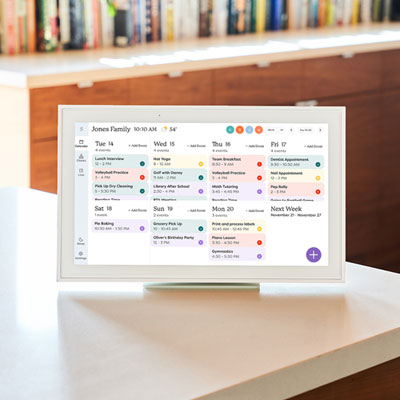 Your price for this item is $449.99
-
 Your price for this item is $139.99
-
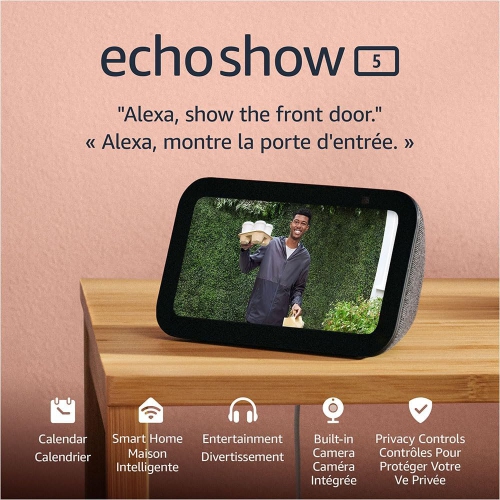 Your price for this item is $239.99
-
 Your price for this item is $199.99
-
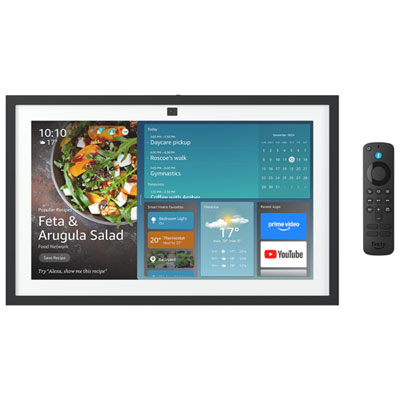 Your price for this item is $499.99
-
 Your price for this item is $719.99
-
 Your price for this item is $154.99
-
 Your price for this item is $359.99
Discover more categories related to Google Nest Hub Smart Displays

Top Collections:
Best Black Friday Deals This Year, Best Black Friday Deals On Electronics, Kindle Devices, Pokemon Centers, Best Black Friday Deals On Apple Products, Best Cameras for Sports Photography, Dyson Airwrap, Pokémon 30th Celebration Cards, Apple iPhone 17 Pro, Canon G7X Cameras
Some products may be subject to Environmental Handling Fees
(EHF) depending on your province.
Learn more about EHFs.