Best CPUs for Entry-level PC Builds
Building your first PC starts with a CPU that balances performance and price. Whether you’re browsing, studying, or enjoying casual gaming, the right processor can help keep everyday tasks running smoothly without stretching your budget. Explore the best CPUs for entry-level PC builds, ranked by user review ratings, and compare options that suit your needs and are compatible with your chosen motherboard.
What to look for in CPUs for entry-level PC builds
1. Performance for Your Tasks
2. Motherboard and Memory Compatibility
3. Integrated Graphics
4. Total Build Cost and Cooling
-
1
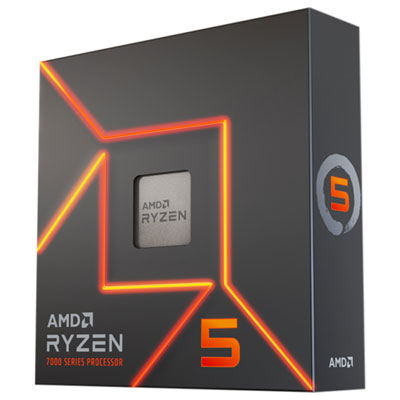
AMD Ryzen 5 7600X 6-Core 4.7GHz AM5 Processor
About this product
A high-performance 6-core, 12-thread processor with Zen 4 architecture, ideal for gaming and content creation.
What customers like
(374)$439.99 Your price for this item is $439.99 -
2
INTEL Core I3 Quad-Core I3-10100 3.60 Ghz Desktop Processor Bx8070110100
About this product
A quad-core desktop processor with 3.60 GHz base speed and integrated UHD Graphics 630.
What customers like
(29)$164.68Your price for this item is $164.68SAVE $10 -
3
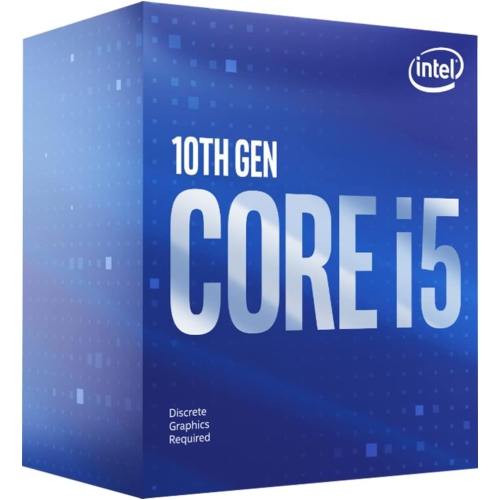
INTEL Core I5 (10Th Gen) I5-10400 Hexa-Core (6 Core) 2.90 Ghz Processor - Retail Pack Bx8070110400
About this product
A hexa-core 2.90 GHz processor delivering reliable performance for multitasking and everyday computing needs.
What customers like
(284)$209.99 Your price for this item is $209.99 -
4
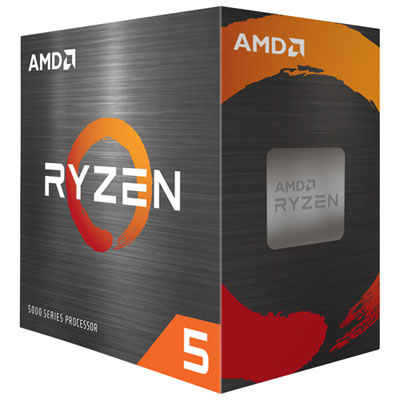
AMD Ryzen 5 5500 Hexa-Core 3.6GHz AM4 Processor
About this product
A powerful six-core processor with 3.6GHz speed, ideal for gaming, video rendering, and VR experiences.
What customers like
(149)$179.98 Your price for this item is $179.98 -
5
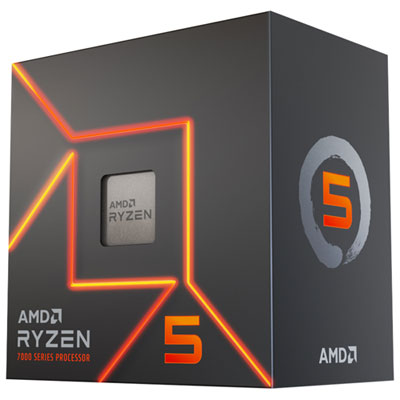
AMD Ryzen 5 7600 6-Core 4GHz Desktop Processor
About this product
A powerful 6-core processor with Zen 4 architecture, integrated graphics, and PCIe 5.0 support.
What customers like
(30)$339.99 Your price for this item is $339.99
FAQ
Cores are physical processing units within a CPU, while threads are sequences of instructions that the CPU processes. Some CPUs support multiple threads per core, so their thread count can be higher than their core count.
Match the CPU’s socket to the motherboard’s socket, then check the motherboard manufacturer’s CPU support list. The chipset and BIOS version also matter: some motherboards require a BIOS update before they can recognize a compatible CPU.
No. Some CPUs include integrated graphics, while others require a separate graphics card for display output. Check the CPU specifications rather than relying on the motherboard’s display ports alone, since those ports typically require a CPU with integrated graphics.
Memory compatibility depends on both the CPU and the motherboard. Some CPU families support DDR4 and DDR5, but a particular motherboard generally accepts only one type. Check the supported memory generation for both components before choosing RAM.
Some boxed CPUs include a cooler, while others are sold without one. Check the package contents to confirm. If you need a separate cooler, verify that it supports the CPU socket and includes the appropriate mounting hardware.
Top selling and popular products
Discover more categories related to Best CPUs for Entry-level PC Builds
Some products may be subject to Environmental Handling Fees (EHF) depending on your province. Learn more about EHFs.