Best Editing Software for PC
Bring your creative projects to life with the best editing software for PC, ranked based on user review ratings. Whether you’re touching up photos, editing videos, or fine-tuning audio, compare options to find the tools that fit your skill level, workflow, and budget.
What to look for in editing software for PC
1. Editing Tools
2. PC Compatibility
3. Ease of Use
4. Licence and Value
-
1
Adobe Premiere Pro (PC/Mac) - 1 User - 1 Year - Digital Download
About this product
An advanced video editing software featuring AI-powered tools and professional audio mixing for PC and Mac.
(11)$369.99 Your price for this item is $369.99 -
2

Corel PaintShop Pro (PC)
About this product
A professional-grade photo editing software with advanced design tools and AI-powered features for PC users.
(2)$47.99Your price for this item is $47.99SAVE $32 -
3

Corel PaintShop Pro Ultimate (PC)
About this product
An advanced photo editing suite offering professional-grade tools and AI-powered features for creative projects.
(1)$59.99Your price for this item is $59.99SAVE $40 -
4
Corel VideoStudio Pro (PC) - Digital Download
About this product
An intuitive video editor for PC with AI highlight reels, project templates, filters, and motion effects.
$39.99Your price for this item is $39.99SAVE $15 -
5
Adobe Premiere Elements 2026 (PC/Mac) - 1 User - 3 Year - Digital Download
About this product
An AI-powered video editing software offering advanced editing modes and intuitive colour correction tools.
(7)$138.99 Your price for this item is $138.99 -
6
Corel Pinnacle Studio 26 Standard (PC) - Digital Download
About this product
A comprehensive video editing software offering multi-camera editing, stop motion animation, and precise keyframing tools.
(2)$39.99Your price for this item is $39.99SAVE $20 -
7
CorelDRAW Graphics Suite 2021 (PC) - Digital Download
About this product
A comprehensive digital suite offering professional vector illustration, photo editing, and collaborative design tools for PC.
$699.99 Your price for this item is $699.99 -
8
Adobe Photoshop Elements&Premiere Elements Student&Teacher Edition 2026 (PC/Mac) -1 User -3 Year - Digital Download
About this product
An intuitive editing suite with advanced AI tools for effortless photo and video enhancements on PC and Mac.
(1)$110.99 Your price for this item is $110.99 -
9
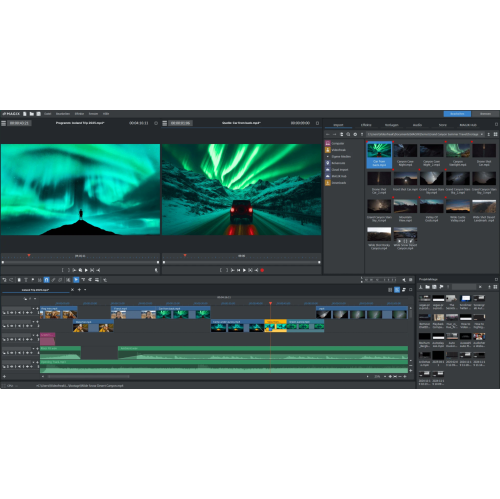
MAGIX Video Pro X 17 - Digital Download
About this product
A professional video editing software offering AI tools, colour grading, voiceovers, subtitles, and 2,000+ effects.
$259.00 Your price for this item is $259 -
10
MAGIX ACID Pro 11 (PC) - Digital Download
About this product
A professional music production software offering seamless composing, remixing, and editing with advanced plug-ins and loops.
$199.99 Your price for this item is $199.99
FAQ
PC editing software includes photo editors, video editors, audio editors and creative suites that combine multiple tools. Photo editors focus on still images, video editors arrange footage and sound on a timeline, and audio editors work with speech, music and sound effects. The best choice depends on the content you want to create.
Look for timeline editing, trimming tools, transitions, titles, colour adjustment and audio controls. For more advanced projects, consider multitrack editing, keyframes, motion tracking, multicamera editing and caption tools. Export options for your preferred publishing platforms are also worth checking.
Photo editing software offers tools such as cropping, retouching, layers, masks and RAW image processing. Video editing software focuses on arranging clips, adjusting timing, adding transitions and synchronizing audio. Some creative suites include both, but each application typically has its own workflow.
Compare the software’s system requirements with your Windows version, processor, graphics hardware and installed memory. Check whether it supports your processor architecture and requires particular graphics drivers. If you use plug-ins or external editing hardware, confirm their compatibility with the software version as well.
Choose software that can import your source files and export the formats you plan to use. Common examples include JPEG, PNG and camera-specific RAW formats for photos; MP4 and MOV for video; and WAV and MP3 for audio. For video, check codec support as well as the file extension, since files with the same extension can use different codecs.
Top selling and popular products
Discover more categories related to Best Editing Software for PC
Some products may be subject to Environmental Handling Fees (EHF) depending on your province. Learn more about EHFs.