Photo Editing Programs for PC
Looking to enhance your photography skills and take your images to the next level? Look no further! Our collection of photo editing programs for PC offers a wide range of options to suit every photographer's needs. Whether you're a professional looking for advanced editing tools or a hobbyist wanting to add creative effects, our selection has got you covered. From intuitive interfaces to powerful features, these programs will help you transform your photos into stunning works of art. So, dive in and explore the world of digital editing with our top-notch selection of photo editing programs for PC.
Sort






Software for polished photos and organized creative workflows
Photo editing programs for PC give photographers, creators, families, students, and small businesses practical ways to turn ordinary image files into polished, shareable photos. The software available in this category ranges from straightforward editors for cropping, resizing, colour correction, and removing minor distractions to advanced programs built for detailed pixel manipulation, layered compositions, masks, selections, and professional retouching. Some applications focus on developing RAW files from a digital camera, while others are designed to organize large photo libraries, apply edits to many images at once, or combine photographs, text, graphics, and creative effects in a single project. This range makes it easier to choose software that matches the way you work rather than paying for features you may never use. A casual photographer may appreciate a clean interface with guided adjustments and one-click enhancements, while a portrait photographer may need precise control over skin tones, local exposure, sharpening, and background cleanup. Someone creating posters, social media graphics, invitations, or digital scrapbook pages may place more importance on layers, templates, typography, and compositing tools. Before selecting a program, consider the type of images you capture, the level of control you want, and how much time you prefer to spend learning. A simple editor can be ideal for quick improvements to holiday snapshots, family gatherings, pets, food, or outdoor scenes, whereas a more comprehensive suite can support a careful workflow from importing and sorting images through editing, exporting, printing, and archiving. Compatibility is another important consideration. Check that the program supports your version of Windows, your preferred file formats, and the camera files you use, including RAW formats when applicable. It is also worth confirming whether the software works offline, requires an ongoing subscription, uses a one-time licence, or offers optional paid upgrades. Storage requirements, graphics performance, and monitor resolution can affect the experience, especially when working with high-resolution photographs or multiple large files at once.
For photographers with growing collections, library management can be just as valuable as creative editing. Look for tools that allow you to add keywords, ratings, colour labels, albums, and searchable metadata so that a particular image can be found long after it was taken. Batch processing can save considerable time when correcting exposure, applying a consistent look, resizing images for a gallery, or preparing files for online sharing. RAW development tools typically provide greater flexibility over highlights, shadows, white balance, contrast, and fine detail than a finished JPEG, helping preserve the atmosphere of a scene such as golden light across a landscape or the soft, muted tones of a rainy afternoon. Lens correction and noise reduction can also be useful when photographs contain distortion, vignetting, or grain from shooting in dim conditions. For more involved work, unlimited or flexible layers, adjustment layers, masks, cloning, healing, curves, and channel controls provide the precision needed to change one part of an image without affecting the rest. Support for common formats such as JPEG, PNG, TIFF, and layered project files may be important if you move images between programs or send work to a printer. Some editors include automated tools for subject selection, object removal, sky replacement, upscaling, or other AI-assisted adjustments. These can speed up repetitive tasks, but manual controls remain valuable when accuracy and a natural result matter. A useful workflow often combines both: automation for a first pass, followed by careful adjustments around hair, fine textures, edges, reflections, and skin. Performance should also be considered before making a purchase. A desktop PC with a capable processor, sufficient memory, fast storage, and a suitable graphics processor can make large canvases, detailed brushes, filters, and high-resolution previews feel more responsive. If you edit while travelling, visiting family, or working in different rooms, Laptops for Photo Editing can provide a portable alternative, provided the display, memory, storage, and processing power meet the demands of your chosen program.
Photo editing software can be a thoughtful gift for a new camera owner, a student exploring digital art, a family member who enjoys documenting trips, or a creative friend who wants to make more of the images stored on a phone or memory card. It can also be useful for a small business owner preparing product photos, a real estate professional improving room images, or someone creating printed albums and framed artwork during the cooler months. When giving editing software as a gift, consider the recipient’s experience level and the type of computer they use. Beginners often benefit from guided interfaces, automatic corrections, tutorials, and clearly labelled tools, while experienced users may prefer customizable panels, keyboard shortcuts, colour management, plug-in support, and extensive format compatibility. A program that supports both quick edits and more advanced techniques can remain useful as skills develop. It is also helpful to think about the final destination of the images. Photos intended for social media may need simple resizing and compression, while images for large prints require careful attention to resolution, colour profiles, sharpening, and export settings. For personal archives, non-destructive editing is especially valuable because it lets you revisit the original image and change previous adjustments without starting over. Regular backups are important as well; keeping project files and original photographs on more than one storage device can help protect years of memories and creative work. Whether you are brightening a backlit family portrait, removing a distracting sign from a travel photo, balancing colours in a food image, or building a layered digital illustration from several sources, the right PC photo editing program can make the process more enjoyable and consistent. Reviewing supported formats, editing tools, library features, hardware requirements, and payment options will help you find a suitable match for your creative goals and everyday workflow.
For photographers with growing collections, library management can be just as valuable as creative editing. Look for tools that allow you to add keywords, ratings, colour labels, albums, and searchable metadata so that a particular image can be found long after it was taken. Batch processing can save considerable time when correcting exposure, applying a consistent look, resizing images for a gallery, or preparing files for online sharing. RAW development tools typically provide greater flexibility over highlights, shadows, white balance, contrast, and fine detail than a finished JPEG, helping preserve the atmosphere of a scene such as golden light across a landscape or the soft, muted tones of a rainy afternoon. Lens correction and noise reduction can also be useful when photographs contain distortion, vignetting, or grain from shooting in dim conditions. For more involved work, unlimited or flexible layers, adjustment layers, masks, cloning, healing, curves, and channel controls provide the precision needed to change one part of an image without affecting the rest. Support for common formats such as JPEG, PNG, TIFF, and layered project files may be important if you move images between programs or send work to a printer. Some editors include automated tools for subject selection, object removal, sky replacement, upscaling, or other AI-assisted adjustments. These can speed up repetitive tasks, but manual controls remain valuable when accuracy and a natural result matter. A useful workflow often combines both: automation for a first pass, followed by careful adjustments around hair, fine textures, edges, reflections, and skin. Performance should also be considered before making a purchase. A desktop PC with a capable processor, sufficient memory, fast storage, and a suitable graphics processor can make large canvases, detailed brushes, filters, and high-resolution previews feel more responsive. If you edit while travelling, visiting family, or working in different rooms, Laptops for Photo Editing can provide a portable alternative, provided the display, memory, storage, and processing power meet the demands of your chosen program.
Photo editing software can be a thoughtful gift for a new camera owner, a student exploring digital art, a family member who enjoys documenting trips, or a creative friend who wants to make more of the images stored on a phone or memory card. It can also be useful for a small business owner preparing product photos, a real estate professional improving room images, or someone creating printed albums and framed artwork during the cooler months. When giving editing software as a gift, consider the recipient’s experience level and the type of computer they use. Beginners often benefit from guided interfaces, automatic corrections, tutorials, and clearly labelled tools, while experienced users may prefer customizable panels, keyboard shortcuts, colour management, plug-in support, and extensive format compatibility. A program that supports both quick edits and more advanced techniques can remain useful as skills develop. It is also helpful to think about the final destination of the images. Photos intended for social media may need simple resizing and compression, while images for large prints require careful attention to resolution, colour profiles, sharpening, and export settings. For personal archives, non-destructive editing is especially valuable because it lets you revisit the original image and change previous adjustments without starting over. Regular backups are important as well; keeping project files and original photographs on more than one storage device can help protect years of memories and creative work. Whether you are brightening a backlit family portrait, removing a distracting sign from a travel photo, balancing colours in a food image, or building a layered digital illustration from several sources, the right PC photo editing program can make the process more enjoyable and consistent. Reviewing supported formats, editing tools, library features, hardware requirements, and payment options will help you find a suitable match for your creative goals and everyday workflow.
Top selling and popular products
-
 Your price for this item is $434.99
 -
 Your price for this item is $1130.99
 -
 Your price for this item is $169.99
 -
 Your price for this item is $334.99
 -
 Your price for this item is $138.99
 -
 Your price for this item is $369.99
 -
 Your price for this item is $369.99
 -
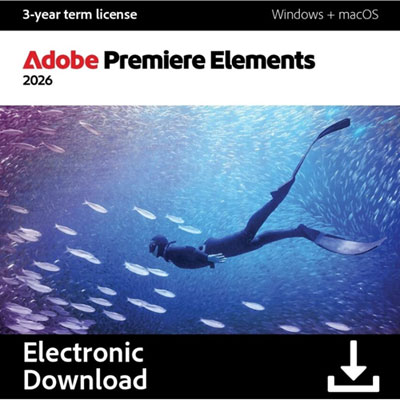 Your price for this item is $138.99
Discover more categories related to Photo Editing Programs for PC
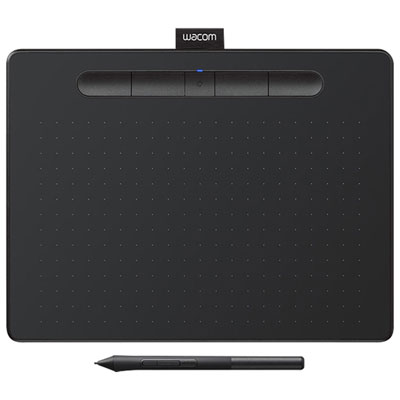

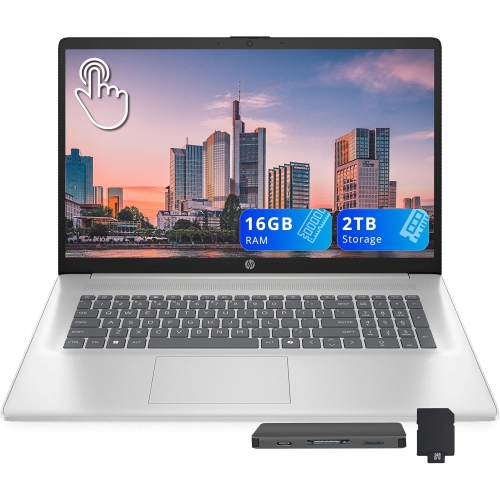
Top Collections:
Pokemon Centers, Best Cameras for Sports Photography, Kindle Devices, Samsung Galaxy Phones, Canon G7X Cameras, Pokémon 30th Celebration Cards, Refurbished Apple Laptops, iPhone 15 Apple, Laptops for Students, Budget Smartphones
Some products may be subject to Environmental Handling Fees
(EHF) depending on your province.
Learn more about EHFs.