Best Ergonomic Gaming Chairs

Find your ideal setup for long gaming sessions with the best ergonomic gaming chairs, ranked based on user review ratings. Explore options with adjustable lumbar support, cushioned seats, and customizable armrests to help you stay comfortable and supported. Whether you’re upgrading your gaming space or choosing your first chair, compare features and player feedback to find the right fit.

Read More

What to look for in ergonomic gaming chairs

1. Adjustable Support

Look for adjustable lumbar support, seat height and armrests so you can tailor the chair to your posture. A height-adjustable headrest can also help support your neck when you lean back.

2. Seat Size and Fit

Check the seat width, seat depth and recommended user height to find a chair that fits your body. You should be able to sit with your feet supported and leave a small gap between the seat edge and the backs of your knees.

3. Materials and Cushioning

Mesh and fabric upholstery offer breathability, while faux leather is generally easy to wipe clean. Look for supportive cushioning and check care instructions to choose a material that suits everyday use.

4. Recline and Build Quality

Compare tilt tension, recline range and locking positions to find settings that work for gaming and breaks. Check the weight capacity, warranty and caster compatibility with your flooring before choosing.
Citrus catapult arrow
  1. 1

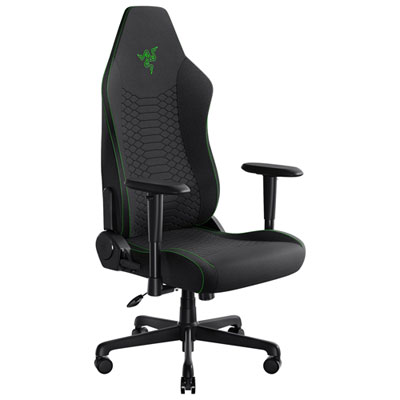
    Razer Iskur V2 X Ergonomic Fabric Gaming Chair - Black

    About this product

    An ergonomic gaming chair in black fabric with adaptive lumbar support and high-density foam cushions.

    (15)
    $299.99 Your price for this item is $299.99
  2. 2

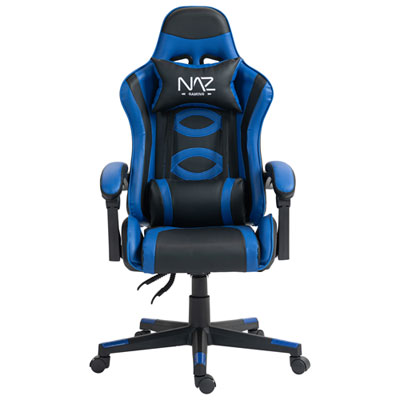
    Naz Tachi Ergonomic High-Back Faux Leather Gaming Chair - Blue

    About this product

    A comfortable blue gaming chair with adjustable height and lower backrest for a customized experience.

    (4)
    $299.99 Your price for this item is $299.99
  3. 3

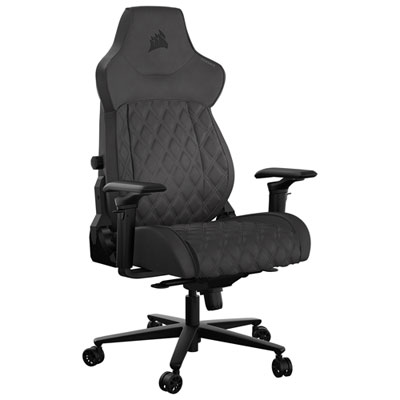
    Corsair TC500 Luxe Ergonomic Fabric Gaming Chair (2023) - Black

    About this product

    A black ergonomic gaming chair with breathable fabric, quilted details, adjustable armrests, and built-in lumbar support.

    (3)
    $699.99 Your price for this item is $699.99
  4. 4

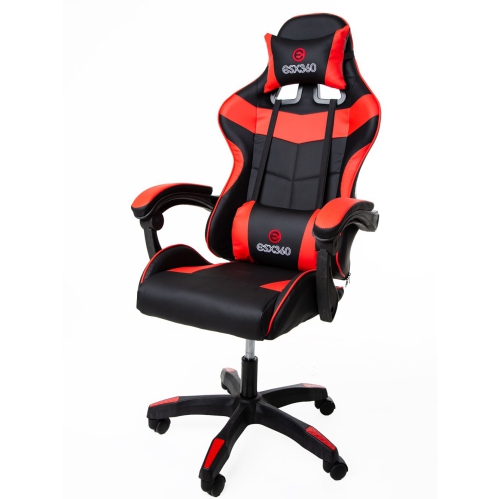
    ESX 360 Esports Central 200 Series - Esc200 - Ergonomic Faux Leather Gaming Chair - Trim In Red

    About this product

    A comfortable red gaming chair with ergonomic design, cold moulded foam, and adjustable features.

    (3)
    $349.00 Your price for this item is $349
  5. 5

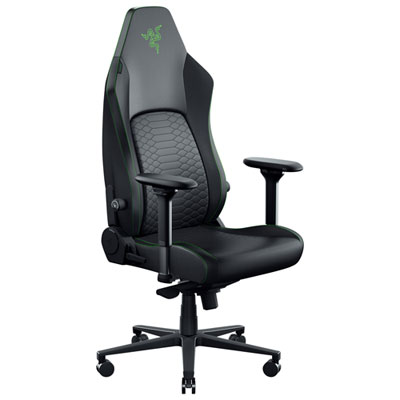
    Razer Iskur V2 NewGen Ergonomic EPU Leather Gaming Chair - Black/Green

    About this product

    An ergonomic black and green gaming chair featuring dynamic lumbar support and CoolTouch Gen 2 EPU leather.

    (3)
    $599.99 Your price for this item is $599.99
  6. 6

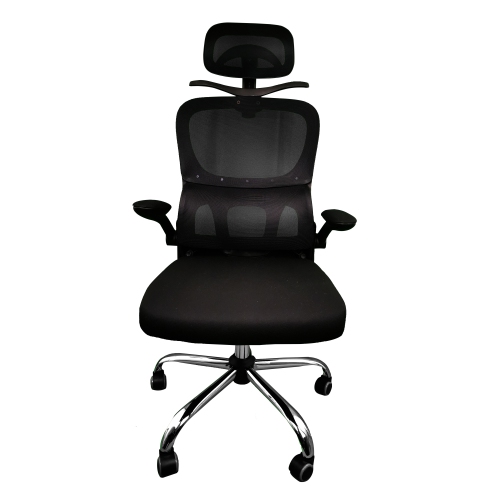
    LUXWIN Ergonomic Gaming Chair - X-2819 Mc031 In Black

    About this product

    A high-back, black mesh gaming chair with adjustable height, tilt, armrest, and headrest for ultimate comfort.

    (2)
    $240.00 Your price for this item is $240
  7. 7

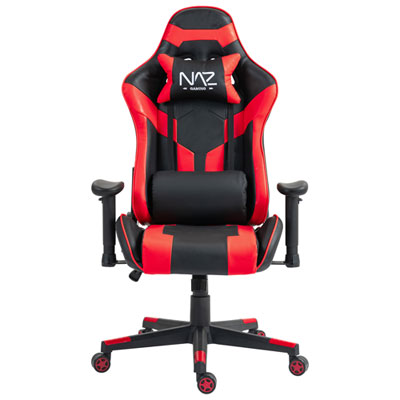
    Naz Gladius Ergonomic High-Back Faux Leather Gaming Chair - Red

    About this product

    A high-back ergonomic gaming chair featuring red faux leather, molded foam seating, and a durable steel frame.

    (2)
    $179.99
    SAVE $220
    Your price for this item is $179.99
  8. 8

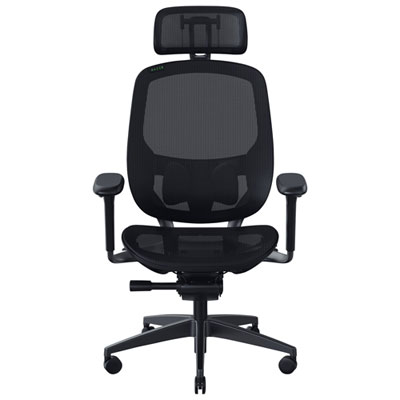
    Razer Fujin Pro Ergonomic Mesh Gaming Chair - Black

    About this product

    An ergonomic black mesh gaming chair featuring breathable ventilation and dynamic synchro-tilt technology for optimal support.

    (2)
    $1,309.98 Your price for this item is $1309.98
  9. 9

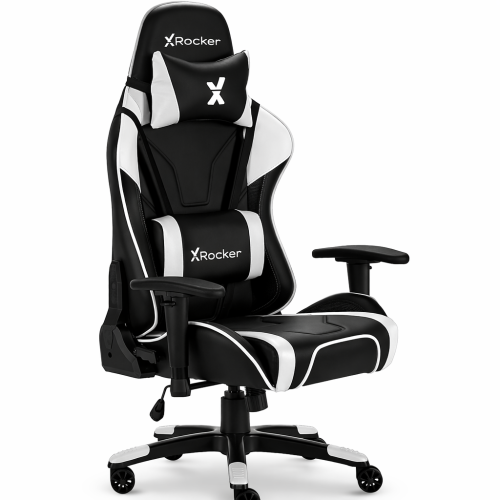
    X ROCKER Agility Ergonomic PC Gaming Chair - Black/white With Adjustable 3D Armrests, Reclining Backrest & Lumbar/head Cushions

    About this product

    An ergonomic black and white chair with 3D armrests, reclining backrest, and removable lumbar cushions.

    (1)
    $329.99 Your price for this item is $329.99

Why chair fit matters more than racing-inspired looks

The best ergonomic gaming chairs combine a suitable seat size with adjustable lumbar support, seat height, armrests, and recline settings that work with the person sitting in them. No single shape suits every player: a chair that feels supportive for a tall adult may leave a shorter user unable to reach the floor comfortably, while pronounced side bolsters can restrict movement for someone who prefers a wider sitting position. Fit matters more than a racing-inspired silhouette or an oversized head cushion. A well-matched seat allows the feet to rest flat on the floor or on a footrest, with a small gap between the seat edge and the backs of the knees. The backrest should support the natural curve of the lower back without pushing the torso forward, and the armrests should let the shoulders relax while the elbows stay close to the body. Seat depth is particularly important because a seat that extends too far forward can make it difficult to use the backrest without pressure behind the knees. For a shared gaming setup, adjustable seat depth and a broad height range can help accommodate different users, though not every gaming chair offers both. Published seat dimensions, backrest height, and weight capacity provide more useful fit information than labels such as standard or extra-large alone. Weight capacity describes a load limit, not a guarantee of comfortable proportions. Intended use also shapes the choice: someone playing with a keyboard and mouse needs support close to the desk, whereas a controller player may prefer a slightly reclined position with support beneath the forearms. For a setup that doubles as a workstation or study space, easy-to-reach controls make it simpler to move between typing, reading, and gaming. An ergonomic gaming chair is most useful when its adjustments suit those everyday movements rather than requiring the user to hold one rigid position throughout a session.

Lumbar support, armrest movement, and tilt behaviour are worth considering together because each affects how naturally a chair fits into a complete desk setup. Built-in lumbar adjustment may change the height, depth, or both aspects of lower-back support, depending on the design. A separate lumbar cushion can also provide support, although its thickness and placement need to suit the user, and it may shift when they move. More pronounced support is not automatically better; the aim is gentle contact that feels comfortable while sitting back. A headrest or neck cushion should meet the user at a useful height, especially when reclining, rather than nudging the head forward during upright play. Armrests with height, width, depth, or pivot adjustment can help position the forearms for different activities. When moving from a keyboard to a controller, for example, turning the pads inward may feel more natural than leaving them aimed straight ahead. Adjustment labels alone do not tell the whole story, since the actual travel range determines whether the pads line up with the desk and the user's shoulders. Armrests that prevent the chair from moving close enough to the keyboard can lead to unnecessary reaching. Recline and tilt serve different purposes: backrest recline changes the angle between the seat and back, while a tilt mechanism allows the chair to rock or move according to its design. Adjustable tilt tension helps match that movement to the user's weight and preference, and locking positions can provide a steadier feel for focused tasks. A stated maximum recline angle should not be treated as proof of better ergonomics. Stable support, accessible levers, and smooth movement are more relevant to daily comfort. Even a well-fitted chair works best alongside a sensibly positioned screen, reachable controls, and regular opportunities to stand or move. Ergonomic features can support comfortable sitting, but they do not guarantee relief from pain or replace movement breaks.

Materials and construction influence how an ergonomic gaming chair feels after repeated use, as well as how much attention it needs to stay clean. Fabric upholstery offers a textured sitting surface and may feel less slippery than smooth finishes, though dust, crumbs, and spills can settle into the weave. Mesh allows airflow and has a different feel from a padded backrest; its comfort depends on tension, the supporting frame, and how those elements meet the body. Leather-look upholstery is often easy to wipe down, but cleaning methods matter, and repeated friction or unsuitable cleaners can damage the finish. Genuine leather has its own care requirements and should be maintained according to the manufacturer's directions. Cushioning also varies: firm foam may feel less plush at first yet provide a more consistent base, while very soft padding can compress enough to change the sitting position. Neither thickness nor softness alone establishes quality. A sturdy base, secure armrest mounts, neatly finished seams, and a mechanism that holds its settings are practical durability considerations for a chair used for both work and play. Castors should suit the floor surface, and a compatible chair mat may help protect flooring and provide smoother movement. Allow enough space behind the chair for its intended recline without hitting a wall, shelf, or nearby furniture. Routine care can include vacuuming fabric with an appropriate attachment, wiping compatible surfaces with a soft cloth, and checking accessible fasteners as directed in the assembly instructions. Avoid soaking upholstery or applying harsh cleaning agents unless expressly permitted. For a gift recipient, knowing their height, desk arrangement, preferred sitting style, and available floor space is more valuable than choosing by colour alone. Players comparing broader styles can explore Top Gaming Chairs while keeping fit and adjustment needs in view. Whether the chair is for a dedicated gaming room, a student desk, or a shared home office, useful support comes from proportions, controls, and materials that suit the person and the way the space is used.
Read More

FAQ

Some products may be subject to Environmental Handling Fees (EHF) depending on your province. Learn more about EHFs.