Best Ergonomic Keyboards

Find the best ergonomic keyboards for a more comfortable typing setup, whether you’re working, studying, or gaming. Features such as split layouts, curved key designs, and cushioned wrist rests can help support a more natural hand position during long typing sessions. Explore the keyboards below, ranked by user review ratings, to find an option that suits your workspace and typing preferences.

Read More

What to look for in ergonomic keyboards

1. Layout and Adjustability

Split layouts and curved key arrangements can help you find a more comfortable typing position. Look for adjustable separation, tenting or tilt to position your hands and wrists comfortably, and allow time to get used to a new layout.

2. Size and Wrist Support

A compact keyboard leaves more room to position your mouse close by, while a full-size model includes a number pad for frequent data entry. If you prefer a palm rest, check that its height and placement suit your hands without putting pressure on your wrists.

3. Key Feel and Noise

Consider how much force and key travel you prefer when typing. Mechanical switches offer a range of tactile responses and sound levels, while many low-profile and membrane models provide a quieter feel suited to shared spaces.

4. Connectivity and Compatibility

Check for compatibility with your computer’s operating system, including support for shortcut keys and customization software. Choose wired USB for a connection without batteries, or Bluetooth or a USB wireless receiver for greater placement flexibility.
Citrus catapult arrow
  1. 1

    About this product

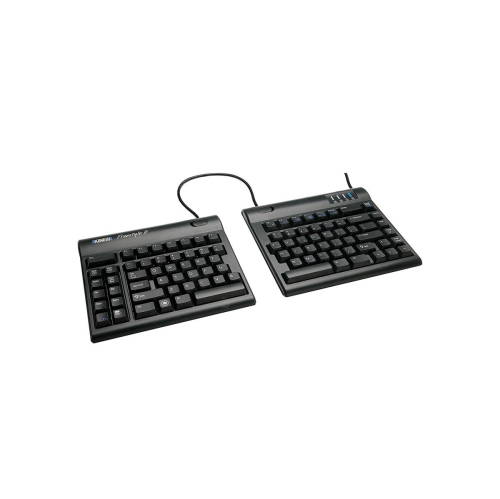
    A split ergonomic keyboard with zero-degree slope design to reduce wrist strain during typing.

    (1)
    $140.99
    SAVE $25
    Your price for this item is $140.99
  2. 2

    About this product

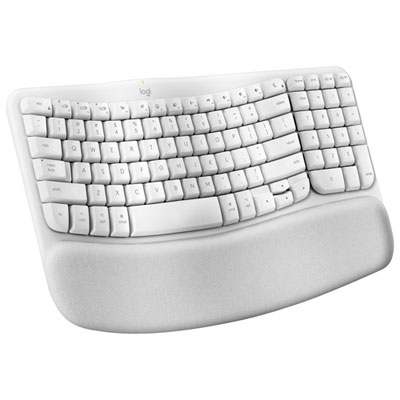
    An ergonomic off-white wireless keyboard with a wavy keyframe, memory foam palm rest, and eco-friendly materials.

    What customers like

    • Memory foam palm rest offers great wrist support
    • Ergonomic design provides excellent comfort
    • Easy multi-device connectivity and Mac compatibility
    • Quiet and responsive keys enhance typing experience
    • Long battery life and solid build quality
    (184)
    $89.99 Your price for this item is $89.99
  3. 3

    About this product

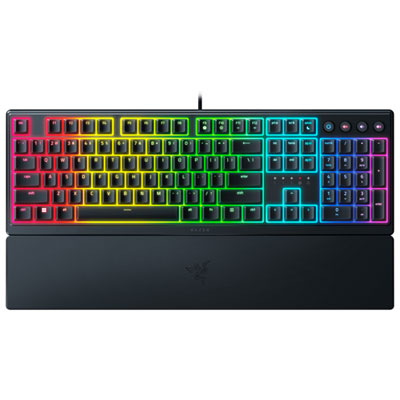
    An ergonomic black keyboard with clicky mechanical membrane switches and customizable RGB lighting for immersive gaming.

    What customers like

    • Customizable and vibrant RGB backlighting
    • Durable construction and quality materials
    • Tactile and responsive mecha-membrane keys
    • Versatile customization options through software
    • Comfortable ergonomic design with magnetic wrist rest
    (131)
    $79.99
    SAVE $10
    Your price for this item is $79.99
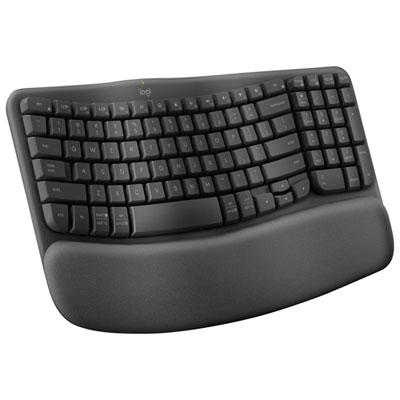
  4. 4

    About this product

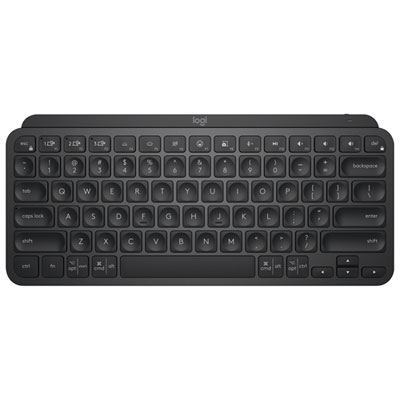
    A compact black Bluetooth keyboard with backlit, ergonomic design and tactile Perfect Stroke keys for comfortable typing.

    What customers like

    • Easy multi-device Bluetooth connectivity
    • Compact and portable design
    • Excellent backlit keys and smart lighting
    • Comfortable and ergonomic typing experience
    • Long battery life with USB-C charging
    (693)
    $132.98
    SAVE $17
    Your price for this item is $132.98
  5. 5

    About this product

    An ergonomic wireless keyboard in graphite with a padded palm rest and customizable shortcut keys.

    What customers like

    • Customizable and user-friendly features
    • Compact and stylish appearance
    • Reduces wrist and hand fatigue
    • Quiet and smooth keystrokes
    • Comfortable ergonomic design
    (40)
    $89.99 Your price for this item is $89.99
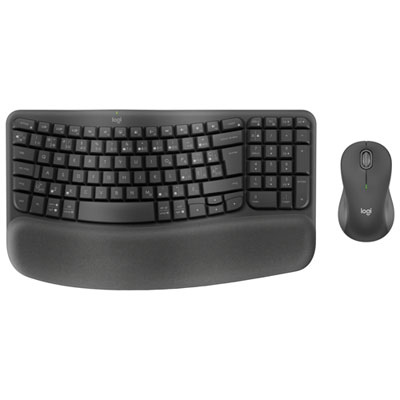
  6. 6

    About this product

    An ergonomic wireless keyboard and mouse combo in graphite with a wavy keyframe and cushioned palm rest.

    What customers like

    • Ergonomic design provides comfort and reduces strain
    • Compact size and portable design suitable for travel
    • Integrated cushioned palm and wrist rest enhances typing experience
    • Multiple connectivity options including Bluetooth and USB receiver
    • Quiet keys and mouse ensure silent operation
    (509)
    $119.99 Your price for this item is $119.99
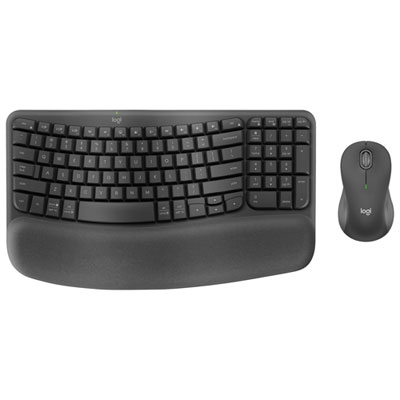
  7. 7

    About this product

    An ergonomic wireless keyboard and mouse combo in graphite with a wavy keyframe and cushioned palm rest.

    What customers like

    • Ergonomic design reduces strain and improves comfort
    • Quiet keys and mouse clicks for silent operation
    • Compact size and portable design suitable for travel
    • Integrated cushioned palm and wrist rest enhances typing experience
    • Multiple connectivity options including Bluetooth and USB receiver
    (509)
    $119.99 Your price for this item is $119.99
  8. 8

    About this product

    An ergonomic Bluetooth keyboard with a split keyframe and cushioned palm rest for enhanced wrist comfort.

    What customers like

    • Easy multi-device Bluetooth connectivity
    • Exceptional comfort and wrist support
    • Advanced ergonomic split design
    • Quiet, responsive typing experience
    • Customizable keys and software features
    (2,420)
    $199.99 Your price for this item is $199.99
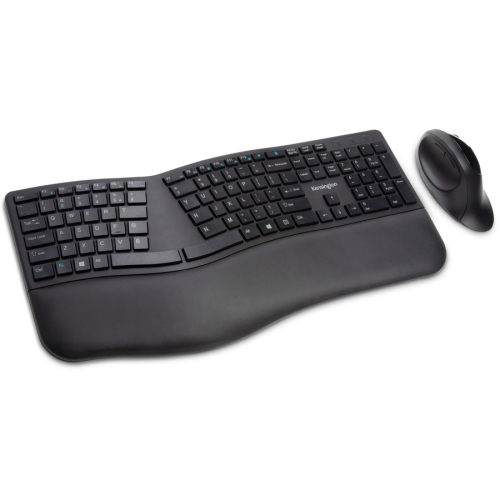
  9. 9

    About this product

    A wireless ergonomic keyboard and mouse set in black, compatible with PC and Mac via Bluetooth or RF.

    (5)
    $80.99
    SAVE $14
    Your price for this item is $80.99
  10. 10

    About this product

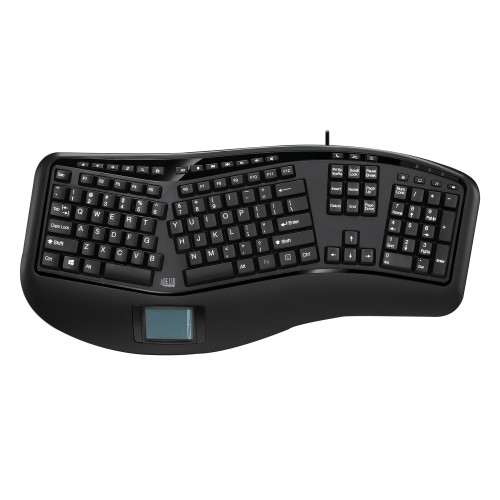
    An ergonomic wired keyboard with a built-in touchpad, featuring split key zones for comfortable typing.

    (7)
    $111.99
    SAVE $19
    Your price for this item is $111.99

Best Ergonomic Keyboards

The best ergonomic keyboards are the ones that suit a person’s hand position, typing habits, and desk setup, rather than a single shape that works for everyone. Their defining features can include curved key rows, divided typing zones, adjustable angles, and palm supports designed to make a relaxed typing position easier to maintain. A wave keyboard keeps the keys together in a gently contoured layout, offering a familiar feel for everyday email, school assignments, and documents. A fixed split keyboard separates the left and right typing areas within one frame, allowing the hands to approach the keys at different angles without moving two separate pieces. An adjustable split keyboard takes that flexibility further: its two halves can be positioned independently to suit shoulder width and the space on a desk. Some designs also offer tenting, which raises the inner edges of the keyboard so the palms do not have to face straight down. These differences matter during ordinary tasks, whether that means writing a lengthy report or switching between spreadsheets and video calls. A comfortable fit generally allows the shoulders to stay relaxed, the elbows to remain close to the body, and the wrists to stay relatively straight instead of bending sharply upward or sideways. Keyboard height is part of that fit. Tall keycaps and thick frames may require a different desk or chair adjustment than a low-profile design, while a negative tilt can lower the far edge of the keyboard to suit certain seated positions. A palm rest offers a place to pause between bursts of typing, but it should not press into the wrists or encourage reaching for the keys. Ergonomic keyboards can support a more comfortable workstation, but they are not a treatment for pain or a substitute for movement breaks. The most useful shape is one that fits the whole setup, including the chair, desk height, screen position, and mouse placement.

Layout and key feel are just as important as the curve of the frame. Full-size ergonomic keyboards include a numeric keypad, which can be useful for bookkeeping, entering measurements, or working through rows of figures. Compact layouts leave more room beside the keyboard, potentially bringing the mouse closer and reducing the need to reach across the desk. A separate numeric keypad can offer a middle ground for someone who needs number entry only during part of the day. Familiar key placement helps with an easier transition, particularly for people who touch-type across several computers. More distinctive layouts, including vertically aligned columns and concave key wells, change how the fingers travel and may take longer to learn. Shortcut placement also deserves attention: an easily reached delete key or a practical navigation cluster can make a noticeable difference when editing text. Those who prefer a distinct keypress can explore Ergonomic Mechanical Keyboards, which combine ergonomic layouts with individual mechanical switches. Depending on the switch design, the action may feel smooth throughout the press, provide a tactile bump, or produce an audible click. Mechanical does not automatically mean quieter, lighter, or more comfortable; switch resistance, key travel, and the shape of the keycaps all contribute to the experience. Low-profile scissor-switch and membrane designs offer other typing sensations, often with a shallower or softer action. In a shared office or a room used for evening study, typing sound can matter as much as feel. Connection options shape daily use as well. Wired keyboards avoid battery management, while wireless designs can simplify desk arrangements and make repositioning easier. Bluetooth connections and USB receivers have different compatibility requirements, and multi-device switching can be helpful when moving between a work computer and a personal laptop. Operating system support, keyboard language layout, and any software needed for remapping should match the intended computer. For bilingual typing, access to accented characters and a familiar Canadian French or multilingual layout may be particularly useful.

Materials, construction, and care help determine how an ergonomic keyboard holds up to regular use. Plastic housings are common and can keep larger designs manageable to move, while metal plates or reinforced frames can add rigidity. A sturdy frame should sit securely without rocking, and adjustable feet or tenting supports should hold their position through normal typing. On split designs, the connecting cable and its attachment points deserve attention, especially if the keyboard will be packed away frequently. Keycap material affects texture and wear: some plastics develop a smoother shine with use, while others tend to retain a textured finish longer. The way letters and symbols are applied also influences how well they withstand repeated contact. Palm supports range from firm, smooth surfaces to padded foam covered with fabric or a wipeable finish. Softer padding may feel inviting at first, but appropriate height and support matter more than cushioning alone. Fabric can collect dust, while coated surfaces need gentle cleaning to protect the finish. Routine care usually involves disconnecting the keyboard or switching it off, clearing loose debris with a soft brush, and wiping suitable surfaces with a lightly dampened cloth according to the manufacturer’s directions. Liquid should never be sprayed directly between the keys, and removable keycaps should only be taken off when the design and care instructions allow it. Spill resistance, where specified, does not mean a keyboard can be immersed or washed. Intended use brings these details together. A home-office writer may value quiet keys and a stable palm support, while a student sharing a small desk may prefer a compact frame that leaves space for notes. Someone carrying a keyboard between workspaces may place greater importance on weight, secure adjustments, and a protective case. Programmable keys can help with repeated commands, provided the required software works on the computer being used. As a gift, an ergonomic keyboard is most thoughtful when the recipient’s preferred layout, connection type, and desk space are already known. Comfort is personal, and a well-matched keyboard should fit naturally into familiar routines rather than require the user to work around it.
Read More

FAQ

Some products may be subject to Environmental Handling Fees (EHF) depending on your province. Learn more about EHFs.