Best Gaming PCs for Warzone

Find the best gaming PCs for Warzone with a lineup ranked by user review ratings. Compare player feedback and key specs, from graphics performance and processing power to memory and storage, to find a gaming PC that suits your budget and helps you stay ready for fast-paced matches.

What to look for in gaming PCs for Warzone

1. Graphics Performance

Choose a graphics card suited to your monitor’s resolution and refresh rate, whether you play at 1080p, 1440p, or 4K. Check recent Warzone benchmarks at your preferred settings to compare frame rates rather than relying on the graphics card’s memory capacity alone.

2. Processor Power

A capable processor helps maintain responsive gameplay, particularly when targeting high frame rates at competitive settings. Look for a balanced processor and graphics card pairing, with extra processing headroom if you plan to stream or run other apps while playing.

3. Memory and Storage

Compare RAM capacity against Warzone’s current system requirements, and consider 32GB if you regularly multitask while gaming. An NVMe SSD offers fast loading, while sufficient free storage leaves room for the game, updates, and other titles.

4. Cooling and Upgrade Options

Look for good case airflow and cooling suited to the processor and graphics card to help maintain performance during longer sessions. Accessible RAM slots, additional storage connections, and a power supply with room for future upgrades can make the PC easier to expand.
  1. 1

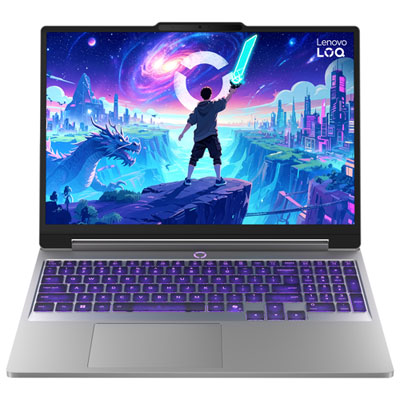
    Lenovo LOQ Essential 15.3" Gaming Laptop - Intel Core 5 205H - 8GB DDR5 RAM - 512GB SSD - NVIDIA GeForce RTX 3050 - Windows 11 Home - Luna Grey

    About this product

    A grey laptop with Intel Core 5, RTX 3050 graphics, 8GB RAM and 512GB SSD.

    What customers like

    • Good value for the price
    • Solid build quality with effective cooling
    • Fast, responsive performance for gaming and multitasking
    • Strong 1080p gaming performance
    • Bright, sharp and vibrant 144Hz display
    (329)
    $1,499.99 Your price for this item is $1499.99
  2. 2

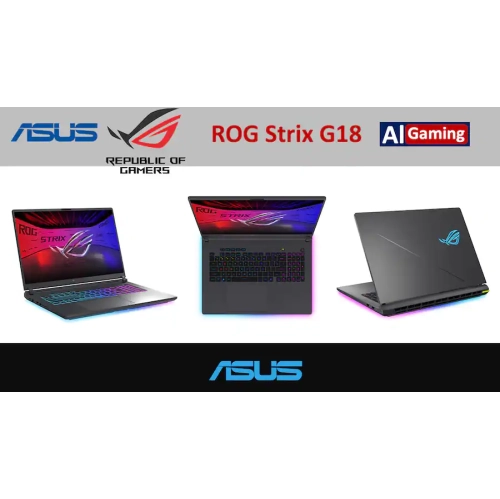
    ASUS Rog Strix G18 18" Gaming Laptop - Intel Core Ultra 9 290Hx Plus - Nvidia® Geforce Rtx 5060, 2.5K 300Hz/3Ms Rog Nebula Display - 32GB Ram, 1Tb

    About this product

    A gaming laptop with RTX 5060 graphics, 2.5K 300Hz display, 32GB RAM, and 1TB SSD.

    What customers like

    • Comfortable full-sized keyboard with responsive keys and customisable RGB lighting
    • Powerful gaming performance and fast frame rates
    • Effective, quiet cooling during demanding use
    • Bright, sharp display with smooth high-refresh-rate motion
    • Sturdy design with ample ports and easy upgrades
    (344)
    $2,899.00
    SAVE $1101
    Your price for this item is $2899
  3. 3

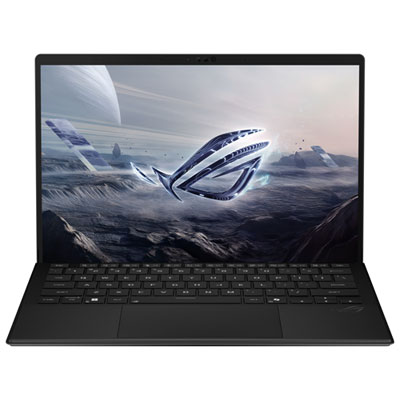
    ASUS ROG Flow Z13 13.4" Touchscreen Gaming Laptop - AMD Ryzen AI MAX+ 395 - 32GB RAM - 1TB SSD - AMD Radeon 8060S - Off Black

    About this product

    An off-black gaming laptop with Ryzen AI Max+ 395, 32GB RAM, 1TB SSD, and 2.5K touchscreen.

    What customers like

    • Versatile 2-in-1 design with tablet flexibility
    • Compact, lightweight and highly portable form factor
    • Powerful performance for gaming and demanding tasks
    • Beautiful, colour-accurate 180 Hz touchscreen display
    • Premium, solid build quality with effective cooling
    (67)
    $3,099.99 Your price for this item is $3099.99
  4. 4

    HP Victus 15.6" Fhd 144Hz Gaming Laptop, Amd Ryzen 7 7445Hs, Geforce Rtx 4050 6GB Gddr6, 2Tb SSD, 32GB Ddr5, Backlit Keyboard, Win 11 Pro, Mica Silver, 1Tb Docking Station Set

    About this product

    A gaming laptop with 144Hz FHD display, Ryzen 7, RTX 4050, 32GB RAM and 2TB SSD.

    What customers like

    • Sturdy and durable build
    • Easy setup and user-friendly software
    • High performance for gaming
    • Attractive lighting and sleek design
    • Comfortable and smooth typing experience
    (20)
    $2,749.00
    SAVE $1180
    Your price for this item is $2749
  5. 5

    ASUS ROG Strix G16 16" 165Hz Gaming Laptop - Intel Core Ultra 7 255HX - 16GB DDR5 - 512GB SSD - RTX 5060 - Windows 11 - Eclipse Grey

    About this product

    A powerful grey gaming laptop featuring Intel Core Ultra 7, 16GB RAM, RTX 5060, and 165Hz display.

    (9)
    $2,499.99 Your price for this item is $2499.99
  6. 6

    HP Omen Slim 16 16" Wqxga Ips 240Hz Gaming Laptop, Intel Core Ultra 9 285H, Geforce Rtx 5070 8GB, 32GB Ddr5, 2Tb SSD+1Tb Dock Set, Backlit, Win 11, Black

    About this product

    A gaming laptop with Intel Core Ultra 9, RTX 5070 graphics, 32GB DDR5, and 2TB SSD.

    What customers like

    • Fast performance for gaming and general computing
    • Quiet and effective cooling with low temperatures
    • High-quality build with an attractive design
    • Powerful gaming performance for the latest games
    • Good value with easy setup and maintenance
    (124)
    $3,649.00
    SAVE $1100
    Your price for this item is $3649
  7. 7

    Acer Predator Helios Neo 16" 180Hz Gaming Laptop - Intel Core Ultra 9 275HX - 16GB DDR5 - 1TB SSD - RTX 5060 - Windows 11 - Black

    About this product

    A powerful black gaming laptop with Intel Core Ultra 9, 16GB RAM, RTX 5060, and backlit keyboard.

    (9)
    $2,999.99 Your price for this item is $2999.99
  8. 8

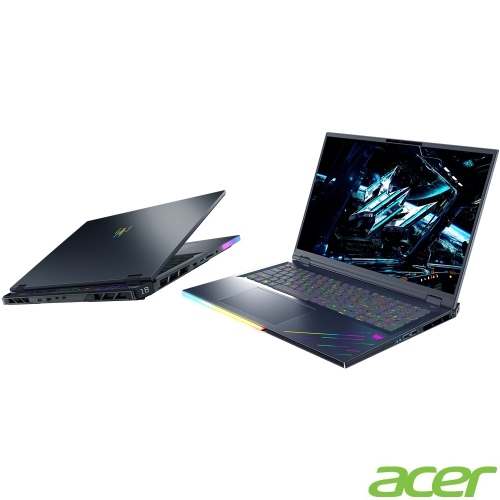
    ACER Predator Helios 18 250Hz HDr Gaming Laptop - Intel Core Ultra 9-275Hx - 32GB Ddr5 - 1Tb SSD - Rtx 5080 - Windows 11 Home - Abyss In Black

    About this product

    A high-performance gaming laptop featuring Intel Core Ultra 9, RTX 5080 graphics, and 32GB DDR5 RAM.

    What customers like

    • Solid build quality and comfortable keyboard
    • Powerful gaming performance
    • Large, sharp, bright 250Hz display
    • Upgradable design with versatile connectivity
    • Fast speeds and high-end hardware
    (22)
    $4,399.00
    SAVE $200
    Your price for this item is $4399
  9. 9

    Lenovo Legion 5i 15.3" 165Hz HDR Gaming Laptop - Intel Core Ultra 7 251HX - 32GB DDR5 - 1TB SSD - RTX 5070 - Windows 11 - Eclipse Black

    About this product

    An advanced gaming laptop with Intel Core Ultra 7, RTX 5070 graphics, 32GB RAM, and Eclipse Black finish.

    (9)
    $3,999.99 Your price for this item is $3999.99

Why balanced hardware matters in every Warzone match

The best gaming PCs for Warzone balance graphics performance, processor speed, memory capacity, and cooling to deliver responsive play at the resolution and refresh rate of the connected monitor. A desktop built for a 1080p display has different demands from one powering a high-refresh-rate 1440p screen or a detailed 4K setup. For competitive players, consistent frame delivery and low input latency often matter more than running every visual setting at its maximum. That difference becomes noticeable when tracking an opponent across a rooftop, turning quickly inside a stairwell, or landing in a crowded area where several fights are happening at once. A capable graphics card handles the visual workload, while a fast processor helps keep gameplay responsive as the game manages players, physics, and other activity. Neither component works in isolation: a powerful graphics card can be held back by a slower processor, particularly at lower resolutions and high frame rates. At 4K, the graphics card generally carries a greater share of the load. Gaming desktops with 32GB of RAM offer useful headroom for Warzone alongside voice chat, browser tabs, and streaming software, although memory capacity alone does not guarantee smooth performance. Memory speed, configuration, and compatibility also contribute to the overall result. An NVMe solid-state drive provides responsive storage for game files and helps reduce loading delays compared with a mechanical hard drive. A 1TB drive can be a practical starting point, while larger capacities leave more room for updates, saved clips, and other games. Actual storage needs vary with installed content, and some free space is useful for updates and everyday operation. For players moving from a general-purpose computer to a dedicated gaming desktop, the most meaningful improvement is often not a single headline specification but a balanced system that stays responsive through an entire match. Exact frame rates depend on the game version, map, settings, drivers, and complete hardware configuration, so broad performance claims need that context.

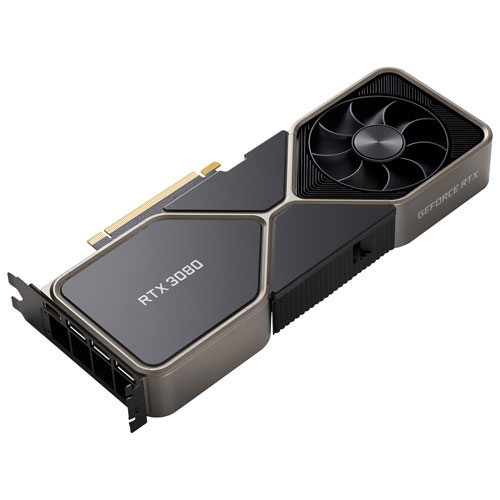
Graphics capability is especially important when matching a Warzone gaming PC to a particular display. At 1080p, a balanced processor and graphics card pairing can support a focus on responsiveness without the rendering demands of higher resolutions. At 1440p, additional graphics performance helps preserve sharper detail while pursuing higher frame rates, making this resolution appealing for players who enjoy both competitive matches and visually rich games. A 4K screen brings finer detail to distant scenery and larger displays, but it also requires substantially more graphics processing at comparable settings. Video memory matters alongside processing power because textures and other visual assets need space, especially as resolution and texture quality increase. Capacity on its own is not a reliable measure of graphics performance, and a card with more video memory is not automatically faster. The Best Graphics Cards for Warzone page offers a focused look at the component most closely tied to these visual demands. Supported upscaling features can improve performance by rendering at a lower internal resolution, though image clarity and results vary by mode. Frame generation, where supported, can increase the number of displayed frames, but it does not replace strong base performance or necessarily improve control responsiveness. A monitor’s refresh rate also shapes the experience: a high frame rate is most useful when the screen can display those updates, and compatible adaptive-sync technology can help reduce tearing. Beyond the display, everyday connections deserve attention. Wired Ethernet offers a reliable local connection and avoids wireless interference, although it cannot eliminate delays elsewhere on the internet. Wi-Fi is convenient when the desk is far from the router, with performance influenced by distance, obstructions, and network traffic. Accessible USB ports make room for a mouse, keyboard, controller, and headset, while suitable display outputs need to support the monitor’s intended resolution and refresh rate. These practical details help a gaming PC fit naturally into an existing setup rather than leaving essential connections to chance.

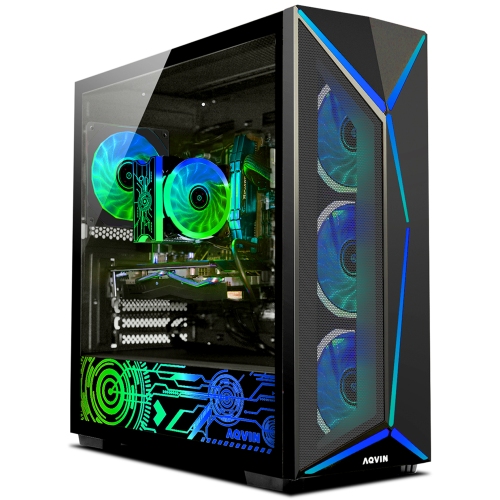
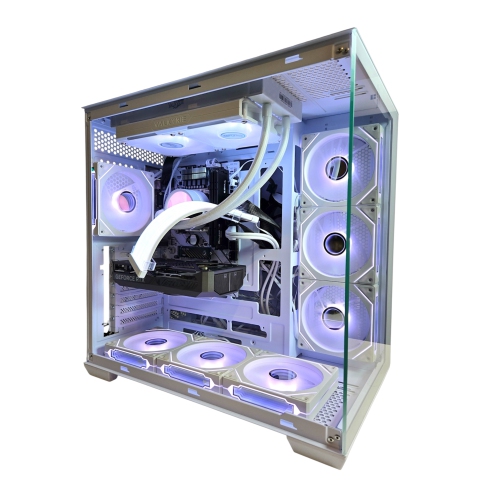
A gaming PC’s case, cooling system, and internal layout influence how comfortably it performs over long sessions and how straightforward it is to maintain. Steel and aluminium chassis provide structure, while mesh panels allow airflow and tempered-glass side panels show the components inside. Glass adds visual appeal but needs careful handling, particularly around hard surfaces and exposed edges. Clear intake paths, well-placed fans, and an appropriate processor cooler help move heat away from busy components. Both air and liquid cooling can work well when properly matched to the hardware; neither is automatically quieter or better simply because of its design. Fan quality, case ventilation, room temperature, and workload all affect sound levels. In a shared room, a steady, subdued airflow sound can be less distracting than fans repeatedly speeding up during a match. Physical fit matters just as much as appearance. A tower needs space for its dimensions, rear cables, and ventilation, rather than a tight enclosure that traps warm air. Keeping it off thick carpet can also prevent obstruction of bottom-mounted vents. Routine care includes clearing dust filters and vents according to the manufacturer’s instructions, with the computer switched off and unplugged before internal cleaning. Accessible filters and removable panels make that upkeep easier. For longer-term flexibility, spare memory slots, additional storage connections, graphics-card clearance, and suitable power-supply capacity can make future upgrades more manageable, although proprietary parts may limit compatibility in some prebuilt systems. Warranty coverage and service options are also useful considerations for a desktop expected to handle frequent use. These computers suit evening squad sessions, competitive practice, and gaming alongside schoolwork or other everyday tasks. Players who also broadcast matches or edit gameplay clips benefit from additional processing and memory headroom, plus storage for video files. As a gift, a gaming desktop is most useful when it matches the recipient’s monitor, available space, and preferred way to play. The strongest fit is a system whose performance, acoustics, connections, and upkeep all support the time spent at the desk.

FAQ

Some products may be subject to Environmental Handling Fees (EHF) depending on your province. Learn more about EHFs.