Best Graphics Cards for Warzone
Find the best graphics cards for Warzone with a selection ranked by user review ratings. Whether you’re aiming for higher frame rates, sharper visuals, or smoother gameplay, compare options that suit your gaming setup and budget. Consider your monitor’s resolution and refresh rate, along with your PC’s compatibility, to choose a graphics card that fits the way you play.
What to look for in graphics cards for Warzone
1. Resolution and Frame Rate
2. Video Memory
3. Upscaling and Input Latency
4. Power, Fit and Cooling
-
1
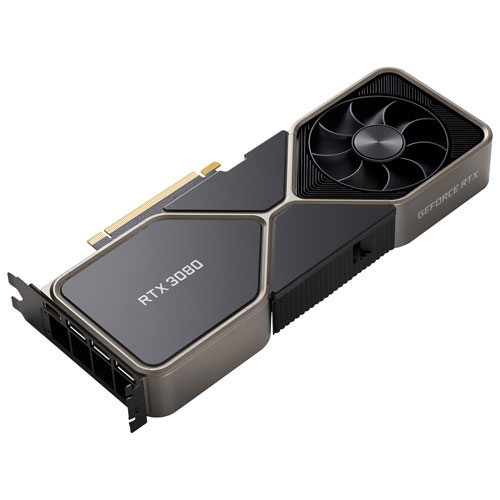
NVIDIA - Geforce Rtx 3080 10GB Gddr6X Video Card
About this product
A powerful NVIDIA video card with 10GB GDDR6X memory for high-performance gaming.
What customers like
(2,173)$1,399.99Your price for this item is $1399.99SAVE $300 -
2
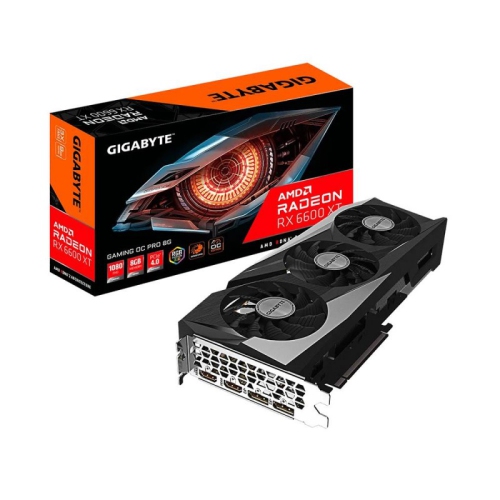
GIGABYTE Radeon Rx 6600 Xt Gaming Oc Pro 8G Graphics Card, Windforce 3X Cooling System, 8GB 128-Bit Gddr6, Gv-R66Xtgamingoc Pro-8Gd Video Card
About this product
A high-performance graphics card featuring 8GB GDDR6 memory, triple-fan cooling, and RGB lighting.
What customers like
(46)$1,349.99Your price for this item is $1349.99SAVE $150 -
3
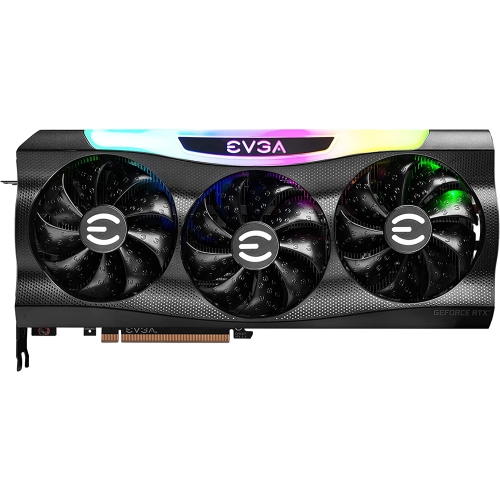
EVGA 3070 Fhr Non-Lhr Graphics Card With Nvidia Processor (08G-P5-3767-Kr)
About this product
A high-performance graphics card with 8GB GDDR6 memory and non-LHR design for gaming and mining.
(8)$1,688.88 Your price for this item is $1688.88 -
4

PNY GeForce RTX 5070 Ti ARGB Epic-X RGB OC Triple-Fan 16GB GDDR7 Video Card
About this product
A high-performance video card with 16GB GDDR7, triple-fan cooling, ARGB lighting, and advanced ray tracing.
What customers like
(28)$1,899.99 Your price for this item is $1899.99 -
5
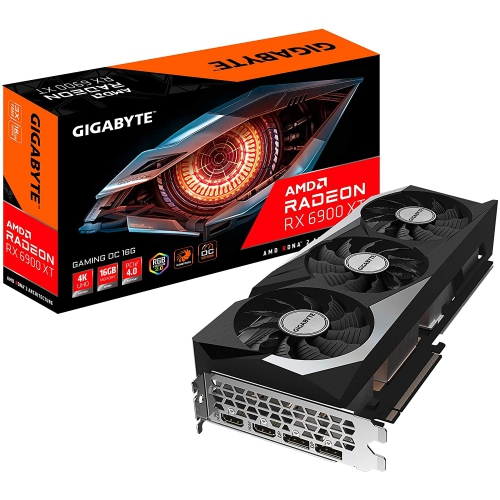
GIGABYTE Radeon Rx 6900 Xt Gaming Oc 16G Graphics Card, Windforce 3X Cooling System, 16GB 256-Bit Gddr6, Gv-R69Xtgaming Oc-16Gd Video Card
About this product
A high-performance graphics card featuring 16GB GDDR6 memory and WINDFORCE 3X cooling for smooth gaming.
(5)$2,999.99 Your price for this item is $2999.99 -
6

SAPPHIRE Pulse Radeon Rx 6600 Graphic Card 8 GB 11310-01-20G
About this product
A powerful SAPPHIRE Pulse Radeon Rx 6600 Graphic Card with 8 GB memory for high-performance gaming.
(2)$816.68Your price for this item is $816.68SAVE $15 -
7
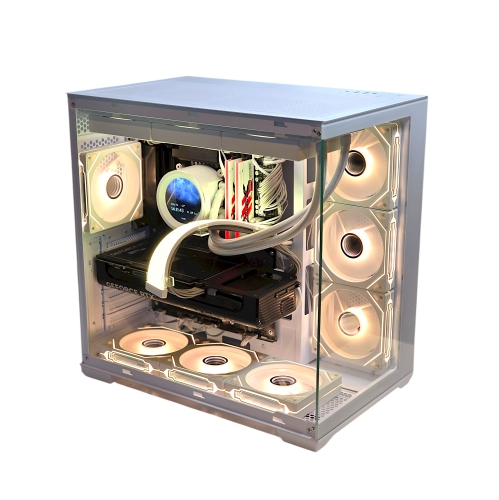
TECHBYTES Sparta | Gaming PC | RTX 5070 ti | Ryzen 7 3.7 GHz (4.6 GHz Turbo) | 32GB Ram Memory | 1TB NVMe SSD | | Wi-Fi | Win 11 PRO | AI Ready | 3-Year Warranty | Black
About this product
A powerful white desktop featuring RTX 5080 graphics, Intel i7 processor, 32GB DDR5 RAM, and Wi-Fi.
(1)$3,179.99 Your price for this item is $3179.99 -
8

HAJAAN Gaming PC - Rtx 5070 12GB, Amd Ryzen 7, 32GB Memory, 2Tb SSD, Win 11 Pro, Ai-Ready
About this product
A powerful desktop featuring an Intel i7 processor, 16GB RAM, 512GB SSD, and RX 550 graphics.
(1)$2,749.99Your price for this item is $2749.99SAVE $250 -
9
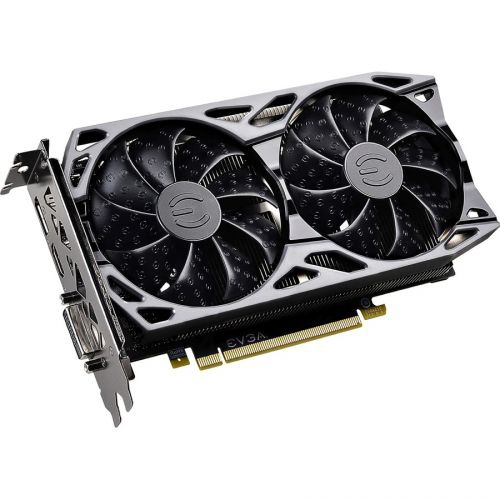
EVGA Geforce Gtx 1660 Super Graphic Card - 6 GB Gddr5
About this product
A powerful graphics card with 6GB GDDR5 memory, 192-bit bus, DisplayPort, HDMI, and DVI outputs.
(1)$1,150.00 Your price for this item is $1150
FAQ
Check your motherboard’s PCIe slot, your power supply’s wattage and power connectors, and your operating system’s support for the graphics card. Compare the card’s specifications with the current Warzone PC requirements, as these can change with game updates.
A dedicated graphics card is a separate component with its own graphics processor and video memory. Integrated graphics are built into a processor and typically share system memory. When choosing a card for Warzone, check the game’s current requirements for supported graphics hardware.
VRAM stands for video random-access memory. It stores graphics data, such as textures and frame buffers, for the graphics processor to access. VRAM is separate from your PC’s system RAM, so check both specifications when reviewing Warzone’s hardware requirements.
HDMI and DisplayPort are common connections on graphics cards. Match the card’s outputs with your monitor’s inputs, and check the port and cable specifications for your chosen resolution and refresh rate. If you use multiple monitors, confirm the card’s supported display count as well.
Download drivers through the graphics processor manufacturer’s official website or desktop app. Select the correct graphics card model and operating system, then follow the installation steps. Warzone’s support information may also identify driver versions associated with a particular game update.
Top selling and popular products
Discover more categories related to Best Graphics Cards for Warzone
Some products may be subject to Environmental Handling Fees (EHF) depending on your province. Learn more about EHFs.