Best Laptop Graphics Cards

The best laptop graphics cards can make a difference in gaming, video editing, and 3D design. Explore options ranked by user review ratings to see which earn high marks from other shoppers. Whether you’re after smoother gameplay or stronger creative performance, compare graphics memory, performance features, and compatibility with your laptop to find the right fit for your needs and budget.

Read More

What to look for in laptop graphics cards

1. Graphics Performance

Integrated graphics can handle everyday browsing, streaming, and lighter games, while a dedicated graphics processing unit (GPU) is better suited to demanding gaming, 3D rendering, and video editing. Compare benchmarks for the specific laptop in the games or apps you plan to use.

2. Video Memory

Dedicated video memory (VRAM) holds graphics data such as textures and 3D assets. Higher resolutions, detailed game textures, and complex creative projects can require more VRAM, so check the requirements for your software and preferred settings.

3. Power and Cooling

Laptops with the same GPU name can deliver different performance because of their power limits and cooling systems. Look at reviews that measure sustained performance, fan noise, and battery life to find a balance that suits your needs.

4. Compatibility and Upgrade Options

Most laptop GPUs are built in and cannot be replaced like desktop graphics cards, making your choice at purchase especially important. If you want an external GPU, confirm that your laptop explicitly supports one and check compatibility with the enclosure and graphics card before buying.
Citrus catapult arrow
  1. 1

    EVGA Geforce Gt 720 Graphic Card - 954Mhz Core - 1GB Ddr3 Sdram - PCi Express 2.0 X16 - Low-Profile - Single Slot Space

    About this product

    A low-profile graphics card with 954MHz core speed, 1GB DDR3 memory, and PCI Express 2.0 x16 interface.

    What customers like

    • Affordable price with good value
    • Compact low-profile design fits small spaces
    • Improves system stability and performance
    • Easy installation and plug-and-play setup
    • Supports multiple monitors and 4K resolution
    (20)
    $198.68
    SAVE $15
    Your price for this item is $198.68
  2. 2

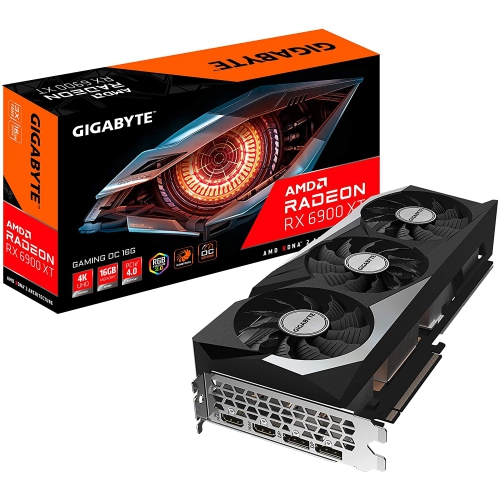
    GIGABYTE Radeon Rx 6900 Xt Gaming Oc 16G Graphics Card, Windforce 3X Cooling System, 16GB 256-Bit Gddr6, Gv-R69Xtgaming Oc-16Gd Video Card

    About this product

    A high-performance graphics card featuring 16GB GDDR6 memory and WINDFORCE 3X cooling for smooth gaming.

    (5)
    $2,999.99 Your price for this item is $2999.99
  3. 3

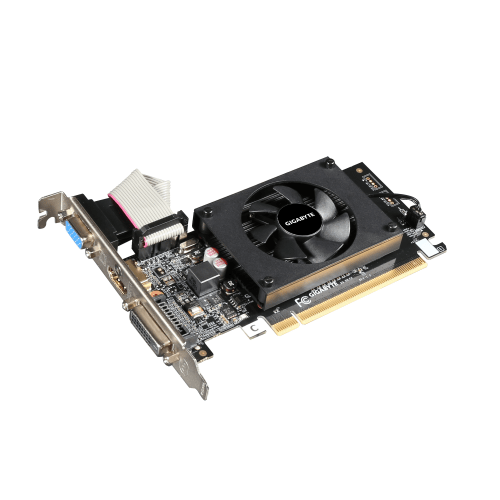
    GIGABYTE Geforce Gt 710 2GB Ddr3 954Mhz Graphics Card (Gv-N710D3-2Gl Rev2.0) In Black

    About this product

    A black GIGABYTE graphics card with 2GB DDR3 memory for improved PC multimedia performance.

    (2)
    $106.68
    SAVE $20
    Your price for this item is $106.68
  4. 4

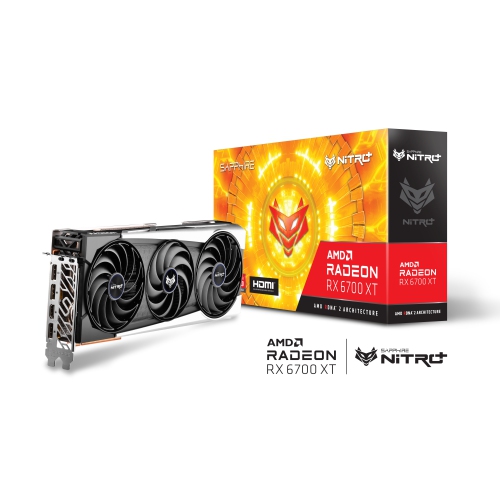
    SAPPHIRE - Nitro+ Amd Radeon Rx 6700 Xt Graphic Card (11306-01-20G)

    About this product

    A high-performance graphics card with 12GB GDDR6 memory for smooth gaming and advanced computing tasks.

    (1)
    $1,699.98 Your price for this item is $1699.98
  5. 5

    MSI Geforce Gt730 2GB Oc Edition PCi-Express Video Card

    About this product

    A low-profile, virtually silent graphics card with 2GB memory and HDMI, DVI-D, and D-Sub outputs.

    (10)
    $172.68
    SAVE $10
    Your price for this item is $172.68
  6. 6

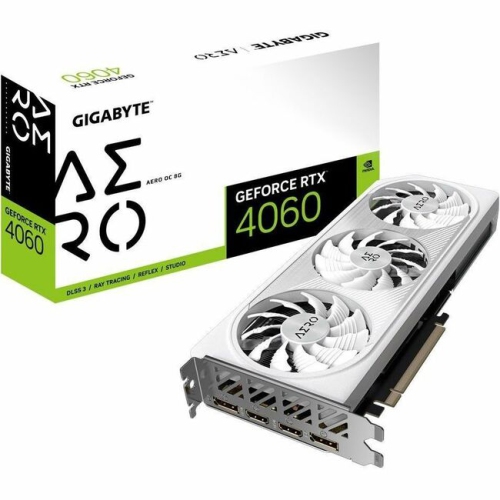
    GIGABYTE Gv-N4060Aero Oc-8Gd Geforce Rtx 4060 Aero Oc 8G Graphic Card (Gvn4060Aerooc8Gd)

    About this product

    A powerful graphics card with 3X Windforce fans and 8GB GDDR6 memory for smooth gaming performance.

    What customers like

    • Affordable price and great value
    • Easy installation and reliable operation
    • Excellent gaming performance at 1080p and 1440p
    • Efficient cooling and low power consumption
    • Attractive white design and clean aesthetics
    (33)
    $1,234.68
    SAVE $15
    Your price for this item is $1234.68
  7. 7

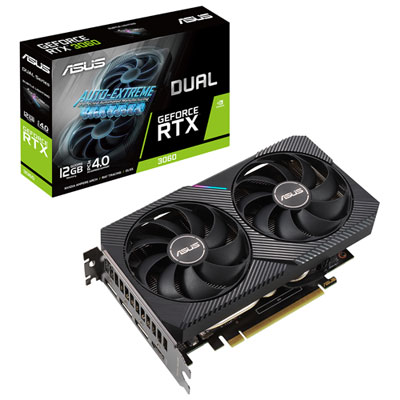
    ASUS Dual NVIDIA GeForce RTX 3060 V2 12GB GDDR6 Video Card

    About this product

    A powerful video card with advanced cooling and superior performance for an immersive gaming experience.

    What customers like

    • Fast delivery
    • Upgrade for gaming pc
    • Good performance
    • Easy installation
    • Budget-friendly
    (302)
    $699.99 Your price for this item is $699.99
  8. 8

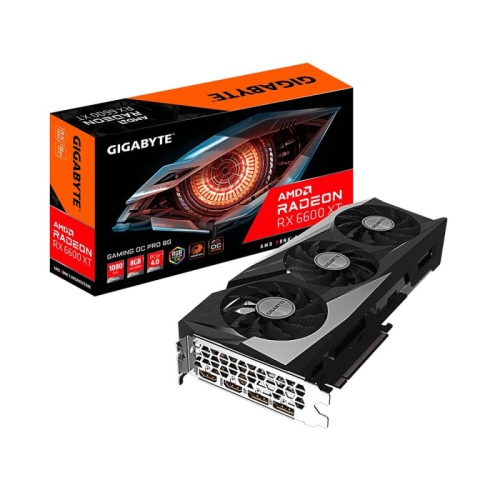
    GIGABYTE Radeon Rx 6600 Xt Gaming Oc Pro 8G Graphics Card, Windforce 3X Cooling System, 8GB 128-Bit Gddr6, Gv-R66Xtgamingoc Pro-8Gd Video Card

    About this product

    A high-performance graphics card featuring 8GB GDDR6 memory, triple-fan cooling, and RGB lighting.

    What customers like

    • Excellent performance for 1080p and 1440p gaming
    • Great value for the price
    • Stays cool and quiet under load
    • Easy to install and use
    • Energy efficient with low power draw
    (46)
    $1,349.99
    SAVE $150
    Your price for this item is $1349.99
  9. 9

    AMD Refurbished (Good) - Radeon R5 240 1GB High-Performance Graphics Card, PCie 3.0, Low Profile Video Card, Dvi, Display Port, Including Dp to HDMI

    About this product

    A refurbished low-profile graphics card with 1GB memory, PCIe 3.0, DVI, DisplayPort, and DP to HDMI adapter.

    (3)
    $29.79
    SAVE $15
    Your price for this item is $29.79
  10. 10

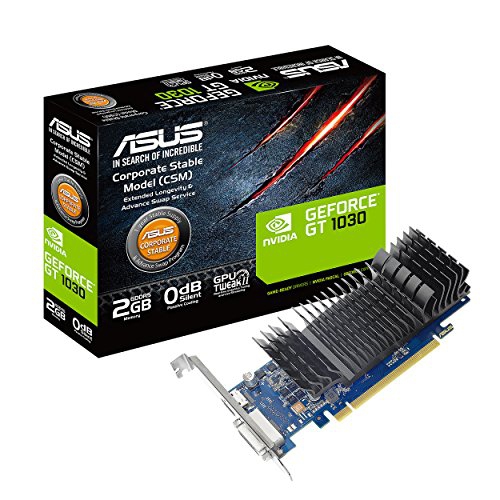
    ASUS Geforce Gt 1030 2GB Gddr5 HDMI Dvi Graphics Card (Gt1030-2G-Csm)

    About this product

    An efficient 2GB GDDR5 graphics card with HDMI and DVI ports for enhanced visual performance.

    (2)
    $199.68
    SAVE $10
    Your price for this item is $199.68

Why laptops with the same GPU perform differently

The best laptop graphics cards pair the performance needed for games and creative software with the cooling, screen, and portability of the laptop itself. A laptop graphics processing unit, or GPU, handles tasks such as drawing detailed game worlds, displaying complex 3D models, and accelerating supported video effects. Although “graphics card” is a familiar term, most laptop GPUs are built into the system rather than fitted as removable cards. Choosing laptop graphics usually means choosing a complete computer, since the GPU and its video memory generally cannot be upgraded later. Integrated graphics share system memory and can suit everyday computing, streaming, lighter creative work, and less demanding games. Dedicated graphics have their own video memory, often called VRAM, and are typically better suited to demanding gaming, large visual projects, and sustained graphics workloads. Performance depends on more than the GPU name or memory capacity, however. Power limits, cooling design, processor performance, and memory configuration all affect how a laptop performs during actual use. Two laptops with the same named GPU can deliver different results if one allows higher power consumption or has more effective cooling. That makes the complete system important, particularly for anyone expecting smooth play through a long gaming session or steady rendering performance on a detailed project. For shoppers comparing laptops with good graphics, the most useful distinction is how well the graphics hardware matches the intended workload. A thin laptop for commuting has different priorities from a larger machine that spends most of its time connected to a monitor at a desk. Neither approach is automatically better: portability, fan noise, battery life, and sustained speed each matter differently depending on where and how the computer will be used. A balanced configuration also needs enough system memory and storage for the applications and files involved, rather than relying on a powerful GPU to make up for limitations elsewhere.

For gaming, the strongest match starts with the screen resolution, the kinds of games being played, and the desired frame rate. Playing at 1080p generally places less demand on a GPU than playing at 1440p or 4K, while higher resolutions can reveal finer detail in scenery, textures, and distant objects. Fast competitive games often benefit from consistently high frame rates and a high-refresh-rate display. Slower-paced adventures may place more emphasis on detailed lighting, rich textures, and visual effects. Ray tracing can add more realistic reflections, shadows, and lighting in supported games, but it also increases the graphics workload. Upscaling can improve performance by rendering at a lower resolution and reconstructing the image, with results that vary by game, display resolution, and quality setting. Frame generation can make supported games look smoother, though generated frames do not improve input responsiveness in the same way as a higher native frame rate. These features are useful additions rather than substitutes for capable underlying hardware. VRAM matters because textures, rendering assets, and other graphics data need space close to the GPU. Higher resolutions and more detailed projects can require more of it, but memory capacity alone does not establish which laptop graphics processor is faster. For creative work, application support is equally important. Video editors may benefit from hardware acceleration for certain effects, playback, and supported export formats, while 3D artists can use compatible GPUs to speed up rendering and navigate complex scenes. An architecture student rotating a detailed building model has different needs from a photographer adjusting a folder of still images or a player exploring a visually demanding open world. Software requirements, supported acceleration features, and performance measurements from similar workloads provide more useful context than a single specification. The display deserves attention alongside the graphics processor: colour accuracy and a suitable colour gamut matter for visual work, while refresh rate and pixel response affect the appearance of movement. A powerful GPU cannot correct an unsuitable screen, and a sharp display still needs enough graphics performance to run demanding content smoothly.

The physical design of a graphics-capable laptop shapes the experience just as much as its internal hardware. Larger chassis often provide more room for fans, heat pipes, or vapour chambers, although size alone does not guarantee better cooling. Metal panels can add rigidity, while well-designed reinforced plastic can also provide a sturdy housing; hinge construction, vent placement, and overall assembly are more meaningful than the exterior finish alone. A 14-inch laptop may fit more comfortably into a bag for classes or a commute, while a 16-inch or 18-inch model can offer a more spacious workspace at the expense of carrying weight. The power adapter also adds to the load, particularly with higher-performance systems. Demanding graphics tasks usually run best when the laptop is connected to its intended power adapter, since battery operation often reduces performance to extend runtime. During sustained use, warm surfaces and audible fans are normal, but vents need clear airflow. A hard, flat desk is a better surface for gaming or rendering than a blanket, sofa cushion, or lap covered by soft fabric. Routine care includes gently cleaning the exterior, keeping ventilation openings clear according to the manufacturer’s directions, and carrying the laptop in a properly fitted padded sleeve. Graphics driver and application updates can improve compatibility and address faults, while important project files still need regular backups. Connections also affect everyday usefulness. An external display requires a port that supports the desired resolution and refresh rate, and a USB-C connector does not by itself guarantee every display or external graphics capability. External GPU enclosures work only with compatible systems and connections, so they are not a universal upgrade path. For a student, gamer, designer, or someone receiving a laptop as a gift, the most satisfying choice is one that fits familiar software, available desk space, and daily travel habits. Enough graphics capability for anticipated projects, paired with practical cooling and a comfortable screen, can make the computer useful across coursework, creative hobbies, entertainment, and demanding work without making every outing feel like moving a desktop setup.
Read More

FAQ

Some products may be subject to Environmental Handling Fees (EHF) depending on your province. Learn more about EHFs.