Best Triple Monitor Mounts

Create a more organized workspace with the best triple monitor mounts, ranked by user review ratings. Whether you’re working across multiple screens or building a gaming setup, a triple monitor mount can help free up desk space and position your displays for comfortable viewing. Compare options for screen size compatibility, weight capacity, and adjustability to find the right fit for your setup.

Read More

What to look for in triple monitor mounts

1. Screen Compatibility

Check that the mount supports each monitor’s screen size, weight and VESA mounting pattern. For curved or ultrawide monitors, also confirm that the arms provide enough clearance to position all three screens without overlap.

2. Desk Fit and Mounting Style

Clamp mounts attach to a desk edge, grommet mounts secure through a desk opening, and freestanding mounts sit on the desktop. Check your desk’s thickness, construction and available space to ensure it can safely support your chosen mount and monitors.

3. Adjustability and Screen Layout

Look for height, tilt, swivel and rotation adjustments that let you place your screens at comfortable viewing angles. Confirm that the mount supports your preferred layout, whether that’s three screens side by side or a stacked arrangement.

4. Stability and Cable Management

Choose a mount with secure joints and sufficient weight capacity per arm to help keep your monitors steady. Built-in cable clips or channels can keep cords tidy, with enough slack left for screen adjustments.
Citrus catapult arrow
  1. 1

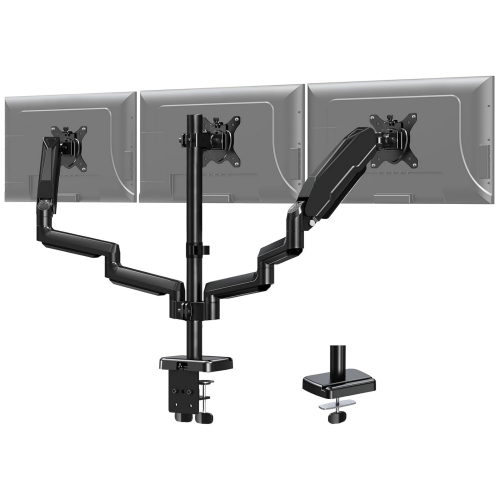
    NIERBO Triple Monitor Desk Mount - Articulating Gas Spring Monitor Arm, Removable w Clamp And Grommet Base - Fits 13 to 27 Inch Lcd Computer

    About this product

    A fully adjustable triple monitor arm with gas spring, 360° rotation, and both clamp and grommet mounting.

    $239.99
    SAVE $103
    Your price for this item is $239.99
  2. 2

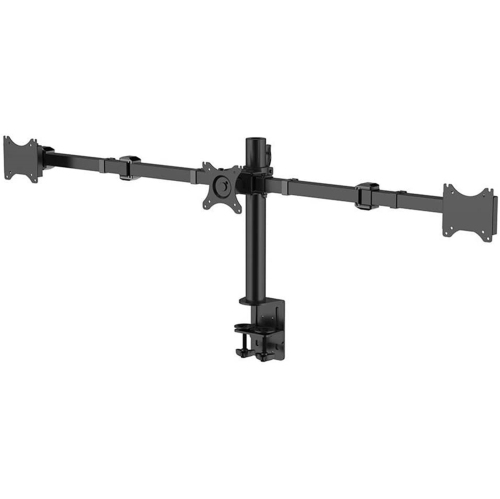
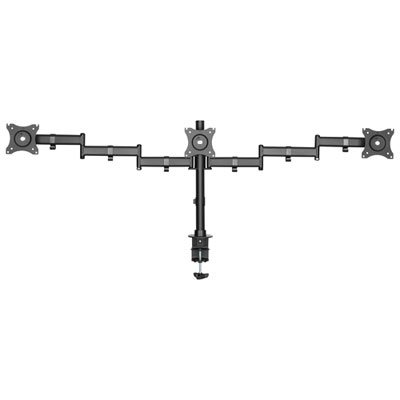
    PRIMECABLES Triple Monitor Mount Stand for 10 – 30 Inch Screens With 90° Swivel Arms, Aluminum Monitor Arms for 3 Screens, 75 X 75 And 100 X 100 Vesa

    About this product

    An aluminum desk mount stand offering full-motion support for three monitors with 75x75 or 100x100 VESA compatibility.

    $79.99 Your price for this item is $79.99
  3. 3

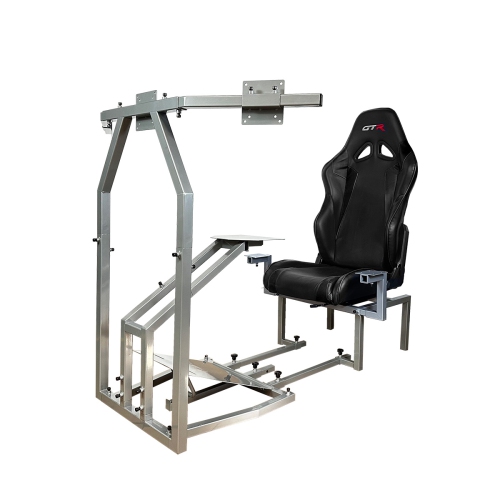
    GTR SIMULATOR Crj Flight Simulation Cockpit With Adjustable Leatherette Seat, Dual Control Mount, Triple Monitor Stand

    About this product

    An adjustable leatherette seat flight simulation cockpit with dual control mount and triple monitor stand.

    $1,079.99 Your price for this item is $1079.99
  4. 4

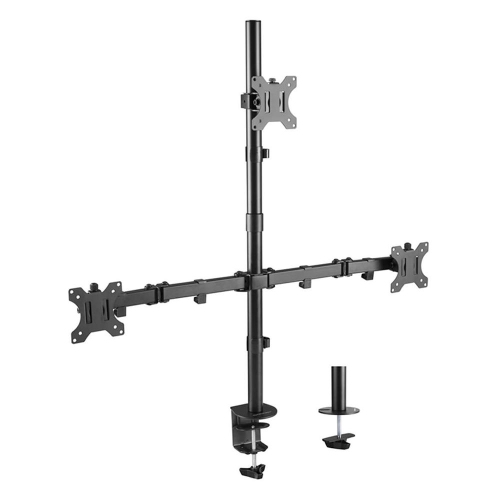
    PRIMECABLES Heavy Duty Full Motion Arm for 13" - 32" Lcd Led Screen, Triple Monitor Desk Mount Monitor Stands With Vesa 75X75 And 100X100MM Patterns

    About this product

    A heavy-duty triple monitor mount stand for screens 13"-32" in size, with full motion capabilities.

    $45.99 Your price for this item is $45.99
  5. 5

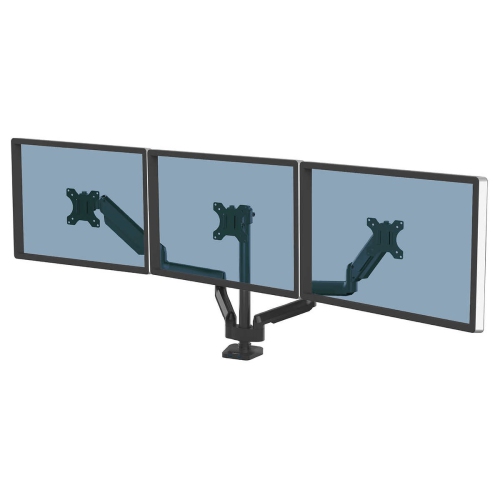
    FELLOWES Series Fully Adjustable Monitor Arm - Triple Arm In Platinum

    About this product

    A fully adjustable platinum triple monitor arm with two USB charging ports and 45-degree tilt capability.

    $265.86
    SAVE $87
    Your price for this item is $265.86
  6. 6

    Rocelco DM3 Triple Monitor Desk Mount - Black

    About this product

    A black triple monitor desk mount with double articulated arms for adjustable tilt, swivel, and rotation.

    $169.99 Your price for this item is $169.99
  7. 7

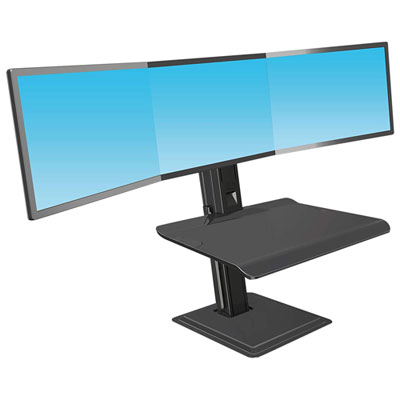
    North Bayou Ergonomic Standing Desk with Triple Monitor Integration - Black

    About this product

    An ergonomic black standing desk with triple monitor support, adjustable height, and built-in USB adapter.

    $499.99 Your price for this item is $499.99
  8. 8

    RELAUNCH- DT Mount-It Monitor Desk Mount

    About this product

    A sturdy desk mount designed to securely hold monitors for an organized and ergonomic workspace.

    What customers like

    • Ergonomic design improves posture
    • Sturdy and well-built
    • Easy to use and assemble
    • Highly adjustable and flexible
    • Comfortable and supportive
    (47)
    $272.68 Your price for this item is $272.68
  9. 9

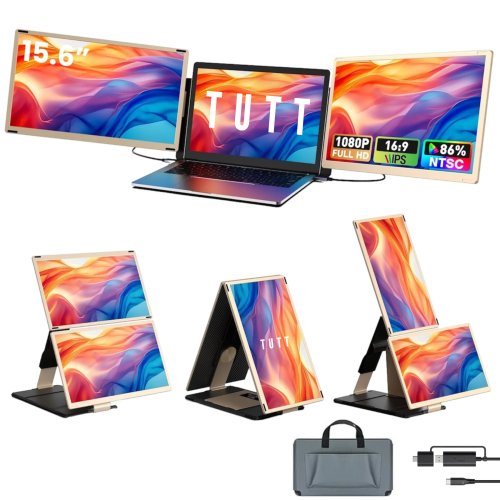
    TUTT S6 15.6" 1080p HD IPS LED Portable Monitor - USB-C/HDMI - H5 Included

    About this product

    A versatile portable monitor with FHD display, USB-C/HDMI connectivity, seven viewing modes, and dedicated technical support.

    What customers like

    • Quick and easy setup process
    • Versatile screen setup and usage
    • Excellent technical and customer support
    • High quality display and materials
    • Lightweight and portable design
    (24)
    $429.90 Your price for this item is $429.90
  10. 10

    VISCOLOGIC The Best Multipurpose Articulating 17" to 37" Full Motion Tv Mount

    About this product

    A versatile full-motion wall mount offering flexible viewing angles for 17" to 37" monitors or TVs.

    $34.99
    SAVE $65
    Your price for this item is $34.99

A better fit for three screens and your desk

Triple monitor mounts bring three screens onto one support system, freeing up desktop space and making a multi-screen workspace easier to arrange. For someone comparing spreadsheets, writing code, editing video, or keeping a reference document beside a main project, the benefit is practical: each display can have a defined place without three separate stands competing with a keyboard, notebook, and mouse. The best triple monitor mounts for a particular setup match the weight, mounting pattern, and dimensions of all three displays while offering the movement that setup needs. Screen size alone does not establish compatibility. A mount rated for a certain diagonal measurement must also support each monitor’s weight without its original stand, and its arms or crossbar must provide enough room for the screens to sit together at the intended angles. Common VESA mounting patterns include 75 × 75 mm and 100 × 100 mm, measured between the mounting holes on the back of the display, but compatibility needs to be confirmed for each monitor. Recessed mounting points, unusual rear housings, and connectors close to the mounting plate can affect fit or require manufacturer-approved hardware. Crossbar designs suit workspaces where three similarly sized displays stay in a consistent horizontal arrangement; some include individual height adjustments to help bring the top edges into line. Independent articulating arms offer more freedom to position different-sized screens, angle the outer displays inward, or turn a compatible monitor vertically for documents and code. Some designs combine a central pole-mounted screen with two movable outer arms, providing a fixed focal point and adjustable side displays. For curved screens and ultrawide displays, overall width, depth, arm clearance, and the mount’s explicit compatibility specifications matter as much as the stated screen-size range. Three screens that each meet the weight limit may still be too wide to fit side by side on a particular mount.

The connection between the mount and the desk is just as important as the connection behind each screen. A C-clamp attaches at the edge of a desktop, while a grommet mount secures through a suitable opening; some designs include both attachment options. Clamp fit depends on desktop thickness, the shape of the edge, and clear space underneath, where a drawer, support rail, or cable tray may obstruct the hardware. A bevelled edge can leave less usable contact area than a flat one. Grommet installation needs an opening of the appropriate size and position, plus access beneath the desk to tighten the fastener. A freestanding triple monitor stand avoids clamping or drilling, although its base occupies desk space and must remain stable with the screens in their intended positions. Desk construction matters across these formats. A solid-looking surface is not automatically suitable for concentrated loads, particularly with glass, hollow-core panels, or damaged particleboard. Compatibility with the desk manufacturer’s requirements is essential, and a reinforcement plate cannot make an unsuitable desktop safe by itself. Steel and aluminium are common structural materials: steel can provide substantial rigidity, while aluminium can reduce the weight of moving components. Neither material alone determines durability; joint construction, fasteners, mounting plates, and the quality of the adjustment mechanisms also affect how firmly the screens stay in place. Long arms create more leverage when extended, so a secure attachment and a sturdy desk help limit movement during typing or repositioning. Depth deserves attention too. A triple monitor arm may need space behind the desktop for its joints to fold, making wall clearance especially relevant on shallow desks. In a corner workspace, the outer screens can also approach adjacent walls or shelving before the arms reach their full range. Cable trays, speakers, a laptop dock, and desk lamps all share that footprint, so a suitable mount leaves room for the complete workstation rather than just the displays.

Adjustment features determine how naturally a triple-screen arrangement fits into daily use. Gas-spring or mechanical-spring arms can make frequent repositioning easier, provided each monitor falls within the arm’s stated minimum and maximum load range and the tension is set correctly. A monitor that is too light for an arm can be as problematic as one that is too heavy. Pole-mounted and crossbar arrangements often suit displays that remain at a set height, while tilt, swivel, rotation, and fine alignment adjustments offer different ways to refine the view. For a workstation centred on one main display, positioning that screen directly ahead and bringing the side screens inward can keep frequently used content within a comfortable viewing area. A portrait screen can give a programmer or researcher more vertical space, but rotation requires enough clearance to avoid neighbouring panels and the desktop. Matching screen edges may also take individual height adjustment when monitor housings or VESA mounting locations differ. On a sit-stand desk, the mount moves with the desktop, while cables running to a computer or outlet below need sufficient slack throughout the desk’s travel. Integrated clips and cable channels help keep leads together, but the cables still need room at moving joints so they are not stretched, pinched, or pulled from their ports. Triple monitor mounts support the displays physically; running three screens also requires compatible computer outputs, cables, and, where applicable, a suitable dock. Day-to-day care is generally straightforward: a soft, dry cloth removes dust from accessible surfaces, and periodic checks of the clamp, mounting screws, and adjustment points can reveal loosening before the screens begin to drift. Cleaning products, lubrication, and tension adjustments should follow the mount manufacturer’s directions. For a remote worker, designer, student, or gaming enthusiast, a well-matched mount can be a useful workspace upgrade or a thoughtful gift when the recipient’s monitor specifications and desk construction are known. For workstations that may be better served by a different number of screens or another mounting format, Best Monitor Mounts offers a broader starting point. The strongest fit is a mount that holds all three displays securely, makes useful adjustments accessible, and leaves the desk comfortable to work at.
Read More

FAQ

Some products may be subject to Environmental Handling Fees (EHF) depending on your province. Learn more about EHFs.